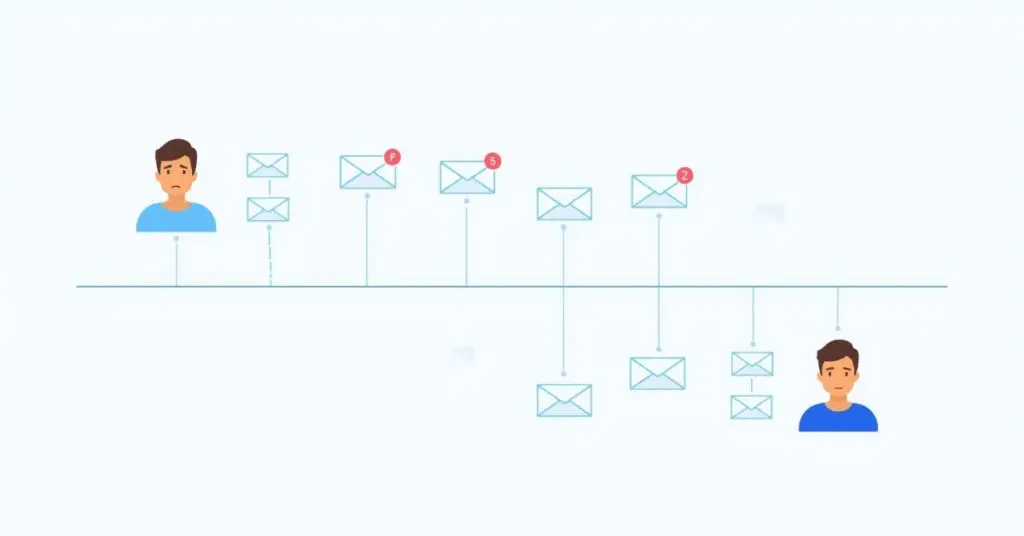
Implementing velocity scripts, Velocity script implementation, Marketo scripting best practices, Testing velocity scripts, Velocity script governance, Script performance optimization,
Key Takeaways
  • Real-world scenarios demonstrate practical applications of velocity scripts
  • Structured testing protocols prevent production errors
  • Governance frameworks ensure safe deployment and compliance
  • Performance monitoring prevents email rendering delays
  • Expert support accelerates capability building for complex requirements

You’ve heard about velocity scripts. You understand the potential. You know they can unlock personalization that standard Marketo tokens simply can’t deliver. But here’s where most teams get stuck: turning that theoretical understanding into actual working campaigns.

Implementing velocity scripts isn’t just a technical exercise—it’s a process that requires careful planning, structured testing, and honest assessment of what your team can handle versus where you need outside help. The gap between “this sounds great” and “this is working in production” trips up even experienced operations professionals.

The challenge isn’t just writing code that works. It’s writing code that works reliably across thousands of records with messy data, doesn’t break when someone updates a field name, and still renders emails fast enough to meet campaign deadlines. Implementing velocity scripts successfully means understanding these realities upfront.

This guide walks through real scenarios where velocity solved actual business problems, the implementation challenges teams encountered, and the Marketo scripting best practices that separate successful deployments from expensive failures. Whether you’re building capability in-house or bringing in specialists, these insights help you avoid the painful lessons others learned the hard way.

Real-World Implementation Scenarios

Talking about velocity scripts in abstract terms rarely helps. Let’s look at how real organizations used them to solve specific problems.

Scenario 1: Multi-Tier Product Recommendations

A B2B SaaS company was drowning in email versions. They offered three subscription tiers, and marketing wanted to recommend the right one based on company revenue, current plan, and renewal timing. The math was brutal: that’s potentially 15+ email variations to maintain.

Every time pricing changed or messaging shifted, someone had to update every single version. Testing took forever. Version control became a nightmare. Something had to give.

The solution? One email template with velocity logic evaluating all three factors simultaneously. The script checks revenue brackets first, then looks at subscription status, then factors in renewal proximity. Based on those conditions, it generates the appropriate recommendation with personalized reasoning.

The result: One template replaced 15 assets. Campaign deployment time dropped from days to hours. When offers change, one update handles everything.

Pro Tip: Don’t start with your most complex personalization challenge. Pick something straightforward that proves value quickly. Success builds confidence and internal support for tackling harder problems later.

Scenario 2: Geographic Event Invitations

A consulting firm ran into the classic regional event problem. They hosted quarterly networking events in six cities, but every invitation email was generic: “Join us in [city list].” Prospects had to figure out which location made sense for them.

Registration rates were mediocre. People don’t engage when you make them work to find relevant information.

Implementing velocity scripts changed the approach entirely. The team built logic that evaluated each prospect’s state against event locations, automatically assigned them to the nearest city, and populated that event’s specific details—date, venue, registration link—as the primary call-to-action.

Prospects far from any venue? The script defaulted them to the virtual event option with physical locations as alternatives.

The outcome: Registration rates jumped 34% compared to previous campaigns. The team managed one template instead of seven. Adding new cities just meant updating the script logic, not building entirely new assets.

Scenario 3: Cleaning Inconsistent Contact Data

Here’s a problem every operations team knows: phone numbers stored in wildly different formats. Some have parentheses and hyphens. Others are straight digit strings. Many include international prefixes. All of them need to display professionally in customer emails.

A manufacturing company faced exactly this situation. The data existed in their database, but showing it to customers looked sloppy and inconsistent—not the impression they wanted to make.

Pausing campaigns to manually clean thousands of records wasn’t realistic. The timeline didn’t allow it, and frankly, new records would just recreate the problem immediately.

Velocity script implementation solved it at render time. The script strips non-numeric characters, validates digit count, then reformats based on regional conventions. Ten-digit US numbers become (555) 123-4567. International numbers keep their country codes with proper spacing.

The payoff: Professional presentation without database cleanup projects. No debates about which format is “correct” because the script adapts display based on context.

Technical Implementation Challenges

Let’s be direct: implementing velocity scripts introduces complexity. Knowing what you’re getting into helps you prepare appropriately.

Developer Skill Requirements

Velocity scripting isn’t something most marketers pick up casually. It requires understanding syntax, conditional logic, loops, and variables—basically, programming fundamentals.

Small mistakes have big consequences. Miss a closing bracket? Your entire email content block goes blank. Reference a variable incorrectly? Recipients see error messages instead of personalized content. These aren’t theoretical risks—they happen in production if testing isn’t thorough.

Testing velocity scripts becomes exponentially more complex than testing standard emails. A script working perfectly with complete data profiles might crash spectacularly when it hits a null value or unexpected text format. You need to validate across dozens of scenarios, not just send yourself a few test emails.

Most teams handle this in either of three-ways: train existing staff (slow but builds capability), hire specialized talent (expensive but effective), or partner with agencies like 4Thought Marketing (immediate expertise without permanent headcount).

Email Rendering Performance

Complex scripts slow things down. That’s just reality.

Scripts with nested loops, multiple custom object queries, or heavy string manipulation add processing time to every email render. Batch programs that previously completed in 30 minutes might now take two hours.

For time-sensitive campaigns—flash sales, event registrations with limited capacity, breaking news—those delays can kill business outcomes. Script performance optimization isn’t optional; it’s essential for maintaining operational efficiency.

Important: Monitor send completion times closely after implementing velocity scripts. If performance degrades significantly, optimization becomes your top priority.

Performance improvements come from minimizing unnecessary loops, caching frequently-accessed values, breaking complex scripts into smaller blocks, and testing velocity scripts with realistic data volumes before production.

Data Quality Dependencies

Here’s an uncomfortable truth: velocity scripts amplify data quality problems instead of hiding them. Poor data hygiene becomes more visible, not less, when you’re trying to personalize content.

Null values break scripts unless you code explicit fallback handling. A script expecting company revenue data will crash on records missing that field—unless the developer anticipated this scenario and built around it.

Inconsistent formats—dates as text versus date fields, phone numbers structured differently, mixed-case entries—require additional complexity to handle gracefully. The messier your data, the more elaborate your scripts become.

Then there’s maintenance. Every time someone adds custom fields, renames existing fields, or changes data types, every velocity script touching those fields needs manual updates. Without clear documentation tracking dependencies, one seemingly minor database change can break multiple campaigns simultaneously.

Best Practices for Velocity Script Success

Marketo scripting best practices reduce implementation risk through structured approaches balancing capability with governance.

Establish a Centralized Script Library

Stop building scripts from scratch every single time. Maintain tested templates for common scenarios that teams can reuse and adapt.

Product recommendation templates with clear documentation on parameters and expected fields. Geographic personalization frameworks covering regional variations. Data formatting utilities for phone numbers, dates, addresses, text case. Custom object access patterns optimized for performance. Consent-checking logic meeting privacy compliance requirements.

Documented templates accelerate implementing velocity scripts, reduce errors, and ensure consistency. New team members onboard faster when they can reference working examples instead of learning through trial and error.

Version control matters as your library grows. Track which campaigns use which script versions so updates don’t accidentally break active programs.

Implement Mandatory Peer Review

Never let scripts go to production without a second set of eyes reviewing them. Fresh perspective catches mistake the original developer missed.

Effective peer review covers:

Syntax checking for common errors like mismatched brackets. Logic validation ensuring conditions cover all possible scenarios. Fallback verification confirming default output exists for null values. Performance assessment flagging potential rendering delays. Compliance review ensuring scripts respect consent and privacy rules.

This velocity script governance approach creates accountability, reduces production errors, and builds team knowledge as reviewers learn from examining others’ work.

Build Comprehensive Test Segments

Create Smart Lists representing edge cases scripts must handle gracefully. Testing velocity scripts only with clean, complete data misses real-world scenarios that break personalization.

Essential test segments include:

Records with null values in fields your scripts reference. International data with varied formats and languages. Minimal profiles containing only required fields. Maximum profiles with all possible fields populated. Edge cases like extremely long text or unusual characters. Recent opt-outs affecting what data can display.

Pro Tip: Maintain permanent test segments rather than rebuilding them for each campaign. Standardized test data accelerates validation and ensures consistent quality checks.

Send tests to yourself using each segment. Verify content renders correctly, fallback logic works as intended, and no blank sections or error messages appear.

Document Business Logic Clearly

Write plain-language explanations of what each script does and why, separate from the code itself. Future team members need to understand intent, not just syntax.

Effective documentation includes:

Business objective the script achieves. Fields accessed and expected data types. Logic flow in plain language. Fallback behavior for missing data. Known limitations or scenarios not handled. Update history tracking when and why changes occurred.

This supports knowledge transfer, reduces dependency on individual developers, and accelerates troubleshooting when scripts behave unexpectedly.

Create Fallback Content Always

Never let scripts produce blank output. Always define default content when data doesn’t meet expected conditions.

Generic fallback maintains professional presentation even when personalization fails. “Explore our product lineup” beats blank space when revenue data needed for recommendations is missing.

Monitor and Audit Regularly – Schedule quarterly reviews of active scripts identifying optimization opportunities, retiring unused logic, and ensuring alignment with current business rules.

Regular audits assess – Which scripts remain active versus deprecated. Script performance optimization opportunities based on rendering times. Accuracy of logic as requirements evolve. Data dependencies and potential breaking changes. Compliance with current privacy regulations. Consolidation opportunities for similar scripts.

Proactive monitoring prevents script proliferation where outdated logic persists in forgotten campaigns.

When to Get Expert Help

Not every situation demands external support for velocity script implementation, but certain scenarios benefit significantly from specialized expertise.

Implementing velocity scripts, Velocity script implementation, Marketo scripting best practices, Testing velocity scripts, Velocity script governance, Script performance optimization,

Limited Internal Technical Capacity

  • Operations staff lack scripting skills and bandwidth for development
  • Personalization needs clearly exceed native capabilities
  • Timeline doesn’t allow for lengthy learning curves

Complex Compliance Requirements

  • Privacy regulations demand sophisticated logic beyond general marketing knowledge
  • Industry-specific requirements create meaningful legal risk
  • Compliance mistakes carry serious consequences

Accelerated Timelines

  • Business objectives require immediate implementation
  • Competitive pressures demand faster execution
  • Can’t wait months for skill development

Multiple Failed Attempts

  • Team lacks architectural understanding of how velocity integrates
  • Trial-and-error approach wasting resources
  • Stakeholder confidence damaged by repeated failures

Scaling Challenges

  • Initial success creating demand across many campaigns
  • Team manages few scripts but lacks frameworks for broader adoption
  • Need structured governance to support growth

What Expert Partners Provide

Agencies like 4Thought Marketing bring experience across dozens of implementations, avoiding pitfalls internal teams discover through expensive mistakes.

Core Services:

  • Assessment – Separate genuine velocity needs from native feature capabilities
  • Architecture – Establish governance, testing protocols, documentation standards
  • Development – Production-ready logic with error handling and optimization
  • Testing – Comprehensive validation across edge cases
  • Training – Knowledge transfer on maintenance and troubleshooting
  • Support – Ongoing backup as programs evolve

Build vs. Buy Decision

Build Internally When:

  • Personalization requirements are extensive and ongoing
  • Budget justifies permanent technical headcount
  • Existing teams can add velocity skills through training
  • Self-sufficiency is strategic priority

Partner When:

  • Needs are sporadic or campaign-specific
  • Expertise only when needed costs less than permanent staff
  • Timeline pressures don’t allow learning delays
  • Compliance risk requires proven experience

Hybrid Works When:

  • Partners handle initial implementation and complex scenarios
  • Internal teams trained for maintenance over time
  • Balancing immediate capability with future self-sufficiency

Conclusion

Successfully implementing velocity scripts requires more than technical skills—it demands structured processes, velocity script governance, and honest assessment of capabilities.

The organizations seeing real success start focused. They prove value with straightforward use cases before expanding scope. They invest in Marketo scripting best practices like comprehensive testing and peer review instead of rushing production. They recognize when to build internally versus when expertise prevents expensive mistakes.

The challenges are real. Velocity requires developer skills, affects performance, and increases maintenance complexity. But teams addressing these challenges through structured approaches transform velocity from interesting concept to competitive differentiator. Whether building expertise or partnering with specialists like 4Thought Marketing, match your approach to your specific situation. Resources, skills, timelines, compliance needs, and strategic importance all influence the right path for velocity script implementation success.
Frequently Asked Questions (FAQs)

How long does implementing velocity scripts take?
Timeframes vary significantly. Simple formatting scripts might take days, while sophisticated multi-field logic can require weeks of development and testing velocity scripts, plus additional time for peer review.
What’s the biggest implementation mistake teams make?
Tackling complex scenarios first. Starting with simpler use cases builds confidence and understanding before addressing sophisticated logic or custom object integration.
Do we need a dedicated developer for velocity?
Not necessarily. Some operations professionals develop scripting skills through training. However, extensive personalization requirements often justify dedicated technical resources or agency partnerships.
How do we prevent scripts from breaking campaigns?
Follow Marketo scripting best practices: comprehensive testing across data scenarios, mandatory peer review, fallback content for null values, and clear documentation of field dependencies.
Can velocity scripts slow email sends?
Yes, complex scripts impact rendering performance. Focus on script performance optimization, monitor send times, and test with realistic data volumes before production.
Should we build velocity expertise internally or use an agency?
Consider personalization volume, available resources, and strategic priorities. Internal capability makes sense for extensive ongoing needs. Agency partnerships work well for sporadic requirements or accelerated timelines.

Marketo image to email template, Marketo email template builder, create email templates Marketo, AI email template generator, automated email template creation, Marketo email template workflow, Marketo Engage email designer, responsive email templates, email template automation, Marketo template builder,
Key Takeaways
  • AI converts design files into HTML templates instantly.
  • Eliminates coding dependencies and technical delays completely.
  • Brand Themes ensure automated design compliance globally.
  • Supports screenshots, mock-ups, and hand-drawn sketches.
  • Available free to all Marketo Engage customers.

Your marketing ops team shouldn’t be waiting on developers to build email templates. You shouldn’t be blocked from shipping campaigns because of someone else’s timeline. Marketo image to email template feature, powered by AI, gives you that control back. Upload a design image, and AI converts it into a fully responsive HTML template in seconds. You own the entire process. No developer requests. No revision cycles. No dependencies. Your team launches campaigns on your schedule. Your brand stays consistent. You move at the speed you need to move.

Adobe Marketo Engage has introduced the Marketo image to email template feature that fundamentally changes this equation through artificial intelligence. The Marketo image to email template capability leverages AI to convert any visual design into fully editable, brand-compliant, responsive HTML templates within seconds.

What Is Marketo’s Image to Template Feature and How Does It Work?

The Marketo image to email template functionality is an AI-powered solution that instantly transforms visual designs into production-ready templates. The system accepts any image file—such as PNG, JPEG, a screenshot, or a design mock-up—and automatically generates structured HTML with editable content blocks.

The Marketo image to email template workflow operates through five straightforward steps. Upload your design file directly into the interface. Select your Brand Theme containing pre-defined design guidelines. The AI processes your image and generates the HTML structure. Customize the generated template using the drag-and-drop editor. Test and deploy your campaign immediately without additional development cycles.

Adobe’s AI analyzes visual hierarchy, identifies functional elements like buttons and navigation, recognizes text blocks versus imagery, and applies appropriate HTML structures based on email best practices.

Why Do Marketing Teams Need Faster Email Template Production?

Traditional workflows create operational friction that impacts business outcomes. When template creation requires more than two days, marketing teams miss time-sensitive opportunities, and competitive windows close.

Technical dependencies represent the primary constraint. Marketing operations professionals often lack HTML coding expertise, which requires them to submit tickets to IT departments or engage external agencies. The Marketo image to email template approach eliminates these bottlenecks completely.

Product launches miss market timing when announcement emails lag behind availability. Event marketing suffers when registration campaigns deploy late. Customer lifecycle programs experience gaps when triggered emails require weeks to build rather than hours.

Agency retainers for routine template builds divert budget from strategic initiatives. Internal development resources spend time on repetitive tasks rather than platform optimization.

How Does This Technology Benefit Marketing Operations?

The Marketo image to email template technology transforms how teams work by removing technical barriers. Marketing automation managers gain complete autonomy over template production, enabling rapid response to business needs.

Templates that previously consumed days now generate in seconds through the Marketo image to email template system, fundamentally changing what becomes possible within campaign timelines. B2B marketers can respond to breaking news or competitive developments with same-day email campaigns.

Brand Themes function as centralized design systems within Marketo, ensuring every generated template automatically conforms to approved guidelines using the Marketo image to email template feature. This capability proves especially valuable for enterprise marketing teams managing multiple regions or business units.

Organizations redirect agency spending toward strategic creative development rather than routine template builds. Internal engineering resources focus on platform enhancements or integration projects instead of repetitive HTML production through email template automation.

Content specialists, campaign managers, and regional marketers who lack coding knowledge can produce professional templates independently using the Marketo image to email template capability. This distributed capability increases organizational agility while reducing bottlenecks.

What File Types and Design Tools Work with This Feature?

The system accepts diverse input formats. Standard image formats including JPEG and PNG files work seamlessly regardless of resolution. Screenshots captured from any application process without conversion requirements into the Marketo image to email template generator.

Design mockups from professional tools integrate directly into the Marketo image to email template workflow. Figma exports, Adobe XD artboards, Sketch files saved as images, and PowerPoint slides all serve as valid inputs.

The AI handles low-fidelity inputs effectively. Marketo’s product team demonstrated this through their “paper napkin test,” where a hand-drawn email layout sketched with pen on paper successfully generated a functional template complete with image blocks, text sections, and call-to-action buttons.

Marketing operations professionals should establish minimum standards around input quality. Designs with clear visual section boundaries, consistent element spacing, and distinct functional components produce more accurate initial templates.

How Can Marketing Teams Implement This Feature Successfully?

Successful implementation of the Marketo image to email template feature begins with Brand Theme configuration. Marketing automation managers should invest time creating comprehensive Brand Themes that capture complete design systems including color palettes, typography hierarchies, spacing standards, button styles, and header-footer templates.

Establishing internal standards for design files improves output quality when teams use the Marketo image to email template system. Teams benefit from documented guidelines covering minimum resolution requirements, visual section boundaries, element naming conventions, and annotations for interactive components.

Brief enablement sessions should cover how to prepare optimal design files, select appropriate Brand Themes, refine generated templates, implement quality control checkpoints, and execute testing protocols before deployment of any Marketo image to email template output.

Workflow documentation supports organizational adoption. Process maps showing step-by-step template creation procedures help teams maintain consistency as usage scales.

Generated templates should undergo standard email testing procedures including rendering verification across major email clients, responsive design validation on mobile devices, and link functionality confirmation before deployment.

Conclusion

The Marketo image to email template feature eliminates technical bottlenecks that have constrained email marketing operations for years. This innovation transforms workflow efficiency while maintaining brand consistency through systematic application of design standards. Enterprise marketing teams gain agility to respond to market opportunities in hours rather than weeks using the Marketo image to email template capability.

The future of email production has arrived through the Marketo image to email template solution, delivering measurable improvements in campaign velocity, operational costs, and competitive responsiveness. If you’re ready to transform your processes and eliminate production bottlenecks permanently, 4Thought Marketing specializes in helping organizations optimize their marketing automation platforms—contact us to discuss how we can accelerate your marketing operations.

Frequently Asked Questions (FAQs)

Is the Image to Template feature available to all Marketo customers?
Yes, the Marketo image to email template feature is included at no additional cost for all Marketo Engage and Journey Optimizer B2B Edition customers starting November 7, 2025.
Do I need coding skills to use this feature?
No technical expertise is required. The Marketo image to email template system handles HTML generation automatically, and the drag-and-drop editor allows non-technical marketers to customize templates easily.
How does the feature maintain brand consistency across templates?
Brand Themes serve as centralized design systems that automatically apply approved colors, typography, spacing, and style standards to every template generated through the Marketo image to email template process.
Can the AI recognize hand-drawn sketches or only professional design files?
The Marketo image to email template technology processes various input types including professional mockups, screenshots, and even hand-drawn sketches, as demonstrated by Marketo’s paper napkin test.
What happens if the generated template needs modifications?
All templates open in the Marketo Engage email designer where you can customize content blocks, swap images, modify text, add personalization tokens, and adjust layouts using drag-and-drop tools.
How long does it take to generate a template from an uploaded image?
The Marketo image to email template generation completes in seconds, dramatically reducing the days or weeks typically required through traditional development workflows.

Resolving Lead Duplicate Issues, Dynamics 365 Marketo integration, Salesforce Marketo integration, duplicate leads in CRM, de-duplication strategies, prevent duplicate leads, Salesforce duplicate management, : impact of duplicate leads on sales, automated deduplication workflows, merging duplicate records in CRM, lead routing best practices, data privacy and duplicate records
Key Takeaways
  • Learn why duplicate leads damage campaigns, reporting, and compliance.
  • Understand root causes across data entry, sync timing, and system gaps.
  • Discover prevention tactics using governance, smart forms, and CRM setup.
  • Explore advanced detection and resolution with automation and review.
  • See how Dynamics 365 and Salesforce integrations handle duplicates differently.

Seamless data flow between Adobe Marketo and Dynamics 365 or Salesforce represents the ideal state: accurate reporting, optimized spend, consistent customer journeys, and strong compliance. That ideal often collapses when duplicate records creep into integrations, quietly multiplying costs, distorting insights, and eroding trust. Resolving Lead Duplicate Issues means uncovering the causes, assessing the risks, and applying proven strategies that keep data consistently clean across platforms. This article unpacks exactly that!

What business damage do duplicate leads actually cause?

Duplicate leads undermine almost every marketing and sales function. They fragment the customer view, leaving sales teams blind to full engagement histories. Marketing spend is wasted when prospects receive multiple communications, while reporting metrics become inflated and unreliable. Worse, duplicate email sends damage brand trust and may even result in compliance violations if opt-outs are missed. In short, duplicate leads don’t just clutter your database—they harm revenue, relationships, and reputation.

Where do lead duplication causes originate?

The sources of duplication are varied:

  • Inconsistent data entry: “John Smith” in marketing versus “J. Smith” in sales.
  • Multiple lead sources: Web forms, trade shows, purchased lists, and social channels all structure data differently.
  • Timing and sync delays: Leads created in CRM before Marketo syncs can result in new records instead of updates.
  • Weak matching rules: Relying only on email addresses misses alternate emails and typos.
  • System limitations: Default deduplication tools may not fit every business process.

By understanding these lead duplication causes, teams can design controls that stop issues before they cascade.

How can Dynamics 365 Marketo integration prevent duplicate leads in CRM?

Dynamics 365 Marketo integration provides opportunities to enforce governance if configured correctly. Establish naming conventions, standardized field mappings, and validation rules for all capture points. Enable Dynamics 365 duplicate detection and configure Marketo to recognize multiple match fields such as email + company + last name. Using the lead qualification mapping feature, users can connect new submissions to existing Contacts or Accounts, preventing redundant records. With these steps, Dynamics 365 duplicate detection and Marketo de-duplication work together to maintain clean, consistent data.

How does Salesforce Marketo integration handle duplicate leads differently?

Salesforce Marketo integration offers a different set of tools. Administrators can set up Salesforce duplicate management using Matching Rules and Duplicate Rules. For example, a rule might block new leads with the same email and company name, or alert users when potential duplicates appear. Configuring lead conversion properly ensures existing Contacts are updated instead of creating new ones. These controls rely on aligning Salesforce duplicate management policies with Marketo’s dedupe logic to ensure both systems agree on a single source of truth.

Which deduplication tactics are most effective across platforms?

Effective strategies combine prevention and detection:

  • Governance standards: Define required fields and validation rules.
  • Smart form design: Use progressive profiling and hidden attribution fields.
  • Lead routing rules: Assign records based on qualification and scoring models.
  • Advanced detection: Apply fuzzy logic, multi-field analysis, and behavioral recognition.
  • Automated workflows: Merge duplicates by recency, completeness, or lead score.

These strategies ensure duplicates are caught early, routed correctly, and resolved without losing history.

How do advanced detection techniques strengthen duplicate management?

Resolving Lead Duplicate Issues, Dynamics 365 Marketo integration, Salesforce Marketo integration, duplicate leads in CRM, de-duplication strategies, prevent duplicate leads, Salesforce duplicate management, : impact of duplicate leads on sales, automated deduplication workflows, merging duplicate records in CRM, lead routing best practices, data privacy and duplicate records

Modern duplicate detection goes beyond simple email checks. Fuzzy logic matching identifies “Robert” versus “Bob,” or formatting differences in phone numbers. Multi-field analysis scores similarities across domains, job titles, or industries. Behavioral recognition looks at recurring engagement patterns, such as identical form submissions or browsing behaviors. When applied together, these techniques deliver higher accuracy and allow automated deduplication workflows to operate with confidence.

What are the best practices for resolving duplicates once they are found?

Resolution requires clear rules:

  • Priority-based merging: Favor the most recent activity, highest score, or most complete profile.
  • Data consolidation logic: Merge custom fields and activity histories without losing attribution.
  • Audit trails: Maintain logs of merges to preserve compliance transparency.
  • Manual review dashboards: Flag complex cases for human oversight, with SLAs and approval workflows.

By blending automation with controlled manual intervention, organizations ensure accurate data without sacrificing speed or compliance.

Why does the Dynamics 365 Person-model create unique challenges?

In Adobe Marketo, every individual is a Person record, whether they appear in Dynamics 365 as a Lead or Contact. When D365 qualifies a lead, it creates Contact, Account, and Opportunity records—sometimes generating duplicates if not linked properly. Meanwhile, Marketo continues linking to the original Person, creating misalignment. Without governance, this breaks customer journeys and distorts reporting. Using the D365 qualification feature to map leads to existing Contacts or Accounts avoids duplication and keeps Marketo associations intact.

How should Salesforce and Dynamics 365 strategies differ?

While both CRMs integrate with Marketo, each has unique nuances. Salesforce depends heavily on Matching and Duplicate Rules, while Dynamics 365 relies on lead qualification mapping. Organizations using both should document their rules separately, ensuring teams understand the differences. Training, governance standards, and cross-system audits are essential for long-term success in preventing duplicate leads in CRM.

What governance and measurement practices sustain clean data long-term?

Governance ensures the process does not break after initial setup. Define RACI responsibilities across Marketing Ops, Sales Ops, and IT. Set SLAs for reviewing duplicate queues—such as resolving high-value duplicates within 24 hours. Train staff on correct merge procedures. Measure success with KPIs like duplication rate, auto-merge rate, and unsubscribe integrity. Dashboards should track progress so leadership sees the ongoing impact of de-duplication strategies.

Conclusion

Duplicate leads are not just a technical annoyance—they are a barrier to revenue growth, customer experience, and compliance. And while they arise from multiple causes, organizations using Marketo with Salesforce or Dynamics 365 have clear paths to prevention, detection, and resolution. By combining governance, configuration, and advanced workflows, businesses can turn fragmented databases into unified customer views. If you’re ready to tackle duplicates and strengthen your CRM–Marketo integration, connect with 4Thought Marketing today to explore solutions tailored to your systems.

Frequently Asked Question (FAQs)

1. What is the best approach to Resolving Lead Duplicate Issues in Dynamics 365 Marketo integration?
The best approach involves strong data governance, field mapping, and duplicate detection rules within Dynamics 365 Marketo integration. Aligning CRM and Marketo de-duplication ensures accuracy and consistency.
2. How can Salesforce Marketo integration help prevent duplicate leads in CRM?
Salesforce Marketo integration allows you to set duplicate rules, use advanced matching, and apply Salesforce duplicate management policies. These steps prevent duplicate leads in CRM and keep records clean.
3. What are the most common lead duplication causes across CRM and marketing systems?
Lead duplication causes often include inconsistent data entry, sync timing gaps, and poor matching criteria. Using Dynamics 365 duplicate detection and Marketo de-duplication reduces these risks significantly.
4. Which de-duplication strategies are most effective for automated deduplication workflows?
Effective de-duplication strategies include fuzzy logic matching, multi-field analysis, and automated deduplication workflows. These approaches reduce manual effort while improving lead routing accuracy and CRM integrity.
5. How does merging duplicate records in CRM impact customer engagement?
Merging duplicate records in CRM ensures a unified view of the customer journey, prevents double outreach, and maintains accurate reporting. This directly addresses the impact of duplicate leads on sales performance.
6. Why are lead routing best practices and data privacy important when managing duplicates?
Lead routing best practices ensure leads reach the right teams quickly, while respecting data privacy and duplicate records. Together, these prevent compliance risks and improve customer experiences.
 

Eloqua to Marketo glossary, Eloqua to Marketo terminology, Marketo equivalents for Eloqua, Eloqua to Marketo translation, Marketo terms for Eloqua users, Eloqua vs Marketo terminology, Marketo Smart Campaigns equivalent, Eloqua Campaign Canvas in Marketo, Smart Lists vs Eloqua Segments, Eloqua form processing vs Marketo flow, lead scoring in Marketo, Eloqua to Marketo migration checklist, marketing automation terminology,
Key Takeaways
  • Translating Eloqua terms to Marketo equivalents.
  • Match list logic precisely: Smart Lists versus Segments.
  • Replicate outcomes, not user interfaces or labels.
  • Surface consent rules and processing step differences.
  • Pilot one journey; validate events end‑to‑end.

You speak ‘Eloqua.’ Your new team speaks ‘Marketo.’ This Eloqua to Marketo glossary translates the terms so you can ship campaigns without learning the hard way. Although both tools are mature, tiny terminology gaps derail builds. But when you lead with a glossary—not a feature battle—you cut onboarding time, prevent consent mistakes, and keep reporting intact. Use this Eloqua to Marketo guide for day‑one productivity.

What This Eloqua to Marketo Glossary Covers

Below is a concise translation table for Eloqua to Marketo shift with usage notes and common gotchas. Use it to map your mental model quickly and ship a first campaign safely.

Eloqua term Marketo equivalent Where to click (Marketo) Usage tip Gotcha
Campaign Canvas Program + Smart Campaigns Marketing Activities → Program → Smart Campaigns Break a canvas flow into coordinated Smart Campaigns Mirror entry criteria and wait steps exactly
Shared List Static List Marketing Activities → Program → New → Local Asset → List Use for fixed membership (imports, QA cohorts) Won’t update dynamically—don’t expect rules
Segment (Shared Filter) Smart List Program/Workspace → Smart List Rule‑based audience that updates continuously Filters run often; watch processing volume
Program (Eloqua) Program (Marketo) Marketing Activities → New → Program Same name, different categories and tokens Align naming, channel, period cost model
Form (Processing Steps) Form + Flow Action via Smart Campaign Design Studio → Forms; then Smart Campaign Flow Keep fields on form; move logic into Flow Beware double processing if both run
Lead Scoring Model Score fields + Smart Campaign rules Admin/Field Mgmt; Smart Lists/Flows Express model as field updates via flows Reconfirm MQL thresholds with sales
External Activities Custom Activities Admin → Database → Custom Activities Track non‑native events consistently Plan API volume and retention
Custom Objects Custom Objects Admin → Database → Custom Objects Mirror multi‑row data like products Map relationships before syncing
Email Editor/LP Editor Email Editor/LP Editor Design Studio Similar concepts; token patterns differ QA tokens and snippets per template
CRM Integration App Native CRM Sync (SFDC/Dynamics) Admin → CRM Document field ownership and cadence Sandbox first; watch sync errors

Why a Shared Vocabulary Speeds Marketo Onboarding

When you arrive in a Marketo shop with Eloqua habits, the fastest wins come from naming things the way your teammates do. A shared vocabulary for Eloqua to Marketo removes the constant mental translation during builds, speeds reviews and handoffs, and prevents subtle errors—like using a Static List where a Smart List was intended or expecting “processing steps” to live on the form. It also anchors consent handling and field governance, so attribution, suppression, and CRM sync behave predictably across campaigns.

  • Onboarding speed: People move faster when terms match their muscle memory.
  • Lower risk: Misnamed fields or mismatched triggers lead to over‑mailing, lost consent, or bad attribution.
  • Repeatability: Teams can port proven campaigns across regions with fewer regressions.
  • Governance: A glossary anchors naming conventions, tokens, and audit trails.

How to Onboard from Eloqua to Marketo in 90 Minutes

  1. Skim the Eloqua to Marketo glossary. Highlight terms you use daily; confirm the Marketo equivalents.
  2. Rename and tag. Adopt team naming for Programs, Lists, and Smart Campaigns.
  3. Rebuild one audience. Convert an Eloqua Segment into a Smart List; compare counts.
  4. Translate one journey. Break a known Canvas into Smart Campaigns inside a Program; mirror waits and entry rules.
  5. Port scoring. Recreate your scoring model as explicit Flow updates; align thresholds with sales.
  6. Harden forms/consent. Keep fields on the form; shift processing to Smart Campaign Flows; verify opt‑in storage.
  7. QA telemetry. Validate events (form submit, click) into CRM. Check deliverability settings and API limits.

Compliance checkpoints: centralize consent logic, store proof, run regional suppression checks, and version assets.

Best Practices for Using This Glossary

This Eloqua to Marketo glossary is a working tool, not a one‑time read. Keep it open while you build and review so translations become muscle memory and small terminology gaps don’t become production issues for the Eloqua to Marketo transition.

  • Keep the glossary in split‑screen when building Programs and Smart Campaigns.
  • When translating an Eloqua term, confirm the Where to click path before cloning assets.
  • Use Smart Lists for dynamic, rule‑based audiences; reserve Static Lists for imports and QA cohorts.
  • Keep fields on the Form and route post‑submit actions in Smart Campaign Flows to avoid double processing.
  • Express scoring as Score field updates; align MQL thresholds with sales and document the rules.
  • Add team‑specific Usage tip/Gotcha notes to the table as you discover edge cases.

Conclusion: One Language, Faster Campaigns

This Eloqua to Marketo glossary isn’t a side note—it’s the most useful, day‑one resource for translating Eloqua experience into Marketo results. By standardizing language, you reduce rework, avoid consent mishaps, and keep attribution clean. The faster your team speaks the same terms, the sooner campaigns move from reviews to results.

Put it to work: Keep the Eloqua to Marketo glossary open while building Programs and Smart Campaigns, align a few shop‑specific terms with your admins, and translate one production‑adjacent journey end‑to‑end. Then, capture what you learn back into the table so the next campaign ships even faster.

If your business is planning—or even exploring—a shift from Eloqua to Marketo, this terminology exchange is the best starting point. And when you’re ready to accelerate, 4Thought Marketing can help you cruise through the transition, a piloted Marketo Program with QA and consent checkpoints, CRM/integration validation, and hands‑on training for your builders. Contact 4Thought Marketing to schedule your onboarding session and first pilot.

Frequently Asked Questions (FAQs)

1) What is the Marketo equivalent of Eloqua Campaign Canvas?
Use a Program containing coordinated Smart Campaigns. Mirror entry rules, wait steps, and flow actions; use Channel/Program Status for reporting and progression.
2) How do I convert an Eloqua Segment (Shared Filter) to Marketo?
Rebuild it as a Smart List. Replicate each filter/logic operator, test people count on a sample, and cache key lists for performance. Use Member of List for fixed cohorts. Use a Program containing coordinated Smart Campaigns. Mirror entry rules, wait steps, and flow actions; use Channel/Program Status for reporting and progression.
3) Where do Eloqua Form Processing Steps live in Marketo?
Keep fields on the Form and route actions in a Smart Campaign with the Fills Out Form trigger. In the Flow, update fields, set program status, send alerts, and add to lists. Avoid double processing.
4) How do I migrate Eloqua lead scoring into Marketo?
Create Score fields (e.g., Behavior Score, Demographic Score, Total Score) and implement rules via Smart Campaigns (batch + trigger). Reconfirm MQL thresholds with Sales and sync to CRM.
5) What replaces Eloqua Shared Lists in Marketo?
Static Lists (fixed membership) and Smart Lists (dynamic rules). Migrate Shared Lists to Static Lists; recreate Shared Filters as Smart Lists. Choose Static for imports/QA and Smart for audiences.
6) How do I rebuild an Eloqua nurture in Marketo?
Use an Engagement Program with Streams and Cadences. Place content as Emails or nested Programs; use transition rules and Smart Campaigns to move people between Streams.
7) How do I track Eloqua External Activities in Marketo?
Define Custom Activities (Admin → Database) with a primary attribute, then send events via API. Plan retention and naming so reporting is consistent.

Hey marketers! Ever feel like your Marketo database is more of a tangled web than a well-oiled machine? You’re not alone. We’ve all been there. A messy database can seriously drain your marketing budget and leave you scratching your head wondering why your ROI isn’t where it should be. At 4thought marketing, we know how crucial a clean database is for data-driven success. So, let’s dive into some practical steps to whip your Marketo data into shape, starting with a comprehensive Marketo database audit.

The Marketo Database Audit

Think of this as your database’s annual health check – your Marketo database audit. We’re going to get down to the nitty-gritty and see what’s really going on.

Workspace and Partition Deep Dive

Ever find yourself wondering why your data feels scattered and disorganized? The culprit might just be your workspace and partition setup within Marketo. To tackle this, as part of your Marketo database audit, we strongly advise documenting how your workspaces, person partitions, and business units align. Misaligned partitions can quickly turn into a recipe for confusion and data nightmares, leading to headaches for your entire team. Ultimately, the goal is straightforward: ensure everyone clearly understands data ownership and access rights. Simple, right?

Smart List Sleuthing

Think of your system smart lists as your database’s health monitor, providing a crucial snapshot of its overall condition during your Marketo database audit. To keep things running smoothly, you should actively track several key metrics.

  • Empty Critical Fields: Are you missing essential demographic data during your Marketo database audit? If so, it’s time to fill those gaps.
  • Invalid Email Addresses: Identify and eliminate invalid email addresses, like those ending in “@example.com,” to ensure your communications reach real people. Aim to keep this number below 1% of your total database, a key metric in your Marketo database audit.
  • Lead Performance: Regularly monitor lead performance to understand your database’s growth trends, an important stage in a Marketo database audit.
  • Inactive Leads: Keep a close eye on inactive leads as well, as they may be prime candidates for reactivation campaigns. Pay special attention to leads that have been inactive for 30, 60, or 90 days, as a part of a thorough Marketo database audit.
  • API Calls: Stay vigilant about API calls to detect any unauthorized integrations that might be compromising your data’s integrity, an important security measure when performing a Marketo database audit. API call activity should be minimal unless your team is conducting intentional integrations.

Ongoing Routine After Marketo Database Audit

The Marketo database audit provides a starting point, but database cleanliness demands continuous attention. This isn’t a one-time fix; it’s an ongoing process. A healthy database hinges on consistent monitoring of specific metrics, ensuring that the data fueling your marketing efforts remains accurate and relevant. Aim for an active lead percentage exceeding 70%; this indicates a vibrant and engaged audience. If you notice it dipping below that necessitates immediate reactivation efforts, such as targeted email campaigns or personalized content, to re-engage those leads and bring them back into the fold.

Invalid emails should remain under 1%, a testament to the quality of your data acquisition and hygiene practices. Prompt removal of any faulty records, like those with typos or outdated domains, is crucial to maintain deliverability and prevent wasted resources. API calls, the connections between your database and other systems, should be infrequent, except during active integration work. Unexplained API activity could signal unauthorized access or integration errors; any unexpected activity warrants a thorough investigation to safeguard your data and maintain system integrity.

This vigilant approach ensures your database remains a reliable and powerful asset for your marketing initiatives.

Why Does This Matter?

A meticulously maintained database, resulting from a successful Marketo database audit, translates directly into tangible benefits for your marketing efforts. Imagine a scenario where every marketing dollar is spent effectively, reaching genuine prospects. This is precisely what a clean database delivers:

  • Enhanced ROI: Eliminating bad data means no more wasted budgets on irrelevant or non-existent contacts. Every communication, every campaign, hits its mark, maximizing your return on investment.
  • Precision Targeting: With accurate and up-to-date data, you can craft highly targeted campaigns, ensuring your message resonates with the right people at the right time. This level of precision leads to higher engagement and conversion rates.
  • Reliable Insights: Clean data provides a clear and accurate picture of your marketing performance. You can confidently analyze campaign results, track key metrics, and make informed decisions based on reliable data. This accurate reporting empowers you to refine your strategies and optimize your marketing efforts for continuous improvement.

Value of a Consistent Marketo Database Audit

In conclusion, regular Marketo database audits and consistent monitoring of key metrics within Marketo are vital for maintaining a healthy marketing database. Focusing on smart lists, workspaces, and data hygiene can maximize ROI and drive effective marketing campaigns.

The 4thought Takeaway

Don’t let a messy database hold you back. Regularly conducting a Marketo database audit and implementing good data hygiene practices can turn your Marketo database into a powerful asset. Got questions? Need help cleaning up your Marketo data or conducting a Marketo database audit? We’re here to help! Reach out to the 4thought marketing team, and let’s get your database working.


4Thought Marketing Logo   February 6, 2026 | Page 1 of 1 | https://4thoughtmarketing.com/articles/tag/marketo-users/