Key Takeaways
- The new Marketo email editor is a drag and drop visual builder, no HTML required.
- Reusable modules and brand themes keep every Marketo email on brand.
- It requires Adobe IMS migration plus admin enablement before authors build.
- New features add image to HTML, brand themes, and generative AI drafting.
- Reporting now covers Email Designer sends beside legacy for clean comparison.
- Roll out with a pilot, author training, and a short QA checklist.
Table of Contents
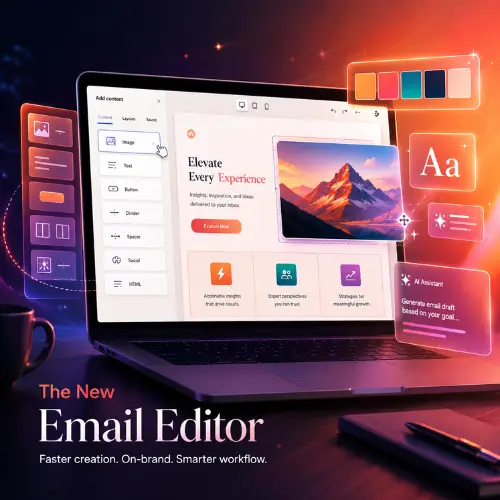
The new Adobe Marketo Engage email editor, officially the Marketo Email Designer, replaces fragile HTML with a visual drag and drop canvas so your team can ship on brand email faster. It pairs reusable modules and brand themes with admin guardrails, so authors build confidently while admins keep structure, tokens, and approvals under control. If Marketo email production has felt like a trade off between speed and brand safety, this editor is built to give you both.
A clean rollout still matters. Confirm your Adobe IMS migration, pick one program type to pilot, and launch with a lean set of branded, token ready email templates. Add short author training and a quick QA checklist for preview, links, and deliverability, then confirm reporting captures new Email Designer sends alongside older ones. Handled this way, the new Marketo email editor upgrades not just your emails but how your whole team works.
What Is the New Marketo Email Editor?
The new Marketo email editor, called the Email Designer, is a visual drag and drop tool for building emails and email templates inside Adobe Marketo Engage without writing HTML. You get a modern canvas, reusable modules, and template variables for colors, spacing, and typography, plus the ability to lock critical brand and legal sections. Adobe positions it as the successor to the legacy email editor (Email Editor 2.0), and the two run side by side during migration. For the full feature set, see Adobe’s Email Designer overview.
Recent updates have widened the gap between the two editors. The Email Designer now includes an image to HTML converter that turns a compliant PNG or JPEG into an editable email, brand themes that reuse styling across every asset, and generative AI that can draft a subject line, a content block, or a full email. A Template Importer (in beta) helps convert legacy templates, and a Script Builder assists with personalization scripts.
What the New Marketo Email Editor Delivers
The biggest win is faster execution without design drift. Once your instance is on Adobe IMS and access is enabled, authors assemble polished email layouts from approved modules while admins own the structure, tokens, and approvals. Success looks like a slim library of approved Marketo email templates, a clear token plan for UTMs and consent language, trained authors, and measurable gains in build time, QA defects, and engagement.
The sweet spot is teams that want to move quickly but cannot risk off brand sends. Because modules and brand themes are managed centrally, a change made once flows to every email that uses it, so consistency stops depending on any single author remembering the rules.
Why Choose the New Marketo Email Editor?
Choose it when you need speed and control at the same time and you are ready to manage a migration. Here is how the new Marketo email editor helps, and what to plan for:
- Speed with guardrails: drag and drop modules reduce custom HTML and keep layouts consistent across teams.
- Admin clarity: access lives in Admin, New Email Designer, where templates and variables are centrally managed.
- Apples to apples measurement: email and link performance reports include Email Designer sends, so dashboards stay comparable during migration.
- Quality safety net: built in deliverability checks, such as a SpamAssassin content score, flag risky content before approvals and launches.
- Prerequisite to plan for: you need the Adobe IMS migration and the right entitlements, so coordinate with your Adobe team.
- Compatibility note: new Email Designer templates do not work in the legacy editor, so plan a phased rollout. Adobe publishes a feature comparison of the Email Designer and legacy editor.
- People factor: authors still need training and clear rules on what is editable versus locked.
How to Roll Out the New Marketo Email Editor: A Safe 7 Step Plan
Start small, prove value on one program, then scale. Use this streamlined plan:
- Enable and sandbox. Confirm your Adobe IMS migration, turn on access in Admin, New Email Designer, and test in a sandbox or pilot workspace.
- Design the building blocks. Ship a lean set of branded, token ready email templates with core modules (hero, copy plus image, CTA, dividers, footer). Expose variables for colors, fonts, and spacing, and lock legal and brand areas.
- Pilot one program type. Pick newsletters or webinars, convert one proven email, and track build time, QA defects, and engagement.
- Set standards and governance. Document alt text, heading order, link styles, consent language via tokens, and who approves templates before authors use them.
- Train authors. Cover drag and drop, inserting modules, allowed personalization tokens, and do not edit notes in locked blocks.
- QA and deliverability. Use preview and device views, validate links and UTMs, and run built in checks before approvals.
- Measure and scale. Confirm reports include Email Designer sends, compare against legacy baselines, then expand to more program types.
Watch outs: moving or deleting programs that contain Email Designer emails is supported, but coordinate naming and folder governance first. Editing raw HTML inside an email can break its link to the template, so keep structural changes at the template level.
Best Practices: Field Tested Do’s and Don’ts
Do
- Keep Marketo email templates few and flexible, and document where tokens belong.
- Lock brand and legal modules; let authors edit only safe text and image areas.
- Version templates and note changes so you can trace impact.
- Build accessibility in from day one: contrast, alt text, and heading order.
- Standardize UTMs through program tokens and test every CTA.
Don’t
- Flip everything at once; pilot, measure, then scale.
- Let authors tweak structural HTML; use modules instead.
- Assume reporting is automatic; confirm Email Designer sends are tracked.
Conclusion
Your team needs to move faster and keep the brand tight, and the new Marketo email editor makes both possible once a few guardrails are in place. With reusable modules, brand themes, admin controls, and quick QA checks, production gets lighter and quality goes up. The teams that win with the Email Designer treat it as a process change, not just a tool swap: they pilot first, train authors, and measure against their legacy baseline before scaling. If you want a head start, 4Thought Marketing can help you run a focused rollout: a short discovery, a two template pilot with locked brand and legal modules, author training, and a practical QA checklist.
About 4Thought Marketing
We're a B2B marketing automation and AI consultancy with a thing for getting complex tech to actually work. Since 2008, we've helped hundreds of organizations across financial services, technology, manufacturing, and real estate get more from Eloqua, Marketo, and their CRM integrations. We serve our clients across marketing automation strategy, lead lifecycle, AI, compliance, preference management, and more. Explore our services or get in touch.
Frequently Asked Questions (FAQs)
What is the new Marketo email editor?
The new Marketo email editor is Adobeu0026#8217;s Email Designer, a visual drag and drop tool for building emails and templates inside Marketo Engage without writing HTML. It adds reusable modules, brand themes, and generative AI drafting, and it replaces the legacy Email Editor 2.0.
Do I need anything before I can use the new Marketo email editor?
Yes. Your Marketo Engage subscription must be migrated to the Adobe Identity Management System (IMS), and an admin must grant users access in Admin, New Email Designer. Without both, authors will not see the new editor.
Can I use new templates in the old Marketo email editor?
No. Templates built in the Email Designer are not compatible with the legacy editor, so plan a phased rollout. Adobeu0026#8217;s feature comparison shows which capabilities exist in each editor before you migrate.
What changes for Marketo email reporting?
Email and link performance reports now include Email Designer sends alongside legacy sends. That lets you run side by side analysis and compare new builds against your legacy baseline during migration.
Does the new Marketo email editor use AI?
Yes. The Email Designer includes generative AI that can draft a subject line, a content block, or a full email, plus an image to HTML converter and an AI assisted Script Builder for personalization. These features are additive and optional.
Are there built in deliverability checks in the Marketo email editor?
Marketo includes a SpamAssassin content score that flags risky content before send. Pair it with preview and device testing, link and UTM validation, and an approval step so QA catches issues before launch.