Resolving Lead Duplicate Issues, Dynamics 365 Marketo integration, Salesforce Marketo integration, duplicate leads in CRM, de-duplication strategies, prevent duplicate leads, Salesforce duplicate management, : impact of duplicate leads on sales, automated deduplication workflows, merging duplicate records in CRM, lead routing best practices, data privacy and duplicate records
Key Takeaways
  • Learn why duplicate leads damage campaigns, reporting, and compliance.
  • Understand root causes across data entry, sync timing, and system gaps.
  • Discover prevention tactics using governance, smart forms, and CRM setup.
  • Explore advanced detection and resolution with automation and review.
  • See how Dynamics 365 and Salesforce integrations handle duplicates differently.

Seamless data flow between Adobe Marketo and Dynamics 365 or Salesforce represents the ideal state: accurate reporting, optimized spend, consistent customer journeys, and strong compliance. That ideal often collapses when duplicate records creep into integrations, quietly multiplying costs, distorting insights, and eroding trust. Resolving Lead Duplicate Issues means uncovering the causes, assessing the risks, and applying proven strategies that keep data consistently clean across platforms. This article unpacks exactly that!

What business damage do duplicate leads actually cause?

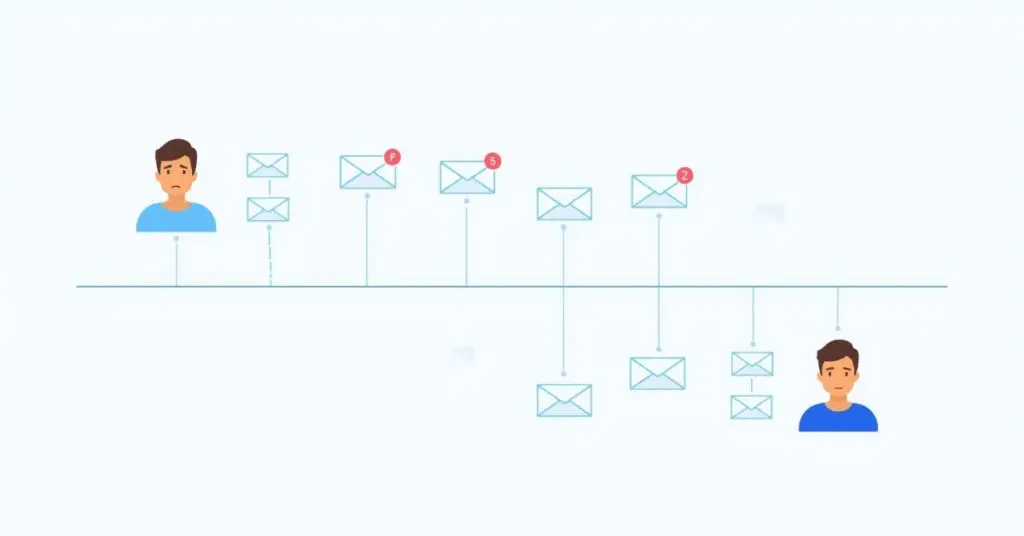
Duplicate leads undermine almost every marketing and sales function. They fragment the customer view, leaving sales teams blind to full engagement histories. Marketing spend is wasted when prospects receive multiple communications, while reporting metrics become inflated and unreliable. Worse, duplicate email sends damage brand trust and may even result in compliance violations if opt-outs are missed. In short, duplicate leads don’t just clutter your database—they harm revenue, relationships, and reputation.

Where do lead duplication causes originate?

The sources of duplication are varied:

  • Inconsistent data entry: “John Smith” in marketing versus “J. Smith” in sales.
  • Multiple lead sources: Web forms, trade shows, purchased lists, and social channels all structure data differently.
  • Timing and sync delays: Leads created in CRM before Marketo syncs can result in new records instead of updates.
  • Weak matching rules: Relying only on email addresses misses alternate emails and typos.
  • System limitations: Default deduplication tools may not fit every business process.

By understanding these lead duplication causes, teams can design controls that stop issues before they cascade.

How can Dynamics 365 Marketo integration prevent duplicate leads in CRM?

Dynamics 365 Marketo integration provides opportunities to enforce governance if configured correctly. Establish naming conventions, standardized field mappings, and validation rules for all capture points. Enable Dynamics 365 duplicate detection and configure Marketo to recognize multiple match fields such as email + company + last name. Using the lead qualification mapping feature, users can connect new submissions to existing Contacts or Accounts, preventing redundant records. With these steps, Dynamics 365 duplicate detection and Marketo de-duplication work together to maintain clean, consistent data.

How does Salesforce Marketo integration handle duplicate leads differently?

Salesforce Marketo integration offers a different set of tools. Administrators can set up Salesforce duplicate management using Matching Rules and Duplicate Rules. For example, a rule might block new leads with the same email and company name, or alert users when potential duplicates appear. Configuring lead conversion properly ensures existing Contacts are updated instead of creating new ones. These controls rely on aligning Salesforce duplicate management policies with Marketo’s dedupe logic to ensure both systems agree on a single source of truth.

Which deduplication tactics are most effective across platforms?

Effective strategies combine prevention and detection:

  • Governance standards: Define required fields and validation rules.
  • Smart form design: Use progressive profiling and hidden attribution fields.
  • Lead routing rules: Assign records based on qualification and scoring models.
  • Advanced detection: Apply fuzzy logic, multi-field analysis, and behavioral recognition.
  • Automated workflows: Merge duplicates by recency, completeness, or lead score.

These strategies ensure duplicates are caught early, routed correctly, and resolved without losing history.

How do advanced detection techniques strengthen duplicate management?
Resolving Lead Duplicate Issues, Dynamics 365 Marketo integration, Salesforce Marketo integration, duplicate leads in CRM, de-duplication strategies, prevent duplicate leads, Salesforce duplicate management, : impact of duplicate leads on sales, automated deduplication workflows, merging duplicate records in CRM, lead routing best practices, data privacy and duplicate records

Modern duplicate detection goes beyond simple email checks. Fuzzy logic matching identifies “Robert” versus “Bob,” or formatting differences in phone numbers. Multi-field analysis scores similarities across domains, job titles, or industries. Behavioral recognition looks at recurring engagement patterns, such as identical form submissions or browsing behaviors. When applied together, these techniques deliver higher accuracy and allow automated deduplication workflows to operate with confidence.

What are the best practices for resolving duplicates once they are found?

Resolution requires clear rules:

  • Priority-based merging: Favor the most recent activity, highest score, or most complete profile.
  • Data consolidation logic: Merge custom fields and activity histories without losing attribution.
  • Audit trails: Maintain logs of merges to preserve compliance transparency.
  • Manual review dashboards: Flag complex cases for human oversight, with SLAs and approval workflows.

By blending automation with controlled manual intervention, organizations ensure accurate data without sacrificing speed or compliance.

Why does the Dynamics 365 Person-model create unique challenges?

In Adobe Marketo, every individual is a Person record, whether they appear in Dynamics 365 as a Lead or Contact. When D365 qualifies a lead, it creates Contact, Account, and Opportunity records—sometimes generating duplicates if not linked properly. Meanwhile, Marketo continues linking to the original Person, creating misalignment. Without governance, this breaks customer journeys and distorts reporting. Using the D365 qualification feature to map leads to existing Contacts or Accounts avoids duplication and keeps Marketo associations intact.

How should Salesforce and Dynamics 365 strategies differ?

While both CRMs integrate with Marketo, each has unique nuances. Salesforce depends heavily on Matching and Duplicate Rules, while Dynamics 365 relies on lead qualification mapping. Organizations using both should document their rules separately, ensuring teams understand the differences. Training, governance standards, and cross-system audits are essential for long-term success in preventing duplicate leads in CRM.

What governance and measurement practices sustain clean data long-term?

Governance ensures the process does not break after initial setup. Define RACI responsibilities across Marketing Ops, Sales Ops, and IT. Set SLAs for reviewing duplicate queues—such as resolving high-value duplicates within 24 hours. Train staff on correct merge procedures. Measure success with KPIs like duplication rate, auto-merge rate, and unsubscribe integrity. Dashboards should track progress so leadership sees the ongoing impact of de-duplication strategies.

Conclusion

Duplicate leads are not just a technical annoyance—they are a barrier to revenue growth, customer experience, and compliance. And while they arise from multiple causes, organizations using Marketo with Salesforce or Dynamics 365 have clear paths to prevention, detection, and resolution. By combining governance, configuration, and advanced workflows, businesses can turn fragmented databases into unified customer views. If you’re ready to tackle duplicates and strengthen your CRM–Marketo integration, connect with 4Thought Marketing today to explore solutions tailored to your systems.


Frequently Asked Question (FAQs)

1. What is the best approach to Resolving Lead Duplicate Issues in Dynamics 365 Marketo integration?
The best approach involves strong data governance, field mapping, and duplicate detection rules within Dynamics 365 Marketo integration. Aligning CRM and Marketo de-duplication ensures accuracy and consistency.
2. How can Salesforce Marketo integration help prevent duplicate leads in CRM?
Salesforce Marketo integration allows you to set duplicate rules, use advanced matching, and apply Salesforce duplicate management policies. These steps prevent duplicate leads in CRM and keep records clean.
3. What are the most common lead duplication causes across CRM and marketing systems?
Lead duplication causes often include inconsistent data entry, sync timing gaps, and poor matching criteria. Using Dynamics 365 duplicate detection and Marketo de-duplication reduces these risks significantly.
4. Which de-duplication strategies are most effective for automated deduplication workflows?
Effective de-duplication strategies include fuzzy logic matching, multi-field analysis, and automated deduplication workflows. These approaches reduce manual effort while improving lead routing accuracy and CRM integrity.
5. How does merging duplicate records in CRM impact customer engagement?
Merging duplicate records in CRM ensures a unified view of the customer journey, prevents double outreach, and maintains accurate reporting. This directly addresses the impact of duplicate leads on sales performance.
6. Why are lead routing best practices and data privacy important when managing duplicates?
Lead routing best practices ensure leads reach the right teams quickly, while respecting data privacy and duplicate records. Together, these prevent compliance risks and improve customer experiences.
 

sfdc integration

A significant shift is underway for those leveraging the power of Oracle Eloqua and Salesforce (SFDC). With Oracle’s announcement that support for the Eloqua Salesforce native integration has ended, the focus now turns to the essential transition to the new SFDC Integration App. This Eloqua migration is not just an upgrade; it’s necessary to ensure continued seamless data flow and access to the latest features. Given the upcoming permanent removal of the Eloqua Salesforce native integration in November 2025, proactive planning is paramount. This blog will guide you through the key considerations and steps for a successful SFDC integration app migration.

The End of the Native Integration Era is Approaching

It’s now official: Oracle will permanently retire the Eloqua Salesforce native integration 2025 with the Eloqua 25D release in November 2025. Following the initial end of support on February 1, 2021, this definitive timeline underscores the urgency for all users still relying on the native connection to initiate their Eloqua migration immediately. Delaying this transition risks disrupting critical data synchronization between your Eloqua and SFDC environments.

Why is Oracle Making this Change? Embracing the Future of SFDC Integration

The move towards the new SFDC Integration App is driven by its significant advancements over the now unsupported native integration. As detailed in Oracle’s product notice, the new app offers a multitude of benefits:

  • Uses the Program Canvas, a much faster way to process information.
  • The interface is similar to the Campaign Canvas, making it easier to set up and maintain.
  • Offers more frequent inbound updates from Salesforce to Eloqua.
  • Organizations with complex structures can now seamlessly integrate with multiple SFDC environments.
  • Improved filtering to prevent sending test data. Maintain data integrity and accuracy by preventing the transfer of non-production data.
  • Only the new Salesforce Integration App will see new enhancements and improvements. Future-proof your integration and benefit from ongoing innovation and support from Oracle. Continuing with the native SFDC integration beyond November 2025 means missing out on these crucial advancements.

It’s Never Too Late to Start Planning Your Eloqua Migration

While your existing native SFDC integration continued to function after February 1, 2021, it’s crucial to reiterate that Oracle no longer provides support or updates for it. The impending November 2025 Eloqua integration deadline amplifies the need for immediate action. The ability to run both the native and new SFDC Integration App concurrently offers a significant advantage, making the Eloqua migration and testing phases more manageable. However, failing to migrate to the new app means you will not be able to leverage new features and performance enhancements. Therefore, even if an immediate move isn’t planned, initiating your planning and preparation now is essential.

SFDC Integration App Considerations for a Smooth Transition

As you prepare for your Eloqua migration to the new app, be mindful of these key considerations:

  • Data Export Frequency: The standard feeder for exporting data from Eloqua to SFDC operates on a daily cycle. For requirements demanding more frequent exports, explore adding processing steps to individual forms or within programs and campaigns. Alternatively, consider the 4Thought Marketing Contact Cloud Feeder App, which offers feed frequencies as low as every 5 minutes.

  • Limitations of Program Canvas: The Program Canvas, the foundation of the new app’s processing, does not currently support the use of Match or Deduplication rules. Plan alternative strategies to manage data quality and avoid duplicates.
  • SOQL for Data Imports: Importing data into Eloqua from SFDC necessitates the use of Salesforce Object Query Language (SOQL) for defining filter criteria. Ensure your team has the necessary expertise or resources for crafting SOQL queries.
  • Sandbox Environment Setup: Installing the app in your Eloqua Sandbox environment requires a separate and complete installation and configuration process for your production environment.
  • Form Submit Marketing Activity Timing: The “Form Submit” marketing activity became available with the May 2020 (20B) release. Ensure your marketing automation workflows align with this availability.

Migration Planning to a Successful Eloqua SFDC Integration

Begin by thoroughly reviewing the official documentation, training courses, FAQs, and community discussions related to the SFDC Integration App.

Carefully Document Your Current Integration

Meticulously examine your inbound auto-syncs, outbound processing rules, and document all steps and processing logic within your current Program Builder programs. Remember to include Campaign integration, Campaign Responses, and Opportunity processing workflows. Utilize this opportunity to re-evaluate your existing integration and confirm its efficiency in supporting your current business processes. If your current setup has been running for over 12 months, it’s an ideal time to consult with stakeholders regarding potential modifications.

Install and Configure the SFDC Integration App

The next step involves installing and configuring the new SFDC Integration App. If required by your internal policies, ensure you complete all necessary application and security testing before installing new applications and factor this into your project timeline. Initiate the installation process in your Eloqua Sandbox environments (if available) and connect to a dedicated test SFDC instance.

Test, Test, and More Testing

Rigorously test the SFDC Integration App within your sandbox environment. Develop a comprehensive test plan that covers data being sent from Eloqua to SFDC and vice versa, verifying the accuracy and completeness of the data transfer. Walk through each defined scenario and confirm that the integration functions as expected. Thoroughly examine any discrepancies, identify their root causes, implement necessary corrections, and retest. We cannot overemphasize the importance of documenting each test case, its results, and any proposed changes. Involve your SFDC users in this testing phase, as they can provide valuable insights based on their typical workflows.

Go Live in Production and Monitor

Once you have successfully completed testing, proceed with installing and configuring the SFDC Integration App in your production environment. Disable your existing native integration auto-syncs and enable the new app. Implement diligent daily monitoring for a period of two weeks or more. Establish a clear escalation plan and outline how teams should report any issues they encounter during this initial go-live phase.

Conclusion: Preparing for the Future of Your Eloqua SFDC Integration

To ensure your marketing and sales processes continue to operate seamlessly and you achieve a future-proof integration between Eloqua and Salesforce, leading to efficient workflows and accurate data synchronization, it’s crucial to address the upcoming shift. The November 2025 deadline for the Eloqua native Salesforce integration removal means your current direct connection will cease to function, potentially causing significant disruptions to your critical operations. Therefore, achieving continued alignment requires a proactive and well-executed migration to the new SFDC Integration App.

At 4Thought Marketing, we understand the intricacies of this transition and are ready to guide you through it. Our expertise covers everything from a straightforward move to the new apps to a complete optimization tailored to your specific current requirements, ultimately ensuring your ongoing success within a connected marketing and sales ecosystem. Don’t wait until the November 2025 Eloqua Salesforce native integration cut-off; contact us today to discuss your SFDC integration needs and secure a smooth and successful transition to the future of your marketing and sales alignment.


Anyone who has used Marketo or Salesforce knows that, like peanut butter and jelly, they work best together. That’s why you’ll want to pursue one critical plan: integration.

Marketo & Salesforce: The Basics

Marketo and Salesforce are both powerful platforms that offer significant value to marketers. But they do play slightly different roles. To briefly summarize each:

  • Marketo: As a robust marketing automation platform, Marketo empowers businesses to engage prospects and customers across their journey. With tools spanning lead generation, nurturing, and comprehensive analytics, Marketo facilitates targeted email campaigns and meaningful interactions.
  • Salesforce: Renowned as a premier CRM solution, Salesforce offers a comprehensive suite tailored to manage customer relationships holistically. From sales to service and marketing, Salesforce is a central hub for nurturing leads into loyal advocates.

Together, Marketo and Salesforce give your marketing strategy a significant boost.

What Can You Expect Following Integration?

Once your Marketo-Salesforce integration is complete, you can expect to see an improvement in:

  • Unified customer insights: Integration eliminates data silos, providing a unified view of customer data. This cohesion enables precise segmentation and personalized engagement strategies.
  • Streamlined lead management: Seamless syncing of leads between Marketo and Salesforce accelerates the lead-to-opportunity process, empowering sales teams with timely access to qualified leads.
  • Holistic reporting: Integration facilitates closed-loop reporting, enabling marketers to track campaign performance through to revenue generation. This insight-driven approach optimizes marketing strategies for tangible returns.
  • Personalized engagement: By leveraging comprehensive customer data from both platforms, marketers can craft hyper-targeted campaigns, driving higher engagement and conversion rates.

What Data is Synchronized Between Marketo and Salesforce?

Following an integration, Marketo and Salesforce synchronize virtually every piece of data, most notably:

  • Leads
  • Contacts
  • Accounts
  • Users
  • Opportunities
  • Salesforce campaigns
  • Custom Objects
  • Activity

It’s also important to remember that edits to leads, contacts, or Salesforce campaigns in either platform appear in both systems following an integration. However, all other synchronizations occur solely from Salesforce to Marketo.

marketo salesforce integration

Key Integration Features

A Marketo-Salesforce integration offers a suite of features designed to foster collaboration and efficiency:

  • Automated lead syncing: Bidirectional syncing ensures real-time updates between Marketo and Salesforce, maintaining data integrity across platforms.
  • Attribution models: Sophisticated attribution models track campaign effectiveness, providing invaluable insights into the impact of marketing efforts on revenue.
  • Scoring and routing: Lead scoring models developed in Marketo inform lead prioritization and automated routing in Salesforce, optimizing sales efficiency.
  • Data enrichment: Integration allows for enriching lead profiles with additional data from both platforms, enhancing targeting precision and personalization.

Best Practices for Implementation

Successful integration hinges on meticulous planning and execution. Here’s how to ensure a seamless implementation:

  1. Hide fields: Be sure to hide all fields you do not need in Marketo from the sync user before clicking Sync Fields. This duplicates all the visible fields permanently—you cannot delete mistakes later.
  2. Sandbox sync: Check Sandbox if you are syncing a Marketo Sandbox to a Salesforce Sandbox.
  3. Start sync: If you want to look over the mappings and customize them, this is your only chance to do so! Once you click Start Salesforce sync, it’s done. Remember also that your first sync can take hours or days as Marketo copies the entire database. Later syncs will go much faster as they only update altered data.
  4. Clear objectives: Define integration objectives and KPIs upfront to align efforts and measure success effectively.
  5. Data hygiene: Prioritize data cleanliness and consistency across platforms to mitigate issues during integration.
  6. Stakeholder engagement: Involve stakeholders from marketing and sales teams to gather requirements and foster collaboration.
  7. Comprehensive training: Provide thorough training to users on integrated features to drive adoption and maximize utilization.
  8. Continuous optimization: Regularly monitor and optimize the integration based on feedback and evolving business needs to sustain long-term value.

Successful Marketo-Salesforce Integration

Your first Marketo-Salesforce integration will take some time and effort. But once you get past the initial hurdle, future syncs and updates will go much faster. Better yet, you’ll enjoy the benefits of both platforms working together. Your marketing strategy will get a very helpful boost.

To kick off your integration, contact our team today and schedule a call.


4Thought Marketing Logo   March 31, 2026 | Page 1 of 1 | https://4thoughtmarketing.com/articles/tag/salesforce/