eloqua rest vs bulk api, eloqua api, eloqua rest api, eloqua bulk api, eloqua api rate limits, eloqua best practices, eloqua api reference,
Quick Overview
  • Eloqua REST vs bulk API decisions depend on latency needs and data volume.
  • REST API 2.0 works best for real time updates and interactive workflows.
  • Bulk API handles large scale imports, exports, and scheduled synchronization efficiently.
  • Rate limits differ significantly between REST and Bulk in Eloqua’s architecture.
  • Most mature integrations combine both APIs for optimal performance and governance.

Choosing between Eloqua REST vs bulk API is not about personal preference. It is about matching your integration requirements to the technical reality of how Eloqua processes data. If your workflow demands immediate confirmation and precise control over individual records, the Eloqua REST API is typically the right choice. If your integration needs to move thousands of contacts, accounts, or custom data objects reliably and efficiently, the Eloqua Bulk API is usually the better fit. The clearest way to decide is to evaluate latency requirements, data volume, rate limits, and how your system handles failures and retries. Understanding the Eloqua REST vs bulk API comparison helps you make informed architectural decisions.

What is Eloqua REST API 2.0 optimized for?

Eloqua’s REST API 2.0 is a synchronous interface designed for operations that require immediate responses. When you send a request to create, update, or retrieve a record, Eloqua processes it and returns a result in the same transaction. This makes REST ideal for workflows where a user, form, or downstream application is waiting for confirmation before proceeding. When evaluating Eloqua REST vs bulk API for real time scenarios, REST consistently wins on immediacy.

Use Eloqua REST API 2.0 when you need:

  • Immediate feedback: Create or update a single contact, custom object record, or campaign element and confirm success instantly.
  • Fine grained control: Handle individual records with precision, such as updating a lead score or fetching a specific contact by email address.
  • Event driven actions: A form submission triggers a lookup in Eloqua, writes or updates a record, then returns a confirmation to the user interface.
  • Targeted queries: Retrieve filtered datasets using Eloqua’s search and filtering parameters, then act on specific results in real time.

REST also simplifies debugging because each failure is tied to a single request with a clear HTTP response code and error message. For teams building interactive applications, dashboards, or near instant sync workflows, REST feels natural because every operation is visible, traceable, and self contained.

Typical Eloqua REST API use cases:

  • A web application updates a contact profile and must confirm the change before displaying a success message.
  • A custom dashboard loads and calls the Eloqua API to fetch campaign performance metrics or contact activity.
  • A marketing automation trigger fires and needs to enrich one lead record before routing it to sales.

What is Eloqua Bulk API optimized for?

Eloqua’s Bulk API is built for moving large datasets efficiently and reliably. Unlike REST, Bulk operations are asynchronous. You submit a job, upload data in structured formats, allow Eloqua to process the batch, then retrieve results once processing completes. The goal is throughput, stability, and reduced overhead, not instant responses. The Eloqua REST vs bulk API decision becomes straightforward when volume enters the equation: Bulk handles scale far better than REST.

Use Eloqua Bulk API when you need:

  • High volume processing: Importing or exporting thousands or millions of contacts, accounts, or custom data objects.
  • Batch imports and exports: Scheduled synchronization between Eloqua and CRM systems, data warehouses, or external platforms.
  • Backfills and migrations: Historical data loads that would overwhelm REST API rate limits or timeout windows.
  • Stronger recovery patterns: Partial failure handling, structured error logs, retries, and resumable processing for mission critical data flows.

Bulk is more efficient because it reduces per record overhead. Instead of making hundreds or thousands of individual REST calls, you bundle records into a single job. This approach helps you stay within Eloqua’s rate limits and prevents integration collapse under high traffic or burst scenarios.

Typical Eloqua Bulk API use cases:

  • Nightly synchronization of contacts, accounts, and custom object data between Eloqua and Salesforce.
  • Exporting email engagement activity, form submissions, and campaign responses for compliance reporting and analytics.
  • Large scale data cleanup, standardization, or field mapping across years of historical records.

How do Eloqua API rate limits differ between REST and Bulk?

Understanding rate limits is essential when comparing Eloqua REST vs bulk API. Eloqua enforces different rate limits for REST API 2.0 and Bulk API, and these limits directly influence which API you should use for specific integration patterns.

Eloqua REST API rate limits:

Eloqua REST API 2.0 uses a concurrent request model. Each Eloqua instance has a limit on how many simultaneous API calls can be processed. The exact limit depends on your Eloqua subscription tier, but typical limits range from 10 to 20 concurrent requests. If your integration exceeds this threshold, Eloqua returns HTTP 429 errors, and your requests are throttled until capacity is available again.

This means high frequency REST operations can quickly hit limits, especially if multiple integrations or applications are calling the API simultaneously. For use cases involving hundreds or thousands of records, REST becomes inefficient and fragile. This is a key factor in the Eloqua REST vs bulk API evaluation.

Eloqua Bulk API rate limits:

Bulk API operates differently. Instead of counting concurrent requests, Eloqua limits the number of active Bulk jobs and the size of each job. You can typically run multiple Bulk import or export jobs in parallel, and each job can handle tens of thousands of records. Because Bulk bundles records into jobs, you reduce the total number of API calls and avoid the concurrent request bottleneck that affects REST.

For integrations that need to move large datasets predictably, Bulk API’s rate limit structure is far more forgiving and scalable. This makes the Eloqua REST vs bulk API decision clear when you are facing rate limit constraints.

What are the decision signals that matter most when choosing between Eloqua REST vs bulk API?

Four signals make the choice between Eloqua REST vs bulk API clear in most scenarios.

Latency requirement: If a user experience or downstream workflow needs confirmation immediately, choose Eloqua REST API. If waiting minutes or hours for batch processing is acceptable, choose Eloqua Bulk API. Latency is often the first filter in the Eloqua REST vs bulk API decision tree.

Record volume: If you are moving dozens or a few hundred records at a time, REST is often sufficient. If you are moving thousands or tens of thousands of records, Bulk becomes the safer and more efficient default. Volume thresholds clarify the Eloqua REST vs bulk API tradeoff quickly.

Eloqua API rate limits and platform constraints: REST usage can hit concurrent request limits quickly because each record often requires a separate call. Bulk reduces call count by bundling records into jobs. If you routinely see HTTP 429 throttling errors, Bulk is usually the fix. Rate limit behavior is a decisive factor in the Eloqua REST vs bulk API comparison.

Error recovery and observability: REST errors are immediate and localized to a single request. Bulk errors can be delayed and spread across a batch, but Eloqua Bulk API provides structured result files and sync logs that make auditing easier. If you need to prove what happened to every record for compliance or governance, Bulk often produces cleaner evidence trails. Error handling requirements influence the Eloqua REST vs bulk API strategy significantly

What are practical patterns Eloqua teams use in the real world?

eloqua rest vs bulk api, eloqua api, eloqua rest api, eloqua bulk api, eloqua api rate limits, eloqua best practices, eloqua api reference,

Most mature Eloqua integrations use both REST and Bulk APIs together. The Eloqua REST vs bulk API decision is not binary; it is about using each API where it performs best.

Pattern 1: REST for the edge, Bulk for the core – Use Eloqua REST API for interactive operations, real time triggers, and user facing workflows. Use Eloqua Bulk API for scheduled consolidation, nightly syncs, exports, and reconciliation jobs. This pattern reflects the core Eloqua REST vs bulk API principle: immediacy versus scale.

Pattern 2: REST first, then Bulk once volume grows – Teams often start with Eloqua REST API because it is straightforward to implement and test. When the integration scales and rate limits appear, they shift heavy data movement to Bulk while keeping REST for user facing paths and event driven actions. This evolutionary approach to the Eloqua REST vs bulk API question is common in growing organizations.

Pattern 3: Bulk with a REST verification layer – You can run Bulk jobs for large imports or updates, then use Eloqua REST API to spot check key records, validate outcomes, or confirm downstream dependencies before marking the job complete. This hybrid approach demonstrates that the Eloqua REST vs bulk API decision can be complementary rather than exclusive.

Why is this choice also a trust and governance decision?

API selection in Eloqua influences data quality, audit readiness, and customer trust. When REST is misused for large data loads, failures become silent retries, timeouts, and partial updates that are difficult to detect. When Bulk is misused for interactive screens or real time workflows, users experience delays, stale data, and confusing application states. The result is not just technical friction. It is operational uncertainty, and that uncertainty erodes trust with your stakeholders, compliance teams, and end users.

A useful test: if you cannot explain your Eloqua data flow in plain language, you do not fully control it. That is when monitoring, logging, and governance become non negotiable. The Eloqua REST vs bulk API choice carries governance implications that extend beyond technical performance.

Conclusion

Eloqua REST vs bulk API is a choice between immediacy and scale, and the right answer is often a strategic blend: Eloqua REST API 2.0 for interactive control, real time updates, and targeted queries, and Eloqua Bulk API for high volume imports, exports, and resilient batch processing. Making the right Eloqua REST vs bulk API decision for each workflow ensures your integration is both performant and maintainable. If you want a clear mapping of your Eloqua data flows, rate limits, failure modes, and audit readiness, 4Thought Marketing can help you run a practical integration and governance review that turns this into a repeatable standard.

Frequently Asked Questions (FAQs)

What is the main difference between Eloqua REST and Bulk API?
Eloqua REST API is synchronous and designed for immediate, single record operations, while Eloqua Bulk API is asynchronous and optimized for large scale batch processing with better throughput and recovery.
When should I use Eloqua REST API instead of Bulk API?
Use Eloqua REST API when you need real time feedback, are handling small record volumes, or require event driven workflows where downstream systems wait for confirmation.
What are Eloqua REST API rate limits?
Eloqua REST API 2.0 enforces concurrent request limits, typically ranging from 10 to 20 simultaneous requests depending on your subscription tier, and returns HTTP 429 errors when exceeded.
Can I use both Eloqua REST and Bulk API in the same integration?
Yes, most mature Eloqua integrations use both APIs together, leveraging REST for interactive workflows and Bulk for scheduled synchronization and high volume data movement.
How does Eloqua Bulk API handle errors differently than REST?
Eloqua Bulk API provides structured result files and sync logs that detail successes and failures across large batches, making it easier to audit outcomes and implement retries.
Where can I find Eloqua API reference documentation?
Oracle provides official Eloqua REST API 2.0 documentation and Eloqua Bulk API documentation through the Oracle Help Center and Eloqua Developer resources.

Eloqua response rules, campaign response tracking, Eloqua CRM integration, Eloqua campaign responses, Eloqua program canvas, configure response rules, Eloqua response tracking, campaign member status, CRM campaign sync, response rule configuration, campaign response priority, CRM member status mapping, campaign response workflow, set up response rules, troubleshoot Eloqua responses, sync campaign responses,
Key Points at a Glance
  • Eloqua Response rules define what counts as a response in your CRM.
  • CRM response tracking requires a CRM campaign ID.
  • Priority order syncs only the highest value interaction.
  • Processing runs hourly at five minutes past the hour.
  • Program Canvas and Program Builder give the most sync control.

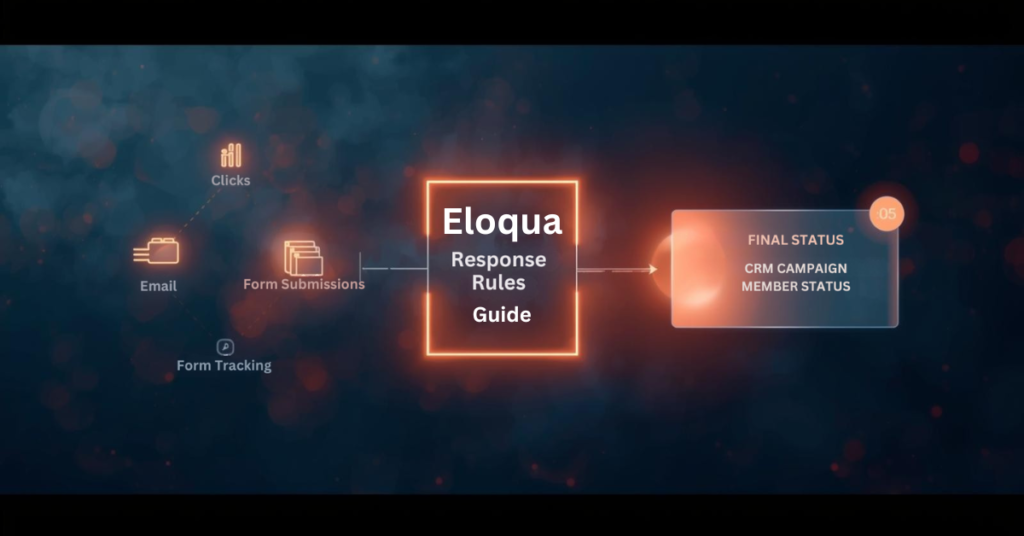
Campaign response tracking connects marketing activities to measurable outcomes in your CRM. When contacts engage with emails, forms, or events, those interactions need proper classification to inform sales teams and attribution models. Eloqua response rules serve as the configuration layer that defines which activities count as responses and how they map to CRM statuses. Without proper setup, valuable engagement data may never reach your CRM, or worse, the wrong status updates could trigger inappropriate workflows. Understanding how Eloqua response rules work ensures your campaign data flows accurately from Eloqua to your CRM, giving sales and marketing teams the insights they need to act on engagement signals.

What exactly are response rules in Eloqua?

Response rules define which campaign activities qualify as responses and determine the CRM status those responses should receive. When contacts interact with your campaigns through email opens, link clicks, form submissions, or event attendance, Eloqua response rules are used to evaluate those interactions against the criteria you have configured and sync qualified activities to your CRM system.

Think of response rules as the execution logic for decisions your sales and marketing teams have already made: which interactions represent engagement worth tracking in the CRM? This configuration connects marketing activity in Eloqua to campaign member records in Salesforce, Microsoft Dynamics, Oracle Sales Cloud, or other CRM platforms.

Response rules consist of three main components:

  • Activity type (what the contact did)
  • CRM member status (how that activity should be labeled in your CRM)
  • Priority order (which status wins when multiple activities occur)

Do I need a special campaign setup to use Eloqua response rules?

Yes. Every Eloqua campaign that tracks responses must include a CRM campaign ID, which links Eloqua contacts to your CRM campaign member records.

When configuring your campaign, place all assets you want tracked as responses on the campaign canvas or within simple campaigns. If you plan to track form submissions or external activities like webinar registrations, these assets must be included on the canvas and share the same campaign ID. Assets living outside the campaign structure or using different campaign IDs will not generate responses in accordance with your rules.

This setup requirement means planning your campaign architecture before launch. You cannot retroactively assign response tracking to activities that occurred without a proper campaign ID association.

Which campaign activities can count as responses?

Five primary activity types for Eloqua response rules:

  • Email sends
  • Email open
  • Email click-through
  • Form submission
  • External activities (webinar registration, webinar attendance, event check-in)

Most marketing operations teams exclude email sends from Eloqua response rules because a send represents a marketing action rather than contact engagement. Similarly, email opens can be unreliable due to limitations in tracking pixels and privacy features in modern email clients.

The most commonly tracked responses include:

  • Email clickthrough — demonstrates active interest
  • Form submission — indicates deeper engagement and data sharing
  • Webinar attendance — shows commitment through time investment
  • Event registration — signals intent to engage further

Your response rule configuration should reflect which activities matter most to your sales and marketing workflows.

How do I map activities to CRM campaign member statuses?

Each response rule maps a specific activity type to a CRM member status value. The status values must match exactly what your CRM expects for campaign members. For Salesforce and Oracle Sales Cloud, common statuses include “Responded,” “Registered,” “Attended,” “Clicked,” or custom values your team has created. For Microsoft Dynamics and other CRM systems, you define equivalent status codes that align with your CRM configuration.

You also designate a default response rule, typically assigned to your lowest priority activity. This default catches any qualifying activities that do not match higher-priority rules, ensuring that all meaningful engagement generates a response. The mapping process requires coordination between your Eloqua administrator and CRM administrator to ensure status values align across both systems. Mismatched status values will cause sync failures or unexpected behavior.

What happens when contacts perform multiple activities on the same campaign?

Priority order becomes critical when contacts engage multiple times. Eloqua sends only the highest-priority responses to your CRM, preventing status downgrades and reducing data noise.

Consider this scenario: A contact receives an email, clicks the link, submits a form, and later attends a webinar. If your priority order ranks webinar attendance first, form submission second, and email click through third, Eloqua will sync only “Attended” to your CRM. Even if the contact clicks the email again after attending the webinar, the CRM status remains “Attended” because Eloqua recognizes that a higher-priority activity has already occurred.

This priority logic ensures your CRM campaign member status reflects the most meaningful interaction, not every interaction. Without proper priority configuration, a contact who attends your webinar might show a status of “Clicked” if the click activity is processed after attendance, creating reporting confusion and potentially triggering incorrect automation. Set priority order based on business value and engagement depth, not chronological order.

How quickly do campaign responses sync to my CRM?

Eloqua does not sync responses to your CRM in real time. Instead, a backend process runs at 5 minutes past each hour to evaluate all campaign activities against your configured Eloqua response rules. This process creates campaign response records in an internal Eloqua table according to the rules and priorities you set. Those response records then become available for your CRM sync workflow to process.

If campaign responses are not appearing in your CRM immediately after a contact clicks or submits a form, timing is often the explanation. The contact may have completed the activity, but the backend evaluation process has not run yet to create the response record. Wait until at least 5 minutes past the hour before investigating further.

After the response record is created, your Program Canvas, Program Builder, or integration rule workflow must still process and send that record to your CRM, which introduces additional timing based on how frequently those workflows run.

What are the methods for sending Eloqua responses to my CRM?

Eloqua response rules, campaign response tracking, Eloqua CRM integration, Eloqua campaign responses, Eloqua program canvas, configure response rules, Eloqua response tracking, campaign member status, CRM campaign sync, response rule configuration, campaign response priority, CRM member status mapping, campaign response workflow, set up response rules, troubleshoot Eloqua responses, sync campaign responses,

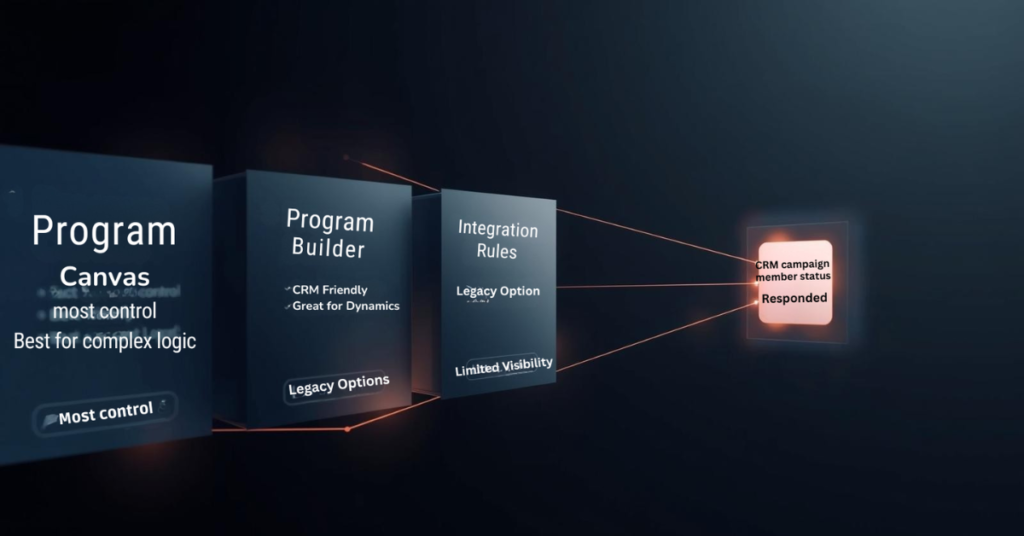
Eloqua offers three primary methods for delivering campaign responses to your CRM: Program Canvas, Program Builder, and Integration Rules.

Program Canvas (available for Salesforce and Oracle Sales Cloud customers using integration apps) provides the most visibility and control. A listener step can trigger automatically when a campaign response is created, feeding records directly into your CRM update workflow. This approach allows you to add filtering, data enrichment, or conditional logic before syncing.

Program Builder offers similar functionality through a different interface, particularly useful for Microsoft Dynamics and other CRM systems.

Integration Rules represent an older approach that still functions but provides less visibility into data flow and troubleshooting capabilities.

Most marketing operations teams prefer the Program Canvas or Program Builder approach because it surfaces the sync workflow visibly, making it easier to diagnose issues, add business logic, and maintain over time.

Can I sync campaign responses to multiple CRM systems simultaneously?

No. The response action feature and Program Builder both limit you to a single CRM system per Eloqua instance. There is no native capability to trigger multiple CRM integrations from one response action.

If your organization requires syncing campaign responses to multiple CRM systems, you will need a workaround. One approach involves creating custom objects for each campaign response, then building separate programs for each CRM that check which CRM ID fields contain values and route responses accordingly. This adds complexity and requires careful data architecture planning.

For most organizations, this limitation is not an issue, as marketing operations typically maintain a single primary CRM for campaign tracking and lead management.

What should I verify before launching campaigns with Eloqua response rules?

Configure Eloqua response rules before sending your first campaign. Once contacts begin engaging, the rules determine what syncs to your CRM, and retroactive changes can create data inconsistencies.

Verify these items during setup:

Match CRM expectations — Confirm that response rule status values exactly match the campaign member statuses your CRM expects. Even small differences in capitalization or spacing will cause sync failures.

Test priority order — Walk through realistic contact journeys where someone engages multiple times. Verify that the highest priority status reaches your CRM regardless of activity timing.

Confirm contact existence — Build your workflow to check that contacts exist in your CRM before attempting to send campaign responses. If a contact record has not been created yet, the response will have nowhere to attach, causing sync errors.

Validate campaign ID assignment — Double-check that all assets you want tracked share the same campaign ID and appear on the campaign canvas or within simple campaigns.

Taking time to configure Eloqua response rules properly prevents troubleshooting headaches later and ensures campaign engagement data flows to your CRM as intended.

Conclusion

Eloqua response rules form the foundation of how campaign engagement data flows from Eloqua to your CRM system. Understanding which activities count as responses, how priority order prevents status downgrades, and when the backend processing creates response records helps marketing operations teams build reliable workflows.

Proper configuration requires coordination between Eloqua administrators and CRM teams to ensure status values align, priority order reflects business value, and sync workflows check for contact existence before sending data. At 4Thought Marketing, we help organizations design and implement Eloqua response rule strategies that ensure accurate campaign tracking and seamless CRM integration. Ready to optimize your Eloqua response rules? Contact our team to discuss how we can help improve your marketing automation workflows.

Frequently Asked Questions (FAQs)

Can I change response rules after a campaign has already started?
Yes, but changes only affect activities that occur after the modification. Existing campaign responses remain unchanged, which can create inconsistencies in reporting.
Why are some campaign responses not appearing in my CRM?
Common causes include mismatched CRM status values, contacts not existing in your CRM yet, missing campaign IDs on assets, or sync workflows not running frequently enough.
Do email opens count as reliable response indicators?
Email opens have become less reliable due to privacy features in email clients that block tracking pixels or pre-load images, making click-throughs and form submissions more trustworthy engagement signals.
Can I use response rules with campaigns that do not have a CRM campaign ID?
No. Response rules require a CRM campaign ID to function because that ID links Eloqua activities to CRM campaign member records.
How often should I review my response rule configuration?
Review response rules quarterly or whenever you launch new campaign types, add CRM member statuses, or notice discrepancies between Eloqua activity and CRM data.
What is the difference between a response rule and a campaign response?
A response rule is the configuration that defines what activities count as responses. A campaign response is the actual record created when a contact performs an activity that matches a rule.

feed eloqua programs, eloqua program feeder, custom objects, cloud custom object feeder,
Key Takeaways
  • Native program feeders execute only once daily
  • Listener steps offer limited filtering flexibility
  • Cloud feeders schedule feeds every few minutes
  • Advanced filter criteria enable precise targeting
  • Frequent feeding accelerates lead response times

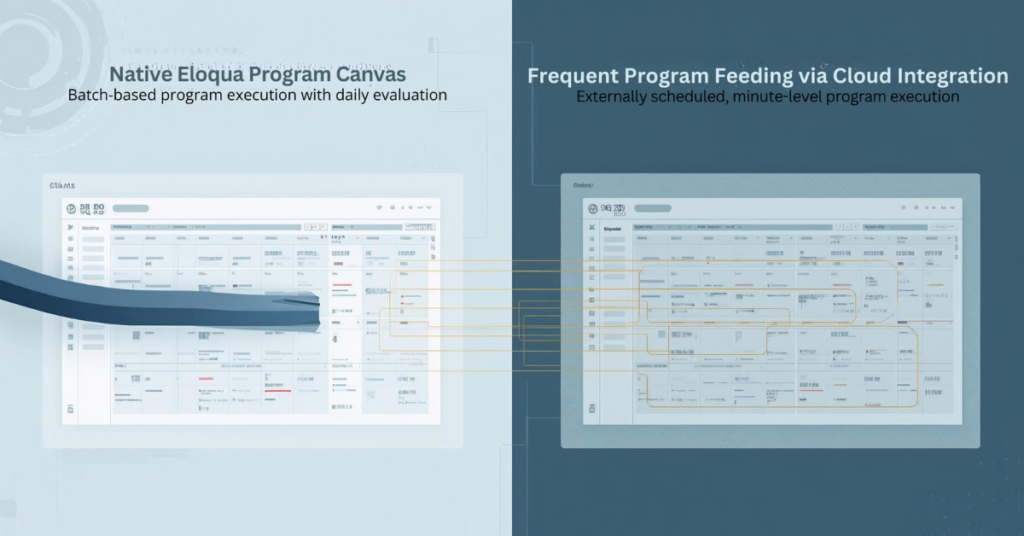
Eloqua Program Canvas delivers powerful automation for contact management and custom object processing. Marketing operations teams rely on program feeders to route contacts through workflows based on lead stage changes, form submissions, and database updates. But native Eloqua program feeders impose a significant constraint: they only evaluate and feed Eloqua programs once every 24 hours. This limitation creates delays when your automation demands real-time responsiveness, such as immediately routing MQLs to sales or triggering custom object updates within minutes of a status change. Cloud-based solutions now enable marketers to bypass these restrictions, feeding contacts and custom object records to programs multiple times per day with flexible scheduling and advanced filtering that native listeners cannot provide.

Why Are Eloqua Program Feeders Limited to Daily Execution?

Eloqua’s native program feeder architecture evaluates segments and shared filters on a 24-hour cycle to balance system performance across large contact databases. While listener steps offer real-time triggers for specific events like lead score changes or new contact creation, they support only a narrow set of data sources. If you need to feed Eloqua programs based on custom field changes, specific lead stage transitions, or complex filter criteria involving custom objects, native listeners fall short.

For example, a listener can monitor when a contact’s lead score increases, but it cannot trigger on a lead stage field changing from “Inquiry” to “MQL” unless you configure contact field tracking (limited to three tracked fields per instance). Similarly, segment-based program feeders provide robust filtering capabilities but refresh only once daily. This gap leaves marketing operations teams unable to respond immediately to critical pipeline events without workarounds.

The technical reason behind these limitations lies in database query load. Continuously evaluating complex filter criteria against millions of contact records in real time would strain system resources. Oracle designed the daily cycle to maintain platform stability, but this design choice creates friction for teams running time-sensitive automation workflows.

What Happens When You Need Real-Time Program Feeding?

Consider two common scenarios where daily program feeds create operational bottlenecks:

Use Case 1: Lead Stage Progression

Your demand generation team runs campaigns that move contacts from “Inquiry” to “MQL” status based on form submissions and engagement scoring. When a contact crosses the MQL threshold, you want them routed immediately to a Program Canvas that assigns account ownership, syncs to CRM, and triggers a sales alert. With a native segment feeder running once daily, newly qualified leads wait up to 24 hours before entering the program. This delay reduces speed-to-lead and impacts conversion rates.

Use Case 2: Custom Object Updates

You maintain a custom object that tracks product interest by account. When a custom object record updates to reflect a customer requesting a demo for a specific product line, you need that record processed immediately through a program that updates account scoring and notifies the relevant sales rep. Native custom object program feeders evaluate once daily, meaning demo requests sit unprocessed for hours.

In both scenarios, the inability to feed Eloqua programs on demand creates missed opportunities. Marketing automation should accelerate pipeline velocity, not introduce delays. Teams need the flexibility to schedule program feeds based on business requirements rather than platform constraints.

How Do Cloud Feeders Solve Eloqua’s Program Feeding Limitations?

Cloud-based feeder applications integrate with Eloqua Program Canvas as custom data sources, enabling marketers to feed contacts and custom object records to programs on flexible schedules. Unlike native segment feeders that run once daily, cloud feeders can execute every few minutes, providing near-real-time program feeding without the limitations of listener steps.

The Contact Cloud Feeder and Custom Object Cloud Feeder from 4Thought Marketing address this gap by offering:

  • Advanced filtering with segments or shared filters: Use the full power of Eloqua’s filtering logic, including complex criteria based on contact fields, custom object data, and activity history
  • Customizable execution frequency: Schedule program feeds to run every 5, 10, or 15 minutes instead of waiting 24 hours
  • On-demand triggering: Push contacts or custom object records into programs immediately when needed
  • No listener limitations: Bypass the restricted data sources available to native listener steps

Comparison: Native vs. Cloud Feeder Capabilities

Feature Native Segment Feeder Native Listener Step Cloud Feeder
Execution Frequency Once per 24 hours Real-time (specific triggers) Every few minutes (customizable)
Filter Flexibility Full segment/filter logic Limited to lead score, contact creation, field tracking (max 3 fields) Full segment/filter logic
Custom Object Support Limited to daily feeds Not supported Full support with flexible scheduling
Use Case Fit Batch processing, periodic updates Specific real-time triggers Time-sensitive workflows requiring custom filtering

Cloud feeders combine the filtering power of segments with the responsiveness teams need for modern marketing automation workflows.

feed eloqua programs, eloqua program feeder, custom objects, cloud custom object feeder,

How to Set Up Frequent Program Feeding with Cloud Apps

Configuring a cloud feeder to feed Eloqua programs follows a straightforward process within Program Canvas:

Step 1: Configure Your Filter Criteria Determine which contacts or custom object records should enter the program. Cloud feeders accept either an Eloqua segment or a shared filter as the source. If you need to feed contacts when their lead stage changes to “MQL,” create a segment that includes contacts where Lead Stage equals “MQL” and Date Modified is within the last hour. This ensures only recently updated records enter the program.

Step 2: Set Execution Frequency Instead of accepting the default 24-hour cycle, specify how often the cloud feeder should evaluate your filter criteria. For time-sensitive workflows, configure the feeder to run every 5 or 10 minutes. The execution frequency field supports minute-based intervals, enabling near-real-time program feeding without manual intervention.

Step 3: Connect to Your Program Canvas Add the cloud feeder as a data source in your contact or custom object program. The feeder appears in the Program Canvas alongside native segments and listeners. Once connected, activate the program. The cloud feeder begins evaluating your filter criteria according to the schedule you defined, automatically feeding matching records into subsequent program steps.

Step 4: Monitor and Optimize After activation, monitor program member counts and processing times. If records aren’t entering as expected, verify your filter criteria and execution frequency settings. Adjust the schedule based on volume—high-volume workflows may benefit from slightly longer intervals to balance throughput with system performance.

What Are the Benefits of Feeding Programs Every Few Minutes?

Frequent program feeding delivers measurable improvements across multiple dimensions of marketing operations performance:

Faster Response to Buyer Signals When a contact downloads a high-value asset or requests a demo, immediate program entry enables instant lead routing and sales notification. Instead of waiting hours for the next segment refresh, your team responds while the buyer’s interest peaks. This reduces time-to-contact from 24 hours to minutes.

Improved Lead Routing Speed Speed-to-lead directly impacts conversion rates. Studies consistently show that contacting leads within five minutes of their inquiry produces significantly higher connect and conversion rates than waiting an hour or longer. Frequent program feeding ensures qualified leads reach sales queues immediately after crossing qualification thresholds.

Enhanced Program Personalization Real-time custom object processing enables dynamic content personalization based on the latest account data. When a custom object record updates with new product interest information, feeding that record into a program within minutes allows you to trigger personalized follow-up campaigns while context remains fresh.

Real-Time Custom Object Processing For organizations leveraging custom objects to track complex account relationships or product configurations, frequent feeding transforms custom object programs from batch processors into responsive automation engines. Demo requests, renewal triggers, and support escalations can all flow through programs as they occur rather than accumulating for daily processing.

How to Choose Between Contact and Custom Object Cloud Feeders

Selecting the appropriate cloud feeder depends on your automation workflow and data model:

Use Contact Cloud Feeder When:

  • Your program processes individual contacts through nurture streams, lead routing, or data enrichment
  • Filter criteria focus on contact fields, lead scores, or email activity
  • You need to trigger programs based on lead stage changes, form submissions, or campaign responses
  • The program updates contact records or adds contacts to campaigns and shared lists
Use Custom Object Cloud Feeder When:

  • Your program processes custom object records representing opportunities, product interests, or account relationships
  • Filter criteria evaluate custom object fields or linked contact data
  • You need to trigger workflows when custom object records are created or updated
  • The program performs actions on custom object data, such as updating fields or deleting records
Can You Use Both Together?

Yes. Many sophisticated automation workflows combine both feeder types. For example, a custom object program might process product interest records and use the “Add Linked Contact to Program” action to push the associated contact into a separate contact program. This enables you to process custom object logic at high frequency while maintaining clean separation between object-level and contact-level automation.

When architecting multi-stage workflows, consider which data entity (contact or custom object) serves as the primary trigger, then design your program canvas and feeder configuration accordingly.

Conclusion

Native Eloqua program feeders limit automation responsiveness by restricting segment evaluation to once-daily cycles, while listener steps provide real-time triggers for only a narrow set of use cases. Cloud feeders eliminate these constraints, enabling marketing operations teams to feed Eloqua programs multiple times per day with full access to segment and shared filter criteria. This flexibility transforms program canvas from a batch processing tool into a dynamic automation engine capable of responding to pipeline events within minutes.

Whether routing MQLs immediately after qualification or processing custom object updates in near-real-time, frequent program feeding accelerates marketing operations and improves buyer experience. Explore how Contact Cloud Feeder and Custom Object Cloud Feeder can reduce your response times and enhance workflow precision.

Frequently Asked Questions (FAQs)

Can you feed Eloqua programs more than once per day?
Yes, cloud feeders enable program feeds to run every few minutes instead of the native 24-hour cycle, providing near-real-time automation.
How often can cloud feeders run?
Cloud feeders support execution frequencies as short as every 5 minutes, allowing you to balance responsiveness with system performance based on your workflow requirements.
What filtering options are available with cloud feeders?
Cloud feeders accept any Eloqua segment or shared filter, providing full access to contact fields, custom object data, activity history, and complex Boolean logic.
Do frequent program feeds impact Eloqua performance?
When configured appropriately, frequent feeds have minimal performance impact. Start with 10-15 minute intervals and adjust based on contact volume and program complexity.
Can I schedule feeds to run every 5 minutes?
Yes, cloud feeders support minute-based scheduling, enabling you to configure execution frequencies as short as every 5 minutes for time-critical workflows.
Is this compatible with all Eloqua program types?
Cloud feeders integrate with both contact programs and custom object programs in Eloqua Program Canvas, supporting the full range of program automation capabilities.

campaign responses, Eloqua campaign responses, marketing automation campaigns, email campaign tracking, bulk campaign actions, campaign canvas Eloqua, marketing automation workflows, campaign member responses, lead nurturing automation, email response tracking,


Key Takeaways
  • Create multiple campaign responses simultaneously using bulk actions
  • Duplicate response settings across campaign steps instantly
  • Ensure consistency in tracking across marketing automation workflows
  • Save hours on repetitive campaign configuration tasks
  • Ideal for multi-step email campaigns and lead nurturing sequences

Setting up campaign responses in Eloqua typically means configuring each one manually—a process that works fine for simple, single-step campaigns. But when you’re managing complex email sequences with multiple touchpoints, this approach quickly becomes time-consuming and prone to inconsistencies across your marketing automation workflows.

The repetitive nature of configuring individual campaign responses creates bottlenecks, especially when your lead nurturing automation requires identical tracking across dozens of steps. You end up copying the same settings over and over, increasing the risk of configuration errors that can compromise your email campaign tracking.

There’s a faster way. By using bulk campaign actions in Eloqua’s campaign canvas, you can create multiple campaign responses at once—duplicating all settings across steps in seconds. This approach maintains consistency in your campaign member responses while cutting setup time dramatically, allowing you to focus on strategy rather than repetitive configuration work.

Why Campaign Response Management Matters

Before diving into the tutorial, it’s worth understanding why efficient campaign response setup matters for your marketing automation workflows. Every campaign response you configure creates a data point that feeds into your lead nurturing automation, scoring models, and reporting dashboards. When you’re running email campaign tracking across dozens of touchpoints, inconsistent response configuration can create gaps in your data—leading to inaccurate insights and missed opportunities.

Campaign member responses serve as the foundation for understanding how contacts interact with your campaigns. Whether someone opened an email, clicked a specific link, or completed a form, each action generates a response that your Eloqua campaign canvas uses to determine next steps. The challenge isn’t just creating these responses—it’s creating them consistently and efficiently across complex, multi-step campaigns.

The Manual Approach vs. Bulk Campaign Actions

Traditionally, marketers configure campaign responses one step at a time. You add an email send step, configure its responses (open, click, bounce), move to the next step, and repeat the process. For a simple three-email sequence, this means configuring responses at least three separate times. For a comprehensive lead nurturing automation with ten or more touchpoints, you’re looking at hours of repetitive work.

Bulk campaign actions change this dynamic entirely. Instead of configuring responses individually, you set them up once and duplicate those settings across all relevant steps simultaneously. This approach ensures every email in your sequence tracks the same response types with identical naming conventions—critical for clean reporting and accurate marketing automation campaigns.

Step-by-Step: Creating Multiple Campaign Responses

Step 1: Build Your Campaign Structure First

Start by adding all your email send steps to the campaign canvas before configuring any responses. This gives you a complete view of your workflow and helps you identify which steps need response tracking. For most email campaign tracking scenarios, you’ll want consistent responses across all send steps—opens, clicks, and bounces at minimum.

Step 2: Configure Your First Response Set

Select your first email send step and add all the campaign responses you need. Be thorough here because these become your template. Common responses include:

  • Email opened
  • Email clicked
  • Email bounced
  • Specific link clicks (if using multiple CTAs)
  • Unsubscribes

Give each response a clear, descriptive name that includes the email identifier. For example: “Email 1 – Opened” rather than just “Opened.” This naming convention becomes crucial when analyzing campaign member responses across multiple touchpoints in your reporting.

Step 3: Copy Your Configured Response Steps

Once your first set of responses is configured, select all those response steps in the campaign canvas (you can click and drag to select multiple elements, or use Ctrl+Click to select individual steps). Then copy them using Ctrl+C (Windows) or Cmd+C (Mac).

Step 4: Paste Responses to Remaining Steps

Navigate to your second email send step, select it, and paste using Ctrl+V (Windows) or Cmd+V (Mac). Eloqua duplicates all response configurations instantly—including response types, naming patterns, and any associated wait steps or decision logic.

Repeat this paste action for each remaining email send step in your campaign. What would have taken 30-45 minutes to configure manually now takes less than two minutes.

Step 5: Update Response Names for Context

After pasting, update the response names to reflect each specific email. Change “Email 1 – Opened” to “Email 2 – Opened,” “Email 3 – Opened,” and so on. This maintains consistency in response structure while providing clear context in your marketing automation workflows.

This naming strategy pays dividends when you’re analyzing campaign performance or troubleshooting issues. Instead of seeing generic “Opened” responses scattered across your reports, you’ll have clearly labeled campaign member responses that tell you exactly which email generated each interaction.

Step 6: Verify and Activate

Before activating your campaign, verify that each email step has its complete set of responses properly configured and named. Check that response logic flows correctly—opens should connect to click evaluation, clicks should trigger appropriate follow-up actions, and bounces should remove contacts from the sequence.

This verification step catches any paste errors or naming oversights before they affect your live marketing automation campaigns. Once confirmed, activate your campaign knowing that your email campaign tracking is consistent, accurate, and ready to deliver reliable data.

Best Practices for Scalable Response Management

As you implement this bulk campaign actions approach, keep these best practices in mind:

  • Standardize your response naming conventions across all campaigns. This makes cross-campaign reporting significantly easier and helps new team members understand your campaign canvas structure quickly. This approach aligns with campaign tracking best practices recommended by marketing automation experts.
  • Document your response templates so anyone on your team can replicate this approach. This technique integrates seamlessly into a broader for maximum efficiency. Create a quick reference guide showing your standard response set and naming patterns.
  • Review response data regularly to ensure your tracking captures the insights you need. If certain responses consistently show zero activity, consider whether they’re necessary or if your campaign design needs adjustment.
  • Combine response tracking with lead scoring to maximize the value of your campaign member responses. Each tracked interaction becomes an opportunity to refine lead quality assessments and prioritize sales follow-up.

Conclusion

Creating multiple campaign responses at once transforms your Eloqua workflow efficiency. What once required manual configuration for every single step now happens in seconds through bulk campaign actions, ensuring consistency across your email campaign tracking and lead nurturing automation.

Yet efficiency alone isn’t enough—your marketing automation workflows must scale as your campaigns grow more sophisticated. Campaign member responses need accurate tracking, and your team needs processes that reduce errors while maintaining the flexibility to adapt quickly.

That’s where strategic campaign management makes the difference. At 4Thought Marketing, we help B2B marketers optimize their Eloqua campaigns and build marketing automation workflows that scale. Whether you’re streamlining your campaign production process or developing a comprehensive marketing automation strategy, our campaign management services team specializes in turning complex workflows into competitive advantages.

Frequently Asked Questions (FAQs)

How do I create multiple campaign responses at once in Eloqua?
Configure all responses for your first campaign step, then copy those response steps and paste them to each subsequent step in your campaign canvas. This duplicates all settings instantly, eliminating manual configuration for each step.
What are campaign responses in marketing automation?
Campaign responses are tracking mechanisms that record contact interactions with specific campaign elements—such as email opens, clicks, form submissions, or page visits. They enable automated follow-up actions and provide data for lead scoring and reporting.
What is the difference between campaign response and email response in Eloqua?
Email responses track interactions at the asset level (opens and clicks on any email), while campaign responses track interactions within a specific campaign workflow. Campaign responses provide context about where contacts are in your nurture sequence and trigger subsequent campaign steps.
Why should I create multiple campaign responses instead of configuring them individually?
Bulk response creation ensures consistency across your workflow, reduces setup time by 60-70%, and minimizes configuration errors. When managing lead nurturing automation with ten or more touchpoints, this approach saves hours while maintaining data accuracy.
Can I automate campaign response tracking for all email sends in Eloqua?
Yes, by creating standardized response templates and using the copy-paste method across your campaign canvas, you can automate consistent tracking for every email send. Combine this with naming conventions that include email identifiers for cleaner reporting.
How do campaign responses support lead management and scoring?
Campaign responses feed directly into lead scoring models by providing behavioral data points. Each tracked interaction—opens, clicks, content downloads—can adjust lead scores automatically, helping sales teams prioritize follow-up based on engagement levels across your marketing automation campaigns.

Oracle Eloqua custom objects, Eloqua custom objects best practices, Eloqua custom objects data manipulation, Eloqua data management, Eloqua Program Canvas automation, Eloqua data architecture, Eloqua REST API updates, Eloqua CO transformation, Eloqua marketing automation workflows, Custom object governance in Eloqua, Cleaning Eloqua CO data,
Key Takeaways
  • Custom objects support flexible data models for complex marketing operations.
  • Native features now allow cleaner governance and more efficient management.
  • Advanced data manipulation requires thoughtful structure and automation.
  • Program Canvas and the REST API expand transformation capabilities.
  • A scalable custom object architecture strengthens long-term data quality.

Oracle Eloqua custom objects offer a flexible data layer that enables marketers to store structured information that does not fit within standard contact fields. They support detailed behavioral history, recurring events, and multistep journeys that require reliable tracking. As more campaigns rely on personalization, these structures become essential to Eloqua data management and long-term program accuracy.

As the number of custom objects grows, their behavior, automation paths, and update rules require thoughtful planning to ensure stability. Without a clear strategy, teams’ risk inaccurate segments, broken journeys, and inconsistent records. This blog explains how to utilize modern Eloqua custom objects best practices to manage data at scale, approaches advanced custom objects data manipulation, and outlines the design of an Eloqua data architecture that supports both daily operations and future growth.

What is Custom Objects and Why Do They Matter?

Oracle Eloqua custom objects are multi-record tables linked to a contact or account, used when a single person or company can have many related interactions. They matter because most marketing data changes frequently and needs historical tracking that standard contact fields cannot support.

These structures enable teams to manage renewals, subscriptions, transactions, and product usage within a single relational layer. When used thoughtfully, custom objects enhance segmentation accuracy, support personalized journeys, and provide Program Canvas automation with a deeper foundation to work with. For example, a subscription-based business may track every renewal date inside a custom object rather than storing only the most recent version. This supports more accurate reminders, personalized upsell workflows, and long-term customer lifecycle automation.

Custom objects become even more valuable when organizations manage multiple product lines or maintain ongoing customer interactions. Each row tells a story about a behavior, purchase, or action, which helps marketers understand trends that individual fields cannot capture. This is why strong custom object governance in Eloqua is crucial for both operational reliability and strategic decision-making.

What Can Eloqua do with Custom Objects and Where Are the Limits?

Standard Eloqua features include storing records, updating fields, routing data through Program Canvas, and triggering Eloqua marketing automation workflows. These functions support most basic use cases but fall short when teams require multirow calculations or conditional transformations.

Native features cannot compare multiple records, calculate new values, or perform structured Eloqua CO transformation across large datasets. If a renewal date needs to be advanced, if multiple usage rows must be aggregated, or if conditional logic depends on historical interactions, standard tools cannot execute these steps alone. As a result, advanced operations rely on a combination of Program Canvas automation and Eloqua REST API updates to fill these gaps.

A related limitation appears when cleaning Eloqua custom object data. Basic updates can correct small inconsistencies, but they do not support the systematic cleanup that high volume environments require. Data imported from multiple systems may contain inconsistent formats, spacing errors, or missing link fields. These issues can block segmentation or cause workflows to misroute contacts. For these reasons, advanced manipulation becomes a structured practice rather than an occasional task.

What Data Manipulation Needs Do Marketing Teams Commonly Encounter?

Most manipulation needs come from recurring business processes that depend on accurate, timely custom object data. As personalization increases, Eloqua custom objects data manipulation becomes central to keeping campaigns consistent and meaningful.

Many organizations track ongoing events such as renewals, product usage milestones, support interactions, or purchase cycles. Each of these events becomes a row within the custom object. When rules change or lifecycle programs expand, hundreds or thousands of rows may need recalculations. Program Canvas can detect new activity but cannot fully execute transformations, which is where external logic becomes necessary.

Another common scenario involves synchronizing multiple objects. A contact may have usage data in one object and entitlement data in another. If one changes, the other must remain aligned to prevent errors during segmentation. Integrations also introduce challenges. When two systems send data into Eloqua, formatting inconsistencies appear. Cleaning Eloqua CO data becomes essential before the information can enter active campaigns.

These patterns highlight the practical need for advanced manipulation techniques and a predictable data management process inside Eloqua.

How Can Advanced Custom Object Manipulation Be Achieved Effectively?

Advanced manipulation is best supported by combining Program Canvas automation with REST API powered logic. Program Canvas manages routing, identifies new activity, and triggers specific processes. The Eloqua REST API updates record in batches, performs calculations, and supports deeper transformations that Program Canvas cannot execute alone.

Oracle Eloqua custom objects, Eloqua custom objects best practices, Eloqua custom objects data manipulation, Eloqua data management, Eloqua Program Canvas automation, Eloqua data architecture, Eloqua REST API updates, Eloqua CO transformation, Eloqua marketing automation workflows, Custom object governance in Eloqua, Cleaning Eloqua CO data,

In practice, Program Canvas identifies new rows in a custom object, checks relevant conditions, and routes them into the appropriate Eloqua marketing automation workflows. The API then performs tasks such as multirow comparisons, recalculations, synchronized updates, or large-scale cleanup. This approach divides responsibilities clearly. Program Canvas handles orchestration, while the API performs heavy lifting.

Some teams opt to utilize cloud apps to streamline these operations. Cloud apps can streamline conditional logic, validate incoming data, or automate structured updates. They eliminate the burden of manual scripting and make processes easier to maintain. This combination of tools creates a reliable environment where Oracle Eloqua custom objects remain accurate even as campaigns evolve.

What Are the Best Practices for Building a Scalable Custom Object Architecture?

A scalable custom object architecture ensures long-term performance, predictable automation, and consistent data quality. The first best practice is to define a clear purpose for each custom object. When multiple unrelated concepts are stored in the same table, workflows become harder to maintain. A single-purpose structure minimizes complexity.

Naming conventions strengthen readability and simplify troubleshooting. When multiple system owners work in Eloqua, clear naming makes relationships obvious and reduces onboarding time for new team members. Link fields should be validated regularly. Without a reliable link between a custom object and its contact or account, programs cannot function correctly.

Oracle Eloqua custom objects, Eloqua custom objects best practices, Eloqua custom objects data manipulation, Eloqua data management, Eloqua Program Canvas automation, Eloqua data architecture, Eloqua REST API updates, Eloqua CO transformation, Eloqua marketing automation workflows, Custom object governance in Eloqua, Cleaning Eloqua CO data,

Performance must also be considered. Large updates should be executed through Eloqua REST API updates and broken into batches to avoid failures. Regular cleanup prevents bloated datasets that slow performance. Teams should avoid creating unnecessary objects and instead align new data with the existing architecture. Each object added introduces new relationships, and without a plan, the environment becomes difficult to manage.

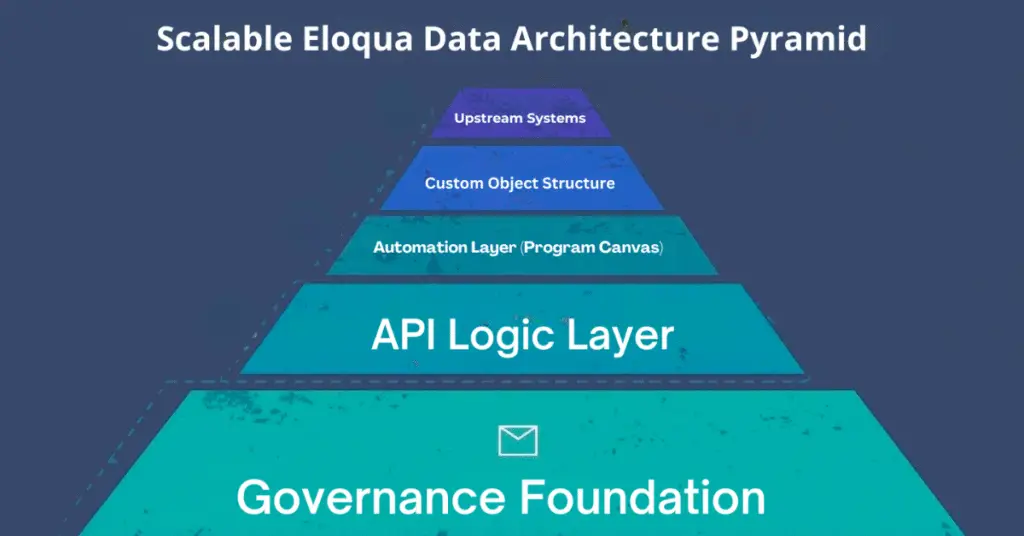
Finally, teams should define which tasks belong to Program Canvas automation, which belong to API based transformation, and which belong to upstream systems. This separation creates cleaner workflows and a more predictable Eloqua data architecture overall.

Conclusion

Advanced data management using Oracle Eloqua custom objects helps marketing teams build stronger, more reliable customer experiences. As organizations scale, better structure, cleaner automation patterns, and consistent transformation practices become essential. When data stays accurate and workflows remain stable, campaigns perform more effectively and personalization becomes easier. If your team wants to strengthen its custom object architecture, improve transformation processes, or build more scalable workflows, 4Thought Marketing can help you create a structure that remains strong as your programs grow.

Frequently Asked Questions (FAQs)

1. What are the common limitations of custom objects?
Native features cannot perform multirow calculations or deep conditional logic without using the REST API or cloud apps.
2. Can custom objects be updated automatically?
Yes. Program Canvas automation and the REST API can work together to trigger updates and transformation workflows.
3. How do custom objects link to contacts?
They use a link field that stores the contact’s unique identifier, which must remain accurate for segmentation and automation.
4. Are there limits to how many records can be updated at once?
Yes. Bulk updates require batching through the REST API to ensure stable performance.
5. When should a custom object be used instead of a contact field?
When one contact requires multiple related records, or when data needs to be tracked historically.
6. What types of tasks require advanced manipulation?
Calculations, synchronization tasks, cleanup activities, and multi-row comparisons typically require API support or cloud applications.

eloqua design editor, Eloqua email templates, responsive email builder, email marketing automation, email personalization, dynamic content blocks, email template management, Eloqua email best practices,
Quick Overview
  • Eloqua Design Editor simplifies email creation without coding skills
  • Drag and drop components accelerate marketing automation workflows
  • Built in responsiveness ensures consistent display across all devices
  • Template management maintains brand standards and supports personalization
  • Seamless campaign integration enables efficient email best practices execution

Creating professional email campaigns has long been a balancing act between design quality and production speed. Marketing teams face tight deadlines, demanding audiences, and the technical complexity of building emails that render correctly across a wide range of email clients and devices. The Eloqua Design Editor addresses these challenges by combining visual simplicity with the robust capabilities that marketing operations professionals need to execute sophisticated campaigns. Whether you’re an Eloqua administrator managing multiple team members or an email marketer building your first campaign, understanding how to leverage this responsive email builder will transform your workflow and improve your results.

What Is Eloqua Design Editor and Why Does It Matter?

The Eloqua Design Editor is Oracle’s modern visual email builder designed specifically for marketing automation workflows. Unlike its predecessor, the Classic Editor, which required extensive HTML knowledge, this tool provides an intuitive drag-and-drop interface that allows you to build, preview, and refine emails in real-time.

For marketing operations professionals, this means faster production cycles without sacrificing quality. Email marketers without coding backgrounds can create professional campaigns independently, while developers appreciate the accelerated workflow. The Eloqua design editor ensures brand consistency through reusable Eloqua email templates, providing the flexibility needed for email personalization at scale. When your team needs to launch campaigns quickly while maintaining high standards, the Eloqua Design Editor becomes an essential component of your email marketing automation strategy.

How Do You Access and Navigate the Eloqua Design Editor Interface?

Accessing the Eloqua Design Editor starts by navigating to Assets, then Emails, and clicking Create Email. Select the Design Editor option rather than the Classic HTML editor. Ensure your user permissions allow email creation within your Eloqua instance.

The interface divides into three intuitive sections. The left panel houses all building blocks, including structure elements like sections and columns, plus content components such as text blocks, images, and buttons. Your center canvas serves as the visual workspace where emails take shape. The right properties panel displays configuration options for whatever element you’ve selected. This layout minimizes clicks and keeps essential tools within reach, allowing you to focus on creating engaging content rather than hunting for features.

What Core Features Make Eloqua Design Editor Essential for Email Teams?

The Eloqua Design Editor provides several capabilities that distinguish it from traditional email builders.

Modular Building Blocks: Structure elements establish your email layout through sections, columns, and spacers. Content elements include text blocks, images, buttons, dividers, social media icons, and HTML blocks for custom code. This modular approach ensures consistency across campaigns while significantly reducing production time. Simply drag components onto your canvas and configure them through the properties panel.

Automatic Responsive Design: Every email built in the Eloqua Design Editor renders correctly across desktop, tablet, and mobile devices without additional coding. Preview your design across device types instantly, and the editor handles technical responsive design requirements automatically. This built-in responsiveness ensures your audience receives optimized experiences regardless of how they access their email.

Advanced Personalization Capabilities: Leverage dynamic content blocks to deliver targeted messages based on audience segments. Insert merge fields to personalize subject lines, greetings, and body content. Set conditional visibility rules that display specific content only to relevant recipients. This email personalization capability allows you to create one email that serves multiple audience segments effectively.

Template Management System: Create reusable Eloqua email templates organized in folders accessible to your entire team. Understanding the distinction between templates and email instances proves crucial—changes to templates affect all future uses, while editing an instance only modifies that specific email. This system maintains brand consistency while allowing flexibility for individual campaigns.

How Do You Build Your First Email Step by Step?

Start by configuring your email name, subject line, sender information, and preview text. These foundational elements impact deliverability and open rates, so invest time in optimization.

Build your structure using section blocks to establish header, body, and footer areas. Add columns within sections to control content layout. This structural foundation ensures your email maintains its intended appearance across email clients.

Populate sections with content components—text for your message, images for visual interest, buttons for clear calls-to-action. Use the properties panel to style each element, maintaining consistency with your brand guidelines through standardized colors, fonts, and spacing.

Preview your email across device views, checking how content stacks on mobile and ensuring buttons remain easily tappable. Send test emails to various email clients, particularly Outlook, to identify rendering issues before launch. This testing phase prevents embarrassing mistakes and ensures professional delivery.

What Advanced Strategies Improve Email Performance?

Optimizing for Outlook requires special attention, as Microsoft’s email client handles HTML differently than others. The Eloqua Design Editor helps, but be aware of common issues like background image rendering problems and spacing inconsistencies. Test emails in Outlook-specific preview modes early in your design process. Consider using VML code for critical design elements, compress images before uploading, and stick to web-safe fonts to minimize rendering problems.

Maintain an optimization checklist that includes keeping email width at 600 pixels for optimal display, compressing all images to reduce load times, including alt text for accessibility compliance, optimizing preheader text to complement subject lines, and approaching every design with a mobile-first mindset.

Establish organization-specific Eloqua email templates with standardized color palettes and typography. Document your email template management processes and create approval workflows to ensure every team member produces on-brand emails. This infrastructure investment pays dividends through improved efficiency and stronger brand recognition across all communications.

How Do You Troubleshoot Common Design Editor Challenges?

Rendering problems often surface when testing across multiple email clients. Address these early by testing frequently during the design process rather than waiting until your email is complete. When dynamic content blocks don’t display correctly, verify merge field syntax matches your data source exactly and confirm that your segmentation logic works as intended.

Mobile issues typically involve column stacking behavior or button sizes that don’t accommodate touch targets. Switch to mobile view regularly during design and test buttons to ensure they’re large enough for thumbs rather than mouse pointers.

Template confusion arises from misunderstanding how template changes propagate. Remember that modifying a template affects all future emails created from that template, but existing emails remain unchanged. If you need to update past campaigns, you must edit each email instance individually. Understanding this distinction prevents unintended changes and helps you plan template updates strategically.

How Does Eloqua Design Editor Integrate with Your Campaign Workflows?

eloqua design editor, Eloqua email templates, responsive email builder, email marketing automation, email personalization, dynamic content blocks, email template management, Eloqua email best practices,

Emails created in the Eloqua Design Editor integrate seamlessly with Eloqua’s campaign canvas. Add completed emails to campaign workflows by dragging them into the appropriate campaign step. Configure sending parameters, including audience segments, send times, and follow-up actions based on recipient behavior.

The editor’s native integration with lead scoring means you can trigger score changes based on email engagement. Segmentation capabilities allow you to target specific audiences within broader contact lists. Track performance through Eloqua’s analytics dashboard, monitoring open rates, click-through rates, conversion metrics, and engagement patterns. Use these insights to refine your email marketing automation strategy continuously, testing subject lines, content variations, and send times to optimize results over time.

Conclusion

The Eloqua Design Editor represents a significant evolution in how marketing teams create email campaigns, making professional email production accessible while providing the sophistication that experienced practitioners demand. Mastering this responsive email builder requires practice, but the investment delivers faster production cycles, stronger brand consistency, and measurably better campaign performance.

At 4Thought Marketing, we’ve seen how teams that commit to learning these tools transform their email marketing automation capabilities and achieve significantly better engagement metrics. The time you invest in building expertise with Eloqua email best practices will compound across every campaign you launch, creating efficiency gains that free your team to focus on strategy and creativity rather than technical execution.

Frequently Asked Questions (FAQs)

What’s the difference between Eloqua Design Editor and Classic Editor?
Design Editor provides a visual drag-and-drop interface that doesn’t require HTML coding, while Classic Editor requires direct HTML manipulation. Eloqua Design Editor automatically handles responsive design.
Can I use custom HTML code in Design Editor?
Yes, Eloqua Design Editor includes HTML content blocks where you can insert custom code. However, avoid using elements like script tags, I-frames, and forms, as these may cause rendering or deliverability issues.
How do I ensure my emails display correctly in Outlook?
Test your emails in Outlook preview modes regularly during design. Use VML code for critical design elements, compress images, stick to web-safe fonts, and avoid complex background images. External rendering tools such as Email on Acid or Litmus can also be used.
Can I convert existing Classic Editor emails to Eloqua Design Editor format?
No, you cannot directly convert Classic Editor emails to Eloqua Design Editor. You’ll need to rebuild emails using Design Editor’s components and templates, though you can copy content.
What happens when I edit a template versus an email instance?
Changes to templates affect all future emails created from that template. Editing an email instance only modifies that specific email, leaving the original template and other instances unchanged.
Does Eloqua Design Editor support A/B testing for email campaigns?
Yes, you can create multiple email versions in Eloqua Design Editor and use Eloqua’s campaign canvas to configure A/B testing parameters, including subject lines, content variations, and send times.

shared email addresses
Key Takeaways
  • Shared email addresses create unique challenges for Eloqua marketers
  • Custom Objects enable many-to-one relationships for multiple contacts
  • Preference management prevents one user from unsubscribing everyone
  • Lead tracking should focus on individuals, not shared addresses
  • Personalization requires moving Custom Object data to contact records

Managing shared email addresses presents a unique challenge for marketing teams using Oracle Eloqua. Multiple family members often use a single email for household registrations, or businesses rely on addresses like [email protected] to centralize communications. While this approach simplifies inbox management for your contacts, it creates complications for marketers who depend on one-to-one email relationships.

Eloqua’s out-of-the-box functionality doesn’t support multiple contacts sharing the same email address. Each contact record is identified by a unique email, creating a fundamental mismatch between how people use email and how Eloqua stores data. When families share an address or businesses use generic inboxes, you lose the ability to track individual engagement, personalize messaging, or respect individual preferences.

Thus, smart marketers leverage Custom Objects and strategic workarounds to accommodate these shared email arrangements. With the right configuration, you can maintain personalized communication, track individual engagement, and respect user preferences—even when multiple people share a single inbox. This guide walks you through proven solutions for managing shared email addresses in Eloqua without sacrificing personalization or compliance.

Eloqua Custom Objects for Shared Email Addresses

Luckily, the solution is simple. Custom Objects (CO) dramatically expand Eloqua’s capabilities for data storage and usage. To use Custom Objects for multiple users sharing an email address, simply create a CO for each user and input the same email address. Eloqua will now have a many-to-one relationship for each person associated with the email address. 4Thought Marketing’s Many-to-One Cloud App is designed to work in tandem with these Custom Objects to construct and send customized emails. Each user will receive an email tailored personally to them on their shared email address.

Solving Potential Problems with Shared Email Addresses

Shared email addresses make things slightly more complicated for marketers. Even with Custom Objects and cloud apps set up perfectly, certain functions or customer behaviors can cause problems. Let’s look at a few common issues you may face and how to handle them.

Unsubscribing or Opting Out

Here’s the situation: you’ve been sending emails to a single address shared by three people—Jack, Jill, and Jane—for a while now. Jack gets tired of seeing your emails and unsubscribes. Now all three users are unsubscribed, even if Jill and Jane are still interested. You’ve lost two potential customers. How can you get around this?

The best way to do this is to use Preference Management. Allow each user connected to an email address to choose which emails they want to receive and which they don’t. In this case, that means that Jack can choose to significantly limit the emails tailored to him, while Jill and Jane can still get the messages they want. This allows Jack to manage his preferences without costing you two additional customers.

Complicated Lead Tracking

Continuing the example of Jack, Jill, and Jane, let’s look at lead tracking. Imagine that Jill expresses interest in a product one of your emails to her advertised. Jill is now a lead. But since Jane hasn’t expressed this interest, and Jack has opted out of most of your messages, only one user on their shared email address is considered a lead.

There is no one-size-fits-all solution for this. In this particular case, it’s best to track Jill the individual as a lead, rather than by treating the email address and everyone else on it as a lead. This lets you focus on nurturing a customer without marketing aggressively to users who haven’t asked for it.

Segmentation & Email Personalization

Personalizing emails that go to a shared address can be confusing. But fortunately, Eloqua can handle it. To use data from Custom Objects to personalize these types of emails, you should:

  • Identify which contacts meet your campaign segmentation criteria
  • Find the Custom Object with the data you need
  • Move the data from the Custom Object to the Contact

You can also use the Many-to-One Email Cloud App to streamline the process.

Email Marketing Like a Pro

Shared email addresses may seem complicated at first, but with the right tools, your marketing team can handle them easily. And we’re always ready to help. With several successful Many-to-One integrations under our belt, we can get your marketing team back on track in no time. Get in touch with us today to learn more or schedule your own integration.

Frequently Asked Questions (FAQs)

Can Eloqua support multiple contacts with shared email addresses?
Not with default functionality. Eloqua requires unique email addresses for each contact, but Custom Objects can create many-to-one relationships to accommodate shared email addresses effectively.
What happens when one person unsubscribes from shared email addresses?
Without proper configuration, everyone using shared email addresses gets unsubscribed. Preference management allows each individual to control their own email preferences independently.
How do I track leads when contacts use shared email addresses?
Track individuals as leads rather than treating shared email addresses as a single lead. This allows you to nurture interested contacts without over-marketing to others on the same address.
What are the biggest challenges with shared email addresses in Eloqua?
The main challenges include managing individual unsubscribes, tracking separate leads, and personalizing content when multiple contacts use shared email addresses for household or business communications.
How can I personalize emails sent to shared email addresses?
Use Custom Objects to store individual data for each person using shared email addresses, then move that data to contact records during campaign execution for seamless personalization.
Do shared email addresses affect email deliverability in Eloqua?
Shared email addresses don’t inherently impact deliverability. However, improper handling of unsubscribes or over-emailing to shared email addresses can trigger spam complaints that harm your sender reputation.

B2B customer onboarding campaigns, B2B onboarding process, customer onboarding strategy, B2B client onboarding steps, effective onboarding emails for B2B clients, personalized onboarding campaigns, customer retention through onboarding
Key Takeaways
  • Set measurable goals and shared expectations.
  • Tailor onboarding to client workflows and stack.
  • Assign owners and clear escalation paths.
  • Simplify secure access with privacy built in.
  • Track milestones and feedback; iterate quickly.

B2B customer onboarding campaigns define how quickly new clients reach value and feel confident with your product and team. The ideal state is a guided, low-friction path—clear roles, secure access, role-based enablement, and early proof of value. Many organizations still encounter scattered ownership, sluggish provisioning, and privacy obligations that complicate first steps, stretching time-to-value and risking churn.

A structured onboarding playbook aligns stakeholders, sequences integrations, and embeds privacy-by-design workflows so accounts activate quickly, adopt core features, and see measurable outcomes from day one.

How do you build loyalty through an effective onboarding campaign?

B2B customer onboarding campaigns create the foundation for engagement and growth. Clients stay loyal when they receive clear information, responsive support, and practical guidance from day one. A strong customer onboarding strategy reduces confusion, accelerates activation, and sets expectations for renewal and expansion across the account.

High-quality execution delivers business outcomes by:

  • Reducing confusion or delays for client teams
  • Preventing early frustrations or miscommunications
  • Increasing the likelihood of renewal and upsell

B2B onboarding influences customer retention, satisfaction, and overall account growth. When, the B2B onboarding process is sequenced and transparent, teams achieve faster product adoption and smoother collaboration.

Setting Clear Goals and Expectations

Every successful program starts with measurable goals and a documented plan. Agree on rapid platform activation, full-service adoption, or early milestone achievement—and record how success will be validated. This up-front clarity builds trust, prevents scope creep, and keeps the B2B onboarding process aligned to outcomes rather than activities.

How to build a customized onboarding process?

Effective B2B customer onboarding campaigns adapt to each client’s context. Begin with discovery: values, stakeholders, and priority use cases. Translate that learning into B2B client onboarding steps that reflect communication norms, data needs, and the client’s tech stack. Adjust timelines for integrations, migrations, and required approvals so momentum is maintained without risk.

Key Steps to Customizing Onboarding

  • Engage stakeholders early to validate priorities and expectations.
  • Map preferred communication style, meeting cadence, and documentation needs.
  • Audit technical requirements and tailor training to the client’s stack.
  • Create process flows aligned to industry standards, compliance obligations, and team structures.
  • Sequence B2B client onboarding steps by dependency and risk.

What are the key components of an effective onboarding campaign?

A cohesive customer onboarding strategy aligns communication, training, and documentation to create clarity and momentum. Communication plans define how, when, and by whom updates go out. Milestone checklists keep tasks on track. Accessible quick-start guides and FAQ libraries remove barriers to adoption.

  • Structured training accelerates user confidence and competence.
  • Clear reporting and follow-up protocols sustain engagement.
  • Comprehensive contact lists provide immediate support options.
  • Automated onboarding sequences deliver timely nudges and surveys at scale.
  • Effective onboarding emails for B2B clients reinforce next steps and surface help resources.

Who should you assign roles and provide points of contact?

Role clarity minimizes delays and rework. Publish owners for project management, support, privacy, and technical guidance, with an escalation path and response expectations. This structure ensures personalized onboarding campaigns can route requests quickly and maintain consistent progress across workstreams.

Why should you simplify access to systems and services?

Clients expect a smooth, secure first login. Provide a single welcome message or portal that aggregates credentials, onboarding materials, and first-use instructions. Use SSO and role-based access to minimize friction. Automated onboarding sequences can remind inactive users, schedule enablement, and collect feedback to keep momentum high.

How do you ensure data security and privacy compliance?

Data security and privacy must be embedded from day one. Share how information is stored, accessed, and protected, aligned to regulations like GDPR and CCPA. Offer role-based access, audit trails, and training for safe data handling. A well-designed customer onboarding strategy builds confidence while supporting customer retention through onboarding by establishing trust early.

How to measure success and gather feedback?

After access is live, shift to continuous improvement. Track time to first login, usage depth, support interactions, and satisfaction. Compare results to goals and refine enablement. Surveys and interviews capture qualitative insight; product analytics reveal friction points. Use these inputs to iterate the B2B customer onboarding campaigns so each cohort activates faster and adopts core features more deeply.

Conclusion – Driving Long-Term Value with Great Onboarding

Effective onboarding turns intent into value, setting trust and measurable outcomes from day one. Many teams still juggle scattered ownership, complex stacks, and tightening privacy expectations that slow activation. Move forward with a tailored, outcome-led playbook—clear roles, secure access, role-based enablement, and feedback-driven iteration—tracked by time-to-first-value and adoption depth.

4Thought Marketing partners with your team to architect the journey and operationalize privacy with 4Comply so momentum never stalls. Ready to shorten ramp time and lift renewals? Book a 30-minute working session with 4Thought Marketing or request a demo to design an onboarding plan that fits your stack, your stakeholders, and your goals.

Frequently Asked Questions (FAQs)

What is the goal of B2B onboarding?
A strong customer onboarding strategy drives time-to-value, clear ownership, and early adoption, laying the groundwork for retention and expansion. Align metrics to adoption and satisfaction signals.
How do I structure the process?
Use a phased B2B onboarding process—kickoff, access, enablement, value milestones—with documented roles, timelines, risk logs, and feedback loops. Sequence integrations by dependency and risk.
Who should own each task?
Assign a project lead, technical owner, and escalation path; publish response expectations so stakeholders know whom to contact and how decisions are made. Publish an org map for quick routing.
What communications are essential?
Short welcome messages, role-based guides, and outcome-driven updates keep clients on track; celebrate early wins and surface next-best actions. Use one primary CTA and clear next steps.
Where does automation help?
Automation triggers welcome emails, reminders, and surveys from product events, scaling predictable work while reserving experts for high-value conversations.

ABM tech, account-based marketing, marketing automation platform (MAP), B2B marketing, data unification, Eloqua ABM, unified customer journey, revenue orchestration, enterprise marketing operations, personalization at scale,
Key Takeaways
  • ABM tech should integrate with MAPs, not compete.
  • Data unification matters more than vendor categories.
  • Eloqua enables seamless multi-channel B2B engagement.
  • Unified teams drive revenue through orchestration.
  • Account-level attribution ensures smarter decisions.

Enterprise B2B marketing often struggles with fragmented stacks and duplicated effort. By aligning account-based marketing, ABM tech with marketing automation platforms like Eloqua, organizations can unify data, simplify orchestration, and drive connected strategies that accelerate sales and marketing.

What Is ABM and How Does It Impact B2B Enterprises with Eloqua?

Account-based marketing (ABM) is a strategy focused on targeting high-value accounts with personalized engagement rather than broad, one-to-many campaigns. In complex B2B environments, this approach aligns marketing and sales around shared revenue goals and ensures that every interaction contributes to a unified customer journey.

ABM’s impact lies in its ability to deepen relationships with buying groups, increase deal velocity, and improve ROI by concentrating resources where they matter most. Eloqua enhances this impact by serving as the operational backbone: integrating data, automating engagement, and enabling account-level personalization. Instead of treating ABM as a separate toolset, Eloqua empowers organizations to embed ABM principles directly within their marketing automation workflows, creating seamless and scalable strategies.

Why Is ABM Still Treated as a Separate Platform?

Traditional ABM solutions are positioned as add-ons to marketing automation platforms, often framed as specialized tools needed for account-focused strategies. Vendors reinforce this separation, but in practice the overlap is significant. The problem is less about missing features and more about structural boundaries that force teams to manage redundant systems. When organizations build around vendor categories instead of customer journeys, they increase complexity rather than solving it.

What Is the Real Challenge: Data Unification or Vendor Limits?

B2B buyers engage across multiple channels, expecting one consistent experience. Fragmented technology makes it difficult to deliver that experience, producing silos in data, analytics, and attribution. These silos drive operational overhead that can outweigh any perceived benefit of “best-of-breed” tools. Eloqua’s strength lies in its ability to unify data flows and simplify orchestration, reducing dependency on vendor silos. Prioritizing unified customer journeys over vendor-driven boundaries is what truly enables personalization at scale.

What’s the Balanced View between ABM Platforms & Eloqua?

A common narrative says a separate ABM platform is mandatory once programs mature. In reality, the decision hinges on goals and data unification, not labels. If your team needs predictive analytics and media buying out of the box, an ABM suite can help—but beware of overlapping features and new silos. If your priority is orchestration and personalization at scale across known accounts, Eloqua can act as the operational backbone while integrating best-in-class intent, enrichment, and analytics partners. This approach lets you extend ABM tech without multiplying platforms, keeping journeys unified and measurement consistent.

How Can Teams Become Truly Unified and Data-Driven?

Unifying technology also reshapes how teams work, but true transformation requires more than tools. It demands cross-functional collaboration, shared metrics, and data-first thinking that extends beyond marketing into sales, service, and operations. When data silos dissolve, every function contributes to a single, consistent view of the customer.

Modern enterprise organizations that embrace this shift often adopt new roles and practices:

  • Account Growth Managers focus on lifecycle engagement across marketing and sales, ensuring continuity throughout the buying journey.
  • Revenue Orchestration Specialists design seamless, multi-channel journeys that span all touchpoints, balancing personalization with scale.
  • Unified Attribution Analysts align metrics across systems to provide clear, account-level revenue insights that both sales and marketing can trust.
  • Journey Architects connect insights from automation, ABM tech, and analytics to create cohesive customer experiences.

These roles highlight how ABM and MAP convergence is less about software selection and more about organizational design powered by unified data. Teams that embrace this approach become more agile, accountable, and effective at driving revenue together.

How Does Eloqua Help Break Traditional Boundaries?

ABM tech, account-based marketing, marketing automation platform (MAP), B2B marketing, data unification, Eloqua ABM, unified customer journey, revenue orchestration, enterprise marketing operations, personalization at scale,

Eloqua already provides the integration, automation, and scalability needed for enterprise ABM, but its true value lies in enabling marketing teams to collapse the walls between ABM tech and MAPs. Instead of adding more disconnected tools, Eloqua allows organizations to extend their existing infrastructure and create a unified, data-first foundation.

With Eloqua, teams can:

  • Unify data models using connectors, APIs, and integrations with CRMs, analytics platforms, and ABM reporting tools.
  • Build multi-channel experiences that combine campaign automation with account-based personalization across email, web, events, and sales outreach.
  • Track attribution at the account level, giving organizations a clear picture of how entire buying groups engage and where revenue influence occurs.
  • Reduce technical debt by consolidating overlapping capabilities into one system of record for orchestration.
  • Enable personalization at scale, ensuring that customer experiences are consistent, timely, and relevant across every channel.

By treating Eloqua as the operational backbone, organizations can align marketing and sales teams around unified data, simplify technology stacks, and focus resources on customer journey optimization rather than vendor management. This approach positions Eloqua not just as a marketing automation platform, but as the bridge that connects ABM strategy with enterprise-level execution.

Conclusion

Enterprise B2B marketing doesn’t need another layer of disconnected technology—it needs a unified foundation. While ABM platforms often feel like separate categories, the real opportunity lies in leveraging Eloqua’s strengths to bring account-based and automation strategies together. This shift reduces silos, clarifies attribution, and creates experiences that resonate with entire buying groups rather than isolated contacts. For organizations ready to streamline operations and deliver personalization at scale, 4Thought Marketing can help design Eloqua-driven strategies that unify teams, technology, and revenue outcomes.

Frequently Asked Questions (FAQs)

What is ABM tech and why does it matter for B2B marketing?
ABM tech refers to tools and strategies that help marketers personalize engagement at the account level, enabling stronger alignment between sales and marketing.
How does account-based marketing integrate with a marketing automation platform (MAP)?
ABM and MAPs are complementary—ABM provides account focus, while MAPs like Eloqua deliver orchestration. Together, they unify journeys and improve personalization at scale.
What is the real challenge—data unification or vendor limits?
Data unification is the core challenge. Vendor limits often create silos, but the real obstacle is fragmented data across channels that prevents a unified customer journey.
Can Eloqua be used for account-based marketing?
Yes. Eloqua ABM capabilities allow teams to unify data models, orchestrate multi-channel engagement, and measure revenue at the account level without needing a separate ABM platform.
How do unified, data-driven teams improve revenue orchestration?
When teams share unified data, they can coordinate strategies across sales, marketing, and operations. This removes silos and enables account-level attribution that improves decision-making.
What does scaling personalization in B2B marketing look like?
Scaling personalization means using automation and unified profiles to deliver relevant content across email, web, and sales touchpoints—ensuring consistency for entire buying groups.

eloqua engage
Key Takeaways
  • Strong data foundations determine segmentation accuracy and ROI.
  • Capacity constraints—not tools—often limit marketing operations impact.
  • Prioritize quick wins that reduce friction across handoffs and systems.
  • Embed governance and measurement to scale repeatable, reliable execution.
  • Use AI selectively to speed analysis and workflows, not add noise.

Eloqua Engage is reshaping how modern marketing teams connect with prospects and customers by simplifying personalization and streamlining campaign execution. Many organizations recognize the need for efficient engagement, but they often struggle with fragmented tools, limited resources, and inconsistent messaging. By leveraging Eloqua Engage as a unified platform, marketers can overcome these hurdles, drive more relevant interactions, and accelerate business outcomes without sacrificing compliance or scalability.

What Does Eloqua Engage Offer?

Eloqua Engage is a sales tool that makes it easy for B2B sales teams to send personalized emails to prospects and customers using templates created by their marketing team. Sales managers can leverage reporting capabilities to see how their reps are using the tool and what results they are getting. The marketing team can also use reporting to make improvements to increase conversions.

The benefits of utilizing Eloqua Engage include:

  • Increased sales productivity: Engage helps sales reps save time by providing a library of pre-built email templates that they can customize to fit their needs. This eliminates the need to start from scratch with every email.
  • Improved email personalization: Engage allows sales reps to effortlessly personalize their emails with dynamic content, such as the recipient’s name, company, and job title. This can help to improve the open and click-through rates of emails.
  • Better brand consistency: Engage templates ensure that emails sent by sales reps are consistent with the company’s brand and marketing messaging without burdening sales with creating or managing templates.
  • Enhanced tracking and reporting: Engage provides detailed monitoring and reporting capabilities for both sales and marketing. Sales managers can see how their reps use the tool and what results they are getting. Marketing can view clicks, run tests, and make improvements to improve the sales process and increase sales performance.

Using Eloqua Engage Effectively

To get the most out of Eloqua Engage, your team should consider the following:

  • Build a library of email templates: During campaign planning, your sales and marketing teams should discuss messaging that will support campaigns, then build email templates to streamline the processing for sales to send follow-up emails.
  • Provide sales with Engage training: As part of the campaign launch, provide training to sales on how to use the tool, how it can save them time, and how it provides key metrics to sales leadership about their usage and results.
  • Leverage reporting for continuous improvement: Oracle Eloqua offers detailed tracking and reporting capabilities for Engage activities and peformance. Review metrics with underperforming sales team members on how to use Engage more effectively. In addition, highlight positive results and ask high-performing reps to share their best practices.

Eloqua Engage: An Essential Tool for Eloqua Users

To summarize, Eloqua Engage is a powerful sales tool that can help B2B sales teams increase productivity, improve email personalization, and achieve better results. Marketing can support sales efforts by making it easier for sales to send brand-consistent emails quickly, and sales leadership can review usage and performance metrics to drive higher results. If your team relies on Eloqua to create and run marketing campaigns, Eloqua Engage is a must-have.

Ready to get the most out of your Eloqua instance? Contact our team today for expert Eloqua help.

Frequently Asked Questions (FAQs)

What is Eloqua Engage used for?
Eloqua Engage helps marketing and sales teams create, personalize, and send approved emails that align with brand standards, making customer communication faster and more consistent.
How does Eloqua Engage improve personalization?
It provides pre-approved templates and dynamic content tools, enabling users to tailor messages to different audiences while maintaining compliance and avoiding errors.
Can Eloqua Engage integrate with CRM systems?
Yes, Eloqua Engage integrates seamlessly with CRMs like Salesforce and Microsoft Dynamics, ensuring that sales reps can send targeted emails directly from their CRM environment.
What are the benefits of using Eloqua Engage for sales teams?
Sales teams gain access to marketing-approved emails, reducing the time spent writing from scratch while ensuring consistency, compliance, and better engagement with prospects.
Is Eloqua Engage suitable for global campaigns?
Absolutely. Eloqua Engage supports multi-language templates and global compliance requirements, making it ideal for organizations running campaigns across multiple regions.
How does Eloqua Engage support compliance?
It enforces the use of approved templates, tracks usage, and ensures that all emails adhere to brand, legal, and privacy standards, reducing regulatory risks.

Eloqua to Marketo glossary, Eloqua to Marketo terminology, Marketo equivalents for Eloqua, Eloqua to Marketo translation, Marketo terms for Eloqua users, Eloqua vs Marketo terminology, Marketo Smart Campaigns equivalent, Eloqua Campaign Canvas in Marketo, Smart Lists vs Eloqua Segments, Eloqua form processing vs Marketo flow, lead scoring in Marketo, Eloqua to Marketo migration checklist, marketing automation terminology,
Key Takeaways
  • Translating Eloqua terms to Marketo equivalents.
  • Match list logic precisely: Smart Lists versus Segments.
  • Replicate outcomes, not user interfaces or labels.
  • Surface consent rules and processing step differences.
  • Pilot one journey; validate events end‑to‑end.

You speak ‘Eloqua.’ Your new team speaks ‘Marketo.’ This Eloqua to Marketo glossary translates the terms so you can ship campaigns without learning the hard way. Although both tools are mature, tiny terminology gaps derail builds. But when you lead with a glossary—not a feature battle—you cut onboarding time, prevent consent mistakes, and keep reporting intact. Use this Eloqua to Marketo guide for day‑one productivity.

What This Eloqua to Marketo Glossary Covers

Below is a concise translation table for Eloqua to Marketo shift with usage notes and common gotchas. Use it to map your mental model quickly and ship a first campaign safely.

Eloqua term Marketo equivalent Where to click (Marketo) Usage tip Gotcha
Campaign Canvas Program + Smart Campaigns Marketing Activities → Program → Smart Campaigns Break a canvas flow into coordinated Smart Campaigns Mirror entry criteria and wait steps exactly
Shared List Static List Marketing Activities → Program → New → Local Asset → List Use for fixed membership (imports, QA cohorts) Won’t update dynamically—don’t expect rules
Segment (Shared Filter) Smart List Program/Workspace → Smart List Rule‑based audience that updates continuously Filters run often; watch processing volume
Program (Eloqua) Program (Marketo) Marketing Activities → New → Program Same name, different categories and tokens Align naming, channel, period cost model
Form (Processing Steps) Form + Flow Action via Smart Campaign Design Studio → Forms; then Smart Campaign Flow Keep fields on form; move logic into Flow Beware double processing if both run
Lead Scoring Model Score fields + Smart Campaign rules Admin/Field Mgmt; Smart Lists/Flows Express model as field updates via flows Reconfirm MQL thresholds with sales
External Activities Custom Activities Admin → Database → Custom Activities Track non‑native events consistently Plan API volume and retention
Custom Objects Custom Objects Admin → Database → Custom Objects Mirror multi‑row data like products Map relationships before syncing
Email Editor/LP Editor Email Editor/LP Editor Design Studio Similar concepts; token patterns differ QA tokens and snippets per template
CRM Integration App Native CRM Sync (SFDC/Dynamics) Admin → CRM Document field ownership and cadence Sandbox first; watch sync errors

Why a Shared Vocabulary Speeds Marketo Onboarding

When you arrive in a Marketo shop with Eloqua habits, the fastest wins come from naming things the way your teammates do. A shared vocabulary for Eloqua to Marketo removes the constant mental translation during builds, speeds reviews and handoffs, and prevents subtle errors—like using a Static List where a Smart List was intended or expecting “processing steps” to live on the form. It also anchors consent handling and field governance, so attribution, suppression, and CRM sync behave predictably across campaigns.

  • Onboarding speed: People move faster when terms match their muscle memory.
  • Lower risk: Misnamed fields or mismatched triggers lead to over‑mailing, lost consent, or bad attribution.
  • Repeatability: Teams can port proven campaigns across regions with fewer regressions.
  • Governance: A glossary anchors naming conventions, tokens, and audit trails.

How to Onboard from Eloqua to Marketo in 90 Minutes

  1. Skim the Eloqua to Marketo glossary. Highlight terms you use daily; confirm the Marketo equivalents.
  2. Rename and tag. Adopt team naming for Programs, Lists, and Smart Campaigns.
  3. Rebuild one audience. Convert an Eloqua Segment into a Smart List; compare counts.
  4. Translate one journey. Break a known Canvas into Smart Campaigns inside a Program; mirror waits and entry rules.
  5. Port scoring. Recreate your scoring model as explicit Flow updates; align thresholds with sales.
  6. Harden forms/consent. Keep fields on the form; shift processing to Smart Campaign Flows; verify opt‑in storage.
  7. QA telemetry. Validate events (form submit, click) into CRM. Check deliverability settings and API limits.

Compliance checkpoints: centralize consent logic, store proof, run regional suppression checks, and version assets.

Best Practices for Using This Glossary

This Eloqua to Marketo glossary is a working tool, not a one‑time read. Keep it open while you build and review so translations become muscle memory and small terminology gaps don’t become production issues for the Eloqua to Marketo transition.

  • Keep the glossary in split‑screen when building Programs and Smart Campaigns.
  • When translating an Eloqua term, confirm the Where to click path before cloning assets.
  • Use Smart Lists for dynamic, rule‑based audiences; reserve Static Lists for imports and QA cohorts.
  • Keep fields on the Form and route post‑submit actions in Smart Campaign Flows to avoid double processing.
  • Express scoring as Score field updates; align MQL thresholds with sales and document the rules.
  • Add team‑specific Usage tip/Gotcha notes to the table as you discover edge cases.

Conclusion: One Language, Faster Campaigns

This Eloqua to Marketo glossary isn’t a side note—it’s the most useful, day‑one resource for translating Eloqua experience into Marketo results. By standardizing language, you reduce rework, avoid consent mishaps, and keep attribution clean. The faster your team speaks the same terms, the sooner campaigns move from reviews to results.

Put it to work: Keep the Eloqua to Marketo glossary open while building Programs and Smart Campaigns, align a few shop‑specific terms with your admins, and translate one production‑adjacent journey end‑to‑end. Then, capture what you learn back into the table so the next campaign ships even faster.

If your business is planning—or even exploring—a shift from Eloqua to Marketo, this terminology exchange is the best starting point. And when you’re ready to accelerate, 4Thought Marketing can help you cruise through the transition, a piloted Marketo Program with QA and consent checkpoints, CRM/integration validation, and hands‑on training for your builders. Contact 4Thought Marketing to schedule your onboarding session and first pilot.

Frequently Asked Questions (FAQs)

1) What is the Marketo equivalent of Eloqua Campaign Canvas?
Use a Program containing coordinated Smart Campaigns. Mirror entry rules, wait steps, and flow actions; use Channel/Program Status for reporting and progression.
2) How do I convert an Eloqua Segment (Shared Filter) to Marketo?
Rebuild it as a Smart List. Replicate each filter/logic operator, test people count on a sample, and cache key lists for performance. Use Member of List for fixed cohorts. Use a Program containing coordinated Smart Campaigns. Mirror entry rules, wait steps, and flow actions; use Channel/Program Status for reporting and progression.
3) Where do Eloqua Form Processing Steps live in Marketo?
Keep fields on the Form and route actions in a Smart Campaign with the Fills Out Form trigger. In the Flow, update fields, set program status, send alerts, and add to lists. Avoid double processing.
4) How do I migrate Eloqua lead scoring into Marketo?
Create Score fields (e.g., Behavior Score, Demographic Score, Total Score) and implement rules via Smart Campaigns (batch + trigger). Reconfirm MQL thresholds with Sales and sync to CRM.
5) What replaces Eloqua Shared Lists in Marketo?
Static Lists (fixed membership) and Smart Lists (dynamic rules). Migrate Shared Lists to Static Lists; recreate Shared Filters as Smart Lists. Choose Static for imports/QA and Smart for audiences.
6) How do I rebuild an Eloqua nurture in Marketo?
Use an Engagement Program with Streams and Cadences. Place content as Emails or nested Programs; use transition rules and Smart Campaigns to move people between Streams.
7) How do I track Eloqua External Activities in Marketo?
Define Custom Activities (Admin → Database) with a primary attribute, then send events via API. Plan retention and naming so reporting is consistent.

Eloqua campaign production, Eloqua Campaign Canvas, Eloqua lead scoring, Data hygiene, Nurture
Key Takeaways
  • Eloqua is central to scalable, compliant B2B operations.
  • Automation and templates cut errors and speed campaign launches.
  • Tight CRM integrations ensure accurate data and faster personalization.
  • Efficient production boosts conversion rates and campaign scalability.
  • Expert partners fortify privacy integrations and measurable results.

Eloqua campaign production is now a central factor for successful B2B marketing operations. Organizations face pressure to deliver more personalized, data-driven experiences across multiple channels while meeting strict privacy standards and integrating several complex technology platforms. The stakes for operational efficiency and campaign quality continue to rise as marketing leaders seek to boost conversion rates and reach scalable growth.

Why Campaign Production Matters Now

B2B marketing operations teams are responsible for aligning technology, strategy, and compliance. Eloqua is often the hub for this work, orchestrating everything from segmentation and asset creation to reporting and privacy controls. A well-designed Eloqua campaign process can:

  • Shorten the lead lifecycle and improve conversion rates
  • Reduce costly execution errors through automation and integration
  • Support data privacy and regulatory compliance with built-in governance
  • Enable marketing and sales teams to scale campaigns efficiently

What’s Eloqua Campaign Production for B2B Marketing Operations

Eloqua campaign production is a coordinated process that involves designing, building, and launching digital marketing campaigns inside Oracle Eloqua. For B2B organizations, this process manages the complete flow from initial concept through to deployment, ensuring that every campaign aligns with business objectives and audience needs.

Core Components

  • Asset creation, such as emails and landing pages
  • Audience segmentation and targeting strategies
  • Workflow setup, including triggers and decision paths
  • Integration with CRM systems for consistent lead management
  • Testing and quality assurance checkpoints
Challenges in Eloqua Campaign Production: Integration, Privacy, and Process Complexity

The first challenge comes from integration. Marketing operations often require Eloqua to connect with CRM systems, data warehousing platforms, and analytics tools. Disconnected systems can cause data mismatches or loss of real-time visibility, which leads to reporting delays and missed opportunities for personalization.

Privacy and compliance demands make process complexity worse. Regulations like GDPR and CCPA require strict management of data consent and audience segmentation. Handling these regulations without error means maintaining up-to-date processes and technology safeguards. For more on compliance tools that address these issues, see 4Comply.

The actual production process can also cause bottlenecks. Manual workflows, inconsistent asset templates, and unclear roles lead to delays and mistakes. Efficient campaign production relies on clear documentation and strong alignment across marketing, IT, and compliance teams. Many organizations also involve partners like 4Thought Marketing to close internal resource gaps and introduce proven best practices.

How to Streamline Eloqua Campaign Production Process

Reducing friction in campaign production depends on a few proven tactics. Marketing teams benefit from automation of repetitive steps such as email scheduling, audience segmentation, and lead scoring. Using campaign templates for emails, landing pages, and workflows helps maintain quality while speeding up launches. Standard process checklists also prevent errors that can slow down production cycles.

Key Strategies for Smoother Campaign Execution

  • Leverage shared assets and approved templates to cut production time
  • Automate tasks with Eloqua’s integrated workflows
  • Keep detailed documentation for consistent asset builds
  • Foster strong communication between marketing, IT, and compliance teams

Technology Solutions and Tools Enabling Efficient Eloqua Campaign Production

Eloqua campaign production succeeds when technology reduces repetition, connects data, and enforces accuracy. Existing integration capabilities with platforms like Salesforce, Microsoft Dynamics, and popular webinar providers enable teams to share lead data, activities, and consent status automatically. Centralized data sync simplifies updates across marketing and sales, while reducing the chance of error from manual entry.

Automation Features and Add-ons in Action

Automation tools like Eloqua Program Builder and built-in campaign templates help eliminate repetitive tasks by triggering actions based on lead behavior, scores, or consent changes. Quality assurance features such as built-in testing and preview modes also help teams spot and fix errors before campaigns launch.

  • Consistent segmentation tools enable audience targeting based on real-time and historical data
  • Custom reporting dashboards identify bottlenecks and campaign metrics easily
  • 4Thought Marketing offers apps and integration services designed for privacy compliance and data management

The Impact of Efficient Eloqua Campaign Production on Lead Conversion and Scalability

Efficiency in Eloqua campaign production has a direct effect on both lead conversion rates and long-term growth. When teams eliminate manual steps, enable automated routing, and use standardized templates, campaigns reach their audience faster and with fewer errors. This responsiveness helps nurture prospects at precisely the right stage and contributes to measurable increases in conversion.

Benefits for Scalability and Compliance

  • Reduced bottlenecks allow marketers to increase the number and complexity of campaigns without added strain on staff
  • Integrated data flows minimize rework and maintain the accuracy that sales and marketing depend on for reporting and follow-up
  • Automated privacy controls help ensure ongoing compliance as regulations evolve

Value of 4Thought Marketing

Modern Eloqua campaign production exposes teams to constant integration, privacy, and process demands. Expert consultants step in where in-house resources or platform expertise may be stretched, helping resolve issues that impact day-to-day operations.

Expertise That Enhances Campaign Success

Consulting partners like 4Thought Marketing combine technical knowledge in Oracle Eloqua and allied systems with industry-specific marketing operations expertise. This approach improves campaign execution in several core areas:

  • Custom integration with sales and marketing platforms, ensuring seamless data flow and up-to-date lead information
  • Building privacy frameworks that keep every campaign compliant with changing regulations
  • Standardizing workflows, templates, and documentation for more reliable campaign replication at scale

Future Trends in Eloqua Campaign Production

As Eloqua campaign production evolves, new trends continue to shape B2B marketing operations. Personalization at scale now relies on artificial intelligence, with features predicting engagement and segmenting audiences automatically. API advancements have begun to enable deeper integrations between Eloqua, CRM, and privacy tools, increasing efficiency and compliance. Privacy regulations remain a moving target, driving many organizations to adopt built-in data governance features and audit trails.

Emerging Practices and Technology Shifts

  • Low-code platforms simplify campaign automation and enable rapid iteration without coding skills
  • Cross-channel orchestration now spans email, paid ads, and web personalization in a single workflow
  • Analytics have shifted from manual reporting to real-time dashboards that track compliance and performance

Conclusion

Organizations that prioritize efficiency and process excellence in Eloqua campaign production consistently see better performance across B2B marketing operations. With highly structured workflows, close alignment between teams, and advanced integration tools, B2B organizations can minimize delays, keep data accurate, and maintain strict compliance standards. These are no longer options but requirements for staying competitive in markets that demand high-volume, personalized campaign delivery.

Frequently Asked Questions (FAQs)

1) What is “Eloqua campaign production,” in plain terms?
It’s the end-to-end work of planning, building, QA’ing, launching, and reporting on campaigns in Eloqua (assets, segments, canvases, and metrics).
2) How do we integrate Eloqua with our CRM (e.g., Salesforce) without data loss?
Use the Salesforce Integration app/guide, schedule frequent imports/exports, and map fields for leads/contacts/activities. Monitor error logs and run small pilots before scaling.
3) How do we keep data clean for segmentation and personalization?
Leverage Deduplication & Validation Rules plus the Contact Washing Machine app to normalize fields (case, country, phone), standardize values, and prevent dupes—then enrich where needed.
4) What’s the fastest way to stand up consistent campaigns?
Create campaign templates and shared assets for emails/LPs; lock naming, cadence, and compliance steps into the template notes; pair with a pre-flight checklist.
5) How should we approach lead scoring so Sales actually trusts it?
Agree on the MQ(L) definition with Sales, standardize fields, and start with a simple profile + engagement model; route scores to CRM and iterate with feedback.
6) How do we measure campaign performance and find bottlenecks?
Use Dashboards/Insight for campaign, email, and form reports (Campaign Analysis, Individual Campaign Performance, Closed-Loop ROI). Operational reports cover ~90 days; use Insight for longer lookbacks.
7) What are the first automations to implement for efficiency?
Set up data hygiene programs, lead routing, scoring updates, and consent sync on Program Canvas; reserve Campaign Canvas for audience messaging.

4Thought Marketing Logo   February 2, 2026 | Page 1 of 1 | https://4thoughtmarketing.com/articles/tag/eloqua-users/