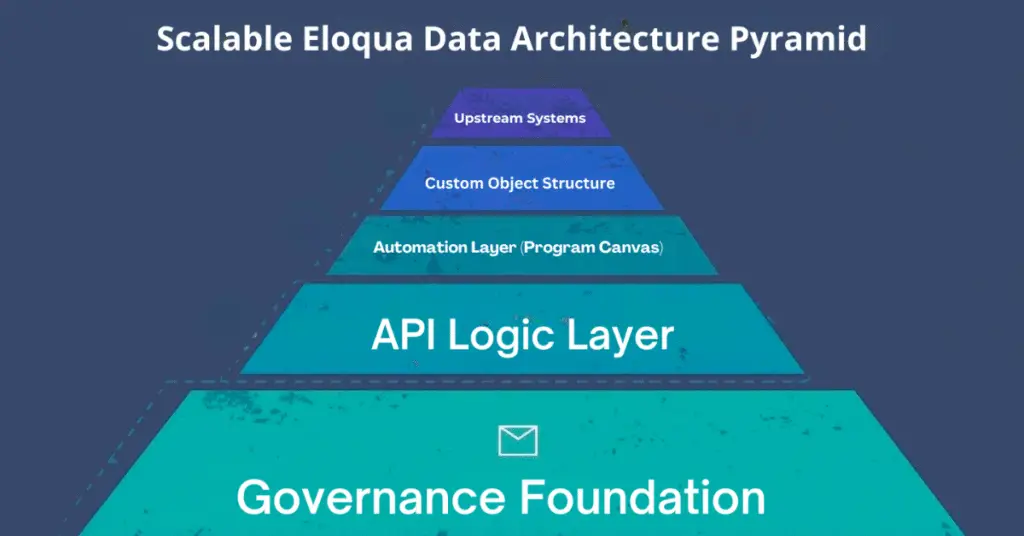
Eloqua custom data objects; Eloqua CDO setup; Oracle Eloqua custom objects; Eloqua data management
Key Takeaways
  • Eloqua custom data objects store repeatable, relational marketing data.
  • Use CDOs when contact fields cannot hold history cleanly.
  • Start schema design with the relationship model, not the field list.
  • Good governance prevents clutter, sync issues, and future rework.
  • Well built CDOs improve segmentation, personalization, and reporting.

Eloqua custom data objects are where a clean marketing data model either starts helping your team or starts creating hidden friction. When your instance needs to track recurring events such as purchases, renewals, event attendance, or product interest, a flat contact record is no longer enough. Many teams know they need more structure but do not know how to set it up cleanly. This guide explains when to use CDOs, how to approach setup, and which use cases justify them without turning your Eloqua instance into a storage closet with better branding.

Oracle’s custom objects documentation makes the core model clear: these records supplement standard contact and account data, and each object can hold many linked records for a single contact or account. That is exactly why Eloqua custom data objects are so useful when marketers need history, repeatability, and relationships instead of one overwritten field.

When to Use Eloqua Custom Data Objects

Use Them for Repeatable and Relational Data

The simplest rule is this: use standard fields for stable profile values, and use CDOs when one person or account can have many related records. According to Oracle’s official overview of custom objects, common examples include purchase history, preferences, browsing history, interviews, and event attendance. These are all patterns where rows work better than columns.

If you need a deeper conceptual walkthrough before getting technical, 4Thought Marketing’s The Ultimate Guide to Oracle Eloqua Custom Objects is a strong companion resource because it explains why custom objects matter before you get lost in field mapping and object maintenance.

Use Standard Fields for Stable Data

Oracle notes that contact and account records can each have up to 250 custom fields, while a single custom object can support far more specialized structure. That does not mean every new data point belongs in a CDO. It means Eloqua custom data objects should be reserved for data that is historical, repeatable, or better modeled as rows rather than single values. Good Eloqua data management starts with that distinction.

How to Approach Eloqua CDO Setup

Define the Relationship Before the Schema

A strong Eloqua CDO setup starts by defining the relationship in one sentence. For example: one contact can have many subscription records, or one account can have many product entitlement records. Oracle’s custom object reference confirms the logic: one contact or account can have multiple linked custom object records, while each custom object record links back to only one contact or account. Writing that relationship first keeps the object from becoming a miscellaneous bucket.

Build Only the Fields the Process Needs

In a practical Eloqua CDO setup, start with an identifier, key dates, status values, and only the business fields needed for segmentation, reporting, or automation. Oracle’s managing and editing custom objects guidance shows that admins can edit fields, mapping, dependencies, search behavior, and object configuration after creation. That flexibility is helpful, but it also makes it easy to overbuild. If a field does not drive a decision, report, sync, or campaign action, challenge whether it belongs there.

For a more advanced view of configuration and design patterns, 4Thought Marketing’s Advanced Data Manipulation with Oracle Eloqua Custom Objects is useful because it moves beyond the basics into how object data can support more sophisticated operational workflows.

Decide How Records Will Be Created and Maintained

The object design is only half the work. You also need to decide how records enter and change over time. In Eloqua, rows may be created through imports, forms, CRM synchronization, Program Canvas, or manual processes. That is where duplication, stale records, and inconsistent updates usually begin. Strong Eloqua data management means deciding early how duplicates will be handled, when a record should be updated instead of replaced, and which team owns data quality.

The Most Practical Use Cases

Purchase History, Subscriptions, and Event Activity

Eloqua custom data objects are ideal for use cases where history matters. Purchase records, renewal events, webinar attendance, product interest, or service milestones all fit naturally into a row-based model. Instead of storing only the latest value on the contact, you preserve the timeline. That gives marketing teams better segmentation logic, better personalization, and stronger reporting context.

Historical Versus Current State Models

A useful design pattern is to separate historical records from current state records. Unlock the Full Potential of Eloqua Custom Objects with Cloud Apps highlights how teams often need one layer that preserves the full history and another layer that supports current segmentation or downstream action. That approach prevents one overloaded object from trying to do everything badly.

Governance That Keeps Oracle Eloqua Custom Objects Usable

Name, Retain, and Review Records Intentionally

Oracle Eloqua custom objects become difficult to trust when old rows remain active forever, ownership is unclear, and object names stop reflecting their business purpose. Good governance means naming objects clearly, documenting their relationship model, defining who owns them, and creating retention rules before the record count explodes. Without that discipline, Eloqua custom data objects create reporting noise instead of useful history.

Know When Native Features Are Enough

Native CDO functionality can support a lot. Oracle documents that custom object data can power segmentation, campaigns, programs, personalization, lead scoring, and reporting. Still, not every advanced manipulation need can be handled elegantly with native steps alone. The right question is not whether a CDO can store the data. The right question is whether your process can govern, update, and activate that data cleanly at scale.

Conclusion

Eloqua custom data objects are most valuable when they are built around repeatable business events, clear relationships, and disciplined governance. They can improve segmentation, personalization, and reporting, but only when the structure, record flow, and cleanup rules are intentional. If your current design feels more confusing than useful, contact 4Thought Marketing for help building an Eloqua CDO setup that supports both immediate execution and long-term Eloqua data management.


Frequently Asked Questions

What are Eloqua custom data objects used for?
They are used to store repeatable or historical records that do not fit neatly on one contact or account profile. Oracle describes them as linked records that supplement standard contact and account data. See Oracle’s custom objects documentation for the official definition.
When should I use Eloqua custom data objects instead of contact fields?
Use them when one contact or account can have many related records or when you need to preserve history. Standard fields are better for single-value profile data.
What is included in a strong Eloqua CDO setup?
A strong setup defines the relationship model first, then adds only the fields required for automation, reporting, segmentation, or integration. It also includes rules for row creation, updates, retention, and ownership.
Are Oracle Eloqua custom objects enough for advanced manipulation?
They support many native use cases, but advanced calculations or synchronized updates may require additional tooling or more deliberate process design.

Eloqua campaign canvas, Eloqua Program Canvas, Eloqua campaign canvas vs program canvas, Eloqua automation, contact washing machine, Eloqua lead nurture
Key Takeaways
  • Eloqua campaign canvas is built for outbound, audience-driven sends.
  • Program Canvas handles always-on, contact-based automation workflows.
  • Use Campaign Canvas when a campaign has a defined start and end date.
  • Program Canvas excels at data management and contact washing machines.
  • Both tools can work together for complex, multi-stage contact journeys.
  • Choosing the wrong canvas creates technical debt and broken logic.

Sarah has been in Eloqua for three years. She knows her way around segments, emails, and landing pages. When her team decided to build an automated Eloqua lead nurture track, she opened the tool she always opens: the Eloqua campaign canvas. It looked right. The drag-and-drop interface was familiar. The flow made sense on paper.

Six weeks later, contacts were getting stuck. Emails were firing at the wrong time. The program had no reliable entry point, and troubleshooting it meant unraveling logic that was never designed for this use case. Sarah had built an automation workflow inside a campaign tool, and it showed.

Knowing when to use the Eloqua campaign canvas versus Eloqua Program Canvas is one of the most important decisions you will make in Eloqua. This guide breaks down exactly what each tool does, where each one excels, and how to choose the right one every time.

What Is the Eloqua Campaign Canvas?

The Eloqua campaign canvas is Eloqua’s primary tool for building and executing outbound marketing campaigns. It uses a visual drag-and-drop interface that lets you connect segments, emails, landing pages, wait steps, and decision rules into a single campaign flow. Learn more in Oracle’s Campaign Canvas documentation.

Best suited for: Time-bound, audience-specific marketing campaigns where contacts enter based on segment membership and move through a defined journey.

Key Characteristics

Segment-driven entry: Contacts enter the Eloqua campaign canvas through a Segment element. You define who gets in, and the canvas moves them through your flow.

Activation-based: Campaign canvas campaigns must be activated. Once active, the campaign runs for a defined period (the default is three months) and tracks all associated activity for reporting.

Built-in reporting: Every element on the campaign canvas ties directly to Eloqua’s campaign reporting. You can view opens, clicks, form submissions, and conversion data right from the canvas. This makes it the go-to tool for marketing attribution and ROI tracking.

Typical Use Cases

  • Event invitation sequences
  • Webinar follow-up campaigns
  • Product launch nurture tracks with a defined end date
  • A/B testing email sequences
  • Trade show follow-up sends

For teams looking to scale their campaign production workflows, see how 4TM approaches structured, repeatable campaign builds: Eloqua Campaign Production: Streamline B2B Marketing Operations.

What Is Program Canvas?

Eloqua Program Canvas is Eloqua’s automation engine for data-driven, always-on workflows. It operates independently of campaigns and is designed to process contact records continuously based on rules, filters, and feeders. Review the official Oracle Program Canvas documentation for full technical reference.

Best suited for: Ongoing, trigger-based automation that runs in the background, independent of any specific marketing campaign.

Key Characteristics of Program Canvas

Feeder-based entry: Contacts enter a program through Program Feeders, which can be based on contact filters, contact groups, or segment overlap. Feeders evaluate on a schedule you define, continuously funneling qualified contacts into the right program step.

Always-on execution: Programs do not have activation periods. They run continuously until you pause or deactivate them. This makes Program Canvas the right choice for operational workflows that need to run at all times.

Data entity flexibility: Unlike the Eloqua campaign canvas, Program Canvas can process more than just contacts. It also handles prospects, companies, and custom object records, making it far more flexible for complex data operations.

Typical Use Cases

  • Contact washing machines for data normalization and standardization
  • Lead scoring program logic
  • CRM sync workflows
  • Re-entry and re-engagement logic for expired contacts
  • Lifecycle stage transitions

If your nurture workflows have developed structural problems over time, the root cause is often that Program Canvas logic was built inside Campaign Canvas. See how audits surface these issues: How Marketing Audits Expose Nurture Campaign Architecture Problems.

Campaign Canvas vs. Program Canvas: The Core Difference

The clearest way to think about the Eloqua campaign canvas vs. Program Canvas decision: the Eloqua campaign canvas is for marketing execution. Eloqua Program Canvas is for data and process Eloqua automation. The table below lays out the key distinctions.

Eloqua Campaign Canvas Program Canvas
Entry method Segment Program Feeder
Best for Time-bound campaigns Always-on workflows
Reporting Full campaign analytics No native campaign reporting
Data entities Contacts only Contacts, Prospects, Companies, Custom Objects
Activation Required (defined duration) Runs continuously
CRM sync Supported per campaign Supported via program steps

The mistake most teams make: they build a contact cleaning machine or lifecycle automation inside the campaign canvas because it looks like a workflow canvas. It is, but it was not built for that purpose. The campaign canvas lacks the feeder infrastructure, the data entity flexibility, and the always-on execution model that operational automation requires.

For a deeper look at how your existing Eloqua setup may be mixing these tools incorrectly, an Eloqua audit can surface the patterns causing the most friction: Eloqua Health Check: Why Regular Audits Keep Automation Smooth.

When to Use Each: A Practical Decision Guide

Use the Eloqua Campaign Canvas when:

  • You are executing a campaign tied to a specific audience and date range.
  • You need campaign-level reporting for attribution or revenue tracking.
  • The campaign has a clear beginning, middle, and end.
  • You want to connect emails, landing pages, and forms into a trackable flow.
  • You are running A/B tests on messaging or campaign assets.

Use Eloqua Program Canvas when:

  • You are building a contact cleaning machine or data normalization workflow.
  • You need an always-on Eloqua automation process that continuously evaluates and routes contacts.
  • You are managing lead scoring logic or lifecycle stage transitions.
  • You are processing non-contact data entities like companies or custom objects.
  • You need a feeder to pull in contacts based on filter or group membership.

Use both together when:

  • A campaign needs to hand contacts off to a longer-term program for Eloqua lead nurture.
  • You want to trigger a program entry point from an Eloqua campaign canvas action step.
  • You need campaign-level reporting on the front end and operational logic on the back end.

The Eloqua campaign canvas includes an “Add to Program” action element specifically for this handoff. Contacts can complete a campaign journey and then move directly into an Eloqua Program Canvas workflow without any manual intervention. This is the Eloqua automation architecture that scales. For a full list of campaign canvas elements and hidden efficiencies, see: 10 Hidden Eloqua Features That Save Hours Every Month.

Conclusion

Choosing between the Eloqua campaign canvas and Eloqua Program Canvas is not guesswork once you understand what each tool was designed to do. The Eloqua campaign canvas owns the outbound execution layer: the timed sends, the tracked journeys, the attribution reporting. Program Canvas owns the operational layer: the always-on logic, the data transformations, and the contact lifecycle management. When you put the right Eloqua automation in the right tool, your Eloqua instance becomes easier to govern, easier to troubleshoot, and easier to scale. If your current setup mixes the two in ways that are causing friction, the 4Thought Marketing team can help you audit and restructure. Contact us to get started.

Frequently Asked Questions

What is the main difference between the campaign and program Canvas?
The Eloqua campaign canvas is designed for executing outbound marketing campaigns with time-bound activation, segment-based entry, and full campaign reporting. Eloqua Program Canvas is an always-on Eloqua automation engine for data workflows, lead scoring, contact washing machines, and lifecycle management. The two tools serve fundamentally different purposes within Eloqua.
Can I use Program Canvas for email campaigns in Eloqua?
Eloqua Program Canvas can send emails as part of a workflow, but it does not provide the campaign-level reporting and attribution tracking that the Eloqua campaign canvas offers. For any outbound campaign where you need to measure engagement, conversion, and ROI, the campaign canvas is the right tool.
What is a contact washing machine in Eloqua?
A contact washing machine is an Eloqua Program Canvas workflow designed to continuously normalize and standardize contact field data as records enter Eloqua. It typically handles tasks like correcting capitalization, standardizing country or job title values, removing invalid data, and routing contacts to the appropriate segment or lifecycle stage.
Can the Eloqua campaign canvas and Eloqua Program Canvas work together?
Yes. The campaign canvas includes an Add to Program action element that lets you move or add contacts from a campaign directly into an Program Canvas step. This allows teams to use the campaign canvas for trackable outbound execution and Program Canvas for the downstream operational logic.
How does entry into the Eloqua campaign canvas differ from entry into Eloqua Program Canvas?
Contacts enter the campaign canvas through a Segment element, evaluated either once at activation or on a recurring schedule. Contacts enter Program Canvas through Program Feeders, which pull in members from contact groups, contact filters, or segment overlap on a defined evaluation schedule.
Which tool should I use for Eloqua lead nurture?
It depends on the type of nurture. If you are running a structured Eloqua lead nurture with a defined audience, a start date, and campaign reporting needs, the Eloqua campaign canvas is the right choice. If you need an always-on nurture that continuously enrolls contacts as they meet criteria and transitions them through lifecycle stages, Program Canvas is more appropriate.

hidden Eloqua features, Eloqua automation tips, Eloqua data management, Eloqua segmentation best practices, marketing operations efficiency, Eloqua Program Builder, Eloqua campaign templates
Quick Takeaways
  • Most Eloqua users rely on a fraction of its power.
  • Hidden Eloqua features eliminate manual work across your instance.
  • Program Builder handles background automation without cluttering Campaign Canvas.
  • Shared Filters and Segments ensure consistent logic across every campaign.
  • Contact Washing Machine standardizes data for more accurate segmentation.
  • Smarter Eloqua systems compound efficiency gains over time.

Most Eloqua teams are leaving time on the table. Not because they lack skills, and not because the platform falls short. Because several of the most valuable Eloqua features go unnoticed while teams burn hours on manual work that the platform can handle automatically.

Utilizing hidden Eloqua features can significantly enhance your marketing strategy. By leveraging hidden Eloqua features, you can minimize manual tasks and streamline processes. Here’s how hidden Eloqua features can revolutionize your workflow. Discover the hidden Eloqua features that will benefit your marketing campaigns. Understanding hidden Eloqua features can lead to better automation.

The symptoms are familiar: segments rebuilt from scratch for every campaign, suppression lists managed by hand, data inconsistencies that undermine reporting, and QA processes that rely on memory rather than system controls. These are not platform limitations. They are adoption gaps.

The good news is that these tools are already available in your instance. Here are ten that can change how your team operates. Each of these hidden Eloqua features can greately aid your marketing efforts. Integrating hidden Eloqua features ensures smoother operations. hidden Eloqua features like these can transform how you operate. Using hidden Eloqua features effectively can save your team significant time. Hidden Eloqua features ensure your data remains clean and usable. With hidden Eloqua features, you can streamline your workflow. Incorporating hidden Eloqua features will enhance your campaign’s effectiveness.

The Hidden Eloqua Features You Are Probably Not Using Enough

1. Shared Filters and Segments

Building segment logic once and reusing it across campaigns is one of the simplest ways to improve both efficiency and consistency. Shared Filters and Segments let you define criteria centrally, so a change to the logic updates everywhere it is used.

Why it matters: Without shared logic, the same audience definition gets recreated slightly differently across campaigns, introducing inconsistencies that skew results and complicate troubleshooting. This is a foundational Eloqua segmentation best practice that teams often overlook until they hit a reporting problem.

2. Contact Washing Machine

The Contact Washing Machine is a centralized data cleanup tool that standardizes field values like country, state, and job title as contacts enter your database. Rather than cleaning data reactively, it normalizes records automatically.

Why it matters: Dirty data is one of the leading causes of segmentation failures and CRM sync errors. A well-configured Contact Washing Machine is the foundation of reliable Eloqua data management. Our post on AI marketing data hygiene covers why clean data is non-negotiable for modern marketing operations.
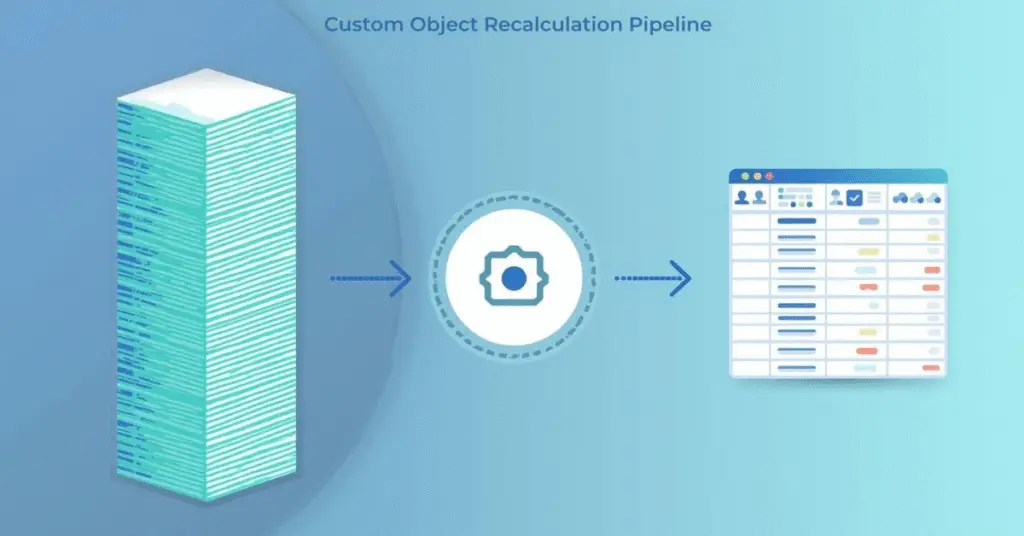
3. Update Rules

Update Rules allow you to automatically adjust field values based on defined criteria, making them ideal for lead source standardization and status management. They eliminate the need to manually correct records or build complex campaign logic just to keep fields consistent.

Why it matters: Inconsistent field values are a silent killer of reporting accuracy. Update Rules enforce standards at scale without requiring manual intervention or campaign overhead.

4. Campaign Template Frameworks

Pre-built Campaign Canvas templates for common programs like webinars, nurture tracks, and event follow-ups dramatically reduce build time and the risk of configuration errors. Templates enforce structure and ensure your team is not starting from zero each time.

Why it matters: Our piece on marketing operations templates explains why reusable frameworks are one of the highest-leverage investments a marketing ops team can make. The efficiency gains compound with every campaign executed.

5. Email Frequency Rules

Email frequency rules act as a system-level guardrail that prevents contacts from receiving too many emails in a given time window. They protect sender reputation and remove the need for manual suppression logic built into individual campaigns.

Why it matters: Over-mailing is one of the fastest ways to damage deliverability. Frequency rules enforce discipline automatically, so your team does not have to manage it campaign by campaign.

6. Shared Lists as Control Mechanisms

Shared Lists are commonly used for audience building, but their value as control mechanisms is frequently underutilized. A master suppression list, a competitor exclusion list, and an internal contacts list can each be built once and referenced across every campaign that needs them.

Why it matters: Centralizing exclusion logic means one update protects your entire program. Without this, suppression logic gets duplicated and gaps inevitably appear.

7. Insight Reports for Operational Monitoring

Eloqua’s Insight reporting suite goes well beyond campaign performance. Asset usage reports, email performance trends, and campaign activity tracking give operations teams the visibility they need to monitor platform health and identify inefficiencies before they compound.

Why it matters: Teams that rely on ad-hoc reporting miss systemic issues until they become serious problems. Insight reports support a proactive approach to Eloqua data management and platform governance. A regular Eloqua health check should include a review of Insight data as standard practice.

8. Form Processing Steps

Form processing steps allow real-time field updates, program entries, and notifications to fire the moment a form is submitted. This reduces the need for separate campaign workflows triggered off form activity.

Why it matters: Every unnecessary campaign built to handle post-form logic adds complexity and maintenance burden. Moving that logic into the form itself keeps your architecture cleaner and more efficient.

9. Test Contacts and Seed Lists

A standardized set of test contacts and a seed list for QA sends is a simple operational control that prevents accidental sends to live audiences. It sounds basic, but many teams still manage this process informally.

Why it matters: A single mistaken live send can damage deliverability, annoy real contacts, and create compliance exposure. Building this into a repeatable process is an essential part of maintaining consistent marketing asset naming conventions and governance standards.

10. Program Builder for Background Automation

Program Builder is often dismissed as a legacy tool, but for background automation tasks it remains highly effective. Use it for lead lifecycle updates, data normalization, and trigger-based processes that should run quietly in the background without cluttering your Campaign Canvas.

Why it matters: Keeping operational workflows out of Campaign Canvas reduces complexity and makes your active campaigns easier to manage and audit. If you are considering migrating heavier programs to Program Canvas, our guide to Eloqua’s Program Canvas explains the key differences and when each tool is the right fit.

Build Smarter, Not Just Faster

Eloqua’s depth is one of its greatest strengths, and one of the reasons adoption gaps are so common. The features covered here are not advanced add-ons or integrations. They are built into the platform your team already uses. The difference between teams that struggle with manual overhead and those that operate efficiently often comes down to whether these systems are in place. If you are ready to build a more efficient, more scalable Eloqua instance, contact 4Thought Marketing and let us help you get there.

Frequently Asked Questions (FAQs)

What are the most underused features in Oracle Eloqua?
Some of the most underused Eloqua features include the Contact Washing Machine for automated data standardization, Shared Filters for reusable segmentation logic, Email Frequency Rules for automatic over-mailing protection, and Program Builder for background automation workflows. Most of these tools are already available in any Eloqua instance.
How does the Contact Washing Machine work in Eloqua?
The Contact Washing Machine is a centralized data cleanup tool within Eloqua that standardizes field values such as country, state, and job title as contacts are created or updated. It applies predefined normalization rules automatically, reducing the need for manual data correction and improving segmentation accuracy.
What is the difference between Shared Filters and standard Segments in Eloqua?
Shared Filters are reusable filter components that can be referenced across multiple segments and campaigns. Standard segments may be built for a single campaign and not reused. Using Shared Filters ensures that logic is consistent across your entire Eloqua instance, reducing errors and simplifying updates.
How can Eloqua campaign templates improve marketing operations efficiency?
Campaign templates provide pre-built Campaign Canvas structures for common program types such as webinars, nurtures, and event follow-ups. They reduce build time, enforce structural consistency, and minimize the risk of configuration errors that slow down campaign execution.
What are Email Frequency Rules in Eloqua and why do they matter?
Email Frequency Rules are system-level controls in Eloqua that limit how many emails a contact can receive within a defined time period. They protect sender reputation, reduce unsubscribe rates, and eliminate the need to manually build suppression logic into individual campaigns.
How can Insight Reports support better Eloqua governance?
Eloqua’s Insight Reports provide visibility into asset usage, email performance trends, and campaign activity at the platform level. Operations teams can use this data to identify underperforming assets, spot inefficiencies, and monitor platform health as part of a regular audit process.

marketing automation strategy, marketing automation services, Eloqua implementation, Marketo managed services, marketing ops, B2B marketing automation, martech consulting
Quick Takeaways
  • A strong marketing automation strategy starts with clear goals.
  • Platform choice matters less than your process design.
  • Most B2B teams underuse the tools they already pay for.
  • Segmentation and personalization drive real revenue impact.
  • Managed services fill critical gaps without adding headcount.
  • 4Thought Marketing helps you build automation that actually converts.

Most marketing teams don’t have an automation problem. They have a strategy problem and they’re using automation to make it run faster.

B2B organizations spend significant budget on platforms like Oracle Eloqua and Adobe Marketo Engage, configure campaigns, then wonder why leads aren’t converting. The technology is capable. The intention is right. But without a deliberate marketing automation strategy underneath it all, even the most powerful platform becomes an expensive email tool. The good news: fixing this doesn’t require ripping out your tech stack. It requires stepping back, clarifying what you’re actually trying to accomplish, and building automation around outcomes, not activity. That’s exactly what we help clients do at 4Thought Marketing.

The Real Reason Your Automation Isn’t Working

You optimized for setup, not outcomes

When marketing ops teams first implement a platform, the goal is usually to get campaigns running. That’s understandable. But campaigns built for deployment speed rarely account for lead lifecycle, buyer intent signals, or what happens to a contact after they click.

Why it matters: Automation built without a clear strategy produces activity metrics; opens, clicks, form fills, but rarely drives pipeline. And when leadership asks for ROI, there’s nothing meaningful to report.

Your segments are too broad

Sending the same nurture stream to a first-time visitor and a returning prospect who downloaded three assets is a missed opportunity. Effective B2B marketing automation relies on granular segmentation; by role, industry, funnel stage, and behavior to deliver messages that actually resonate.

What to do: Audit your current segments. If you can’t articulate who is in a segment and why they’re receiving a specific message, the segment isn’t working hard enough for you.

What a Stronger Marketing Automation Strategy Actually Looks Like

Start with the buyer journey, not the tool

Before touching your platform, map out every stage your buyer moves through; from first awareness to closed deal. Identify where they get stuck, where they drop off, and what information they need at each point. That map becomes the blueprint for your automation.

Real example: One mid-market SaaS client we worked with had a 60-day nurture program but no re-engagement path for contacts who went cold after week two. After rebuilding the workflow around actual buyer behavior in Eloqua, their reactivation rate increased substantially within one quarter.

Let data drive personalization

Personalization doesn’t mean using a first name in a subject line. It means serving relevant content based on what a contact has done, what they care about, and where they are in the decision process. Marketo Engage and Eloqua both support dynamic content and behavioral triggers but most teams never configure them beyond the basics.

Quick win: Start with a single high-traffic nurture track and add one behavioral branch for example, a different content path for contacts who visit a pricing page versus those who don’t. Measure the difference. Then expand.

Where Marketing Automation Consulting Pays Off

Many teams know what they want to accomplish but don’t have the internal bandwidth or platform expertise to build it correctly. That’s where martech consulting and managed services close the gap not by taking over, but by accelerating what your team already has the instincts to do. At 4Thought Marketing, our managed services work sits at the intersection of platform expertise and strategic thinking.

We don’t just execute campaigns, we help clients build the operational infrastructure that makes every future campaign easier, faster, and more effective. Whether that’s building a scalable lead scoring model in Eloqua, configuring Marketo’s engagement programs, or auditing an existing instance for efficiency, the goal is always the same: get more value from the investment you’ve already made.

Conclusion

A great marketing automation strategy isn’t a feature of your platform, it’s a decision you make before you ever log in. When you build automation around your buyer’s actual journey, use data to drive personalization, and close capability gaps with the right expertise, the results speak for themselves. If your current setup isn’t delivering the pipeline impact you expected, the platform isn’t the problem. Contact us at 4Thought Marketing and let’s figure out what is and fix it. Contact 4Thought Marketing to schedule a complimentary strategy review.

Frequently Asked Questions (FAQs)

What is a marketing automation strategy and why does it matter for B2B?
A marketing automation strategy is a plan that defines how your automation platform supports your buyers at every stage of the sales cycle. Without one, B2B teams tend to automate activity rather than outcomes — sending emails on a schedule without a clear purpose. A strong strategy connects platform execution to revenue goals, ensuring every workflow earns its place.
How do I know if my current marketing automation strategy is working?
Look beyond open and click rates. If your automation isn’t contributing to measurable pipeline growth, MQL-to-SQL conversion, or accelerated deal velocity, it’s likely underperforming. A simple audit — reviewing which workflows are active, who they target, and what action they drive — will surface gaps quickly.
What is the difference between marketing automation consulting and managed services?
Consulting typically focuses on strategy and architecture: designing how your platform should work, what your workflows should accomplish, and how to configure your instance for scale. Managed services is ongoing execution support — running campaigns, managing database hygiene, building new programs — so your team can focus on higher-level priorities without losing operational momentum.
Can I improve my marketing automation strategy without switching platforms?
Almost always, yes. Most underperformance issues come from how a platform is configured and used, not from the platform itself. Oracle Eloqua and Adobe Marketo Engage are both powerful tools that most teams use at a fraction of their capability. Optimizing your strategy and workflows within your existing platform almost always yields faster ROI than migrating.
How long does it take to see results from a revised marketing automation strategy?
It depends on the scope of changes, but meaningful improvements are typically visible within 60 to 90 days. Quick wins — like refining segmentation or adding a behavioral trigger to an existing nurture — can show results even faster. More structural changes, like rebuilding a lead scoring model or standing up a new engagement program, take longer but compound over time.
What should I look for in a marketing automation consulting partner?
Look for a partner with deep, platform-specific expertise — not just general martech knowledge. They should ask about your buyer journey before they ask about your tech stack, and they should be able to point to specific examples of how they’ve improved measurable outcomes for similar organizations. Credentials with Oracle Eloqua or Adobe Marketo Engage are a strong signal of technical depth.

Eloqua vs Marketo, Marketo vs Eloqua, Oracle Eloqua vs Adobe Marketo, Marketo Engage vs Oracle Eloqua, best marketing automation platform, marketing automation for B2B lead generation, marketing automation for demand generation, AI-powered marketing automation, B2B marketing automation platform, marketing automation CRM integration
Key Takeaways
  • Eloqua vs Marketo hinges on complexity versus accessibility.
  • Marketo suits agile teams needing AI-powered content tools.
  • Eloqua serves enterprise teams with complex buying cycles.
  • CRM fit — Oracle or Salesforce — often decides the winner.
  • Technical readiness and sales cycle length are the real tiebreakers.

Your pipeline is growing, your sales cycles are getting longer, and leadership wants more from marketing automation — not less. You have narrowed the field to two platforms that keep appearing at the top of every enterprise shortlist: Oracle Eloqua and Adobe Marketo Engage. Both are proven B2B marketing automation platforms. Both have earned their reputations. Both have vocal champions across marketing ops, demand generation, and revenue operations teams worldwide. The ongoing comparison of Eloqua vs Marketo is crucial for organizations making marketing automation decisions. Understanding Eloqua vs Marketo helps clarify your marketing strategy.

So why does choosing between them still feel this hard?

Because the Eloqua vs Marketo decision is not really about features. It is about fit. The right platform depends on how your team is structured, how complex your buying journeys are, and which technology ecosystem you are already committed to. Get it right and you gain a revenue engine that accelerates pipeline. Get it wrong and you spend too much time fighting your own tools. This guide gives B2B marketing ops leaders, demand gen managers, and enterprise marketing directors the direct, no-fluff comparison they actually need.

What Are the Core Differences Between Oracle Eloqua and Adobe Marketo Engage?

Each platform presents unique strengths in the battle of Eloqua vs Marketo. Exploring the Eloqua vs Marketo debate reveals insights into your needs. At their foundation, both Oracle Eloqua and Adobe Marketo Engage automate B2B marketing workflows — but they are engineered for different operational realities. Eloqua is Oracle’s enterprise-grade solution, purpose-built for organizations managing long, multi-stakeholder buying cycles that require structured campaign governance, buying group engagement, and deep cross-functional alignment between marketing and enterprise sales.

Marketo Engage, part of Adobe Experience Cloud, is designed for scalable B2B engagement. It balances power and usability, making it one of the more accessible enterprise marketing automation platforms for teams of all sizes and technical skill levels. Its AI-forward architecture and tight Salesforce alignment have made it a consistent top choice for demand generation teams that need to move fast without sacrificing personalization quality.

The differences between these two platforms come into sharpest focus across three dimensions that enterprise evaluators consistently prioritize: core features, email and content capabilities, and CRM integration. The nuances of Eloqua vs Marketo can influence your marketing outcomes significantly. To make an informed choice in the Eloqua vs Marketo discussion, consider your specific needs.

Eloqua vs Marketo: Side-by-Side Comparison

The core features you need will affect your Eloqua vs Marketo evaluation. Your team’s workflow will shape the Eloqua vs Marketo selection process. Consider the trade-offs in the Eloqua vs Marketo choice for your organization.

Capability Adobe Marketo Engage Oracle Eloqua
Primary Target Mid-market to enterprise B2B Large enterprise B2B
Ease of Use More accessible, faster onboarding Steeper learning curve, higher configurability
AI & Generative Content Strong — email, landing pages, journey design Developing — send-time optimization, subject line suggestions, Fatigue Analysis, content repurposing
Lead & Account Scoring AI-assisted and rules-based Advanced rules-based, buying group scoring
Account-Based Marketing Native ABM, Adobe ecosystem integration Buying group targeting, account engagement dashboards
Email Capabilities Flexible designer, dynamic content, generative AI Robust designer or use native HTML.
CRM Integration Deep native Salesforce and Dynamics integration Oracle Sales, Salesforce, and Dynamics
Data Governance Standard marketing ops controls Enterprise-grade deduplication, normalization tools
Campaign Orchestration Multi-channel journey builder Campaign Canvas, Program Canvas, guided templates
Ecosystem Adobe Experience Cloud, 1,900+ app integrations Oracle Fusion CX, Oracle Unity CDP
Pricing Model Contact-based, tiered editions Contact-based, tiered editions, quote pricing
Best Fit For Salesforce-first, Adobe-aligned teams Oracle-centric or complex multi-channel orchestration and governance

How Do Eloqua and Marketo Compare on Core Features?

Understanding when to choose Eloqua vs Marketo is essential for effective marketing. Evaluating the Eloqua vs Marketo options is critical for future growth. As you assess your needs, the Eloqua vs Marketo discussion will guide your decision. Both platforms cover the essentials expected of a best marketing automation platform — lead capture, nurturing, scoring, analytics, and multi-channel execution. Where they diverge is in philosophy and structure.

Marketo Engage is modular, AI-forward, and built for speed:

  • Lead and account scoring blends behavioral, firmographic, and predictive signals
  • Generative AI assists with content creation, subject lines, and journey orchestration
  • Native ABM connects across Adobe Experience Cloud for unified account visibility
  • Strong fit for pipeline acceleration and marketing and sales alignment

Oracle Eloqua is structured, governed, and built for enterprise control:

  • Campaign Canvas and Program Canvas enable formal multi-step nurture and lead routing design
  • Multiple stakeholders — legal, sales ops, regional teams — get visibility and control built in
  • Account engagement scoring and buying group dashboards support committee-driven deals
  • Strong fit for complex enterprise sales cycles requiring cross-functional governance

The bottom line: Marketo prioritizes AI-assisted speed and productivity. Eloqua prioritizes structured control and governed execution at scale.

Which Platform Has Better Email and Content Capabilities?

When B2B teams compare top marketing automation platforms’ email capabilities, Marketo Engage holds a clear advantage for teams prioritizing creative flexibility and production speed. Its next-generation Email Designer supports flexible layouts, reusable content blocks, and AI-generated copy and subject line suggestions. Dynamic content adapts in real time based on behavioral signals and CRM data, enabling leaner teams to produce highly personalized campaigns without heavy technical lift. For marketing automation for B2B lead generation programs that depend on email as a primary conversion channel, this combination of speed and personalization is difficult to match.

Eloqua’s email capabilities are enterprise-solid but historically more configuration-dependent. Its strength lies in the depth of data it can activate. Integration with Oracle Unity CDP and Oracle Infinity behavioral analytics gives large teams access to rich, unified customer data signals that power sophisticated segmentation and targeting at scale. For organizations where email is one channel within a broader, orchestrated campaign motion spanning field events, digital channels, and sales outreach, Eloqua’s structured approach is well suited. For teams where email performance is a primary daily productivity metric, Marketo delivers faster results with less overhead.

Which Platform Offers Better CRM Integration?

Consider how the Eloqua vs Marketo comparison aligns with your marketing objectives. The Eloqua vs Marketo evaluation ultimately determines your marketing success. CRM integration is frequently the deciding factor when evaluating which marketing automation tool offers better integration with CRM systems — and both platforms are genuinely strong, but in meaningfully different ways.

Marketo Engage is the stronger choice for Salesforce-first organizations:

  • Deep, bi-directional native Marketo Salesforce integration — widely regarded as one of the most reliable in the category
  • Real-time sharing of lead data, account scoring signals, marketing qualified leads, and engagement history
  • Straightforward to implement, well-documented, and backed by a large partner ecosystem
  • Also integrates natively with Microsoft Dynamics 365

Oracle Eloqua is the stronger choice for Oracle-centric organizations:

  • Native bi-directional integrations with Oracle Sales, Salesforce, and Microsoft Dynamics
  • Enterprise-grade data stewardship — deduplication, normalization, and diagnostic tooling built in
  • Deepest native alignment with Oracle Fusion CX, giving Oracle-first teams a structural ecosystem advantage
  • Marketing ops teams get direct control over data quality across large, complex contact databases

The practical decision rule: Salesforce-first organizations find Marketo the more natural, lower-friction pairing. Oracle-centric organizations benefit most from Eloqua’s native ecosystem alignment and data governance depth.

When Should You Choose Marketo Over Eloqua?

Marketo Engage is the stronger choice when your organization fits one or more of the following profiles. Your CRM is Salesforce and you want minimal friction between marketing and sales data. Your team values AI-powered productivity and needs to produce personalized campaigns at scale without heavy technical resources. You operate within or plan to expand into the Adobe Experience Cloud ecosystem. Your buying cycles are complex but not so deeply committee-driven that enterprise-grade campaign governance is a daily operational requirement. You are a mid-market organization scaling toward enterprise and need a platform that grows with you without requiring a dedicated marketing ops engineering team from day one.

When Should You Choose Eloqua Over Marketo?

Oracle Eloqua is the stronger choice when your organization matches a different set of conditions. Your CRM environment is Oracle-centric or you operate within Oracle Fusion CX. Your sales cycles are long, involve large buying groups, and require structured, governed campaign orchestration across regional marketing teams. Data quality is a strategic priority and you need native deduplication and normalization tools rather than relying on CRM-side data management. Your marketing ops team has the technical capacity to configure and maintain a more complex platform in exchange for deeper control and flexibility. You are a large enterprise where campaign approval workflows, compliance with internal governance standards, and cross-functional alignment between marketing, sales, and finance are non-negotiable requirements.

Conclusion

The Eloqua vs Marketo decision ultimately comes down to the operational reality of your organization, not the length of either platform’s feature list. Marketo Engage is the stronger fit for teams that need AI-powered productivity, faster onboarding, and tight alignment with the Adobe and Salesforce ecosystems. Oracle Eloqua is the stronger fit for large enterprises managing buying group complexity, long revenue cycles, and governance requirements that span multiple teams and regions.

Evaluate both against your CRM environment, your team’s technical capacity, and the actual structure of your buying journeys before committing. If your organization needs an expert perspective on navigating this platform decision, 4Thought Marketing works with B2B marketing teams to align enterprise marketing automation software selection with real revenue goals — the right fit makes all the difference.

Frequently Asked Questions (FAQs)

What is the fundamental difference between Eloqua and Marketo?
Eloqua is engineered for large enterprise organizations needing complex, governed campaign orchestration across long buying cycles. Marketo Engage is built for scalable B2B engagement with stronger AI-assisted content tools, faster usability, and broader ecosystem flexibility across the Adobe and Salesforce environments.
Which is better, Eloqua or Marketo, for enterprise B2B teams?
It depends on your CRM environment and organizational complexity. Eloqua is better for large enterprises with Oracle-centric stacks and formal campaign governance requirements. Marketo is better for enterprise teams that prioritize AI productivity, Salesforce alignment, and faster time to value.
Is Marketo better than Eloqua for demand generation?
For most demand generation teams, Marketo Engage offers a stronger out-of-the-box experience. Its AI-assisted content tools, native Salesforce integration, and flexible journey builder make it well suited to marketing automation for demand generation programs that depend on speed, personalization, and pipeline visibility.
When should you choose Eloqua over Marketo?
Choose Eloqua when your organization runs Oracle CRM or Oracle Fusion CX, manages long buying cycles involving large account teams and buying groups, requires enterprise-grade data governance, or needs structured campaign orchestration with formal approval workflows across regional or global marketing teams.
When should you choose Marketo over Eloqua?
Choose Marketo Engage when your CRM is Salesforce, your team values AI-powered productivity, you need faster onboarding, or you operate within or plan to expand into the Adobe Experience Cloud ecosystem. It is also the stronger choice for scaling mid-market B2B organizations.
Which platform integrates better with Salesforce CRM?
Marketo Engage has a deeper, more widely adopted native Salesforce integration that is easier to implement and maintain for most teams. The Eloqua Salesforce integration is also production-grade, but Eloqua’s deepest native alignment is with Oracle CRM environments rather than Salesforce-first stacks.
Which platform offers better CRM integration overall?
Both platforms offer strong marketing automation CRM integration. Marketo leads for Salesforce and Adobe-aligned organizations. Eloqua leads for Oracle Fusion CX environments. The better choice depends entirely on your existing CRM ecosystem rather than any universal capability difference between the two.
How does Eloqua compare to Marketo for lead scoring?
Both offer AI-assisted and rules-based lead scoring. Marketo’s scoring is more accessible out of the box and benefits from Adobe’s predictive AI layer. Eloqua’s scoring models offer deeper enterprise configuration, including buying group-level account engagement scoring suited to complex sales organizations managing multi-stakeholder deals.
Which platform handles account-based marketing better?
Both support ABM natively. Marketo integrates tightly with the Adobe ABM ecosystem and third-party intent data providers, making it strong for Salesforce-aligned ABM programs. Eloqua’s buying group targeting and account engagement dashboards are purpose-built for enterprise sales teams managing committee-driven purchasing decisions at scale.
How do the two platforms compare for email marketing capabilities?
Marketo Engage offers a more flexible email designer with generative AI capabilities, making it faster for teams to produce personalized campaigns. Eloqua’s email tools are robust and data-rich but more configuration-dependent, better suited to organizations where email is part of a larger orchestrated campaign motion rather than a standalone channel.
Which platform is easier to use and implement?
Marketo Engage has a more accessible interface and faster onboarding curve, making it a better fit for teams without large dedicated marketing operations resources. Eloqua has a steeper learning curve but rewards that investment with deeper configurability, structured campaign governance, and enterprise-grade data management capabilities.
Can both platforms support multi-channel campaign orchestration?
Yes. Marketo orchestrates across email, web, social, mobile, and paid channels within the Adobe Experience Cloud using a relatively intuitive journey builder. Eloqua’s Campaign Canvas and Program Canvas provide more structured, governance-driven orchestration suited to enterprise teams with formal campaign approval workflows and cross-functional stakeholder requirements.
How does each platform handle data quality and governance?
Eloqua includes native deduplication, normalization, and diagnostic tools that give enterprise marketing ops teams direct control over data quality across large contact databases. Marketo relies more on CRM integration and third-party tooling for data governance, which works well in Salesforce-centric environments with established data management practices already in place.

Eloqua audit, Eloqua health check, Eloqua best practices, Eloqua health check framework, oracle health check report, Eloqua helpdesk,
Key Takeaways
  • Regular audits prevent technical debt from degrading performance.
  • Neglected instances suffer deliverability drops and compliance risks.
  • Comprehensive Eloqua health checks examine database and program structure.
  • External specialists identify blind spots internal teams miss.
  • Quarterly or bi-annual audits align with best practices.

Oracle Eloqua stands as one of the most sophisticated marketing automation platforms available, offering powerful capabilities for enterprise-level campaign orchestration, lead nurturing, and customer engagement. Organizations invest substantial resources implementing and maintaining their Eloqua instances, trusting the platform to drive meaningful marketing outcomes. However, even the most well-intentioned marketing teams face an inevitable challenge: over months and years of active use, Eloqua instances accumulate technical debt that quietly erodes performance, introduces compliance vulnerabilities, and diminishes return on investment. Conducting regular Eloqua audits transforms reactive troubleshooting into proactive platform optimization, ensuring your marketing automation infrastructure continues delivering the results your business demands.

What Is an Eloqua Health Check and Why Does It Matter?

An Eloqua health check is a systematic evaluation of your marketing automation instance designed to identify inefficiencies, risks, and opportunities for improvement. Unlike routine maintenance or troubleshooting specific issues, an Eloqua audit examines the holistic health of your platform across multiple dimensions including database integrity, asset organization, campaign structure, deliverability metrics, and compliance posture.

The strategic value of regular health checks extends beyond fixing broken elements:

  • Objectivity: Marketing operations teams develop familiarity blindness where legacy configurations become normalized
  • Performance visibility: Reveals hidden drains on system efficiency and campaign effectiveness
  • Risk identification: Surfaces compliance vulnerabilities and security gaps before they cause problems
  • ROI optimization: Identifies underutilized features that could enhance campaign results
  • Strategic alignment: Ensures platform capabilities match evolving business objectives

For marketing directors concerned about ROI, health checks answer critical questions: Is our Eloqua investment performing optimally? Are we exposing the organization to unnecessary compliance risks? Where are we leaving money on the table through inefficient processes or unused capabilities?

What Problems Arise When Eloqua Health Checks Are Neglected?

Without regular audits, Eloqua instances deteriorate in predictable patterns that compound over time.

Database Quality Degradation

  • Contact records accumulate duplicates and outdated information
  • Improperly segmented audiences reduce targeting precision
  • Contact Washing Machine configurations require adjustments teams overlook
  • Data bloat increases system processing time and storage costs

Email Deliverability Decline

  • Sender reputation suffers from poor list hygiene
  • Outdated suppression lists fail to honor opt-outs properly
  • Misconfigured authentication protocols (SPF, DKIM, DMARC) trigger spam filters
  • Decreasing open rates signal problems teams struggle to diagnose

Compliance Risk Accumulation

  • GDPR, CAN-SPAM, and regional data protection requirements evolve continuously
  • Consent management mechanisms fall out of alignment with current regulations
  • Data retention policies fail to match legal requirements
  • Opt-out mechanisms contain subtle gaps exposing organizations to penalties

Operational Inefficiency

  • Unused landing pages and deprecated email templates clutter asset libraries
  • Obsolete program canvases create navigation challenges for teams
  • New team members face steep learning curves understanding active versus legacy resources
  • Marketing operations professionals waste time searching through bloated folders

Budget Waste

  • Organizations pay for advanced Eloqua capabilities while utilizing only basic features
  • Sophisticated segmentation engines remain unused due to knowledge gaps
  • Progressive profiling and advanced program canvas logic sit dormant
  • An oracle health check report would quantify these missed opportunities

What Does a Comprehensive Eloqua Audit Include?

A thorough Eloqua health check framework examines seven critical areas to ensure complete platform assessment.

Audit Area What Gets Evaluated Common Issues Found
Database Hygiene Contact quality, duplicate management, Contact Washing Machine configs Merge rule failures, data standardization gaps, outdated segmentation logic
Asset Organization Email templates, landing pages, forms, folder structures Hundreds of unused assets, inconsistent naming conventions, unclear deprecation status
Program Canvas Structure Campaign workflows, error handling, logic efficiency Redundant steps, unclear flows, outdated integration points
Form & Landing Page Tracking Data capture mechanisms, field mappings, tracking codes Broken tracking, misconfigured fields, deprecated integrations causing data loss
Email Deliverability Sender reputation, authentication, suppression lists Authentication failures, suppression list gaps, engagement metric decline
Segmentation Logic Audience definitions, dynamic lists, filter efficiency Overly complex segments, outdated criteria, performance-degrading queries
Integration Health CRM sync, API usage, third-party connections Silent failures, inefficient data flows, authentication expiration

Key audit deliverables include:

  • Prioritized issue list with business impact assessment
  • Remediation roadmap with effort estimates
  • Quick-win opportunities for immediate improvement
  • Long-term optimization recommendations
  • Compliance gap analysis with regulatory context
  • Performance benchmarking against industry standards

What Are Eloqua Health Check Best Practices?

Establishing regular audit cadences prevents issues from accumulating while maintaining platform health between comprehensive reviews.

Recommended Audit Frequency

Organization Profile Comprehensive Audit Lightweight Review Continuous Monitoring
High-volume, multi-BU instances Quarterly Monthly Real-time alerts
Mid-sized stable operations Bi-annually Quarterly Weekly dashboards
Mature well-managed instances Annually Bi-annually Monthly reports

Essential Best Practices

  • Document baseline metrics before optimization efforts begin
  • Prioritize findings by business impact (critical/important/optimization)
  • Establish automated alerts for deliverability thresholds and integration failures
  • Create remediation ownership with clear accountability
  • Schedule post-remediation validation to confirm issue resolution
  • Update audit frameworks as new Eloqua features release

Baseline Metrics to Track

  • Total contact database size and growth rate
  • Email deliverability percentage and bounce rates
  • Asset counts by type (emails, forms, landing pages, canvases)
  • Integration sync frequency and error rates
  • System performance benchmarks (page load times, report generation speed)
  • Campaign velocity metrics (launches per month, active programs)

When Should You Run an Eloqua Health Check?

Beyond scheduled intervals, specific trigger events warrant immediate health checks to prevent issues from escalating.

Scheduled Audit Triggers

  • Quarterly: High-complexity instances with frequent campaign launches
  • Bi-annually: Standard operations with stable team structures
  • Annually: Mature instances requiring strategic capability reviews

Event-Based Audit Triggers

  • Team turnover, especially marketing operations leadership changes
  • Performance dips in email engagement, form conversion, or lead quality
  • Compliance updates when new privacy regulations take effect
  • Pre-acquisition due diligence before mergers or divestitures
  • Major Eloqua version upgrades or significant feature releases
  • Planned campaign expansions, new market entries, or product launches
  • Integration additions or CRM platform migrations
  • Unexplained system slowdowns or intermittent functionality issues

Organizations planning significant initiatives should conduct pre-initiative audits ensuring their Eloqua foundation supports increased demands without performance degradation.

Should You Conduct Eloqua Audits Internally or Hire Specialists?

Many organizations initially believe their internal teams can handle Eloqua health checks independently. This decision requires careful consideration of capability gaps and blind spot risks.

Internal Team Advantages vs. Limitations

Internal Team Strengths Internal Team Limitations
Deep institutional knowledge of business context Familiarity blindness normalizes problematic configurations
Understanding of campaign history and rationale Limited exposure to how other organizations leverage Eloqua
Immediate availability without procurement delays Time constraints force superficial reviews
No knowledge transfer required Lack of comparative benchmarking data
Organizational political awareness Hesitation surfacing issues reflecting past decisions

Why External Specialists Deliver Superior Results

  • Fresh perspectives unburdened by institutional assumptions
  • Pattern recognition from auditing hundreds of instances annually
  • Comparative insights into performance benchmarks across industries
  • Objective assessment without organizational politics
  • Specialized expertise in deliverability optimization and complex segmentation
  • Deep knowledge of emerging Eloqua best practices and platform capabilities
  • Dedicated focus without competing operational responsibilities

When to Engage External Eloqua Audit Providers

The decision to hire specialists becomes clear when:

  • Internal teams lack bandwidth for thorough systematic analysis
  • Performance issues persist despite internal troubleshooting efforts
  • Compliance requirements demand objective third-party validation
  • Leadership seeks unbiased platform ROI assessment
  • Technical debt accumulation exceeds internal remediation capacity
  • Strategic initiatives require platform capability validation

An Eloqua helpdesk resolves tactical issues, but strategic optimization requires deeper platform expertise combined with cross-industry perspective. 4Thought Marketing combines technical Eloqua proficiency with marketing strategy expertise, delivering audits that identify both platform issues and business opportunity gaps. Our team has conducted hundreds of Eloqua health checks across industries, recognizing patterns and solutions your internal team may never encounter.

Conclusion

Marketing automation platforms like Eloqua represent significant organizational investments that demand proactive stewardship rather than reactive troubleshooting. Technical debt accumulates silently regardless of team competence or good intentions, gradually eroding the performance advantages that justified your initial platform selection. Regular Eloqua health checks transform platform management from operational overhead into strategic advantage, ensuring your marketing automation infrastructure continues delivering measurable business value.

While internal teams bring valuable institutional knowledge, external specialists provide the objective analysis and comparative expertise necessary for comprehensive optimization. Whether you’re experiencing specific performance challenges or simply committed to maximizing your marketing technology investment, partnering with experienced Eloqua audit providers like 4Thought Marketing ensures your platform operates at peak efficiency while mitigating compliance risks and technical debt accumulation.

Frequently Asked Questions (FAQs)

How often should you perform an Eloqua health check?
Most organizations benefit from bi-annual comprehensive audits with quarterly lightweight reviews of key metrics. High-complexity instances or rapidly growing teams may require quarterly full audits to maintain optimal performance.
What is the difference between an Eloqua audit and an Eloqua health check?
The terms are often used interchangeably, though “health check” sometimes implies lighter, metrics-focused reviews while “audit” suggests comprehensive evaluation across all platform dimensions including compliance and technical architecture.
Can you perform an Eloqua health check yourself?
Internal teams can conduct basic reviews, but external specialists identify blind spots, provide comparative benchmarking, and bring expertise from auditing hundreds of instances across industries that internal teams cannot replicate.
What does an Eloqua health check cost?
Audit costs vary based on instance complexity, database size, integration quantity, and audit scope. Comprehensive assessments typically range from fixed-fee engagements for standard reviews to custom pricing for enterprise instances with complex requirements.
How long does an Eloqua audit take to complete?
Comprehensive audits typically require two to four weeks depending on instance complexity, team availability for interviews, and data access requirements, though initial findings often emerge within the first week of analysis.
What are the most common issues found during Eloqua health checks?
The most frequent discoveries include database quality degradation with duplicate contacts, hundreds of unused assets cluttering the instance, suboptimal program canvas configurations, deliverability vulnerabilities from authentication misconfigurations, and significantly underutilized platform capabilities.
What is an Eloqua health check framework?
An Eloqua health check framework is a structured methodology for evaluating platform health across standardized dimensions including database hygiene, asset organization, program efficiency, deliverability, segmentation logic, integration health, and compliance posture.
Do I need an Eloqua health check if my campaigns are performing well?
Yes, because performance metrics only reveal surface-level health while underlying issues accumulate silently. Technical debt, compliance gaps, and efficiency opportunities exist even in apparently well-performing instances and compound over time if unaddressed.
What tools are included in an Oracle Eloqua health check report?
Auditors leverage native Eloqua reporting capabilities, third-party deliverability monitoring tools, database analysis utilities, API performance monitoring, and proprietary assessment frameworks developed through extensive platform experience across hundreds of client instances.
How do you measure the success of an Eloqua audit?
Success metrics include improved email deliverability rates, reduced database processing times, increased campaign velocity, enhanced compliance posture, better utilization of platform capabilities, and quantified ROI improvement from optimization recommendations implemented post-audit.

eloqua rest vs bulk api, eloqua api, eloqua rest api, eloqua bulk api, eloqua api rate limits, eloqua best practices, eloqua api reference,
Quick Overview
  • Eloqua REST vs bulk API decisions depend on latency needs and data volume.
  • REST API 2.0 works best for real time updates and interactive workflows.
  • Bulk API handles large scale imports, exports, and scheduled synchronization efficiently.
  • Rate limits differ significantly between REST and Bulk in Eloqua’s architecture.
  • Most mature integrations combine both APIs for optimal performance and governance.

Choosing between Eloqua REST vs bulk API is not about personal preference. It is about matching your integration requirements to the technical reality of how Eloqua processes data. If your workflow demands immediate confirmation and precise control over individual records, the Eloqua REST API is typically the right choice. If your integration needs to move thousands of contacts, accounts, or custom data objects reliably and efficiently, the Eloqua Bulk API is usually the better fit. The clearest way to decide is to evaluate latency requirements, data volume, rate limits, and how your system handles failures and retries. Understanding the Eloqua REST vs bulk API comparison helps you make informed architectural decisions.

What is Eloqua REST API 2.0 optimized for?

Eloqua’s REST API 2.0 is a synchronous interface designed for operations that require immediate responses. When you send a request to create, update, or retrieve a record, Eloqua processes it and returns a result in the same transaction. This makes REST ideal for workflows where a user, form, or downstream application is waiting for confirmation before proceeding. When evaluating Eloqua REST vs bulk API for real time scenarios, REST consistently wins on immediacy.

Use Eloqua REST API 2.0 when you need:

  • Immediate feedback: Create or update a single contact, custom object record, or campaign element and confirm success instantly.
  • Fine grained control: Handle individual records with precision, such as updating a lead score or fetching a specific contact by email address.
  • Event driven actions: A form submission triggers a lookup in Eloqua, writes or updates a record, then returns a confirmation to the user interface.
  • Targeted queries: Retrieve filtered datasets using Eloqua’s search and filtering parameters, then act on specific results in real time.

REST also simplifies debugging because each failure is tied to a single request with a clear HTTP response code and error message. For teams building interactive applications, dashboards, or near instant sync workflows, REST feels natural because every operation is visible, traceable, and self contained.

Typical Eloqua REST API use cases:

  • A web application updates a contact profile and must confirm the change before displaying a success message.
  • A custom dashboard loads and calls the Eloqua API to fetch campaign performance metrics or contact activity.
  • A marketing automation trigger fires and needs to enrich one lead record before routing it to sales.

What is Eloqua Bulk API optimized for?

Eloqua’s Bulk API is built for moving large datasets efficiently and reliably. Unlike REST, Bulk operations are asynchronous. You submit a job, upload data in structured formats, allow Eloqua to process the batch, then retrieve results once processing completes. The goal is throughput, stability, and reduced overhead, not instant responses. The Eloqua REST vs bulk API decision becomes straightforward when volume enters the equation: Bulk handles scale far better than REST.

Use Eloqua Bulk API when you need:

  • High volume processing: Importing or exporting thousands or millions of contacts, accounts, or custom data objects.
  • Batch imports and exports: Scheduled synchronization between Eloqua and CRM systems, data warehouses, or external platforms.
  • Backfills and migrations: Historical data loads that would overwhelm REST API rate limits or timeout windows.
  • Stronger recovery patterns: Partial failure handling, structured error logs, retries, and resumable processing for mission critical data flows.

Bulk is more efficient because it reduces per record overhead. Instead of making hundreds or thousands of individual REST calls, you bundle records into a single job. This approach helps you stay within Eloqua’s rate limits and prevents integration collapse under high traffic or burst scenarios.

Typical Eloqua Bulk API use cases:

  • Nightly synchronization of contacts, accounts, and custom object data between Eloqua and Salesforce.
  • Exporting email engagement activity, form submissions, and campaign responses for compliance reporting and analytics.
  • Large scale data cleanup, standardization, or field mapping across years of historical records.

How do Eloqua API rate limits differ between REST and Bulk?

Understanding rate limits is essential when comparing Eloqua REST vs bulk API. Eloqua enforces different rate limits for REST API 2.0 and Bulk API, and these limits directly influence which API you should use for specific integration patterns.

Eloqua REST API rate limits:

Eloqua REST API 2.0 uses a concurrent request model. Each Eloqua instance has a limit on how many simultaneous API calls can be processed. The exact limit depends on your Eloqua subscription tier, but typical limits range from 10 to 20 concurrent requests. If your integration exceeds this threshold, Eloqua returns HTTP 429 errors, and your requests are throttled until capacity is available again.

This means high frequency REST operations can quickly hit limits, especially if multiple integrations or applications are calling the API simultaneously. For use cases involving hundreds or thousands of records, REST becomes inefficient and fragile. This is a key factor in the Eloqua REST vs bulk API evaluation.

Eloqua Bulk API rate limits:

Bulk API operates differently. Instead of counting concurrent requests, Eloqua limits the number of active Bulk jobs and the size of each job. You can typically run multiple Bulk import or export jobs in parallel, and each job can handle tens of thousands of records. Because Bulk bundles records into jobs, you reduce the total number of API calls and avoid the concurrent request bottleneck that affects REST.

For integrations that need to move large datasets predictably, Bulk API’s rate limit structure is far more forgiving and scalable. This makes the Eloqua REST vs bulk API decision clear when you are facing rate limit constraints.

What are the decision signals that matter most when choosing between Eloqua REST vs bulk API?

Four signals make the choice between Eloqua REST vs bulk API clear in most scenarios.

Latency requirement: If a user experience or downstream workflow needs confirmation immediately, choose Eloqua REST API. If waiting minutes or hours for batch processing is acceptable, choose Eloqua Bulk API. Latency is often the first filter in the Eloqua REST vs bulk API decision tree.

Record volume: If you are moving dozens or a few hundred records at a time, REST is often sufficient. If you are moving thousands or tens of thousands of records, Bulk becomes the safer and more efficient default. Volume thresholds clarify the Eloqua REST vs bulk API tradeoff quickly.

Eloqua API rate limits and platform constraints: REST usage can hit concurrent request limits quickly because each record often requires a separate call. Bulk reduces call count by bundling records into jobs. If you routinely see HTTP 429 throttling errors, Bulk is usually the fix. Rate limit behavior is a decisive factor in the Eloqua REST vs bulk API comparison.

Error recovery and observability: REST errors are immediate and localized to a single request. Bulk errors can be delayed and spread across a batch, but Eloqua Bulk API provides structured result files and sync logs that make auditing easier. If you need to prove what happened to every record for compliance or governance, Bulk often produces cleaner evidence trails. Error handling requirements influence the Eloqua REST vs bulk API strategy significantly

What are practical patterns Eloqua teams use in the real world?

eloqua rest vs bulk api, eloqua api, eloqua rest api, eloqua bulk api, eloqua api rate limits, eloqua best practices, eloqua api reference,

Most mature Eloqua integrations use both REST and Bulk APIs together. The Eloqua REST vs bulk API decision is not binary; it is about using each API where it performs best.

Pattern 1: REST for the edge, Bulk for the core – Use Eloqua REST API for interactive operations, real time triggers, and user facing workflows. Use Eloqua Bulk API for scheduled consolidation, nightly syncs, exports, and reconciliation jobs. This pattern reflects the core Eloqua REST vs bulk API principle: immediacy versus scale.

Pattern 2: REST first, then Bulk once volume grows – Teams often start with Eloqua REST API because it is straightforward to implement and test. When the integration scales and rate limits appear, they shift heavy data movement to Bulk while keeping REST for user facing paths and event driven actions. This evolutionary approach to the Eloqua REST vs bulk API question is common in growing organizations.

Pattern 3: Bulk with a REST verification layer – You can run Bulk jobs for large imports or updates, then use Eloqua REST API to spot check key records, validate outcomes, or confirm downstream dependencies before marking the job complete. This hybrid approach demonstrates that the Eloqua REST vs bulk API decision can be complementary rather than exclusive.

Why is this choice also a trust and governance decision?

API selection in Eloqua influences data quality, audit readiness, and customer trust. When REST is misused for large data loads, failures become silent retries, timeouts, and partial updates that are difficult to detect. When Bulk is misused for interactive screens or real time workflows, users experience delays, stale data, and confusing application states. The result is not just technical friction. It is operational uncertainty, and that uncertainty erodes trust with your stakeholders, compliance teams, and end users.

A useful test: if you cannot explain your Eloqua data flow in plain language, you do not fully control it. That is when monitoring, logging, and governance become non negotiable. The Eloqua REST vs bulk API choice carries governance implications that extend beyond technical performance.

Conclusion

Eloqua REST vs bulk API is a choice between immediacy and scale, and the right answer is often a strategic blend: Eloqua REST API 2.0 for interactive control, real time updates, and targeted queries, and Eloqua Bulk API for high volume imports, exports, and resilient batch processing. Making the right Eloqua REST vs bulk API decision for each workflow ensures your integration is both performant and maintainable. If you want a clear mapping of your Eloqua data flows, rate limits, failure modes, and audit readiness, 4Thought Marketing can help you run a practical integration and governance review that turns this into a repeatable standard.

Frequently Asked Questions (FAQs)

What is the main difference between Eloqua REST and Bulk API?
Eloqua REST API is synchronous and designed for immediate, single record operations, while Eloqua Bulk API is asynchronous and optimized for large scale batch processing with better throughput and recovery.
When should I use Eloqua REST API instead of Bulk API?
Use Eloqua REST API when you need real time feedback, are handling small record volumes, or require event driven workflows where downstream systems wait for confirmation.
What are Eloqua REST API rate limits?
Eloqua REST API 2.0 enforces concurrent request limits, typically ranging from 10 to 20 simultaneous requests depending on your subscription tier, and returns HTTP 429 errors when exceeded.
Can I use both Eloqua REST and Bulk API in the same integration?
Yes, most mature Eloqua integrations use both APIs together, leveraging REST for interactive workflows and Bulk for scheduled synchronization and high volume data movement.
How does Eloqua Bulk API handle errors differently than REST?
Eloqua Bulk API provides structured result files and sync logs that detail successes and failures across large batches, making it easier to audit outcomes and implement retries.
Where can I find Eloqua API reference documentation?
Oracle provides official Eloqua REST API 2.0 documentation and Eloqua Bulk API documentation through the Oracle Help Center and Eloqua Developer resources.

Eloqua response rules, campaign response tracking, Eloqua CRM integration, Eloqua campaign responses, Eloqua program canvas, configure response rules, Eloqua response tracking, campaign member status, CRM campaign sync, response rule configuration, campaign response priority, CRM member status mapping, campaign response workflow, set up response rules, troubleshoot Eloqua responses, sync campaign responses,
Key Points at a Glance
  • Eloqua Response rules define what counts as a response in your CRM.
  • CRM response tracking requires a CRM campaign ID.
  • Priority order syncs only the highest value interaction.
  • Processing runs hourly at five minutes past the hour.
  • Program Canvas and Program Builder give the most sync control.

Campaign response tracking connects marketing activities to measurable outcomes in your CRM. When contacts engage with emails, forms, or events, those interactions need proper classification to inform sales teams and attribution models. Eloqua response rules serve as the configuration layer that defines which activities count as responses and how they map to CRM statuses. Without proper setup, valuable engagement data may never reach your CRM, or worse, the wrong status updates could trigger inappropriate workflows. Understanding how Eloqua response rules work ensures your campaign data flows accurately from Eloqua to your CRM, giving sales and marketing teams the insights they need to act on engagement signals.

What exactly are response rules in Eloqua?

Response rules define which campaign activities qualify as responses and determine the CRM status those responses should receive. When contacts interact with your campaigns through email opens, link clicks, form submissions, or event attendance, Eloqua response rules are used to evaluate those interactions against the criteria you have configured and sync qualified activities to your CRM system.

Think of response rules as the execution logic for decisions your sales and marketing teams have already made: which interactions represent engagement worth tracking in the CRM? This configuration connects marketing activity in Eloqua to campaign member records in Salesforce, Microsoft Dynamics, Oracle Sales Cloud, or other CRM platforms.

Response rules consist of three main components:

  • Activity type (what the contact did)
  • CRM member status (how that activity should be labeled in your CRM)
  • Priority order (which status wins when multiple activities occur)

Do I need a special campaign setup to use Eloqua response rules?

Yes. Every Eloqua campaign that tracks responses must include a CRM campaign ID, which links Eloqua contacts to your CRM campaign member records.

When configuring your campaign, place all assets you want tracked as responses on the campaign canvas or within simple campaigns. If you plan to track form submissions or external activities like webinar registrations, these assets must be included on the canvas and share the same campaign ID. Assets living outside the campaign structure or using different campaign IDs will not generate responses in accordance with your rules.

This setup requirement means planning your campaign architecture before launch. You cannot retroactively assign response tracking to activities that occurred without a proper campaign ID association.

Which campaign activities can count as responses?

Five primary activity types for Eloqua response rules:

  • Email sends
  • Email open
  • Email click-through
  • Form submission
  • External activities (webinar registration, webinar attendance, event check-in)

Most marketing operations teams exclude email sends from Eloqua response rules because a send represents a marketing action rather than contact engagement. Similarly, email opens can be unreliable due to limitations in tracking pixels and privacy features in modern email clients.

The most commonly tracked responses include:

  • Email clickthrough — demonstrates active interest
  • Form submission — indicates deeper engagement and data sharing
  • Webinar attendance — shows commitment through time investment
  • Event registration — signals intent to engage further

Your response rule configuration should reflect which activities matter most to your sales and marketing workflows.

How do I map activities to CRM campaign member statuses?

Each response rule maps a specific activity type to a CRM member status value. The status values must match exactly what your CRM expects for campaign members. For Salesforce and Oracle Sales Cloud, common statuses include “Responded,” “Registered,” “Attended,” “Clicked,” or custom values your team has created. For Microsoft Dynamics and other CRM systems, you define equivalent status codes that align with your CRM configuration.

You also designate a default response rule, typically assigned to your lowest priority activity. This default catches any qualifying activities that do not match higher-priority rules, ensuring that all meaningful engagement generates a response. The mapping process requires coordination between your Eloqua administrator and CRM administrator to ensure status values align across both systems. Mismatched status values will cause sync failures or unexpected behavior.

What happens when contacts perform multiple activities on the same campaign?

Priority order becomes critical when contacts engage multiple times. Eloqua sends only the highest-priority responses to your CRM, preventing status downgrades and reducing data noise.

Consider this scenario: A contact receives an email, clicks the link, submits a form, and later attends a webinar. If your priority order ranks webinar attendance first, form submission second, and email click through third, Eloqua will sync only “Attended” to your CRM. Even if the contact clicks the email again after attending the webinar, the CRM status remains “Attended” because Eloqua recognizes that a higher-priority activity has already occurred.

This priority logic ensures your CRM campaign member status reflects the most meaningful interaction, not every interaction. Without proper priority configuration, a contact who attends your webinar might show a status of “Clicked” if the click activity is processed after attendance, creating reporting confusion and potentially triggering incorrect automation. Set priority order based on business value and engagement depth, not chronological order.

How quickly do campaign responses sync to my CRM?

Eloqua does not sync responses to your CRM in real time. Instead, a backend process runs at 5 minutes past each hour to evaluate all campaign activities against your configured Eloqua response rules. This process creates campaign response records in an internal Eloqua table according to the rules and priorities you set. Those response records then become available for your CRM sync workflow to process.

If campaign responses are not appearing in your CRM immediately after a contact clicks or submits a form, timing is often the explanation. The contact may have completed the activity, but the backend evaluation process has not run yet to create the response record. Wait until at least 5 minutes past the hour before investigating further.

After the response record is created, your Program Canvas, Program Builder, or integration rule workflow must still process and send that record to your CRM, which introduces additional timing based on how frequently those workflows run.

What are the methods for sending Eloqua responses to my CRM?

Eloqua response rules, campaign response tracking, Eloqua CRM integration, Eloqua campaign responses, Eloqua program canvas, configure response rules, Eloqua response tracking, campaign member status, CRM campaign sync, response rule configuration, campaign response priority, CRM member status mapping, campaign response workflow, set up response rules, troubleshoot Eloqua responses, sync campaign responses,

Eloqua offers three primary methods for delivering campaign responses to your CRM: Program Canvas, Program Builder, and Integration Rules.

Program Canvas (available for Salesforce and Oracle Sales Cloud customers using integration apps) provides the most visibility and control. A listener step can trigger automatically when a campaign response is created, feeding records directly into your CRM update workflow. This approach allows you to add filtering, data enrichment, or conditional logic before syncing.

Program Builder offers similar functionality through a different interface, particularly useful for Microsoft Dynamics and other CRM systems.

Integration Rules represent an older approach that still functions but provides less visibility into data flow and troubleshooting capabilities.

Most marketing operations teams prefer the Program Canvas or Program Builder approach because it surfaces the sync workflow visibly, making it easier to diagnose issues, add business logic, and maintain over time.

Can I sync campaign responses to multiple CRM systems simultaneously?

No. The response action feature and Program Builder both limit you to a single CRM system per Eloqua instance. There is no native capability to trigger multiple CRM integrations from one response action.

If your organization requires syncing campaign responses to multiple CRM systems, you will need a workaround. One approach involves creating custom objects for each campaign response, then building separate programs for each CRM that check which CRM ID fields contain values and route responses accordingly. This adds complexity and requires careful data architecture planning.

For most organizations, this limitation is not an issue, as marketing operations typically maintain a single primary CRM for campaign tracking and lead management.

What should I verify before launching campaigns with Eloqua response rules?

Configure Eloqua response rules before sending your first campaign. Once contacts begin engaging, the rules determine what syncs to your CRM, and retroactive changes can create data inconsistencies.

Verify these items during setup:

Match CRM expectations — Confirm that response rule status values exactly match the campaign member statuses your CRM expects. Even small differences in capitalization or spacing will cause sync failures.

Test priority order — Walk through realistic contact journeys where someone engages multiple times. Verify that the highest priority status reaches your CRM regardless of activity timing.

Confirm contact existence — Build your workflow to check that contacts exist in your CRM before attempting to send campaign responses. If a contact record has not been created yet, the response will have nowhere to attach, causing sync errors.

Validate campaign ID assignment — Double-check that all assets you want tracked share the same campaign ID and appear on the campaign canvas or within simple campaigns.

Taking time to configure Eloqua response rules properly prevents troubleshooting headaches later and ensures campaign engagement data flows to your CRM as intended.

Conclusion

Eloqua response rules form the foundation of how campaign engagement data flows from Eloqua to your CRM system. Understanding which activities count as responses, how priority order prevents status downgrades, and when the backend processing creates response records helps marketing operations teams build reliable workflows.

Proper configuration requires coordination between Eloqua administrators and CRM teams to ensure status values align, priority order reflects business value, and sync workflows check for contact existence before sending data. At 4Thought Marketing, we help organizations design and implement Eloqua response rule strategies that ensure accurate campaign tracking and seamless CRM integration. Ready to optimize your Eloqua response rules? Contact our team to discuss how we can help improve your marketing automation workflows.

Frequently Asked Questions (FAQs)

Can I change response rules after a campaign has already started?
Yes, but changes only affect activities that occur after the modification. Existing campaign responses remain unchanged, which can create inconsistencies in reporting.
Why are some campaign responses not appearing in my CRM?
Common causes include mismatched CRM status values, contacts not existing in your CRM yet, missing campaign IDs on assets, or sync workflows not running frequently enough.
Do email opens count as reliable response indicators?
Email opens have become less reliable due to privacy features in email clients that block tracking pixels or pre-load images, making click-throughs and form submissions more trustworthy engagement signals.
Can I use response rules with campaigns that do not have a CRM campaign ID?
No. Response rules require a CRM campaign ID to function because that ID links Eloqua activities to CRM campaign member records.
How often should I review my response rule configuration?
Review response rules quarterly or whenever you launch new campaign types, add CRM member statuses, or notice discrepancies between Eloqua activity and CRM data.
What is the difference between a response rule and a campaign response?
A response rule is the configuration that defines what activities count as responses. A campaign response is the actual record created when a contact performs an activity that matches a rule.

feed eloqua programs, eloqua program feeder, custom objects, cloud custom object feeder,
Key Takeaways
  • Native program feeders execute only once daily
  • Listener steps offer limited filtering flexibility
  • Cloud feeders schedule feeds every few minutes
  • Advanced filter criteria enable precise targeting
  • Frequent feeding accelerates lead response times

Eloqua Program Canvas delivers powerful automation for contact management and custom object processing. Marketing operations teams rely on program feeders to route contacts through workflows based on lead stage changes, form submissions, and database updates. But native Eloqua program feeders impose a significant constraint: they only evaluate and feed Eloqua programs once every 24 hours. This limitation creates delays when your automation demands real-time responsiveness, such as immediately routing MQLs to sales or triggering custom object updates within minutes of a status change. Cloud-based solutions now enable marketers to bypass these restrictions, feeding contacts and custom object records to programs multiple times per day with flexible scheduling and advanced filtering that native listeners cannot provide.

Why Are Eloqua Program Feeders Limited to Daily Execution?

Eloqua’s native program feeder architecture evaluates segments and shared filters on a 24-hour cycle to balance system performance across large contact databases. While listener steps offer real-time triggers for specific events like lead score changes or new contact creation, they support only a narrow set of data sources. If you need to feed Eloqua programs based on custom field changes, specific lead stage transitions, or complex filter criteria involving custom objects, native listeners fall short.

For example, a listener can monitor when a contact’s lead score increases, but it cannot trigger on a lead stage field changing from “Inquiry” to “MQL” unless you configure contact field tracking (limited to three tracked fields per instance). Similarly, segment-based program feeders provide robust filtering capabilities but refresh only once daily. This gap leaves marketing operations teams unable to respond immediately to critical pipeline events without workarounds.

The technical reason behind these limitations lies in database query load. Continuously evaluating complex filter criteria against millions of contact records in real time would strain system resources. Oracle designed the daily cycle to maintain platform stability, but this design choice creates friction for teams running time-sensitive automation workflows.

What Happens When You Need Real-Time Program Feeding?

Consider two common scenarios where daily program feeds create operational bottlenecks:

Use Case 1: Lead Stage Progression

Your demand generation team runs campaigns that move contacts from “Inquiry” to “MQL” status based on form submissions and engagement scoring. When a contact crosses the MQL threshold, you want them routed immediately to a Program Canvas that assigns account ownership, syncs to CRM, and triggers a sales alert. With a native segment feeder running once daily, newly qualified leads wait up to 24 hours before entering the program. This delay reduces speed-to-lead and impacts conversion rates.

Use Case 2: Custom Object Updates

You maintain a custom object that tracks product interest by account. When a custom object record updates to reflect a customer requesting a demo for a specific product line, you need that record processed immediately through a program that updates account scoring and notifies the relevant sales rep. Native custom object program feeders evaluate once daily, meaning demo requests sit unprocessed for hours.

In both scenarios, the inability to feed Eloqua programs on demand creates missed opportunities. Marketing automation should accelerate pipeline velocity, not introduce delays. Teams need the flexibility to schedule program feeds based on business requirements rather than platform constraints.

How Do Cloud Feeders Solve Eloqua’s Program Feeding Limitations?

Cloud-based feeder applications integrate with Eloqua Program Canvas as custom data sources, enabling marketers to feed contacts and custom object records to programs on flexible schedules. Unlike native segment feeders that run once daily, cloud feeders can execute every few minutes, providing near-real-time program feeding without the limitations of listener steps.

The Contact Cloud Feeder and Custom Object Cloud Feeder from 4Thought Marketing address this gap by offering:

  • Advanced filtering with segments or shared filters: Use the full power of Eloqua’s filtering logic, including complex criteria based on contact fields, custom object data, and activity history
  • Customizable execution frequency: Schedule program feeds to run every 5, 10, or 15 minutes instead of waiting 24 hours
  • On-demand triggering: Push contacts or custom object records into programs immediately when needed
  • No listener limitations: Bypass the restricted data sources available to native listener steps

Comparison: Native vs. Cloud Feeder Capabilities

Feature Native Segment Feeder Native Listener Step Cloud Feeder
Execution Frequency Once per 24 hours Real-time (specific triggers) Every few minutes (customizable)
Filter Flexibility Full segment/filter logic Limited to lead score, contact creation, field tracking (max 3 fields) Full segment/filter logic
Custom Object Support Limited to daily feeds Not supported Full support with flexible scheduling
Use Case Fit Batch processing, periodic updates Specific real-time triggers Time-sensitive workflows requiring custom filtering

Cloud feeders combine the filtering power of segments with the responsiveness teams need for modern marketing automation workflows.

feed eloqua programs, eloqua program feeder, custom objects, cloud custom object feeder,

How to Set Up Frequent Program Feeding with Cloud Apps

Configuring a cloud feeder to feed Eloqua programs follows a straightforward process within Program Canvas:

Step 1: Configure Your Filter Criteria Determine which contacts or custom object records should enter the program. Cloud feeders accept either an Eloqua segment or a shared filter as the source. If you need to feed contacts when their lead stage changes to “MQL,” create a segment that includes contacts where Lead Stage equals “MQL” and Date Modified is within the last hour. This ensures only recently updated records enter the program.

Step 2: Set Execution Frequency Instead of accepting the default 24-hour cycle, specify how often the cloud feeder should evaluate your filter criteria. For time-sensitive workflows, configure the feeder to run every 5 or 10 minutes. The execution frequency field supports minute-based intervals, enabling near-real-time program feeding without manual intervention.

Step 3: Connect to Your Program Canvas Add the cloud feeder as a data source in your contact or custom object program. The feeder appears in the Program Canvas alongside native segments and listeners. Once connected, activate the program. The cloud feeder begins evaluating your filter criteria according to the schedule you defined, automatically feeding matching records into subsequent program steps.

Step 4: Monitor and Optimize After activation, monitor program member counts and processing times. If records aren’t entering as expected, verify your filter criteria and execution frequency settings. Adjust the schedule based on volume—high-volume workflows may benefit from slightly longer intervals to balance throughput with system performance.

What Are the Benefits of Feeding Programs Every Few Minutes?

Frequent program feeding delivers measurable improvements across multiple dimensions of marketing operations performance:

Faster Response to Buyer Signals When a contact downloads a high-value asset or requests a demo, immediate program entry enables instant lead routing and sales notification. Instead of waiting hours for the next segment refresh, your team responds while the buyer’s interest peaks. This reduces time-to-contact from 24 hours to minutes.

Improved Lead Routing Speed Speed-to-lead directly impacts conversion rates. Studies consistently show that contacting leads within five minutes of their inquiry produces significantly higher connect and conversion rates than waiting an hour or longer. Frequent program feeding ensures qualified leads reach sales queues immediately after crossing qualification thresholds.

Enhanced Program Personalization Real-time custom object processing enables dynamic content personalization based on the latest account data. When a custom object record updates with new product interest information, feeding that record into a program within minutes allows you to trigger personalized follow-up campaigns while context remains fresh.

Real-Time Custom Object Processing For organizations leveraging custom objects to track complex account relationships or product configurations, frequent feeding transforms custom object programs from batch processors into responsive automation engines. Demo requests, renewal triggers, and support escalations can all flow through programs as they occur rather than accumulating for daily processing.

How to Choose Between Contact and Custom Object Cloud Feeders

Selecting the appropriate cloud feeder depends on your automation workflow and data model:

Use Contact Cloud Feeder When:

  • Your program processes individual contacts through nurture streams, lead routing, or data enrichment
  • Filter criteria focus on contact fields, lead scores, or email activity
  • You need to trigger programs based on lead stage changes, form submissions, or campaign responses
  • The program updates contact records or adds contacts to campaigns and shared lists
Use Custom Object Cloud Feeder When:

  • Your program processes custom object records representing opportunities, product interests, or account relationships
  • Filter criteria evaluate custom object fields or linked contact data
  • You need to trigger workflows when custom object records are created or updated
  • The program performs actions on custom object data, such as updating fields or deleting records
Can You Use Both Together?

Yes. Many sophisticated automation workflows combine both feeder types. For example, a custom object program might process product interest records and use the “Add Linked Contact to Program” action to push the associated contact into a separate contact program. This enables you to process custom object logic at high frequency while maintaining clean separation between object-level and contact-level automation.

When architecting multi-stage workflows, consider which data entity (contact or custom object) serves as the primary trigger, then design your program canvas and feeder configuration accordingly.

Conclusion

Native Eloqua program feeders limit automation responsiveness by restricting segment evaluation to once-daily cycles, while listener steps provide real-time triggers for only a narrow set of use cases. Cloud feeders eliminate these constraints, enabling marketing operations teams to feed Eloqua programs multiple times per day with full access to segment and shared filter criteria. This flexibility transforms program canvas from a batch processing tool into a dynamic automation engine capable of responding to pipeline events within minutes.

Whether routing MQLs immediately after qualification or processing custom object updates in near-real-time, frequent program feeding accelerates marketing operations and improves buyer experience. Explore how Contact Cloud Feeder and Custom Object Cloud Feeder can reduce your response times and enhance workflow precision.

Frequently Asked Questions (FAQs)

Can you feed Eloqua programs more than once per day?
Yes, cloud feeders enable program feeds to run every few minutes instead of the native 24-hour cycle, providing near-real-time automation.
How often can cloud feeders run?
Cloud feeders support execution frequencies as short as every 5 minutes, allowing you to balance responsiveness with system performance based on your workflow requirements.
What filtering options are available with cloud feeders?
Cloud feeders accept any Eloqua segment or shared filter, providing full access to contact fields, custom object data, activity history, and complex Boolean logic.
Do frequent program feeds impact Eloqua performance?
When configured appropriately, frequent feeds have minimal performance impact. Start with 10-15 minute intervals and adjust based on contact volume and program complexity.
Can I schedule feeds to run every 5 minutes?
Yes, cloud feeders support minute-based scheduling, enabling you to configure execution frequencies as short as every 5 minutes for time-critical workflows.
Is this compatible with all Eloqua program types?
Cloud feeders integrate with both contact programs and custom object programs in Eloqua Program Canvas, supporting the full range of program automation capabilities.

campaign responses, Eloqua campaign responses, marketing automation campaigns, email campaign tracking, bulk campaign actions, campaign canvas Eloqua, marketing automation workflows, campaign member responses, lead nurturing automation, email response tracking,


Key Takeaways
  • Create multiple campaign responses simultaneously using bulk actions
  • Duplicate response settings across campaign steps instantly
  • Ensure consistency in tracking across marketing automation workflows
  • Save hours on repetitive campaign configuration tasks
  • Ideal for multi-step email campaigns and lead nurturing sequences

Setting up campaign responses in Eloqua typically means configuring each one manually—a process that works fine for simple, single-step campaigns. But when you’re managing complex email sequences with multiple touchpoints, this approach quickly becomes time-consuming and prone to inconsistencies across your marketing automation workflows.

The repetitive nature of configuring individual campaign responses creates bottlenecks, especially when your lead nurturing automation requires identical tracking across dozens of steps. You end up copying the same settings over and over, increasing the risk of configuration errors that can compromise your email campaign tracking.

There’s a faster way. By using bulk campaign actions in Eloqua’s campaign canvas, you can create multiple campaign responses at once—duplicating all settings across steps in seconds. This approach maintains consistency in your campaign member responses while cutting setup time dramatically, allowing you to focus on strategy rather than repetitive configuration work.

Why Campaign Response Management Matters

Before diving into the tutorial, it’s worth understanding why efficient campaign response setup matters for your marketing automation workflows. Every campaign response you configure creates a data point that feeds into your lead nurturing automation, scoring models, and reporting dashboards. When you’re running email campaign tracking across dozens of touchpoints, inconsistent response configuration can create gaps in your data—leading to inaccurate insights and missed opportunities.

Campaign member responses serve as the foundation for understanding how contacts interact with your campaigns. Whether someone opened an email, clicked a specific link, or completed a form, each action generates a response that your Eloqua campaign canvas uses to determine next steps. The challenge isn’t just creating these responses—it’s creating them consistently and efficiently across complex, multi-step campaigns.

The Manual Approach vs. Bulk Campaign Actions

Traditionally, marketers configure campaign responses one step at a time. You add an email send step, configure its responses (open, click, bounce), move to the next step, and repeat the process. For a simple three-email sequence, this means configuring responses at least three separate times. For a comprehensive lead nurturing automation with ten or more touchpoints, you’re looking at hours of repetitive work.

Bulk campaign actions change this dynamic entirely. Instead of configuring responses individually, you set them up once and duplicate those settings across all relevant steps simultaneously. This approach ensures every email in your sequence tracks the same response types with identical naming conventions—critical for clean reporting and accurate marketing automation campaigns.

Step-by-Step: Creating Multiple Campaign Responses

Step 1: Build Your Campaign Structure First

Start by adding all your email send steps to the campaign canvas before configuring any responses. This gives you a complete view of your workflow and helps you identify which steps need response tracking. For most email campaign tracking scenarios, you’ll want consistent responses across all send steps—opens, clicks, and bounces at minimum.

Step 2: Configure Your First Response Set

Select your first email send step and add all the campaign responses you need. Be thorough here because these become your template. Common responses include:

  • Email opened
  • Email clicked
  • Email bounced
  • Specific link clicks (if using multiple CTAs)
  • Unsubscribes

Give each response a clear, descriptive name that includes the email identifier. For example: “Email 1 – Opened” rather than just “Opened.” This naming convention becomes crucial when analyzing campaign member responses across multiple touchpoints in your reporting.

Step 3: Copy Your Configured Response Steps

Once your first set of responses is configured, select all those response steps in the campaign canvas (you can click and drag to select multiple elements, or use Ctrl+Click to select individual steps). Then copy them using Ctrl+C (Windows) or Cmd+C (Mac).

Step 4: Paste Responses to Remaining Steps

Navigate to your second email send step, select it, and paste using Ctrl+V (Windows) or Cmd+V (Mac). Eloqua duplicates all response configurations instantly—including response types, naming patterns, and any associated wait steps or decision logic.

Repeat this paste action for each remaining email send step in your campaign. What would have taken 30-45 minutes to configure manually now takes less than two minutes.

Step 5: Update Response Names for Context

After pasting, update the response names to reflect each specific email. Change “Email 1 – Opened” to “Email 2 – Opened,” “Email 3 – Opened,” and so on. This maintains consistency in response structure while providing clear context in your marketing automation workflows.

This naming strategy pays dividends when you’re analyzing campaign performance or troubleshooting issues. Instead of seeing generic “Opened” responses scattered across your reports, you’ll have clearly labeled campaign member responses that tell you exactly which email generated each interaction.

Step 6: Verify and Activate

Before activating your campaign, verify that each email step has its complete set of responses properly configured and named. Check that response logic flows correctly—opens should connect to click evaluation, clicks should trigger appropriate follow-up actions, and bounces should remove contacts from the sequence.

This verification step catches any paste errors or naming oversights before they affect your live marketing automation campaigns. Once confirmed, activate your campaign knowing that your email campaign tracking is consistent, accurate, and ready to deliver reliable data.

Best Practices for Scalable Response Management

As you implement this bulk campaign actions approach, keep these best practices in mind:

  • Standardize your response naming conventions across all campaigns. This makes cross-campaign reporting significantly easier and helps new team members understand your campaign canvas structure quickly. This approach aligns with campaign tracking best practices recommended by marketing automation experts.
  • Document your response templates so anyone on your team can replicate this approach. This technique integrates seamlessly into a broader for maximum efficiency. Create a quick reference guide showing your standard response set and naming patterns.
  • Review response data regularly to ensure your tracking captures the insights you need. If certain responses consistently show zero activity, consider whether they’re necessary or if your campaign design needs adjustment.
  • Combine response tracking with lead scoring to maximize the value of your campaign member responses. Each tracked interaction becomes an opportunity to refine lead quality assessments and prioritize sales follow-up.

Conclusion

Creating multiple campaign responses at once transforms your Eloqua workflow efficiency. What once required manual configuration for every single step now happens in seconds through bulk campaign actions, ensuring consistency across your email campaign tracking and lead nurturing automation.

Yet efficiency alone isn’t enough—your marketing automation workflows must scale as your campaigns grow more sophisticated. Campaign member responses need accurate tracking, and your team needs processes that reduce errors while maintaining the flexibility to adapt quickly.

That’s where strategic campaign management makes the difference. At 4Thought Marketing, we help B2B marketers optimize their Eloqua campaigns and build marketing automation workflows that scale. Whether you’re streamlining your campaign production process or developing a comprehensive marketing automation strategy, our campaign management services team specializes in turning complex workflows into competitive advantages.

Frequently Asked Questions (FAQs)

How do I create multiple campaign responses at once in Eloqua?
Configure all responses for your first campaign step, then copy those response steps and paste them to each subsequent step in your campaign canvas. This duplicates all settings instantly, eliminating manual configuration for each step.
What are campaign responses in marketing automation?
Campaign responses are tracking mechanisms that record contact interactions with specific campaign elements—such as email opens, clicks, form submissions, or page visits. They enable automated follow-up actions and provide data for lead scoring and reporting.
What is the difference between campaign response and email response in Eloqua?
Email responses track interactions at the asset level (opens and clicks on any email), while campaign responses track interactions within a specific campaign workflow. Campaign responses provide context about where contacts are in your nurture sequence and trigger subsequent campaign steps.
Why should I create multiple campaign responses instead of configuring them individually?
Bulk response creation ensures consistency across your workflow, reduces setup time by 60-70%, and minimizes configuration errors. When managing lead nurturing automation with ten or more touchpoints, this approach saves hours while maintaining data accuracy.
Can I automate campaign response tracking for all email sends in Eloqua?
Yes, by creating standardized response templates and using the copy-paste method across your campaign canvas, you can automate consistent tracking for every email send. Combine this with naming conventions that include email identifiers for cleaner reporting.
How do campaign responses support lead management and scoring?
Campaign responses feed directly into lead scoring models by providing behavioral data points. Each tracked interaction—opens, clicks, content downloads—can adjust lead scores automatically, helping sales teams prioritize follow-up based on engagement levels across your marketing automation campaigns.

Eloqua Salesforce integration, marketing automation integration, CRM integration audit, Eloqua custom objects, contact field mapping, integration errors, data synchronization, CRM data quality,
Key Takeaways
  • Custom object sync failures trap lead intelligence in Eloqua
  • Field bloat creates mapping chaos approaching capacity limits
  • Silent errors cause lead routing failures and revenue loss
  • Most organizations lack integration health monitoring infrastructure
  • Early detection prevents expensive emergency remediation efforts

Eloqua Salesforce integration represents the most critical connection in enterprise marketing technology stacks, yet system assessments consistently expose severe data integrity failures. Auditors discover custom objects that never sync to Salesforce, contact field architectures approaching platform limits, and silent errors causing leads to disappear between systems. These failures manifest as sales teams missing critical lead intelligence, marketing operations performing daily manual interventions, and revenue opportunities lost because prospect data never reaches CRM. As detailed in our marketing automation audit guide, integration integrity represents a foundational health factor where failures create direct revenue impact. The following scenarios demonstrate the most common Eloqua Salesforce integration failures that comprehensive evaluations uncover and why organizations need proactive monitoring rather than reactive problem-solving.

Scenario 1: Custom Object Sync Gap Reduces Lead Intelligence

What the Audit Revealed

When evaluators examined a mid-market B2B software company’s Eloqua Salesforce integration, they discovered critical synchronization failures:

  • Custom objects storing lead intelligence are not synchronized to CRM
  • Event registration data, product interest signals, and behavioral scores existed only in Eloqua
  • Three years of webinar attendance and content downloads invisible to sales teams
  • Product demo requests existed only in Eloqua, while sales worked from incomplete Salesforce data

Root Cause Analysis

The custom object architecture was designed to address Eloqua reporting requirements without considering the implications for Eloqua Salesforce integration. Marketing operations designed custom objects for campaign tracking and lead scoring calculations, assuming this data would be accessible when needed. However, the team never mapped these custom objects to corresponding Salesforce objects because the initial integration configuration only covered standard contact and account fields. As campaign sophistication increased and more behavioral data flowed into custom objects, the gap between Eloqua’s more complete view and Salesforce’s limited visibility widened significantly.

Business Impact

The sync failure created measurable revenue and operational consequences:

  • Sales teams consistently undervalued high-engagement prospects, missing behavioral intelligence
  • Territory managers prioritized cold prospects over warm leads with engagement history
  • Leads with custom object scores above 75 converted at 3x higher rates but sales couldn’t access scores
  • Marketing-sales alignment deteriorated as each team blamed the other for poor lead quality
  • Revenue impact from missed opportunities and inefficient resource allocation across territories

Remediation Approach

The organization required a custom object architecture redesign, ensuring Salesforce compatibility from the initial design. This strategic approach—implemented through 4Thought Marketing’s Eloqua Salesforce integration expertise—involved mapping Eloqua custom objects to Salesforce custom objects with proper parent-child relationships, establishing bidirectional sync for behavioral data, and implementing real-time updates rather than batch processing. The solution included external activity tracking for engagement signals and custom object field mapping that preserved data integrity across systems. Integration monitoring provided visibility into sync job success rates and automated alerting when failures occurred.

Prevention Framework

Custom object architecture must consider CRM integration requirements during initial design rather than as afterthought. Teams should map data flow from Eloqua custom objects through to Salesforce before building campaign infrastructure that depends on this data. Regular integration health checks verify that custom object data synchronizes correctly and completely. Documentation should specify which custom objects sync to Salesforce, mapping relationships, and business justification for any data remaining Eloqua-only.

Scenario 2: Contact Field Architecture Approaching Capacity Limits

What the Audit Revealed

A global enterprise technology firm’s system evaluation exposed severe contact field management issues:

  • Active contact fields in Eloqua approaching the 250-field capacity limit
  • Duplicate fields storing identical information with naming variations
  • Dozens of fields created for one-time campaigns still actively syncing to Salesforce
  • Fields with mappings pointing to incorrect or deprecated CRM fields
  • Excessive contact fields in Salesforce creating confusion about authoritative data sources

Root Cause Analysis

Field proliferation occurred due to a lack of governance and the loss of institutional knowledge during team transitions. Marketing operations professionals created new fields without verifying whether similar fields already existed, as there was no centralized documentation cataloging the existing architecture. The “Company_Name” versus “CompanyName” versus “Account_Name” pattern repeated across multiple data categories. Teams working on urgent campaign launches prioritized speed over architecture review, creating temporary fields that became permanent fixtures. When Eloqua administrators changed roles, their undocumented field decisions became organizational mysteries that subsequent team members worked around rather than rationalized.

Business Impact

Field architecture chaos created operational and strategic consequences:

  • Data quality deteriorated as teams couldn’t determine which fields contained accurate information
  • Segmentation became unreliable with multiple fields storing job titles showing different values
  • Performance degradation from hundreds of unnecessary fields synchronizing on every integration run
  • Approaching a system field capacity limit blocked new business requirements until consolidation occurred
  • Marketing operations spent 15 hours weekly reconciling data across duplicate fields
  • Sales confidence in data accuracy eroded due to inconsistent contact information across systems

Remediation Approach

The firm needed a comprehensive field architecture rationalization combining audit, consolidation, and ongoing governance. This systematic approach—guided by 4Thought Marketing’s consultants—began with a thorough field inventory that documented purpose, usage frequency, Salesforce mapping, and the business owner. The analysis identified consolidation opportunities where multiple fields could merge into a single authoritative source. Migration workflows transferred data from deprecated fields to standardized replacements before deactivating obsolete fields. New governance established naming conventions, required architectural review before field creation, and maintained living documentation of field purposes and mappings. The cleanup reduced the number of active fields by 38%, thereby improving data quality and integration reliability.

Prevention Framework

Field governance prevents architecture decay through documented standards and mandatory review processes. Organizations should maintain field inventories that catalog the purpose, mapping, usage, and ownership of every contact field. Creating new fields requires checking existing architecture first and obtaining approval from data governance authority. Quarterly field audits identify candidates for deprecation or consolidation. Integration mapping documentation prevents fields from pointing to incorrect Salesforce destinations. Field capacity monitoring provides early warning before approaching platform limits.

Scenario 3: Silent Integration Errors Causing Lead Routing Failures

What the Audit Revealed

During infrastructure assessment of a financial services organization’s Eloqua Salesforce connection, evaluators discovered silent integration failures:

  • Integration errors occurred daily but remained invisible to marketing operations
  • Error logs showed thousands of failed sync attempts over 90 days
  • Leads stuck in Eloqua awaiting CRM sync that would never complete
  • Opt-out requests not propagating to Salesforce allowing unwanted communications
  • Salesforce updates failing to return to Eloqua causing duplicate records and data conflicts

Root Cause Analysis

Eloqua Salesforce integration, marketing automation integration, CRM integration audit, Eloqua custom objects, contact field mapping, integration errors, data synchronization, CRM data quality,

The Eloqua Salesforce integration was configured during initial Eloqua implementation but monitoring and testing process was never established. Marketing operations assumed that Eloqua Salesforce integration either worked completely or failed catastrophically with obvious symptoms. The team didn’t realize that partial failures—individual records failing while bulk sync completed—occurred silently without alerting anyone. API rate limits occasionally triggered when campaign volumes spiked, causing batch operations to fail mid-process. Error logs existed in both Eloqua and Salesforce but no one reviewed them systematically. When sales complained about missing leads, marketing operations investigated individual cases reactively rather than identifying systemic patterns.

Business Impact

Silent integration failures created direct revenue and compliance consequences:

  • Revenue opportunities disappeared when high-value leads never routed to sales territories
  • Territory managers received incomplete lead assignment due to sync failures
  • Customer experience suffered when opt-out requests didn’t sync causing continued communications
  • Compliance risk emerged from inability to demonstrate preference changes honored across systems
  • Sales credibility with marketing eroded as “where’s my lead” escalations became routine
  • Marketing operations transformed from strategic function into daily firefighting and manual interventions

Remediation Approach

The organization required comprehensive Eloqua Salesforce integration monitoring combining automated health checks, error alerting, and recovery workflows. This proactive methodology—implemented using 4Thought Marketing’s integration monitoring frameworks—included scheduled validation comparing Eloqua and Salesforce record counts to identify sync gaps, automated alerts when error rates exceeded thresholds, dashboard visibility into integration health metrics, and documented escalation procedures when failures occurred.

The solution established error recovery workflows that automatically retried failed syncs and flagged records requiring manual intervention. API rate limit monitoring prevented threshold breaches by scheduling intensive operations during low-activity periods. The monitoring process transformed Eloqua Salesforce integration management from reactive troubleshooting to proactive optimization.

Prevention Framework

Integration health monitoring must be implemented as core infrastructure component rather than optional enhancement. Organizations should establish automated validation comparing source and destination systems to detect sync gaps. Error log review should occur on scheduled basis rather than waiting for user complaints. Eloqua Salesforec integration dashboards provide real-time visibility into sync job success rates, API consumption, and failure patterns. Automated alerting notifies responsible teams immediately when error thresholds are breached. Recovery workflows should handle transient failures automatically while escalating persistent issues requiring investigation.

Conclusion

System evaluations consistently reveal that Eloqua Salesforce integration, despite being the most common enterprise marketing technology connection, suffers from custom object sync failures, contact field architecture chaos, and silent error patterns that cause significant revenue impact. These failures develop gradually through governance gaps and insufficient monitoring rather than catastrophic technical breakdowns. As detailed in our marketing automation audit guide, integration integrity represents one of five critical health factors determining whether marketing automation systems can scale reliably.

Organizations conducting systematic integration assessments identify these vulnerabilities when remediation remains straightforward and inexpensive. Waiting until sales escalations force emergency response transforms preventable issues into crisis remediation requiring significant resources. 4Thought Marketing’s Eloqua integration expertise helps organizations design custom object architecture for Salesforce compatibility, rationalize contact field infrastructure, and implement monitoring frameworks that prevent silent failures before they impact revenue operations.

Frequently Asked Questions (FAQs)

What causes Eloqua custom objects to fail syncing with Salesforce?
Custom object sync failures typically result from architecture designed without Eloqua Salesforce integration planning, missing object mapping between systems, incorrect parent-child relationship configuration, or field data type mismatches. Organizations often build custom objects for Eloqua reporting purposes without establishing corresponding Salesforce objects and mapping relationships. API limitations and insufficient error monitoring compound these architectural issues.
How many contact fields can Eloqua support before hitting capacity limits?
Eloqua supports 250 total contact fields combining standard system fields and custom fields that organizations create. This hard limit includes both active fields and those marked inactive but not deleted. Organizations approaching this threshold cannot create new fields until existing fields are permanently removed, making field governance critical for maintaining platform scalability and flexibility.
Why do Eloqua Salesforce integration errors go undetected for extended periods?
Integration errors remain invisible because partial failures affect individual records while bulk operations complete successfully, creating perception that integration functions properly. Error logs exist but require manual review that many organizations never implement. Teams assume catastrophic failures would be obvious when reality shows gradual degradation through accumulating individual record failures that only become apparent through user complaints.
What is the difference between Eloqua custom objects and Salesforce custom objects?
Eloqua custom objects store related data sets like event registrations or product interests with parent-child relationships to contacts, primarily for segmentation and reporting. Salesforce custom objects extend CRM data model for business-specific requirements. While conceptually similar, they require explicit mapping and integration configuration to synchronize. Architectural differences mean custom objects built for Eloqua functionality may not map cleanly to Salesforce without redesign.
How often should organizations audit Eloqua-Salesforce integration health?
Comprehensive integration audits examining custom object sync, field mapping, and error patterns should occur annually as part of broader system health assessments. Monthly reviews of integration error logs and sync job success rates provide ongoing monitoring. Weekly validation of critical integration points—lead routing, opt-out synchronization, and high-priority data fields—ensures business-critical functions remain operational.
Can contact field consolidation be performed without data loss?
Yes, through systematic migration workflows that transfer data from deprecated fields to standardized replacements before deactivation. The process requires careful planning including data mapping, identifying authoritative sources when multiple fields contain conflicting information, testing consolidation logic before production deployment, and maintaining backup data. Organizations should document which fields consolidated into which replacements for audit trail purposes and future reference.

Oracle Eloqua custom objects, Eloqua custom objects best practices, Eloqua custom objects data manipulation, Eloqua data management, Eloqua Program Canvas automation, Eloqua data architecture, Eloqua REST API updates, Eloqua CO transformation, Eloqua marketing automation workflows, Custom object governance in Eloqua, Cleaning Eloqua CO data,
Key Takeaways
  • Custom objects support flexible data models for complex marketing operations.
  • Native features now allow cleaner governance and more efficient management.
  • Advanced data manipulation requires thoughtful structure and automation.
  • Program Canvas and the REST API expand transformation capabilities.
  • A scalable custom object architecture strengthens long-term data quality.

Oracle Eloqua custom objects offer a flexible data layer that enables marketers to store structured information that does not fit within standard contact fields. They support detailed behavioral history, recurring events, and multistep journeys that require reliable tracking. As more campaigns rely on personalization, these structures become essential to Eloqua data management and long-term program accuracy.

As the number of custom objects grows, their behavior, automation paths, and update rules require thoughtful planning to ensure stability. Without a clear strategy, teams’ risk inaccurate segments, broken journeys, and inconsistent records. This blog explains how to utilize modern Eloqua custom objects best practices to manage data at scale, approaches advanced custom objects data manipulation, and outlines the design of an Eloqua data architecture that supports both daily operations and future growth.

What is Custom Objects and Why Do They Matter?

Oracle Eloqua custom objects are multi-record tables linked to a contact or account, used when a single person or company can have many related interactions. They matter because most marketing data changes frequently and needs historical tracking that standard contact fields cannot support.

These structures enable teams to manage renewals, subscriptions, transactions, and product usage within a single relational layer. When used thoughtfully, custom objects enhance segmentation accuracy, support personalized journeys, and provide Program Canvas automation with a deeper foundation to work with. For example, a subscription-based business may track every renewal date inside a custom object rather than storing only the most recent version. This supports more accurate reminders, personalized upsell workflows, and long-term customer lifecycle automation.

Custom objects become even more valuable when organizations manage multiple product lines or maintain ongoing customer interactions. Each row tells a story about a behavior, purchase, or action, which helps marketers understand trends that individual fields cannot capture. This is why strong custom object governance in Eloqua is crucial for both operational reliability and strategic decision-making.

What Can Eloqua do with Custom Objects and Where Are the Limits?

Standard Eloqua features include storing records, updating fields, routing data through Program Canvas, and triggering Eloqua marketing automation workflows. These functions support most basic use cases but fall short when teams require multirow calculations or conditional transformations.

Native features cannot compare multiple records, calculate new values, or perform structured Eloqua CO transformation across large datasets. If a renewal date needs to be advanced, if multiple usage rows must be aggregated, or if conditional logic depends on historical interactions, standard tools cannot execute these steps alone. As a result, advanced operations rely on a combination of Program Canvas automation and Eloqua REST API updates to fill these gaps.

A related limitation appears when cleaning Eloqua custom object data. Basic updates can correct small inconsistencies, but they do not support the systematic cleanup that high volume environments require. Data imported from multiple systems may contain inconsistent formats, spacing errors, or missing link fields. These issues can block segmentation or cause workflows to misroute contacts. For these reasons, advanced manipulation becomes a structured practice rather than an occasional task.

What Data Manipulation Needs Do Marketing Teams Commonly Encounter?

Most manipulation needs come from recurring business processes that depend on accurate, timely custom object data. As personalization increases, Eloqua custom objects data manipulation becomes central to keeping campaigns consistent and meaningful.

Many organizations track ongoing events such as renewals, product usage milestones, support interactions, or purchase cycles. Each of these events becomes a row within the custom object. When rules change or lifecycle programs expand, hundreds or thousands of rows may need recalculations. Program Canvas can detect new activity but cannot fully execute transformations, which is where external logic becomes necessary.

Another common scenario involves synchronizing multiple objects. A contact may have usage data in one object and entitlement data in another. If one changes, the other must remain aligned to prevent errors during segmentation. Integrations also introduce challenges. When two systems send data into Eloqua, formatting inconsistencies appear. Cleaning Eloqua CO data becomes essential before the information can enter active campaigns.

These patterns highlight the practical need for advanced manipulation techniques and a predictable data management process inside Eloqua.

How Can Advanced Custom Object Manipulation Be Achieved Effectively?

Advanced manipulation is best supported by combining Program Canvas automation with REST API powered logic. Program Canvas manages routing, identifies new activity, and triggers specific processes. The Eloqua REST API updates record in batches, performs calculations, and supports deeper transformations that Program Canvas cannot execute alone.

Oracle Eloqua custom objects, Eloqua custom objects best practices, Eloqua custom objects data manipulation, Eloqua data management, Eloqua Program Canvas automation, Eloqua data architecture, Eloqua REST API updates, Eloqua CO transformation, Eloqua marketing automation workflows, Custom object governance in Eloqua, Cleaning Eloqua CO data,

In practice, Program Canvas identifies new rows in a custom object, checks relevant conditions, and routes them into the appropriate Eloqua marketing automation workflows. The API then performs tasks such as multirow comparisons, recalculations, synchronized updates, or large-scale cleanup. This approach divides responsibilities clearly. Program Canvas handles orchestration, while the API performs heavy lifting.

Some teams opt to utilize cloud apps to streamline these operations. Cloud apps can streamline conditional logic, validate incoming data, or automate structured updates. They eliminate the burden of manual scripting and make processes easier to maintain. This combination of tools creates a reliable environment where Oracle Eloqua custom objects remain accurate even as campaigns evolve.

What Are the Best Practices for Building a Scalable Custom Object Architecture?

A scalable custom object architecture ensures long-term performance, predictable automation, and consistent data quality. The first best practice is to define a clear purpose for each custom object. When multiple unrelated concepts are stored in the same table, workflows become harder to maintain. A single-purpose structure minimizes complexity.

Naming conventions strengthen readability and simplify troubleshooting. When multiple system owners work in Eloqua, clear naming makes relationships obvious and reduces onboarding time for new team members. Link fields should be validated regularly. Without a reliable link between a custom object and its contact or account, programs cannot function correctly.

Oracle Eloqua custom objects, Eloqua custom objects best practices, Eloqua custom objects data manipulation, Eloqua data management, Eloqua Program Canvas automation, Eloqua data architecture, Eloqua REST API updates, Eloqua CO transformation, Eloqua marketing automation workflows, Custom object governance in Eloqua, Cleaning Eloqua CO data,

Performance must also be considered. Large updates should be executed through Eloqua REST API updates and broken into batches to avoid failures. Regular cleanup prevents bloated datasets that slow performance. Teams should avoid creating unnecessary objects and instead align new data with the existing architecture. Each object added introduces new relationships, and without a plan, the environment becomes difficult to manage.

Finally, teams should define which tasks belong to Program Canvas automation, which belong to API based transformation, and which belong to upstream systems. This separation creates cleaner workflows and a more predictable Eloqua data architecture overall.

Conclusion

Advanced data management using Oracle Eloqua custom objects helps marketing teams build stronger, more reliable customer experiences. As organizations scale, better structure, cleaner automation patterns, and consistent transformation practices become essential. When data stays accurate and workflows remain stable, campaigns perform more effectively and personalization becomes easier. If your team wants to strengthen its custom object architecture, improve transformation processes, or build more scalable workflows, 4Thought Marketing can help you create a structure that remains strong as your programs grow.

Frequently Asked Questions (FAQs)

1. What are the common limitations of custom objects?
Native features cannot perform multirow calculations or deep conditional logic without using the REST API or cloud apps.
2. Can custom objects be updated automatically?
Yes. Program Canvas automation and the REST API can work together to trigger updates and transformation workflows.
3. How do custom objects link to contacts?
They use a link field that stores the contact’s unique identifier, which must remain accurate for segmentation and automation.
4. Are there limits to how many records can be updated at once?
Yes. Bulk updates require batching through the REST API to ensure stable performance.
5. When should a custom object be used instead of a contact field?
When one contact requires multiple related records, or when data needs to be tracked historically.
6. What types of tasks require advanced manipulation?
Calculations, synchronization tasks, cleanup activities, and multi-row comparisons typically require API support or cloud applications.

4Thought Marketing Logo   April 6, 2026 | Page 1 of 1 | https://4thoughtmarketing.com/articles/tag/eloqua/