Frequency overload drives more unsubscribes than bad content does.
Email preference management gives subscribers control over topics and cadence.
Topic-level opt-downs retain contacts a global unsubscribe would lose permanently.
Preference data maps directly into Eloqua and Marketo segmentation logic.
Zero-party data from preference centers outperforms inferred behavioral signals.
Centralised enforcement reduces manual preference rule management across teams.
You put real effort into every campaign. The audience is segmented, the copy is deliberate, and the timing has been tested. Most of what reaches your subscribers’ inboxes deserves to be there.
And yet, unsubscribes keep happening. Research consistently shows that frequency and lack of control, not dislike of a brand, are the leading reasons subscribers opt out. Your subscribers are not leaving because they dislike your brand. They are leaving because no one gave them a better option.
Email preference management fixes this at the structural level. When subscribers can control what they receive, how often, and on which topics, the unsubscribe button becomes a last resort rather than the only exit available to them.
The Real Reason People Click Unsubscribe
It Is Rarely About Your Content
Unsubscribe data is deceptively simple. A contact leaves, a number ticks up, and the instinct is to question the most recent campaign. But the decision to unsubscribe usually builds over time: too many messages, no sense of control, no way to say less of this and more of that.
According to the ZeroBounce Email Statistics Report, 43% of people say the primary reason they unsubscribe from an email list is receiving too many emails from the same sender. That is a frequency and control problem, not a content problem. The global unsubscribe is a blunt instrument. It removes a contact from everything, permanently, in a single click. For a subscriber who valued your product updates but felt buried by weekly newsletters, that is the wrong outcome for both sides.
The Missing Middle Option
The problem with most email programs is binary. You are on the list or you are off it. There is no in-between. A well-designed email preference management system introduces a third option: the ability to stay on the list on the subscriber’s own terms.
This is the principle behind topic-level unsubscribes. Instead of a global opt-out, subscribers choose which communication types they want to keep. They reduce frequency, pause a content stream, or swap from weekly to monthly. The relationship stays intact. The list stays healthy.
What Email Preference Management Actually Does
Beyond the Global Unsubscribe
An email preference center is more than a compliance requirement. Done properly, it is a structured interface where subscribers declare exactly what they want from you. Topic preferences, channel preferences, and frequency settings all feed directly into how your marketing automation platform handles them from that point forward.
In Eloqua, preference data maps to contact fields or custom data objects, which then drive segment membership and campaign suppression rules. In Marketo, declared preferences populate smart list filters and program logic, ensuring contacts only flow into the streams they have actively chosen. The preference center is not a standalone system. It is the input layer that tells your platform what to do. For a deeper look at how this strategic approach works in practice, see 4TM’s guide to customer preference management.
How Preference Data Becomes Segmentation Logic
The distinction between behavioral data and preference data matters here. Behavioral data tells you what a contact did. Preference data tells you what a contact wants. One is inferred. The other is declared.
When you build segments from preference data, you are working from explicit subscriber intent. A contact who has selected product updates only, monthly, should never appear in a weekly nurture stream. That is not a guess. It is a rule derived from what they told you directly. This is why preference data, also called zero-party data, produces stronger segmentation outcomes than behavioral signals alone. 4TM’s research into what customers actually want shows consistently that declared preferences outperform behavioral inference when used as the primary segmentation input.
Building a Preference System That Works
What Your Preference Center Needs to Cover
Topic controls allow subscribers to select the content categories that are relevant to them, such as product news, event invitations, or industry insights. Frequency controls let them choose how often they want to hear from you. Channel controls become important when your program spans email, SMS, and push notifications. Each of these feeds back into your MAP as actionable, queryable data.
A preference center that only offers a global unsubscribe alongside a global opt-in is not a preference center. It is a compliance page. The value lies in granularity, and granularity requires that each preference option corresponds to a real field or segment rule inside your platform.
Real-Time Sync Is Not Optional
A preference center only delivers value if the data reaches your MAP in real time. A form that batch-syncs once a day creates exactly the problem it was built to solve: a subscriber who opts down on Tuesday still receives Wednesday’s send.
Real-time webhook integration is the standard for production-grade preference management. When a subscriber updates their preferences, a webhook fires and updates the relevant fields or records in Eloqua or Marketo immediately. Campaigns that run that day reflect the updated state. There is no lag, no suppression failure, and no trust breakage.
Email preference management is not a feature to add later. It is the infrastructure that determines whether your list grows, shrinks, or quietly decays. Every unsubscribe that happens because a subscriber had no other option is a relationship that did not need to end. Giving subscribers control over what they receive, at what frequency, and through which channels protects deliverability, maintains list health, and builds an audience that stays engaged because it wants to, not because it has no way out. If you are ready to implement centralised preference management that connects directly to Eloqua, Marketo, and your CRM without custom development, 4Preferences is built for exactly this. To discuss how preference management fits your program, contact the 4TM team.
Frequently Asked Questions
What is email preference management?
Email preference management is the practice of giving subscribers control over the types of content they receive, how often they receive it, and through which channels. Rather than offering only a global unsubscribe option, preference management systems let contacts opt down to specific topics or frequencies, preserving the relationship while reducing opt-out rates.
How does a preference center reduce email unsubscribes?
A preference center reduces unsubscribes by giving subscribers an alternative to leaving entirely. When a contact can reduce their email frequency or opt out of specific content types, they are less likely to use the global unsubscribe. This is particularly effective when frequency fatigue is the primary driver of disengagement.
How does email preference management work in Eloqua?
In Eloqua, preference data is stored in contact fields or custom data objects. These values drive segment filters and campaign suppression rules, ensuring contacts only receive communications aligned with their declared preferences. Changes made in the preference center update these fields in real time, preventing delayed or incorrect sends.
How does email preference management work in Marketo?
In Marketo, subscriber preferences are mapped to person fields or custom objects, which then feed smart list criteria and program membership logic. When a contact updates their preferences, the relevant fields update immediately, affecting which campaigns and nurture streams they are eligible to receive.
What is the difference between a global unsubscribe and a topic-level unsubscribe?
A global unsubscribe removes a contact from all communications permanently. A topic-level unsubscribe allows a contact to opt out of a specific content category while remaining subscribed to others. Topic-level controls retain subscribers who would otherwise be permanently lost through a global opt-out.
What is zero-party data in email preference management?
Zero-party data is information a subscriber actively provides about their preferences, such as topic interests, preferred communication frequency, and channel choices. Unlike behavioral data inferred from clicks or opens, zero-party data represents explicit subscriber intent, making it more reliable for segmentation and personalisation decisions.
Quick Takeaways
Gen AI email personalization requires clean contact data to work.
Define audience segments before writing your first AI prompt.
Specific prompts produce usable copy; vague prompts produce generic output.
Human review of AI-generated email content is mandatory before sending.
Connect AI content variants to audience logic before deploying.
Track per-segment performance to identify and improve underperforming AI variants.
Sarah, a demand gen manager at a mid-size B2B software company, runs campaigns for 11 audience segments on a two-week publishing cycle. She knows personalized emails outperform generic sends. She also knows her team cannot write 11 versions of every message without something else slipping. So she sends one version to everyone and watches engagement rates stay flat.
Gen AI email personalization is built for this situation. It gives B2B teams a way to produce segment-specific email content at a pace manual workflows cannot sustain. But volume alone is not the point. The results depend on how you structure the workflow.
This guide covers the practical steps: what needs to be in place before you start, how to build a prompting framework, and how to connect AI-generated content to your marketing automation platform so it reaches the right people.
Before You Begin: What You Need in Place
You do not need an enterprise AI platform to get started. You do need three things in place before AI email personalisation delivers results worth deploying.
Clean, Segmented Contact Data
AI generates content based on the audience context you provide. If your contact database has inconsistent fields, incomplete persona assignments, or outdated segment data, the personalization will reflect those gaps. Before building any AI workflow, address your data foundation first. The most common reason AI marketing initiatives underperform is not the tool. It is the data.
A Defined Segmentation Model
Personalization requires knowing who you are writing to. You need working segments based on at least one meaningful differentiator: industry, persona, lifecycle stage, or behavioral signal. Segments do not need to be exhaustive. They need to be distinct enough to produce a different message.
Access to an AI Tool
Options include native AI features inside your MAP, such as Marketo’s generative AI email editor or Oracle Eloqua Advanced Intelligence, or standalone LLMs like ChatGPT or Claude used alongside your platform. Each carries different trade-offs on integration depth, output consistency, and governance overhead.
Step 1: Define Your Audience Segments
Before you write a single prompt, finalize your segment definitions. This is a strategy task. AI cannot do it for you.
Make Segments Message-Ready
A segment is useful for AI email content generation only if it maps to a distinct challenge or outcome. “Enterprise marketing leaders” is a demographic filter. “Enterprise marketing leaders evaluating a platform migration” is a message-ready segment that gives AI enough context to produce something relevant.
Start With What You Can Measure
Begin with two or three segments where you already have reliable data and existing engagement benchmarks. You need a baseline before AI-generated emails go live so you can assess what changed.
Step 2: Build Your Prompting Framework
The quality of gen AI email personalization depends on the instructions you give the tool. A vague prompt produces a vague email. A specific prompt produces something your team can actually use.
What Every Prompt Should Include
Audience context: Who is reading this email, what role they hold, and what problem they are trying to solve.
Campaign goal: The specific action you want the reader to take, whether that is booking a call, downloading a resource, or attending an event.
Tone and constraints: Whether the message should be direct, consultative, or neutral. Include any legal, compliance, or brand language restrictions.
Content scope: Request subject line, body copy, and CTA separately for cleaner, more usable outputs.
Test Before You Scale
Run your prompt against one segment before applying it to the full list. Review the output for factual accuracy, tone, and brand fit. Refine the instructions until results are consistently usable. The prompt is the lever. Small changes in wording can significantly change the output.
Step 3: Generate and Review Content Variants
This is where the efficiency of GenAI marketing automation becomes tangible. With a tested prompt framework, generating segment-specific variants takes a fraction of the time manual writing requires. Research from Litmus shows that 34% of email marketers already use AI for copywriting tasks, and Knak data links AI-driven email personalization to meaningful revenue improvements across B2B campaigns.
Adjust Audience Context Per Segment
Use the same prompt structure for each segment, updating the audience context field each time. The goal of AI email personalisation at scale is relevance, not just speed. Output should differ meaningfully: in the pain point addressed, the example used, or the specific language relevant to that audience.
Build Human Review Into the Workflow
AI email content generation produces fluent, structured copy. It also produces factual errors, unsupported claims, and tone drift. Every AI-generated email needs human review before entering a live campaign.
What to review: Factual accuracy, claim verification, tone against brand guidelines, link validity, and any regulatory requirements specific to your industry or audience geography.
Step 4: Connect AI Output to Your Marketing Automation Platform
Content sitting in a shared document does not move pipeline. Connecting your GenAI marketing automation outputs to the platform is what turns experiments into production campaigns. Each AI-generated email variant needs to live in your MAP, tied to the audience logic that routes the right message to the right person.
Match Variants to Segment Filters
Each AI-generated email variant should correspond to a segment or audience filter already defined in your platform. If your team uses Marketo, its native generative AI email capabilities allow content generation within the same environment where campaigns are built and deployed. In Eloqua, pairing AI-generated content with Advanced Intelligence features like send time optimization adds relevance that purely manual workflows cannot easily replicate.
Document Your Review and Approval Process
Decide who reviews and approves AI-generated emails before they go live, and write that down. AI-assisted workflows can significantly accelerate production, which makes the governance step more important, not less. Good AI email personalisation practice requires both speed and accountability built into the same process.
Step 5: Measure, Learn, and Refine
The first round of AI-assisted campaigns gives you a baseline. What comes after determines whether gen AI email personalization becomes a durable part of your process or a one-time experiment.
Track Performance at the Segment Level
Aggregate email metrics obscure what is actually working. Track click-through and conversion rates per segment so you know which AI-generated variants are delivering and which need attention. If AI is also informing other parts of your funnel, understanding how AI models interact with your lead data will help you build a more coherent strategy.
Revise Prompts, Not Just Copy
When a segment underperforms, look at the prompt before you edit the email. The prompt carries more diagnostic value than the output. Adjust the audience context, goal framing, or constraints and regenerate before deciding the approach does not work.
Conclusion
Gen AI email personalization is not a shortcut around understanding your audience. It is a way to act on that understanding at a scale most B2B teams cannot sustain manually. When your data is clean, your segments are defined, and your prompts are specific, AI becomes a practical part of your production workflow rather than a novelty. The teams seeing consistent results treat it as one disciplined step in a larger process. If you are working out how to apply this in your own environment, the team at 4Thought Marketing is glad to help. Reach out and we can work through it together.
Frequently Asked Questions (FAQs)
What is gen AI email personalization?
It is the practice of using generative AI to produce email content tailored to the specific context, role, or challenges of different audience segments. AI email personalisation at scale means generating relevant variants for multiple segments simultaneously, rather than writing each version manually.
Do I need a dedicated AI tool to get started?
Not necessarily. Many marketing automation platforms, including Marketo and Oracle Eloqua, have built-in AI features that support email content generation and personalization. Standalone LLMs like ChatGPT or Claude can also be used alongside your existing MAP. The right choice depends on your stack, budget, and governance requirements.
How do I ensure AI-generated emails match our brand voice?
Brand voice consistency starts in the prompt. Include specific guidance on tone, vocabulary, and what to avoid in every prompt template. Provide sample sentences or phrases your brand commonly uses as reference examples. Then build a mandatory human review step into every campaign workflow.
What data do I need before using AI for email personalization?
At minimum, you need a segmented contact database with consistent and populated fields. Personalization attributes like industry, persona, or lifecycle stage need to be reliable. If your data is incomplete or inconsistently structured, address that before introducing AI into your email workflow.
What are the main risks of AI-assisted email campaigns?
The main risks are factual errors in AI-generated copy, brand inconsistency, and compliance gaps if legal or regulatory language is not properly reviewed. AI can also produce generic outputs when prompts lack specificity. These risks are manageable with structured review processes and clear prompting standards.
How do I measure whether AI-generated emails are working?
Measure performance at the segment level rather than in aggregate. Track click-through rate and conversion rate per segment, and compare against your pre-AI baseline. This tells you which AI-generated variants are delivering and which prompts need refinement.
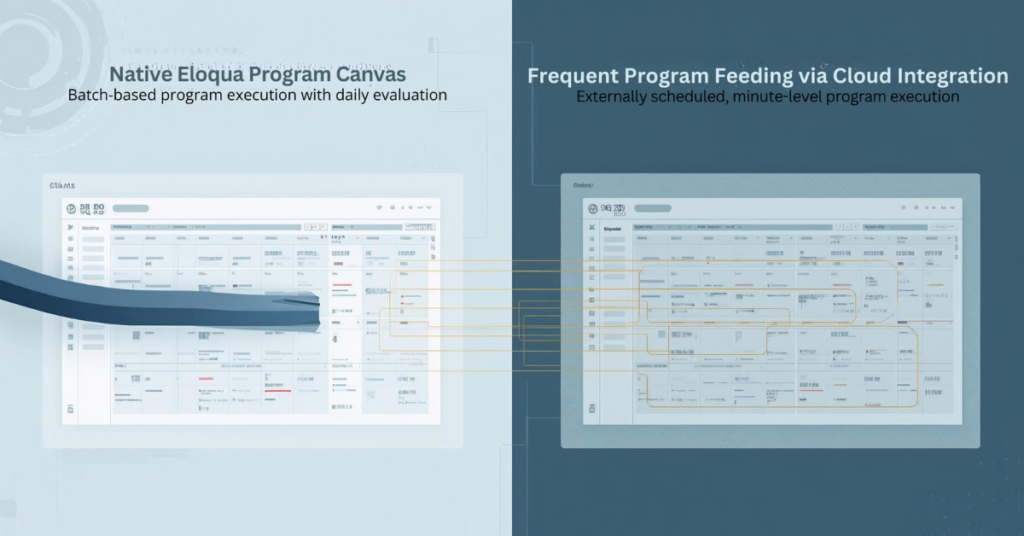
Eloqua Program Canvas delivers powerful automation for contact management and custom object processing. Marketing operations teams rely on program feeders to route contacts through workflows based on lead stage changes, form submissions, and database updates. But native Eloqua program feeders impose a significant constraint: they only evaluate and feed Eloqua programs once every 24 hours. This limitation creates delays when your automation demands real-time responsiveness, such as immediately routing MQLs to sales or triggering custom object updates within minutes of a status change. Cloud-based solutions now enable marketers to bypass these restrictions, feeding contacts and custom object records to programs multiple times per day with flexible scheduling and advanced filtering that native listeners cannot provide.
Why Are Eloqua Program Feeders Limited to Daily Execution?
Eloqua’s native program feeder architecture evaluates segments and shared filters on a 24-hour cycle to balance system performance across large contact databases. While listener steps offer real-time triggers for specific events like lead score changes or new contact creation, they support only a narrow set of data sources. If you need to feed Eloqua programs based on custom field changes, specific lead stage transitions, or complex filter criteria involving custom objects, native listeners fall short.
For example, a listener can monitor when a contact’s lead score increases, but it cannot trigger on a lead stage field changing from “Inquiry” to “MQL” unless you configure contact field tracking (limited to three tracked fields per instance). Similarly, segment-based program feeders provide robust filtering capabilities but refresh only once daily. This gap leaves marketing operations teams unable to respond immediately to critical pipeline events without workarounds.
The technical reason behind these limitations lies in database query load. Continuously evaluating complex filter criteria against millions of contact records in real time would strain system resources. Oracle designed the daily cycle to maintain platform stability, but this design choice creates friction for teams running time-sensitive automation workflows.
What Happens When You Need Real-Time Program Feeding?
Consider two common scenarios where daily program feeds create operational bottlenecks:
Use Case 1: Lead Stage Progression
Your demand generation team runs campaigns that move contacts from “Inquiry” to “MQL” status based on form submissions and engagement scoring. When a contact crosses the MQL threshold, you want them routed immediately to a Program Canvas that assigns account ownership, syncs to CRM, and triggers a sales alert. With a native segment feeder running once daily, newly qualified leads wait up to 24 hours before entering the program. This delay reduces speed-to-lead and impacts conversion rates.
Use Case 2: Custom Object Updates
You maintain a custom object that tracks product interest by account. When a custom object record updates to reflect a customer requesting a demo for a specific product line, you need that record processed immediately through a program that updates account scoring and notifies the relevant sales rep. Native custom object program feeders evaluate once daily, meaning demo requests sit unprocessed for hours.
In both scenarios, the inability to feed Eloqua programs on demand creates missed opportunities. Marketing automation should accelerate pipeline velocity, not introduce delays. Teams need the flexibility to schedule program feeds based on business requirements rather than platform constraints.
How Do Cloud Feeders Solve Eloqua’s Program Feeding Limitations?
Cloud-based feeder applications integrate with Eloqua Program Canvas as custom data sources, enabling marketers to feed contacts and custom object records to programs on flexible schedules. Unlike native segment feeders that run once daily, cloud feeders can execute every few minutes, providing near-real-time program feeding without the limitations of listener steps.
The Contact Cloud Feeder and Custom Object Cloud Feeder from 4Thought Marketing address this gap by offering:
Advanced filtering with segments or shared filters: Use the full power of Eloqua’s filtering logic, including complex criteria based on contact fields, custom object data, and activity history
Customizable execution frequency: Schedule program feeds to run every 5, 10, or 15 minutes instead of waiting 24 hours
On-demand triggering: Push contacts or custom object records into programs immediately when needed
No listener limitations: Bypass the restricted data sources available to native listener steps
Comparison: Native vs. Cloud Feeder Capabilities
Feature
Native Segment Feeder
Native Listener Step
Cloud Feeder
Execution Frequency
Once per 24 hours
Real-time (specific triggers)
Every few minutes (customizable)
Filter Flexibility
Full segment/filter logic
Limited to lead score, contact creation, field tracking (max 3 fields)
Cloud feeders combine the filtering power of segments with the responsiveness teams need for modern marketing automation workflows.
How to Set Up Frequent Program Feeding with Cloud Apps
Configuring a cloud feeder to feed Eloqua programs follows a straightforward process within Program Canvas:
Step 1: Configure Your Filter Criteria Determine which contacts or custom object records should enter the program. Cloud feeders accept either an Eloqua segment or a shared filter as the source. If you need to feed contacts when their lead stage changes to “MQL,” create a segment that includes contacts where Lead Stage equals “MQL” and Date Modified is within the last hour. This ensures only recently updated records enter the program.
Step 2: Set Execution Frequency Instead of accepting the default 24-hour cycle, specify how often the cloud feeder should evaluate your filter criteria. For time-sensitive workflows, configure the feeder to run every 5 or 10 minutes. The execution frequency field supports minute-based intervals, enabling near-real-time program feeding without manual intervention.
Step 3: Connect to Your Program Canvas Add the cloud feeder as a data source in your contact or custom object program. The feeder appears in the Program Canvas alongside native segments and listeners. Once connected, activate the program. The cloud feeder begins evaluating your filter criteria according to the schedule you defined, automatically feeding matching records into subsequent program steps.
Step 4: Monitor and Optimize After activation, monitor program member counts and processing times. If records aren’t entering as expected, verify your filter criteria and execution frequency settings. Adjust the schedule based on volume—high-volume workflows may benefit from slightly longer intervals to balance throughput with system performance.
What Are the Benefits of Feeding Programs Every Few Minutes?
Frequent program feeding delivers measurable improvements across multiple dimensions of marketing operations performance:
Faster Response to Buyer Signals When a contact downloads a high-value asset or requests a demo, immediate program entry enables instant lead routing and sales notification. Instead of waiting hours for the next segment refresh, your team responds while the buyer’s interest peaks. This reduces time-to-contact from 24 hours to minutes.
Improved Lead Routing Speed Speed-to-lead directly impacts conversion rates. Studies consistently show that contacting leads within five minutes of their inquiry produces significantly higher connect and conversion rates than waiting an hour or longer. Frequent program feeding ensures qualified leads reach sales queues immediately after crossing qualification thresholds.
Enhanced Program Personalization Real-time custom object processing enables dynamic content personalization based on the latest account data. When a custom object record updates with new product interest information, feeding that record into a program within minutes allows you to trigger personalized follow-up campaigns while context remains fresh.
Real-Time Custom Object Processing For organizations leveraging custom objects to track complex account relationships or product configurations, frequent feeding transforms custom object programs from batch processors into responsive automation engines. Demo requests, renewal triggers, and support escalations can all flow through programs as they occur rather than accumulating for daily processing.
How to Choose Between Contact and Custom Object Cloud Feeders
Selecting the appropriate cloud feeder depends on your automation workflow and data model:
Use Contact Cloud Feeder When:
Your program processes individual contacts through nurture streams, lead routing, or data enrichment
Filter criteria focus on contact fields, lead scores, or email activity
You need to trigger programs based on lead stage changes, form submissions, or campaign responses
The program updates contact records or adds contacts to campaigns and shared lists
Use Custom Object Cloud Feeder When:
Your program processes custom object records representing opportunities, product interests, or account relationships
Filter criteria evaluate custom object fields or linked contact data
You need to trigger workflows when custom object records are created or updated
The program performs actions on custom object data, such as updating fields or deleting records
Can You Use Both Together?
Yes. Many sophisticated automation workflows combine both feeder types. For example, a custom object program might process product interest records and use the “Add Linked Contact to Program” action to push the associated contact into a separate contact program. This enables you to process custom object logic at high frequency while maintaining clean separation between object-level and contact-level automation.
When architecting multi-stage workflows, consider which data entity (contact or custom object) serves as the primary trigger, then design your program canvas and feeder configuration accordingly.
Conclusion
Native Eloqua program feeders limit automation responsiveness by restricting segment evaluation to once-daily cycles, while listener steps provide real-time triggers for only a narrow set of use cases. Cloud feeders eliminate these constraints, enabling marketing operations teams to feed Eloqua programs multiple times per day with full access to segment and shared filter criteria. This flexibility transforms program canvas from a batch processing tool into a dynamic automation engine capable of responding to pipeline events within minutes.
Whether routing MQLs immediately after qualification or processing custom object updates in near-real-time, frequent program feeding accelerates marketing operations and improves buyer experience. Explore how Contact Cloud Feeder and Custom Object Cloud Feeder can reduce your response times and enhance workflow precision.
Frequently Asked Questions (FAQs)
Can you feed Eloqua programs more than once per day?
Yes, cloud feeders enable program feeds to run every few minutes instead of the native 24-hour cycle, providing near-real-time automation.
How often can cloud feeders run?
Cloud feeders support execution frequencies as short as every 5 minutes, allowing you to balance responsiveness with system performance based on your workflow requirements.
What filtering options are available with cloud feeders?
Cloud feeders accept any Eloqua segment or shared filter, providing full access to contact fields, custom object data, activity history, and complex Boolean logic.
Do frequent program feeds impact Eloqua performance?
When configured appropriately, frequent feeds have minimal performance impact. Start with 10-15 minute intervals and adjust based on contact volume and program complexity.
Can I schedule feeds to run every 5 minutes?
Yes, cloud feeders support minute-based scheduling, enabling you to configure execution frequencies as short as every 5 minutes for time-critical workflows.
Is this compatible with all Eloqua program types?
Cloud feeders integrate with both contact programs and custom object programs in Eloqua Program Canvas, supporting the full range of program automation capabilities.
Key Takeaways
Velocity scripts enable advanced email personalization beyond standard tokens
Scripts use template language to process data at render time
Best for multi-field logic and accessing custom object data
Requires technical skills but delivers sophisticated customization
Ideal alternatives to standard tokens for complex B2B scenarios
Most marketing teams struggle with a familiar challenge: their database is perfectly segmented, but their emails still feel generic. You’ve built Smart Lists that identify exactly who should receive each campaign, yet personalizing what those recipients actually see remains frustratingly limited. Standard Marketo tokens insert basic information like first names or company names. Dynamic content blocks require pre-built segmentations with rigid rules. When your personalization needs get more sophisticated—combining multiple data points, formatting inconsistent information, or adapting content based on complex business logic—native features hit a wall.
Marketo velocity scripts bridge this gap. Using specialized template language, these scripts process lead data the moment an email renders, enabling customization that responds to nuanced combinations of attributes that standard features simply cannot handle. For marketing operations professionals managing complex B2B programs, Marketo velocity scripts transform personalization from basic to sophisticated without multiplying the number of email assets you need to maintain.
What Are Marketo Velocity Scripts?
Marketo velocity scripts use Apache Velocity Template Language (VTL)—a server-side scripting syntax designed for dynamic content generation. Unlike basic tokens that simply display field values, these scripts evaluate conditions, process data, and generate customized output based on logic you define.
How the Template Language Works in Marketo
Scripts execute during email rendering, which means they process data at the exact moment an email sends or a landing page load. This timing allows personalization based on the most current lead information in your database. The velocity template language Marketo uses works alongside standard tokens, pulling real-time data from contact records. You can combine fields, apply custom rules, and build content that reflects multiple data points simultaneously.
Here’s what makes this powerful: Instead of showing a generic product name, you can evaluate company size, industry, and engagement history together to recommend a specific product tier with messaging explaining exactly why it fits that prospect’s profile.
Important: Velocity executes at render time, not during campaign processing. This means scripts cannot update lead records, trigger workflows, or perform segmentation. Their power lies entirely in controlling what content each recipient sees.
What are the core Capabilities of Velocity Script?
Marketo velocity scripts deliver four key functions that native personalization cannot easily achieve:
Multi-Field Conditional Logic
Scripts evaluate multiple lead fields at once and apply complex business rules to determine content. Rather than creating dozens of dynamic content variations, you write logic once that adapts to any data combination. You can evaluate industry & company size & engagement score simultaneously, with unique responses for incomplete data profiles.
Data Formatting and Transformation
These scripts clean and standardize information the moment your email assembles. This data formatting capability solves persistent hygiene problems without database cleanup campaigns.
Common uses include:
Standardizing phone number formats across regions
Converting text case for professional presentation
Concatenating address fields with intelligent punctuation
Performing date calculations like days until renewal
Custom Object Personalization
For organizations using Marketo custom objects—purchase history, event registrations, support cases—velocity provides the only native way to reference this information in email customization. Scripts can loop through custom object records, identify patterns, and generate recommendations reflecting complex relationship data between leads and their associated records.
Dynamic Content Assembly
Beyond simple field swaps, scripts construct entire content blocks based on real-time data evaluation. You can create personalized narratives, build product grids, generate event recommendations, or assemble region-specific disclaimers—all within one template that adapts to each recipient.
When to Use Velocity Scripts vs. Native Personalization
Not every personalization challenge requires Marketo velocity scripts. Understanding when to use which approach saves time and reduces unnecessary complexity.
When Native Features Work Fine
Standard tokens and dynamic content blocks handle straightforward personalization effectively:
Inserting single field values like names or companies
Showing different images based on one segmentation
Simple if/then scenarios with clear binary choices
Personalization that rarely changes
For these situations, native Marketo features provide easier implementation and simpler maintenance.
When Velocity Becomes Necessary
Marketo velocity scripts become essential when requirements exceed native capabilities:
Complex Product Recommendations
You need to recommend product tiers based on company revenue, current subscription, renewal timing, and feature usage—evaluating four fields simultaneously to generate personalized suggestions that standard tokens cannot create.
Geographic and Regulatory Compliance
Global organizations must display different content based on country-specific regulations. Marketo velocity scripts can evaluate location and consent status to suppress or show information according to GDPR or CCPA requirements dynamically.
Pro Tip: Instead of maintaining separate email versions for each region, velocity scripts adapt content automatically based on lead data, significantly reducing compliance management burden.
Data Quality Issues
When databases contain inconsistent formatting—various phone number formats, mixed-case text, incomplete addresses—data formatting through velocity standardizes display without requiring database-wide cleanup. This ensures professional presentation in customer communications even when underlying data quality remains imperfect.
Custom Object Integration
Organizations tracking purchases, events, or support interactions through Marketo custom objects need custom object personalization to reference this data in emails. Native tokens cannot access custom objects, making velocity the only solution.
Multi-Attribute Nurture Campaigns
Complex nurture programs that adapt messaging based on engagement score, content consumption, and demographic attributes simultaneously require the conditional logic that Marketo velocity scripts provide.
Key Benefits of Using Velocity Scripts
Implementing Marketo velocity scripts expands what operations teams can achieve without creating maintenance nightmares.
Sophisticated Personalization Without Asset Proliferation
Velocity enables granular email customization that would otherwise require dozens of email variations. A single template with well-constructed scripts adapts to countless data combinations. You deliver personalized experiences without multiplying your asset management burden—matching product recommendations to company profiles, adapting offers to engagement levels, and customizing language to regional preferences within one campaign.
Improved Data Presentation Quality
Data formatting capabilities solve persistent hygiene problems at render time. Rather than pausing campaigns to clean databases, you use velocity to standardize phone numbers, format dates consistently, and construct complete addresses from partial field data. This approach ensures professional presentation even when underlying database quality remains imperfect, reducing embarrassing display errors that damage brand perception.
Reduced Campaign Management Complexity
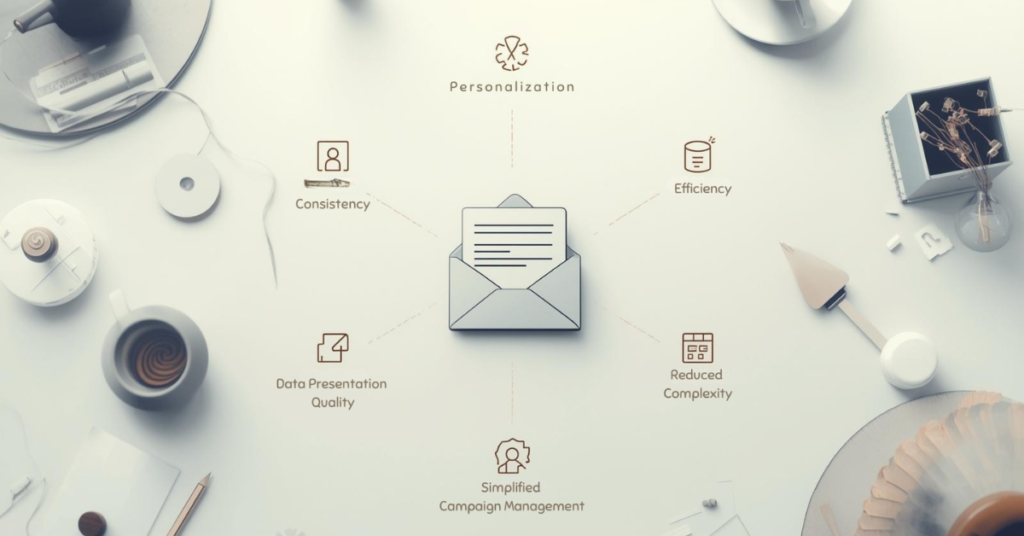
Organizations using velocity as Marketo token alternatives significantly reduce email assets requiring maintenance. Instead of separate versions for each product line, region, or customer segment, you maintain fewer templates with embedded logic. This consolidation simplifies campaign management, reduces testing burden, and minimizes the risk of sending outdated versions because fewer assets exist to track.
Enhanced Privacy Controls
Velocity enables privacy-aware content delivery by evaluating consent status at render time. Scripts suppress personal data for recipients in specific regions, display only consented information, or include region-appropriate privacy language—all automatically based on lead field values. This dynamic approach to compliance reduces manual oversight and adapts immediately as lead consent status changes, supporting regulatory requirements through technical controls rather than process dependencies.
What Velocity Scripts Cannot Do
Understanding limitations clarifies appropriate use and prevents unrealistic expectations.
Cannot Update Lead Records – Scripts run at render time and cannot write data back to your database. They only control content display, not data manipulation.
Cannot Determine Email Recipients – Audience selection happens via Smart Lists before velocity executes. Scripts don’t influence who receives emails—only what those recipients see.
Cannot Trigger Workflows – Scripts only affect content display, not campaign logic. They cannot start campaigns, update program statuses, or trigger workflows.
Cannot Access External APIs – Velocity operates within Marketo’s closed rendering environment. Scripts cannot call external services or databases directly.
Cannot Execute During Batch Processing – All personalization logic must complete during individual email rendering. Scripts don’t run during campaign processing to calculate segments or update data.
Important: These boundaries mean velocity enhances personalization within already-segmented campaigns—it doesn’t replace segmentation capabilities or campaign automation logic.
Conclusion
Marketo velocity scripts have become essential tools for marketing operations professionals managing sophisticated B2B programs. By extending capabilities beyond native tokens and dynamic content, velocity template language enables email customization that directly impacts engagement and conversion.
When your personalization requirements involve multiple data points, data formatting challenges, or custom object personalization, velocity delivers results that standard features cannot achieve. The investment in learning this approach pays dividends through higher engagement rates, reduced operational overhead, and improved campaign scalability.
The key is knowing when velocity adds value versus when native features suffice. For straightforward personalization, stick with standard tokens and dynamic content. When scenarios demand sophisticated logic, data transformation, or custom object integration, Marketo velocity scripts become the right tool for the job.
Organizations implementing velocity successfully balance technical capability with proper governance, testing protocols, and documentation practices. When done well, these Marketo token alternatives transform from optional enhancement to competitive advantage in marketing technology capabilities. Ready to explore how velocity scripting could enhance your Marketo programs? The team at 4Thought Marketing specializes in helping B2B organizations implement advanced personalization strategies that deliver measurable results.
Frequently Asked Questions (FAQs)
What are Marketo velocity scripts?
Marketo velocity scripts are code blocks written in template language that enable advanced email personalization by processing lead data at render time to create dynamic content adapting to individual recipient attributes.
Do I need coding experience to use velocity in Marketo?
Yes, implementing scripts requires developer-level skills including syntax knowledge, conditional logic, and variables. Most marketing operations teams need technical training or developer partnership.
What’s the difference between velocity scripts and standard tokens?
Standard tokens insert single field values, while velocity scripts evaluate multiple fields simultaneously, perform calculations, and apply conditional logic—serving as powerful alternatives for complex scenarios.
Can velocity scripts segment my audience in Marketo?
No, scripts cannot perform segmentation or determine who receives emails. They only control what content recipients see after Smart Lists have already selected the audience.
How do velocity scripts help with data quality issues?
Velocity provides data formatting capabilities that standardize inconsistent values at render time—converting phone formats, proper-casing names, formatting dates—without requiring database cleanup campaigns.
When should I use velocity instead of dynamic content blocks?
Use Marketo velocity scripts when personalization requires evaluating multiple fields simultaneously, accessing custom object data, performing data transformations, or applying logic more complex than segmentation-based content swaps allow.
Key Takeaways
AI converts design files into HTML templates instantly.
Eliminates coding dependencies and technical delays completely.
Supports screenshots, mock-ups, and hand-drawn sketches.
Available free to all Marketo Engage customers.
Your marketing ops team shouldn’t be waiting on developers to build email templates. You shouldn’t be blocked from shipping campaigns because of someone else’s timeline. Marketo image to email template feature, powered by AI, gives you that control back. Upload a design image, and AI converts it into a fully responsive HTML template in seconds. You own the entire process. No developer requests. No revision cycles. No dependencies. Your team launches campaigns on your schedule. Your brand stays consistent. You move at the speed you need to move.
Adobe Marketo Engage has introduced the Marketo image to email template feature that fundamentally changes this equation through artificial intelligence. The Marketo image to email template capability leverages AI to convert any visual design into fully editable, brand-compliant, responsive HTML templates within seconds.
What Is Marketo’s Image to Template Feature and How Does It Work?
The Marketo image to email template functionality is an AI-powered solution that instantly transforms visual designs into production-ready templates. The system accepts any image file—such as PNG, JPEG, a screenshot, or a design mock-up—and automatically generates structured HTML with editable content blocks.
The Marketo image to email template workflow operates through five straightforward steps. Upload your design file directly into the interface. Select your Brand Theme containing pre-defined design guidelines. The AI processes your image and generates the HTML structure. Customize the generated template using the drag-and-drop editor. Test and deploy your campaign immediately without additional development cycles.
Adobe’s AI analyzes visual hierarchy, identifies functional elements like buttons and navigation, recognizes text blocks versus imagery, and applies appropriate HTML structures based on email best practices.
Why Do Marketing Teams Need Faster Email Template Production?
Traditional workflows create operational friction that impacts business outcomes. When template creation requires more than two days, marketing teams miss time-sensitive opportunities, and competitive windows close.
Technical dependencies represent the primary constraint. Marketing operations professionals often lack HTML coding expertise, which requires them to submit tickets to IT departments or engage external agencies. The Marketo image to email template approach eliminates these bottlenecks completely.
Product launches miss market timing when announcement emails lag behind availability. Event marketing suffers when registration campaigns deploy late. Customer lifecycle programs experience gaps when triggered emails require weeks to build rather than hours.
Agency retainers for routine template builds divert budget from strategic initiatives. Internal development resources spend time on repetitive tasks rather than platform optimization.
How Does This Technology Benefit Marketing Operations?
The Marketo image to email template technology transforms how teams work by removing technical barriers. Marketing automation managers gain complete autonomy over template production, enabling rapid response to business needs.
Templates that previously consumed days now generate in seconds through the Marketo image to email template system, fundamentally changing what becomes possible within campaign timelines. B2B marketers can respond to breaking news or competitive developments with same-day email campaigns.
Brand Themes function as centralized design systems within Marketo, ensuring every generated template automatically conforms to approved guidelines using the Marketo image to email template feature. This capability proves especially valuable for enterprise marketing teams managing multiple regions or business units.
Organizations redirect agency spending toward strategic creative development rather than routine template builds. Internal engineering resources focus on platform enhancements or integration projects instead of repetitive HTML production through email template automation.
Content specialists, campaign managers, and regional marketers who lack coding knowledge can produce professional templates independently using the Marketo image to email template capability. This distributed capability increases organizational agility while reducing bottlenecks.
What File Types and Design Tools Work with This Feature?
The system accepts diverse input formats. Standard image formats including JPEG and PNG files work seamlessly regardless of resolution. Screenshots captured from any application process without conversion requirements into the Marketo image to email template generator.
Design mockups from professional tools integrate directly into the Marketo image to email template workflow. Figma exports, Adobe XD artboards, Sketch files saved as images, and PowerPoint slides all serve as valid inputs.
The AI handles low-fidelity inputs effectively. Marketo’s product team demonstrated this through their “paper napkin test,” where a hand-drawn email layout sketched with pen on paper successfully generated a functional template complete with image blocks, text sections, and call-to-action buttons.
Marketing operations professionals should establish minimum standards around input quality. Designs with clear visual section boundaries, consistent element spacing, and distinct functional components produce more accurate initial templates.
How Can Marketing Teams Implement This Feature Successfully?
Successful implementation of the Marketo image to email template feature begins with Brand Theme configuration. Marketing automation managers should invest time creating comprehensive Brand Themes that capture complete design systems including color palettes, typography hierarchies, spacing standards, button styles, and header-footer templates.
Establishing internal standards for design files improves output quality when teams use the Marketo image to email template system. Teams benefit from documented guidelines covering minimum resolution requirements, visual section boundaries, element naming conventions, and annotations for interactive components.
Brief enablement sessions should cover how to prepare optimal design files, select appropriate Brand Themes, refine generated templates, implement quality control checkpoints, and execute testing protocols before deployment of any Marketo image to email template output.
Workflow documentation supports organizational adoption. Process maps showing step-by-step template creation procedures help teams maintain consistency as usage scales.
Generated templates should undergo standard email testing procedures including rendering verification across major email clients, responsive design validation on mobile devices, and link functionality confirmation before deployment.
Conclusion
The Marketo image to email template feature eliminates technical bottlenecks that have constrained email marketing operations for years. This innovation transforms workflow efficiency while maintaining brand consistency through systematic application of design standards. Enterprise marketing teams gain agility to respond to market opportunities in hours rather than weeks using the Marketo image to email template capability.
The future of email production has arrived through the Marketo image to email template solution, delivering measurable improvements in campaign velocity, operational costs, and competitive responsiveness. If you’re ready to transform your processes and eliminate production bottlenecks permanently, 4Thought Marketing specializes in helping organizations optimize their marketing automation platforms—contact us to discuss how we can accelerate your marketing operations.
Frequently Asked Questions (FAQs)
Is the Image to Template feature available to all Marketo customers?
Yes, the Marketo image to email template feature is included at no additional cost for all Marketo Engage and Journey Optimizer B2B Edition customers starting November 7, 2025.
Do I need coding skills to use this feature?
No technical expertise is required. The Marketo image to email template system handles HTML generation automatically, and the drag-and-drop editor allows non-technical marketers to customize templates easily.
How does the feature maintain brand consistency across templates?
Brand Themes serve as centralized design systems that automatically apply approved colors, typography, spacing, and style standards to every template generated through the Marketo image to email template process.
Can the AI recognize hand-drawn sketches or only professional design files?
The Marketo image to email template technology processes various input types including professional mockups, screenshots, and even hand-drawn sketches, as demonstrated by Marketo’s paper napkin test.
What happens if the generated template needs modifications?
All templates open in the Marketo Engage email designer where you can customize content blocks, swap images, modify text, add personalization tokens, and adjust layouts using drag-and-drop tools.
How long does it take to generate a template from an uploaded image?
The Marketo image to email template generation completes in seconds, dramatically reducing the days or weeks typically required through traditional development workflows.
Key Takeaways
Shared email addresses create unique challenges for Eloqua marketers
Custom Objects enable many-to-one relationships for multiple contacts
Preference management prevents one user from unsubscribing everyone
Lead tracking should focus on individuals, not shared addresses
Personalization requires moving Custom Object data to contact records
Managing shared email addresses presents a unique challenge for marketing teams using Oracle Eloqua. Multiple family members often use a single email for household registrations, or businesses rely on addresses like [email protected] to centralize communications. While this approach simplifies inbox management for your contacts, it creates complications for marketers who depend on one-to-one email relationships.
Eloqua’s out-of-the-box functionality doesn’t support multiple contacts sharing the same email address. Each contact record is identified by a unique email, creating a fundamental mismatch between how people use email and how Eloqua stores data. When families share an address or businesses use generic inboxes, you lose the ability to track individual engagement, personalize messaging, or respect individual preferences.
Thus, smart marketers leverage Custom Objects and strategic workarounds to accommodate these shared email arrangements. With the right configuration, you can maintain personalized communication, track individual engagement, and respect user preferences—even when multiple people share a single inbox. This guide walks you through proven solutions for managing shared email addresses in Eloqua without sacrificing personalization or compliance.
Eloqua Custom Objects for Shared Email Addresses
Luckily, the solution is simple. Custom Objects (CO) dramatically expand Eloqua’s capabilities for data storage and usage. To use Custom Objects for multiple users sharing an email address, simply create a CO for each user and input the same email address. Eloqua will now have a many-to-one relationship for each person associated with the email address. 4Thought Marketing’s Many-to-One Cloud App is designed to work in tandem with these Custom Objects to construct and send customized emails. Each user will receive an email tailored personally to them on their shared email address.
Solving Potential Problems with Shared Email Addresses
Shared email addresses make things slightly more complicated for marketers. Even with Custom Objects and cloud apps set up perfectly, certain functions or customer behaviors can cause problems. Let’s look at a few common issues you may face and how to handle them.
Unsubscribing or Opting Out
Here’s the situation: you’ve been sending emails to a single address shared by three people—Jack, Jill, and Jane—for a while now. Jack gets tired of seeing your emails and unsubscribes. Now all three users are unsubscribed, even if Jill and Jane are still interested. You’ve lost two potential customers. How can you get around this?
The best way to do this is to use Preference Management. Allow each user connected to an email address to choose which emails they want to receive and which they don’t. In this case, that means that Jack can choose to significantly limit the emails tailored to him, while Jill and Jane can still get the messages they want. This allows Jack to manage his preferences without costing you two additional customers.
Complicated Lead Tracking
Continuing the example of Jack, Jill, and Jane, let’s look at lead tracking. Imagine that Jill expresses interest in a product one of your emails to her advertised. Jill is now a lead. But since Jane hasn’t expressed this interest, and Jack has opted out of most of your messages, only one user on their shared email address is considered a lead.
There is no one-size-fits-all solution for this. In this particular case, it’s best to track Jill the individual as a lead, rather than by treating the email address and everyone else on it as a lead. This lets you focus on nurturing customers without aggressively marketing to users who haven’t asked for it.
Segmentation & Email Personalization
Personalizing emails that go to a shared address can be confusing. But fortunately, Eloqua can handle it. To use data from Custom Objects to personalize these types of emails, you should:
Shared email addresses may seem complicated at first, but with the right tools, your marketing team can handle them easily. And we’re always ready to help. With several successful Many-to-One integrations under our belt, we can get your marketing team back on track in no time. Get in touch with us today to learn more or schedule your own integration.
Frequently Asked Questions (FAQs)
Can Eloqua support multiple contacts with shared email addresses?
Not with default functionality. Eloqua requires unique email addresses for each contact, but Custom Objects can create many-to-one relationships to accommodate shared email addresses effectively.
What happens when one person unsubscribes from shared email addresses?
Without proper configuration, everyone using shared email addresses gets unsubscribed. Preference management allows each individual to control their own email preferences independently.
How do I track leads when contacts use shared email addresses?
Track individuals as leads rather than treating shared email addresses as a single lead. This allows you to nurture interested contacts without over-marketing to others on the same address.
What are the biggest challenges with shared email addresses in Eloqua?
The main challenges include managing individual unsubscribes, tracking separate leads, and personalizing content when multiple contacts use shared email addresses for household or business communications.
How can I personalize emails sent to shared email addresses?
Use Custom Objects to store individual data for each person using shared email addresses, then move that data to contact records during campaign execution for seamless personalization.
Do shared email addresses affect email deliverability in Eloqua?
Shared email addresses don’t inherently impact deliverability. However, improper handling of unsubscribes or over-emailing to shared email addresses can trigger spam complaints that harm your sender reputation.
Key Takeaways
Sender reputation issues can disrupt deliverability at scale.
Blocklists from security providers often drive hard bounces.
Fixing mail loops and authentication stabilizes delivery.
A case study in diagnosing and solving sender reputation issues before they disrupt inbox placement.
What problem was the client experiencing?
The client was experiencing an email deliverability crisis that developed suddenly across their marketing automation environment. They observed a sharp rise in bounce activity, and the pattern looked inconsistent across recipients.
Although their system was well-managed and the data quality remained strong, they saw six-figure bounce volumes within a short period. Some emails reached the same contacts without issue, while others bounced immediately. The inconsistency suggested a deeper issue unrelated to list quality, requiring a closer look at sender reputation, authentication behavior, and sending patterns.
Why did the issue appear random to the client?
The issue appeared random because the underlying factors were tied to sender reputation, ISP throttling, and time-based filtering. These factors change throughout a send, which created mixed outcomes for identical contacts.
During peak hours, the client’s sending behavior increased the likelihood of throttling, causing early messages to be accepted and later ones to be rejected. On stable days, messages moved normally; on other days, small fluctuations in trust signals led to sudden failures. This combination of timing, throttling, and reputation decline explained the inconsistent bounce results.
What did we uncover when we examined the bounce data?
We uncovered that a large portion of failures came from security filters applying blocklist rules, especially Mimecast. These blocklist indicators aligned with a sender reputation decline rather than contact-level issues.
The rejection message showed that the sender address was blocked before inbox placement was attempted, which matched the early stages of Mimecast blocklist resolution scenarios. We also identified a mail loop configuration that generated repeated bounce events, increasing total failures. Additional analysis revealed mailbox saturation for some domains, along with authentication gaps involving SPF, DKIM, and DMARC. Together, these issues created the foundation of the email deliverability crisis.
What immediate steps were required to stabilize the situation?
The immediate steps included correcting the mail loop and enabling suppression to reduce unnecessary attempts to failing addresses. These actions reduced repetitive bounce creation and stabilized inbound reputation signals.
We also began the Mimecast blocklist resolution process to restore trust with security providers. The team temporarily paused emails to contacts with repeated failures to prevent further reputation loss. In addition, we implemented bounce suppression strategies so the system would stop reattempting messages that had no chance of success.
What long-term adjustments improved overall deliverability?
Long-term improvements focused on authentication alignment, sending behavior adjustments, and progressive list refinement. These changes were necessary to strengthen overall trust signals.
We corrected SPF, DKIM, and DMARC records to remove email authentication issues. Sending patterns were updated to avoid peak throttling periods and distribute volume more evenly across domains. We also introduced structured list hygiene practices and established ongoing monitoring of inbox placement rate, bounce categories, and sender score trends. These efforts ensured the issue would not repeat.
What results did these changes produce?
These changes produced a significant email bounce rate improvement of roughly 75 percent. The reduction was visible across all major ISPs.
Blocklist volumes dropped as delisting progressed, and sender reputation recovery became evident in Microsoft, Yahoo, and Gmail results. Chronic bouncers were removed from circulation, and inbox placement rate improved without needing new data sources or a platform change. The client’s sending environment stabilized and became predictable again.
What did this case teach us about deliverability?
This case showed that deliverability challenges are often tied to infrastructure and reputation rather than data quality. Clean lists can still experience failures when trust signals weaken.
It also demonstrated the value of monitoring bounce codes, authentication behavior, and how sending patterns influence ISP throttling. These elements can quietly shift over time and cause performance drops. Identifying the underlying cause allows teams to resolve the issue rather than reacting to surface-level symptoms.
What actions proved most effective in resolving the issue?
Immediate priorities: • Analyze bounce codes by category • Suppress contacts with repeated failures • Fix mail loop and configuration errors • Verify SPF, DKIM, and DMARC alignment
This is important because email deliverability changes as ISP rules and sending patterns evolve. Even well-managed systems can run into issues when technical factors shift. The client did not need new data or a new platform. They needed clear analysis, structured action, and ongoing monitoring. With the right process, even a serious email deliverability crisis can be reversed and stabilized.
Conclusion
This case shows how technical factors, reputation changes, and sending behavior can create a widespread email deliverability crisis even when data quality is strong. Understanding bounce patterns, reviewing authentication, and monitoring trust signals allows teams to resolve the issue at its source instead of reacting to surface symptoms. With the right diagnostic approach and structured follow-through, organizations can stabilize performance before the problem affects larger parts of their marketing program. If teams need clarity on similar issues, 4Thought Marketing can help them identify the cause and restore predictable inbox placement.
Frequently Asked Questions (FAQs)
1. What caused the email deliverability crisis?
Blocked sender reputation, misconfigured mail loops, and authentication errors collectively caused widespread bounces.
2. How was the Mimecast blocklist issue resolved?
By initiating delisting, correcting DNS records, and improving sending patterns over time.
Monitors integration health via alerts, error logs, and field validation.
Audits mappings, tests values, and documents every change for reliability.
Keeps systems resilient—humans read logs, adapt workflows, and prevent repeat errors.
Marketing Automation Human Sight is Crucial
In Marketing automation human sight is what keeps sophisticated systems from quietly failing. Automation can scale campaigns, but the reality is that most long-running programs don’t break because the copy has gone stale; they fail because the integrations have. When connectors change behavior, required fields aren’t populated, or a new picklist value slips through unmapped, automation “keeps running” while outcomes degrade. Teams feel the symptoms such as stalled leads, rising error logs, and odd reporting gaps that are often missed; these are the root causes.
The fix isn’t to abandon automation; it’s to make marketing automation human sight a discipline that treats integrations, not just content and compliance, as living systems. It is essential for achieving success with marketing automation human sight. The need for marketing automation human sight is ever-increasing as organizations strive for efficiency without sacrificing quality.
Why do “set-and-forget” automations fail in the real world?
As we move forward, the importance of marketing automation human sight will only grow as businesses navigate the complexities of digital landscapes. Because requirements change, a CRM picklist receives a new value, an application updates its validation, a middleware policy tightens rate limits, or a once-optional field is now required. Static workflows don’t read release notes or reconcile schemas. Without human intervention, they continue to send, score, and sync while records accumulate in error queues and data quality deteriorates.
What breaks most often (and how it shows up)?
Understanding marketing automation human sight is critical for any organization that relies on automated processes. It enables teams to proactively manage their integrations and react swiftly to any changes, ensuring that marketing campaigns run smoothly and effectively.
Missing required fields: A Salesforce rule makes Lead Source mandatory; your form or program canvas doesn’t supply it. Sync errors spike; MQLs stop flowing.
Unmapped or invalid picklist values: “Region = LATAM” is added in marketing but not configured and therefore not allowed in CRM. Records are rejected or defaulted, skewing routing and dashboards.
Schema drift: A field type changes (string → picklist, boolean → checkbox), or a field is deprecated. Automations that reference the old type silently misbehave.
Auth and limits: Expired OAuth tokens, changed scopes, or API throttling cause intermittent failures that are easy to miss without alerts.
Integration updates: Connector releases or CRM validation rules alter behavior. Yesterday’s mapping succeeded; today’s rejects the same payload.
Order of operations: Multi-system sequences (webhook → CDP → MA → CRM) race; downstream systems receive incomplete data and throw errors.
How it feels day-to-day: Open rates dip, lead scores look “off,” sales complain about missing context, reporting diverges between MA and CRM, and campaign velocity slows, even though nobody touched copy or budgets.
Why in marketing automation human sight is essential?
In conclusion, embracing marketing automation human sight is essential for organizations looking to thrive in an increasingly automated and data-driven landscape. Dashboards surface that something failed; humans determine why. A person can connect the dots between a picklist change in Salesforce, a new validation rule from IT, and yesterday’s spike in rejected syncs. Oversight is less about heroics and more about operationalizing diligence; small, boring checks that prevent significant, expensive failures.
What should integration-led marketing automation human sight include?
The relationship between marketing automation human sight and operational efficiency cannot be overlooked, as it directly affects the overall performance of marketing campaigns.
Integration health SLOs: Define acceptable thresholds for sync error rate, rejected records, and queue age. Alert when breached.
Field-level validation checks: Track the top 10 fields that gate routing and scoring (e.g., Country, State, Job Level, Lead Source). Verify fill-rates and allowed values weekly.
Picklist governance: Version picklists; require change tickets for new values; sandbox test; update mappings before production.
Release hygiene: Subscribe to release notes for CRM, MA, and connectors. Maintain a shared changelog with the date, owner, impact, and rollback information.
Auth & quota monitoring: Monitor token expiry and API usage. Set pre-expiry alerts and define a throttling fallback (retry with backoff, queue, notify).
Pre-flight tests for campaigns: Validate required fields and acceptable values before activating any new or cloned program.
Error playbooks: For each frequent failure (Required Field Missing, Invalid Value, Duplicate Rule), document diagnosis steps, owners, and first fixes.
Data contracts: Treat key objects (Lead, Contact, Account, Opportunity) as contracts between systems. Any schema change requires review, test, and sign-off.
Observability, not just reporting: Build a lightweight “integration health” dashboard: errors by type, top rejecting rules, failed vs. retried records, median queue time.
RACI with Sales/IT: Assign owners for picklists, validation rules, and routing logic. No changes ship without business and technical approval.
How can we prevent failures before customers become aware of them?
The importance of marketing automation human sight cannot be overstated, as it empowers organizations to maintain control over their automated campaigns and integrations. It will enhance decision-making and ensure that marketing strategies remain agile and effective in the face of inevitable change.
Quarterly integration audits: Compare MA fields to CRM schema; reconcile picklists; spot deprecated fields; confirm required-field coverage across forms, APIs, and program nodes.
Weekly exception reviews: Scan error logs; sample rejected records; fix root causes; close the loop with sales operations.
Sandbox first: Test new values, validation rules, and connector updates against representative records.
Guardrails in the workflow: Add validation and defaulting steps in programs (e.g., set Lead Source fallback; normalize Country and State; map Job Level).
Rollback paths: For every integration change, define explicit rollback (revert rule, turn off validation, restore mapping) with time bounds.
Documentation that ages well: Short pages with current mappings, owners, last-verified date, and links to error dashboards beat long wikis nobody reads.
Incorporating marketing automation human sight into daily operations enhances the ability to identify issues swiftly and maintain high-quality data flow throughout automated processes. Marketing automation human sight offers a framework for teams to assess their integrations and validate the integrity of their data continuously.
Where does privacy and compliance fit (without dominating)?
Privacy still matters. Consent, lawful basis, and suppression logic must remain accurate but, in many cases, the primary issue is operational. Like, rejected records, missing data, and stalled handoffs. Maintain a privacy review in the audit cadence (especially when fields relate to consent or sensitive data), while anchoring the narrative in integration reliability. Ethics and compliance are stronger when the infrastructure is in place.
What does “good” look like?
High-performing teams’ pair creative testing with integration observability. They can tell you yesterday’s sync error rate, which picklist change shipped, how many records were retried successfully, and which dashboard alarmed. They close gaps quickly, so sales never feel the dip. Their automation appears to be “always on,” but under the hood, it’s always supervised.
In practice, marketing automation human sight fosters a culture of continuous improvement that empowers teams to innovate and excel. With marketing automation human sight, organizations can ensure that they are equipped to handle the dynamic nature of digital marketing. Understanding and applying marketing automation human sight leads to a more streamlined approach to handling data and integrations.
Ultimately, marketing automation human sight is about creating a more resilient and responsive marketing function that can adapt to change and drive successful outcomes. As we explore the future, marketing automation human sight will continue to play a pivotal role in ensuring the success of automated marketing efforts. By leveraging marketing automation human sight, teams can create a proactive approach to managing their marketing platforms and integrations.
Conclusion
Automation doesn’t fail because it’s automated; it fails when no one watches the seams between systems. In marketing automation human sight transforms it into an adaptable and resilient capability; catching schema drift, validating fields, and fixing mappings before campaigns suffer. If your programs feel sluggish or unpredictable, examine the health of their integration first. 4Thought Marketing helps teams build the playbooks, dashboards, and governance that keep automations fast, compliant, and reliable. Let’s tighten the plumbing so your creativity and strategy show up where they should; In Results.
Frequently Asked Questions (FAQ)s
1) What’s the fastest way to spot integration issues?
Monitor a simple integration health dashboard: daily sync error rate, top rejection reasons, queue age, and count of retried vs. failed records. Alert on thresholds so you see trouble early.
2) How often should we audit mappings and picklists?
Quarterly as a rule; monthly for high-volume programs. Whenever a new value is proposed, update the mapping in both sandbox and production environments before the records can utilize it.
3) Which fields deserve special attention?
Focus on fields that drive routing and scoring, such as Country/State, Job Level/Seniority, Lead Source/Channel, Industry, and any consent or suppression fields that gate sends.
4) How do we reduce “required field missing” errors
Add pre-flight checks in forms and program nodes, set sensible defaults, and validate upstream. If Salesforce makes a field required, ensure every upstream path supplies it.
5) What’s a good response to a sudden spike in rejections?
6) Where should privacy reviews sit in this process?
Include consent and suppression verification in the quarterly audit, but prioritize operational stability first. Privacy is stronger when integrations are healthy and data is consistent.
Key Takeaways
Follow proven email deliverability best practices consistently.
Strengthen inbox placement using authentication and clean lists.
Segment and target engaged audiences to protect reputation.
Optimize content and frequency to avoid spam filters.
Monitor engagement metrics and refine your email strategy.
Marketers who rely on email as their core engagement channel understand one truth: if messages don’t reach the inbox, nothing else matters. Applying strong email deliverability best practices is not just a technical checkbox—it’s the difference between visibility and invisibility in today’s crowded inboxes.
And while recent updates from providers such as Google and Yahoo highlight the urgency for authentication and clean mailing lists, the fundamentals remain constant. Deliverability depends on trust—built through consistent sender reputation, relevant content, and engagement hygiene. Therefore, future-ready marketers must focus less on one-time fixes and more on ongoing email deliverability discipline.
What Defines Email Deliverability? Why It Still Matters?
Deliverability is more than just “getting through.” It’s about ensuring your email actually lands where it should: the inbox. Each major ESP (Email Service Provider) scores senders using factors like authentication, engagement, and complaint rates.
Marketers who understand these mechanics realize that email marketing deliverability affects every downstream metric—open rate, click-through rate, and ultimately conversion. Strong deliverability protects domain reputation, while poor deliverability drains ROI.
Your challenge isn’t to outsmart the filters but to align with them. Following email deliverability tips such as list cleanliness, authentication alignment, and smart frequency control keeps your reputation solid long after any single update rolls out.
How Do Authentication Methods Build Trust?
Before any subject line or segmentation strategy matters, your technical foundation must be sound. Email authentication methods like SPF, DKIM, and DMARC validate your identity as a legitimate sender.
SPF (Sender Policy Framework) verifies which servers are allowed to send emails on your behalf.
DKIM (DomainKeys Identified Mail) attaches a digital signature confirming that your message wasn’t altered in transit.
DMARC (Domain-based Message Authentication, Reporting & Conformance) connects SPF and DKIM results to set a clear policy—telling receivers how to handle suspicious mail.
When configured correctly, this DKIM SPF DMARC setup signals authenticity and drastically reduces the risk of spoofing or phishing associations. Think of it as the “passport” your emails carry across inbox borders. Once this groundwork is solid, you can focus confidently on engagement tactics and content design.
How Can Clean Lists and Smart Targeting Improve Inbox Placement?
Even the most technically perfect sender can fail if their list hygiene is weak. A clean email list isn’t just a legal safeguard—it’s a deliverability booster. Regularly removing invalid, unengaged, or outdated contacts minimizes bounce rates and keeps complaint ratios below industry thresholds.
Best Practices for List Hygiene
Use clean email list best practices such as double opt-ins or periodic re-confirmation campaigns.
Segment based on engagement recency (e.g., last 30–90 days).
Implement a “sunset policy” to reduce frequency or suppress unresponsive subscribers.
This targeting logic ensures your emails reach the most receptive audiences and directly improves inbox placement strategies. ESPs reward senders whose contacts consistently open, click, and interact with content.
What Content and Frequency Patterns Influence Deliverability?
Great deliverability depends on balance. The impact of content on deliverability is often underestimated—especially when marketers chase creativity over clarity.
Avoid spam-trigger phrases (“Act now!”, “100% guaranteed”) and limit exclamation points or symbols. Instead, write concise subject lines that reflect the email’s true value. Pair that with modern email marketing strategies—like AI-assisted personalization that respects data quality—and you’ll strike the right tone between engagement and trust.
Frequency also matters. Sending too often can fatigue your list, while sending too rarely can signal inactivity. Monitor audience responses to determine the optimal frequency of emails and deliverability sweet spot—usually between one and three touches per week depending on lifecycle stage and content relevance.
How Do Engagement Metrics Shape Your Sender Reputation?
Your reputation isn’t built overnight; it’s earned email by email. ISPs and ESPs measure how recipients interact with your messages. High engagement (opens, clicks, replies, forwards) boosts reputation, while low engagement or spam complaints weaken it.
Key engagement metrics for email that influence deliverability include:
Open rate: Indicates initial interest and subject-line strength.
Click rate: Reflects content relevance and CTA clarity.
Bounce rate: Should stay below 2% for healthy lists.
Spam complaint rate: Ideally under 0.1%—anything higher triggers filters.
Regularly reviewing these numbers through tools to test email deliverability (such as Validity, Litmus, or GlockApps) helps catch dips early. Your sender reputation is essentially your marketing credit score—protect it with the same care you’d give your brand equity.
How to Troubleshoot Common Email Deliverability Issues?
Even with strong hygiene, issues can arise. Some common email deliverability issues include:
Sudden spikes in complaint rates (often from aggressive frequency).
Incorrect DNS entries for SPF or DKIM.
Unsubscribes not syncing properly across systems.
Content mismatches between subject and body.
When troubleshooting, start by isolating the variable—technical (authentication), operational (list or frequency), or creative (content). Fix the root cause, then retest using inbox placement tools. Maintain an email deliverability checklist that ensures every campaign passes technical, operational, and content standards before launch.
Conclusion
Deliverability is never “done.” It’s an evolving discipline that bridges technology, strategy, and empathy for your audience. The brands that master email deliverability best practices treat them as an ongoing rhythm—authenticating consistently, cleaning lists diligently, and crafting relevant content that earns engagement.
As privacy rules expand and inbox algorithms evolve, these foundational habits will remain your best defense and your greatest opportunity. If your team wants to strengthen deliverability frameworks, streamline authentication, or align campaign hygiene with marketing automation platforms, 4Thought Marketing can help build a roadmap that keeps every message where it belongs—the inbox.
Frequently Asked Questions (FAQ)s
1. Why is email deliverability more important than open rates?
Because deliverability determines whether your message even reaches the inbox. Without it, open rates are meaningless.
2. How often should I clean my email list?
Ideally every quarter, or after any large campaign that causes a spike in bounces or unsubscribes.
3. Which authentication method is most critical?
All three—SPF, DKIM, and DMARC—work together. Omitting one leaves gaps in your email’s credibility.
4. How can content affect my sender reputation?
Over-hyped or misleading copy increases complaints. Balanced, relevant, and transparent content builds trust.
5. What tools can I use to test deliverability?
Platforms like Validity, Litmus, and GlockApps provide inbox placement, bounce, and spam-rate analysis.
6. Does sending fewer emails guarantee better deliverability?
Not necessarily—what matters is consistent engagement. A smaller, active list beats a large, inactive one every time.
Key Takeaways
Set measurable goals and shared expectations.
Tailor onboarding to client workflows and stack.
Assign owners and clear escalation paths.
Simplify secure access with privacy built in.
Track milestones and feedback; iterate quickly.
B2B customer onboarding campaigns define how quickly new clients reach value and feel confident with your product and team. The ideal state is a guided, low-friction path—clear roles, secure access, role-based enablement, and early proof of value. Many organizations still encounter scattered ownership, sluggish provisioning, and privacy obligations that complicate first steps, stretching time-to-value and risking churn.
A structured onboarding playbook aligns stakeholders, sequences integrations, and embeds privacy-by-design workflows so accounts activate quickly, adopt core features, and see measurable outcomes from day one.
How do you build loyalty through an effective onboarding campaign?
B2B customer onboarding campaigns create the foundation for engagement and growth. Clients stay loyal when they receive clear information, responsive support, and practical guidance from day one. A strong customer onboarding strategy reduces confusion, accelerates activation, and sets expectations for renewal and expansion across the account.
High-quality execution delivers business outcomes by:
B2B onboarding influences customer retention, satisfaction, and overall account growth. When, the B2B onboarding process is sequenced and transparent, teams achieve faster product adoption and smoother collaboration.
Setting Clear Goals and Expectations
Every successful program starts with measurable goals and a documented plan. Agree on rapid platform activation, full-service adoption, or early milestone achievement—and record how success will be validated. This up-front clarity builds trust, prevents scope creep, and keeps the B2B onboarding process aligned to outcomes rather than activities.
How to build a customized onboarding process?
Effective B2B customer onboarding campaigns adapt to each client’s context. Begin with discovery: values, stakeholders, and priority use cases. Translate that learning into B2B client onboarding steps that reflect communication norms, data needs, and the client’s tech stack. Adjust timelines for integrations, migrations, and required approvals so momentum is maintained without risk.
Key Steps to Customizing Onboarding
Engage stakeholders early to validate priorities and expectations.
Map preferred communication style, meeting cadence, and documentation needs.
Audit technical requirements and tailor training to the client’s stack.
Create process flows aligned to industry standards, compliance obligations, and team structures.
Sequence B2B client onboarding steps by dependency and risk.
What are the key components of an effective onboarding campaign?
A cohesive customer onboarding strategy aligns communication, training, and documentation to create clarity and momentum. Communication plans define how, when, and by whom updates go out. Milestone checklists keep tasks on track. Accessible quick-start guides and FAQ libraries remove barriers to adoption.
Structured training accelerates user confidence and competence.
Clear reporting and follow-up protocols sustain engagement.
Comprehensive contact lists provide immediate support options.
Automated onboarding sequences deliver timely nudges and surveys at scale.
Effective onboarding emails for B2B clients reinforce next steps and surface help resources.
Who should you assign roles and provide points of contact?
Role clarity minimizes delays and rework. Publish owners for project management, support, privacy, and technical guidance, with an escalation path and response expectations. This structure ensures personalized onboarding campaigns can route requests quickly and maintain consistent progress across workstreams.
Why should you simplify access to systems and services?
Clients expect a smooth, secure first login. Provide a single welcome message or portal that aggregates credentials, onboarding materials, and first-use instructions. Use SSO and role-based access to minimize friction. Automated onboarding sequences can remind inactive users, schedule enablement, and collect feedback to keep momentum high.
How do you ensure data security and privacy compliance?
Data security and privacy must be embedded from day one. Share how information is stored, accessed, and protected, aligned to regulations like GDPR and CCPA. Offer role-based access, audit trails, and training for safe data handling. A well-designed customer onboarding strategy builds confidence while supporting customer retention through onboarding by establishing trust early.
How to measure success and gather feedback?
After access is live, shift to continuous improvement. Track time to first login, usage depth, support interactions, and satisfaction. Compare results to goals and refine enablement. Surveys and interviews capture qualitative insight; product analytics reveal friction points. Use these inputs to iterate the B2B customer onboarding campaigns so each cohort activates faster and adopts core features more deeply.
Conclusion – Driving Long-Term Value with Great Onboarding
Effective onboarding turns intent into value, setting trust and measurable outcomes from day one. Many teams still juggle scattered ownership, complex stacks, and tightening privacy expectations that slow activation. Move forward with a tailored, outcome-led playbook—clear roles, secure access, role-based enablement, and feedback-driven iteration—tracked by time-to-first-value and adoption depth.
4Thought Marketing partners with your team to architect the journey and operationalize privacy with 4Comply so momentum never stalls. Ready to shorten ramp time and lift renewals? Book a 30-minute working session with 4Thought Marketing or request a demo to design an onboarding plan that fits your stack, your stakeholders, and your goals.
Frequently Asked Questions (FAQs)
What is the goal of B2B onboarding?
A strong customer onboarding strategy drives time-to-value, clear ownership, and early adoption, laying the groundwork for retention and expansion. Align metrics to adoption and satisfaction signals.
How do I structure the process?
Use a phased B2B onboarding process—kickoff, access, enablement, value milestones—with documented roles, timelines, risk logs, and feedback loops. Sequence integrations by dependency and risk.
Who should own each task?
Assign a project lead, technical owner, and escalation path; publish response expectations so stakeholders know whom to contact and how decisions are made. Publish an org map for quick routing.
What communications are essential?
Short welcome messages, role-based guides, and outcome-driven updates keep clients on track; celebrate early wins and surface next-best actions. Use one primary CTA and clear next steps.
Where does automation help?
Automation triggers welcome emails, reminders, and surveys from product events, scaling predictable work while reserving experts for high-value conversations.
Key Takeaways
Learn why duplicate leads damage campaigns, reporting, and compliance.
Understand root causes across data entry, sync timing, and system gaps.
Discover prevention tactics using governance, smart forms, and CRM setup.
Explore advanced detection and resolution with automation and review.
See how Dynamics 365 and Salesforce integrations handle duplicates differently.
Seamless data flow between Adobe Marketo and Dynamics 365 or Salesforce represents the ideal state: accurate reporting, optimized spend, consistent customer journeys, and strong compliance. That ideal often collapses when duplicate records creep into integrations, quietly multiplying costs, distorting insights, and eroding trust. Resolving Lead Duplicate Issues means uncovering the causes, assessing the risks, and applying proven strategies that keep data consistently clean across platforms. This article unpacks exactly that!
What business damage do duplicate leads actually cause?
Duplicate leads undermine almost every marketing and sales function. They fragment the customer view, leaving sales teams blind to full engagement histories. Marketing spend is wasted when prospects receive multiple communications, while reporting metrics become inflated and unreliable. Worse, duplicate email sends damage brand trust and may even result in compliance violations if opt-outs are missed. In short, duplicate leads don’t just clutter your database—they harm revenue, relationships, and reputation.
Where do lead duplication causes originate?
The sources of duplication are varied:
Inconsistent data entry: “John Smith” in marketing versus “J. Smith” in sales.
Multiple lead sources: Web forms, trade shows, purchased lists, and social channels all structure data differently.
Timing and sync delays: Leads created in CRM before Marketo syncs can result in new records instead of updates.
Weak matching rules: Relying only on email addresses misses alternate emails and typos.
System limitations: Default deduplication tools may not fit every business process.
By understanding these lead duplication causes, teams can design controls that stop issues before they cascade.
How can Dynamics 365 Marketo integration prevent duplicate leads in CRM?
Dynamics 365 Marketo integration provides opportunities to enforce governance if configured correctly. Establish naming conventions, standardized field mappings, and validation rules for all capture points. Enable Dynamics 365 duplicate detection and configure Marketo to recognize multiple match fields such as email + company + last name. Using the lead qualification mapping feature, users can connect new submissions to existing Contacts or Accounts, preventing redundant records. With these steps, Dynamics 365 duplicate detection and Marketo de-duplication work together to maintain clean, consistent data.
How does Salesforce Marketo integration handle duplicate leads differently?
Salesforce Marketo integration offers a different set of tools. Administrators can set up Salesforce duplicate management using Matching Rules and Duplicate Rules. For example, a rule might block new leads with the same email and company name, or alert users when potential duplicates appear. Configuring lead conversion properly ensures existing Contacts are updated instead of creating new ones. These controls rely on aligning Salesforce duplicate management policies with Marketo’s dedupe logic to ensure both systems agree on a single source of truth.
Which deduplication tactics are most effective across platforms?
Effective strategies combine prevention and detection:
Governance standards: Define required fields and validation rules.
Smart form design: Use progressive profiling and hidden attribution fields.
Lead routing rules: Assign records based on qualification and scoring models.
Advanced detection: Apply fuzzy logic, multi-field analysis, and behavioral recognition.
Automated workflows: Merge duplicates by recency, completeness, or lead score.
These strategies ensure duplicates are caught early, routed correctly, and resolved without losing history.
How do advanced detection techniques strengthen duplicate management?
Modern duplicate detection goes beyond simple email checks. Fuzzy logic matching identifies “Robert” versus “Bob,” or formatting differences in phone numbers. Multi-field analysis scores similarities across domains, job titles, or industries. Behavioral recognition looks at recurring engagement patterns, such as identical form submissions or browsing behaviors. When applied together, these techniques deliver higher accuracy and allow automated deduplication workflows to operate with confidence.
What are the best practices for resolving duplicates once they are found?
Resolution requires clear rules:
Priority-based merging: Favor the most recent activity, highest score, or most complete profile.
Data consolidation logic: Merge custom fields and activity histories without losing attribution.
Audit trails: Maintain logs of merges to preserve compliance transparency.
Manual review dashboards: Flag complex cases for human oversight, with SLAs and approval workflows.
By blending automation with controlled manual intervention, organizations ensure accurate data without sacrificing speed or compliance.
Why does the Dynamics 365 Person-model create unique challenges?
In Adobe Marketo, every individual is a Person record, whether they appear in Dynamics 365 as a Lead or Contact. When D365 qualifies a lead, it creates Contact, Account, and Opportunity records—sometimes generating duplicates if not linked properly. Meanwhile, Marketo continues linking to the original Person, creating misalignment. Without governance, this breaks customer journeys and distorts reporting. Using the D365 qualification feature to map leads to existing Contacts or Accounts avoids duplication and keeps Marketo associations intact.
How should Salesforce and Dynamics 365 strategies differ?
While both CRMs integrate with Marketo, each has unique nuances. Salesforce depends heavily on Matching and Duplicate Rules, while Dynamics 365 relies on lead qualification mapping. Organizations using both should document their rules separately, ensuring teams understand the differences. Training, governance standards, and cross-system audits are essential for long-term success in preventing duplicate leads in CRM.
What governance and measurement practices sustain clean data long-term?
Governance ensures the process does not break after initial setup. Define RACI responsibilities across Marketing Ops, Sales Ops, and IT. Set SLAs for reviewing duplicate queues—such as resolving high-value duplicates within 24 hours. Train staff on correct merge procedures. Measure success with KPIs like duplication rate, auto-merge rate, and unsubscribe integrity. Dashboards should track progress so leadership sees the ongoing impact of de-duplication strategies.
Conclusion
Duplicate leads are not just a technical annoyance—they are a barrier to revenue growth, customer experience, and compliance. And while they arise from multiple causes, organizations using Marketo with Salesforce or Dynamics 365 have clear paths to prevention, detection, and resolution. By combining governance, configuration, and advanced workflows, businesses can turn fragmented databases into unified customer views. If you’re ready to tackle duplicates and strengthen your CRM–Marketo integration, connect with 4Thought Marketing today to explore solutions tailored to your systems.
Frequently Asked Question (FAQs)
1. What is the best approach to Resolving Lead Duplicate Issues in Dynamics 365 Marketo integration?
The best approach involves strong data governance, field mapping, and duplicate detection rules within Dynamics 365 Marketo integration. Aligning CRM and Marketo de-duplication ensures accuracy and consistency.
2. How can Salesforce Marketo integration help prevent duplicate leads in CRM?
Salesforce Marketo integration allows you to set duplicate rules, use advanced matching, and apply Salesforce duplicate management policies. These steps prevent duplicate leads in CRM and keep records clean.
3. What are the most common lead duplication causes across CRM and marketing systems?
Lead duplication causes often include inconsistent data entry, sync timing gaps, and poor matching criteria. Using Dynamics 365 duplicate detection and Marketo de-duplication reduces these risks significantly.
4. Which de-duplication strategies are most effective for automated deduplication workflows?
Effective de-duplication strategies include fuzzy logic matching, multi-field analysis, and automated deduplication workflows. These approaches reduce manual effort while improving lead routing accuracy and CRM integrity.
5. How does merging duplicate records in CRM impact customer engagement?
Merging duplicate records in CRM ensures a unified view of the customer journey, prevents double outreach, and maintains accurate reporting. This directly addresses the impact of duplicate leads on sales performance.
6. Why are lead routing best practices and data privacy important when managing duplicates?
Lead routing best practices ensure leads reach the right teams quickly, while respecting data privacy and duplicate records. Together, these prevent compliance risks and improve customer experiences.
Halloween is coming up soon! As your company adjusts planned promotional campaigns to be seasonally appropriate, you may be overlooking a Halloween disaster waiting to happen. Check your customer contact database. How much of it can politely be called “dirty data”? If too many of your contacts are unusable for one reason or another, you have something of a zombie situation on your hands.
What is Dirty Data?
Simply put, “dirty data” is any marketing data that can’t be used because it’s outdated or incorrect. This is especially problematic in customer contact info, where customers may have input fake information to avoid being contacted. Obviously, these records are dead ends. Common sources of dirty data include:
False information: As stated above, some customers deliberately give fake names and contact info to take advantage of an offer without being contacted.
Expired data: These customers provided legitimate information, but for whatever reason, the provided data no longer works. Maybe they’ve since abandoned the provided email address or switched phone numbers.
Typos: Even a simple typo can result in an unusable entry, or an embarrassing mistake.
Duplicate data: This can result in accidentally messaging the same contact multiple times.
Data in the wrong fields: A customer who accidentally puts a phone number in the email address field could confuse your email automation system.
Format errors: This can be a mistake on the customer’s part, or the result of a computer hiccup as you transfer data. Either way, the data becomes unreadable.
Whatever the cause, these dirty data entries take up space in your records that could be occupied by actual leads.
The Dirty Data Snowball Effect
A few unusable entries may not seem like a big deal. But if left unchecked, dirty data can snowball. For example, consider the example of a misspelled record. Suppose a customer indicated that they’re the vice president of a company. They could have input this info in a variety of ways, including but not limited to:
Vice President
VP
V.P.
V. President
To a human, these entries clearly all mean “vice president”. But unfortunately, automated systems aren’t humans. A poorly maintained email automation system will view each of these entries as a completely different title and craft emails accordingly. This affects everything from email personalization to lead generation to confusing marketing reports. What started out as a simple typo snowballed into a significant problem.
Is Dirty Data Really That Bad? Yes
Clearly, typos can create dirty data entries that can give your marketing team a lot of grief. But what about fake names or no-longer-usable contact info? Those are mostly harmless, right?
Unfortunately, no. Dirty data touches nearly every step of the marketing process, including:
Initial data storage: Many marketing softwares, charge per contact. Useless contacts aren’t just taking up space in your database—they may be quite literally costing you money!
Personalized messages: Imagine crafting a perfectly personalized email, only for the wrong person to receive it. Worse, what if the email is personalized to someone who provided an obviously fake name? Your message might open with “Dear Superman”. Customers won’t take these kinds of emails seriously.
Data segmentation: Dirty data interferes with your marketing segments, making it harder to target the right audience.
Metrics: Incorrect information can result in emails not being delivered, lower clickthrough rates, inaccurate sales numbers, and more.
Lead nurturing: Your sales department uses the same data as the marketing department to reach out to potential leads. If both departments are using dirty data, they could be shooting themselves in the foot!
How to Perform a Data Checkup
You can and should regularly inspect your customer database for dirty data. However, the best way to remove dirty data from your system is to prevent it from getting in to begin with. At 4Thought Marketing, we’ve developed a simple process to clean up your data:
Perform a data review: Look over the data you already have and identify any obvious problems.
Remove the bad data: Delete unusable entries and, when possible, correct any that are obviously typos instead of deliberately fake data.
Set up a data filtration system: Inspect data as it enters your system and remove any unusable entries.
Assign a data manager: Have an employee dedicate their time to reviewing data in the system to catch anything the cloud apps missed.
Prevent the Zombie Apocalypse
There may not be a medical cure for dirty data like there (hopefully) is for a zombie outbreak. But there is a solution. A few extra minutes of work and data inspection can save your company a significant amount of time and money later on.