eloqua rest vs bulk api, eloqua api, eloqua rest api, eloqua bulk api, eloqua api rate limits, eloqua best practices, eloqua api reference,
Quick Overview
  • Eloqua REST vs bulk API decisions depend on latency needs and data volume.
  • REST API 2.0 works best for real time updates and interactive workflows.
  • Bulk API handles large scale imports, exports, and scheduled synchronization efficiently.
  • Rate limits differ significantly between REST and Bulk in Eloqua’s architecture.
  • Most mature integrations combine both APIs for optimal performance and governance.

Choosing between Eloqua REST vs bulk API is not about personal preference. It is about matching your integration requirements to the technical reality of how Eloqua processes data. If your workflow demands immediate confirmation and precise control over individual records, the Eloqua REST API is typically the right choice. If your integration needs to move thousands of contacts, accounts, or custom data objects reliably and efficiently, the Eloqua Bulk API is usually the better fit. The clearest way to decide is to evaluate latency requirements, data volume, rate limits, and how your system handles failures and retries. Understanding the Eloqua REST vs bulk API comparison helps you make informed architectural decisions.

What is Eloqua REST API 2.0 optimized for?

Eloqua’s REST API 2.0 is a synchronous interface designed for operations that require immediate responses. When you send a request to create, update, or retrieve a record, Eloqua processes it and returns a result in the same transaction. This makes REST ideal for workflows where a user, form, or downstream application is waiting for confirmation before proceeding. When evaluating Eloqua REST vs bulk API for real time scenarios, REST consistently wins on immediacy.

Use Eloqua REST API 2.0 when you need:

  • Immediate feedback: Create or update a single contact, custom object record, or campaign element and confirm success instantly.
  • Fine grained control: Handle individual records with precision, such as updating a lead score or fetching a specific contact by email address.
  • Event driven actions: A form submission triggers a lookup in Eloqua, writes or updates a record, then returns a confirmation to the user interface.
  • Targeted queries: Retrieve filtered datasets using Eloqua’s search and filtering parameters, then act on specific results in real time.

REST also simplifies debugging because each failure is tied to a single request with a clear HTTP response code and error message. For teams building interactive applications, dashboards, or near instant sync workflows, REST feels natural because every operation is visible, traceable, and self contained.

Typical Eloqua REST API use cases:

  • A web application updates a contact profile and must confirm the change before displaying a success message.
  • A custom dashboard loads and calls the Eloqua API to fetch campaign performance metrics or contact activity.
  • A marketing automation trigger fires and needs to enrich one lead record before routing it to sales.

What is Eloqua Bulk API optimized for?

Eloqua’s Bulk API is built for moving large datasets efficiently and reliably. Unlike REST, Bulk operations are asynchronous. You submit a job, upload data in structured formats, allow Eloqua to process the batch, then retrieve results once processing completes. The goal is throughput, stability, and reduced overhead, not instant responses. The Eloqua REST vs bulk API decision becomes straightforward when volume enters the equation: Bulk handles scale far better than REST.

Use Eloqua Bulk API when you need:

  • High volume processing: Importing or exporting thousands or millions of contacts, accounts, or custom data objects.
  • Batch imports and exports: Scheduled synchronization between Eloqua and CRM systems, data warehouses, or external platforms.
  • Backfills and migrations: Historical data loads that would overwhelm REST API rate limits or timeout windows.
  • Stronger recovery patterns: Partial failure handling, structured error logs, retries, and resumable processing for mission critical data flows.

Bulk is more efficient because it reduces per record overhead. Instead of making hundreds or thousands of individual REST calls, you bundle records into a single job. This approach helps you stay within Eloqua’s rate limits and prevents integration collapse under high traffic or burst scenarios.

Typical Eloqua Bulk API use cases:

  • Nightly synchronization of contacts, accounts, and custom object data between Eloqua and Salesforce.
  • Exporting email engagement activity, form submissions, and campaign responses for compliance reporting and analytics.
  • Large scale data cleanup, standardization, or field mapping across years of historical records.

How do Eloqua API rate limits differ between REST and Bulk?

Understanding rate limits is essential when comparing Eloqua REST vs bulk API. Eloqua enforces different rate limits for REST API 2.0 and Bulk API, and these limits directly influence which API you should use for specific integration patterns.

Eloqua REST API rate limits:

Eloqua REST API 2.0 uses a concurrent request model. Each Eloqua instance has a limit on how many simultaneous API calls can be processed. The exact limit depends on your Eloqua subscription tier, but typical limits range from 10 to 20 concurrent requests. If your integration exceeds this threshold, Eloqua returns HTTP 429 errors, and your requests are throttled until capacity is available again.

This means high frequency REST operations can quickly hit limits, especially if multiple integrations or applications are calling the API simultaneously. For use cases involving hundreds or thousands of records, REST becomes inefficient and fragile. This is a key factor in the Eloqua REST vs bulk API evaluation.

Eloqua Bulk API rate limits:

Bulk API operates differently. Instead of counting concurrent requests, Eloqua limits the number of active Bulk jobs and the size of each job. You can typically run multiple Bulk import or export jobs in parallel, and each job can handle tens of thousands of records. Because Bulk bundles records into jobs, you reduce the total number of API calls and avoid the concurrent request bottleneck that affects REST.

For integrations that need to move large datasets predictably, Bulk API’s rate limit structure is far more forgiving and scalable. This makes the Eloqua REST vs bulk API decision clear when you are facing rate limit constraints.

What are the decision signals that matter most when choosing between Eloqua REST vs bulk API?

Four signals make the choice between Eloqua REST vs bulk API clear in most scenarios.

Latency requirement: If a user experience or downstream workflow needs confirmation immediately, choose Eloqua REST API. If waiting minutes or hours for batch processing is acceptable, choose Eloqua Bulk API. Latency is often the first filter in the Eloqua REST vs bulk API decision tree.

Record volume: If you are moving dozens or a few hundred records at a time, REST is often sufficient. If you are moving thousands or tens of thousands of records, Bulk becomes the safer and more efficient default. Volume thresholds clarify the Eloqua REST vs bulk API tradeoff quickly.

Eloqua API rate limits and platform constraints: REST usage can hit concurrent request limits quickly because each record often requires a separate call. Bulk reduces call count by bundling records into jobs. If you routinely see HTTP 429 throttling errors, Bulk is usually the fix. Rate limit behavior is a decisive factor in the Eloqua REST vs bulk API comparison.

Error recovery and observability: REST errors are immediate and localized to a single request. Bulk errors can be delayed and spread across a batch, but Eloqua Bulk API provides structured result files and sync logs that make auditing easier. If you need to prove what happened to every record for compliance or governance, Bulk often produces cleaner evidence trails. Error handling requirements influence the Eloqua REST vs bulk API strategy significantly

What are practical patterns Eloqua teams use in the real world?

eloqua rest vs bulk api, eloqua api, eloqua rest api, eloqua bulk api, eloqua api rate limits, eloqua best practices, eloqua api reference,

Most mature Eloqua integrations use both REST and Bulk APIs together. The Eloqua REST vs bulk API decision is not binary; it is about using each API where it performs best.

Pattern 1: REST for the edge, Bulk for the core – Use Eloqua REST API for interactive operations, real time triggers, and user facing workflows. Use Eloqua Bulk API for scheduled consolidation, nightly syncs, exports, and reconciliation jobs. This pattern reflects the core Eloqua REST vs bulk API principle: immediacy versus scale.

Pattern 2: REST first, then Bulk once volume grows – Teams often start with Eloqua REST API because it is straightforward to implement and test. When the integration scales and rate limits appear, they shift heavy data movement to Bulk while keeping REST for user facing paths and event driven actions. This evolutionary approach to the Eloqua REST vs bulk API question is common in growing organizations.

Pattern 3: Bulk with a REST verification layer – You can run Bulk jobs for large imports or updates, then use Eloqua REST API to spot check key records, validate outcomes, or confirm downstream dependencies before marking the job complete. This hybrid approach demonstrates that the Eloqua REST vs bulk API decision can be complementary rather than exclusive.

Why is this choice also a trust and governance decision?

API selection in Eloqua influences data quality, audit readiness, and customer trust. When REST is misused for large data loads, failures become silent retries, timeouts, and partial updates that are difficult to detect. When Bulk is misused for interactive screens or real time workflows, users experience delays, stale data, and confusing application states. The result is not just technical friction. It is operational uncertainty, and that uncertainty erodes trust with your stakeholders, compliance teams, and end users.

A useful test: if you cannot explain your Eloqua data flow in plain language, you do not fully control it. That is when monitoring, logging, and governance become non negotiable. The Eloqua REST vs bulk API choice carries governance implications that extend beyond technical performance.

Conclusion

Eloqua REST vs bulk API is a choice between immediacy and scale, and the right answer is often a strategic blend: Eloqua REST API 2.0 for interactive control, real time updates, and targeted queries, and Eloqua Bulk API for high volume imports, exports, and resilient batch processing. Making the right Eloqua REST vs bulk API decision for each workflow ensures your integration is both performant and maintainable. If you want a clear mapping of your Eloqua data flows, rate limits, failure modes, and audit readiness, 4Thought Marketing can help you run a practical integration and governance review that turns this into a repeatable standard.
Frequently Asked Questions (FAQs)

What is the main difference between Eloqua REST and Bulk API?
Eloqua REST API is synchronous and designed for immediate, single record operations, while Eloqua Bulk API is asynchronous and optimized for large scale batch processing with better throughput and recovery.
When should I use Eloqua REST API instead of Bulk API?
Use Eloqua REST API when you need real time feedback, are handling small record volumes, or require event driven workflows where downstream systems wait for confirmation.
What are Eloqua REST API rate limits?
Eloqua REST API 2.0 enforces concurrent request limits, typically ranging from 10 to 20 simultaneous requests depending on your subscription tier, and returns HTTP 429 errors when exceeded.
Can I use both Eloqua REST and Bulk API in the same integration?
Yes, most mature Eloqua integrations use both APIs together, leveraging REST for interactive workflows and Bulk for scheduled synchronization and high volume data movement.
How does Eloqua Bulk API handle errors differently than REST?
Eloqua Bulk API provides structured result files and sync logs that detail successes and failures across large batches, making it easier to audit outcomes and implement retries.
Where can I find Eloqua API reference documentation?
Oracle provides official Eloqua REST API 2.0 documentation and Eloqua Bulk API documentation through the Oracle Help Center and Eloqua Developer resources.

Eloqua response rules, campaign response tracking, Eloqua CRM integration, Eloqua campaign responses, Eloqua program canvas, configure response rules, Eloqua response tracking, campaign member status, CRM campaign sync, response rule configuration, campaign response priority, CRM member status mapping, campaign response workflow, set up response rules, troubleshoot Eloqua responses, sync campaign responses,
Key Points at a Glance
  • Eloqua Response rules define what counts as a response in your CRM.
  • CRM response tracking requires a CRM campaign ID.
  • Priority order syncs only the highest value interaction.
  • Processing runs hourly at five minutes past the hour.
  • Program Canvas and Program Builder give the most sync control.

Campaign response tracking connects marketing activities to measurable outcomes in your CRM. When contacts engage with emails, forms, or events, those interactions need proper classification to inform sales teams and attribution models. Eloqua response rules serve as the configuration layer that defines which activities count as responses and how they map to CRM statuses. Without proper setup, valuable engagement data may never reach your CRM, or worse, the wrong status updates could trigger inappropriate workflows. Understanding how Eloqua response rules work ensures your campaign data flows accurately from Eloqua to your CRM, giving sales and marketing teams the insights they need to act on engagement signals.

What exactly are response rules in Eloqua?

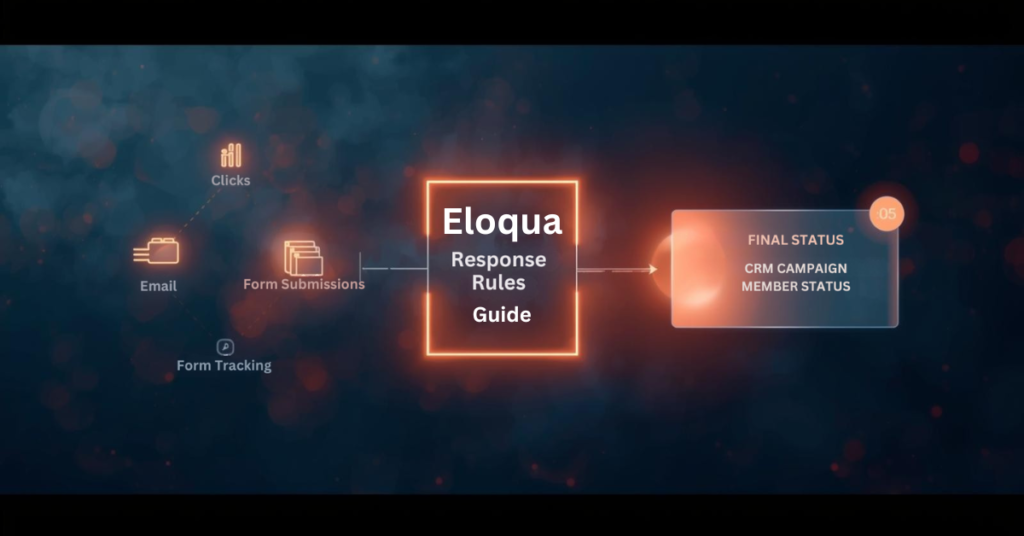
Response rules define which campaign activities qualify as responses and determine the CRM status those responses should receive. When contacts interact with your campaigns through email opens, link clicks, form submissions, or event attendance, Eloqua response rules are used to evaluate those interactions against the criteria you have configured and sync qualified activities to your CRM system.

Think of response rules as the execution logic for decisions your sales and marketing teams have already made: which interactions represent engagement worth tracking in the CRM? This configuration connects marketing activity in Eloqua to campaign member records in Salesforce, Microsoft Dynamics, Oracle Sales Cloud, or other CRM platforms.

Response rules consist of three main components:

  • Activity type (what the contact did)
  • CRM member status (how that activity should be labeled in your CRM)
  • Priority order (which status wins when multiple activities occur)

Do I need a special campaign setup to use Eloqua response rules?

Yes. Every Eloqua campaign that tracks responses must include a CRM campaign ID, which links Eloqua contacts to your CRM campaign member records.

When configuring your campaign, place all assets you want tracked as responses on the campaign canvas or within simple campaigns. If you plan to track form submissions or external activities like webinar registrations, these assets must be included on the canvas and share the same campaign ID. Assets living outside the campaign structure or using different campaign IDs will not generate responses in accordance with your rules.

This setup requirement means planning your campaign architecture before launch. You cannot retroactively assign response tracking to activities that occurred without a proper campaign ID association.

Which campaign activities can count as responses?

Five primary activity types for Eloqua response rules:

  • Email sends
  • Email open
  • Email click-through
  • Form submission
  • External activities (webinar registration, webinar attendance, event check-in)

Most marketing operations teams exclude email sends from Eloqua response rules because a send represents a marketing action rather than contact engagement. Similarly, email opens can be unreliable due to limitations in tracking pixels and privacy features in modern email clients.

The most commonly tracked responses include:

  • Email clickthrough — demonstrates active interest
  • Form submission — indicates deeper engagement and data sharing
  • Webinar attendance — shows commitment through time investment
  • Event registration — signals intent to engage further

Your response rule configuration should reflect which activities matter most to your sales and marketing workflows.

How do I map activities to CRM campaign member statuses?

Each response rule maps a specific activity type to a CRM member status value. The status values must match exactly what your CRM expects for campaign members. For Salesforce and Oracle Sales Cloud, common statuses include “Responded,” “Registered,” “Attended,” “Clicked,” or custom values your team has created. For Microsoft Dynamics and other CRM systems, you define equivalent status codes that align with your CRM configuration.

You also designate a default response rule, typically assigned to your lowest priority activity. This default catches any qualifying activities that do not match higher-priority rules, ensuring that all meaningful engagement generates a response. The mapping process requires coordination between your Eloqua administrator and CRM administrator to ensure status values align across both systems. Mismatched status values will cause sync failures or unexpected behavior.

What happens when contacts perform multiple activities on the same campaign?

Priority order becomes critical when contacts engage multiple times. Eloqua sends only the highest-priority responses to your CRM, preventing status downgrades and reducing data noise.

Consider this scenario: A contact receives an email, clicks the link, submits a form, and later attends a webinar. If your priority order ranks webinar attendance first, form submission second, and email click through third, Eloqua will sync only “Attended” to your CRM. Even if the contact clicks the email again after attending the webinar, the CRM status remains “Attended” because Eloqua recognizes that a higher-priority activity has already occurred.

This priority logic ensures your CRM campaign member status reflects the most meaningful interaction, not every interaction. Without proper priority configuration, a contact who attends your webinar might show a status of “Clicked” if the click activity is processed after attendance, creating reporting confusion and potentially triggering incorrect automation. Set priority order based on business value and engagement depth, not chronological order.

How quickly do campaign responses sync to my CRM?

Eloqua does not sync responses to your CRM in real time. Instead, a backend process runs at 5 minutes past each hour to evaluate all campaign activities against your configured Eloqua response rules. This process creates campaign response records in an internal Eloqua table according to the rules and priorities you set. Those response records then become available for your CRM sync workflow to process.

If campaign responses are not appearing in your CRM immediately after a contact clicks or submits a form, timing is often the explanation. The contact may have completed the activity, but the backend evaluation process has not run yet to create the response record. Wait until at least 5 minutes past the hour before investigating further.

After the response record is created, your Program Canvas, Program Builder, or integration rule workflow must still process and send that record to your CRM, which introduces additional timing based on how frequently those workflows run.

What are the methods for sending Eloqua responses to my CRM?

Eloqua response rules, campaign response tracking, Eloqua CRM integration, Eloqua campaign responses, Eloqua program canvas, configure response rules, Eloqua response tracking, campaign member status, CRM campaign sync, response rule configuration, campaign response priority, CRM member status mapping, campaign response workflow, set up response rules, troubleshoot Eloqua responses, sync campaign responses,

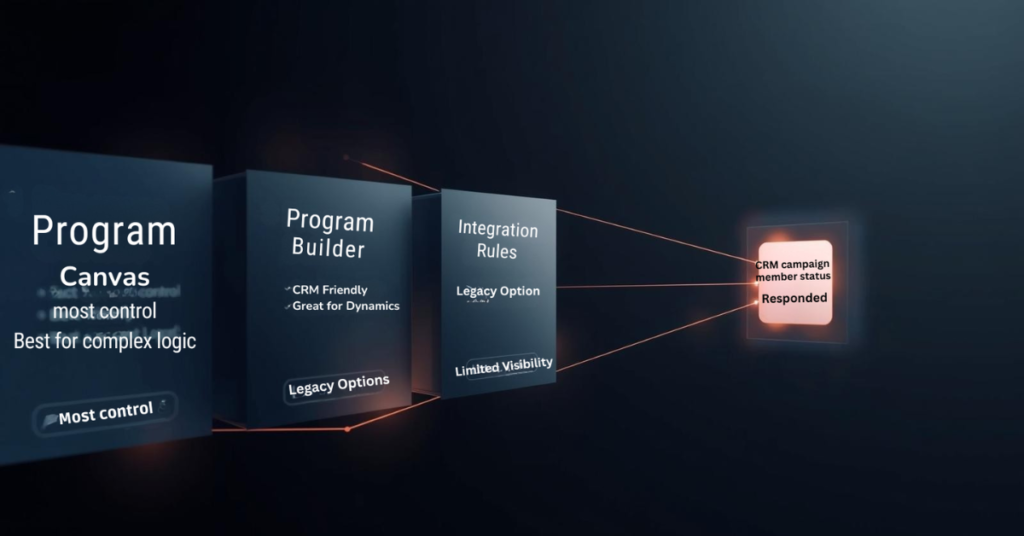
Eloqua offers three primary methods for delivering campaign responses to your CRM: Program Canvas, Program Builder, and Integration Rules.

Program Canvas (available for Salesforce and Oracle Sales Cloud customers using integration apps) provides the most visibility and control. A listener step can trigger automatically when a campaign response is created, feeding records directly into your CRM update workflow. This approach allows you to add filtering, data enrichment, or conditional logic before syncing.

Program Builder offers similar functionality through a different interface, particularly useful for Microsoft Dynamics and other CRM systems.

Integration Rules represent an older approach that still functions but provides less visibility into data flow and troubleshooting capabilities.

Most marketing operations teams prefer the Program Canvas or Program Builder approach because it surfaces the sync workflow visibly, making it easier to diagnose issues, add business logic, and maintain over time.

Can I sync campaign responses to multiple CRM systems simultaneously?

No. The response action feature and Program Builder both limit you to a single CRM system per Eloqua instance. There is no native capability to trigger multiple CRM integrations from one response action.

If your organization requires syncing campaign responses to multiple CRM systems, you will need a workaround. One approach involves creating custom objects for each campaign response, then building separate programs for each CRM that check which CRM ID fields contain values and route responses accordingly. This adds complexity and requires careful data architecture planning.

For most organizations, this limitation is not an issue, as marketing operations typically maintain a single primary CRM for campaign tracking and lead management.

What should I verify before launching campaigns with Eloqua response rules?

Configure Eloqua response rules before sending your first campaign. Once contacts begin engaging, the rules determine what syncs to your CRM, and retroactive changes can create data inconsistencies.

Verify these items during setup:

Match CRM expectations — Confirm that response rule status values exactly match the campaign member statuses your CRM expects. Even small differences in capitalization or spacing will cause sync failures.

Test priority order — Walk through realistic contact journeys where someone engages multiple times. Verify that the highest priority status reaches your CRM regardless of activity timing.

Confirm contact existence — Build your workflow to check that contacts exist in your CRM before attempting to send campaign responses. If a contact record has not been created yet, the response will have nowhere to attach, causing sync errors.

Validate campaign ID assignment — Double-check that all assets you want tracked share the same campaign ID and appear on the campaign canvas or within simple campaigns.

Taking time to configure Eloqua response rules properly prevents troubleshooting headaches later and ensures campaign engagement data flows to your CRM as intended.

Conclusion

Eloqua response rules form the foundation of how campaign engagement data flows from Eloqua to your CRM system. Understanding which activities count as responses, how priority order prevents status downgrades, and when the backend processing creates response records helps marketing operations teams build reliable workflows.

Proper configuration requires coordination between Eloqua administrators and CRM teams to ensure status values align, priority order reflects business value, and sync workflows check for contact existence before sending data. At 4Thought Marketing, we help organizations design and implement Eloqua response rule strategies that ensure accurate campaign tracking and seamless CRM integration. Ready to optimize your Eloqua response rules? Contact our team to discuss how we can help improve your marketing automation workflows.

Frequently Asked Questions (FAQs)

Can I change response rules after a campaign has already started?
Yes, but changes only affect activities that occur after the modification. Existing campaign responses remain unchanged, which can create inconsistencies in reporting.
Why are some campaign responses not appearing in my CRM?
Common causes include mismatched CRM status values, contacts not existing in your CRM yet, missing campaign IDs on assets, or sync workflows not running frequently enough.
Do email opens count as reliable response indicators?
Email opens have become less reliable due to privacy features in email clients that block tracking pixels or pre-load images, making click-throughs and form submissions more trustworthy engagement signals.
Can I use response rules with campaigns that do not have a CRM campaign ID?
No. Response rules require a CRM campaign ID to function because that ID links Eloqua activities to CRM campaign member records.
How often should I review my response rule configuration?
Review response rules quarterly or whenever you launch new campaign types, add CRM member statuses, or notice discrepancies between Eloqua activity and CRM data.
What is the difference between a response rule and a campaign response?
A response rule is the configuration that defines what activities count as responses. A campaign response is the actual record created when a contact performs an activity that matches a rule.

feed eloqua programs, eloqua program feeder, custom objects, cloud custom object feeder,
Key Takeaways
  • Native program feeders execute only once daily
  • Listener steps offer limited filtering flexibility
  • Cloud feeders schedule feeds every few minutes
  • Advanced filter criteria enable precise targeting
  • Frequent feeding accelerates lead response times

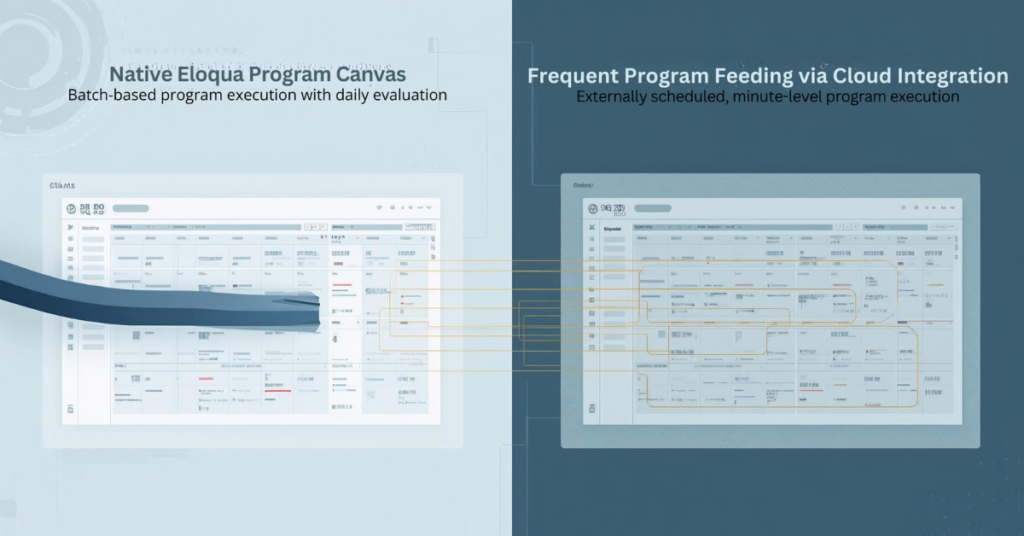
Eloqua Program Canvas delivers powerful automation for contact management and custom object processing. Marketing operations teams rely on program feeders to route contacts through workflows based on lead stage changes, form submissions, and database updates. But native Eloqua program feeders impose a significant constraint: they only evaluate and feed Eloqua programs once every 24 hours. This limitation creates delays when your automation demands real-time responsiveness, such as immediately routing MQLs to sales or triggering custom object updates within minutes of a status change. Cloud-based solutions now enable marketers to bypass these restrictions, feeding contacts and custom object records to programs multiple times per day with flexible scheduling and advanced filtering that native listeners cannot provide.

Why Are Eloqua Program Feeders Limited to Daily Execution?

Eloqua’s native program feeder architecture evaluates segments and shared filters on a 24-hour cycle to balance system performance across large contact databases. While listener steps offer real-time triggers for specific events like lead score changes or new contact creation, they support only a narrow set of data sources. If you need to feed Eloqua programs based on custom field changes, specific lead stage transitions, or complex filter criteria involving custom objects, native listeners fall short.

For example, a listener can monitor when a contact’s lead score increases, but it cannot trigger on a lead stage field changing from “Inquiry” to “MQL” unless you configure contact field tracking (limited to three tracked fields per instance). Similarly, segment-based program feeders provide robust filtering capabilities but refresh only once daily. This gap leaves marketing operations teams unable to respond immediately to critical pipeline events without workarounds.

The technical reason behind these limitations lies in database query load. Continuously evaluating complex filter criteria against millions of contact records in real time would strain system resources. Oracle designed the daily cycle to maintain platform stability, but this design choice creates friction for teams running time-sensitive automation workflows.

What Happens When You Need Real-Time Program Feeding?

Consider two common scenarios where daily program feeds create operational bottlenecks:

Use Case 1: Lead Stage Progression

Your demand generation team runs campaigns that move contacts from “Inquiry” to “MQL” status based on form submissions and engagement scoring. When a contact crosses the MQL threshold, you want them routed immediately to a Program Canvas that assigns account ownership, syncs to CRM, and triggers a sales alert. With a native segment feeder running once daily, newly qualified leads wait up to 24 hours before entering the program. This delay reduces speed-to-lead and impacts conversion rates.

Use Case 2: Custom Object Updates

You maintain a custom object that tracks product interest by account. When a custom object record updates to reflect a customer requesting a demo for a specific product line, you need that record processed immediately through a program that updates account scoring and notifies the relevant sales rep. Native custom object program feeders evaluate once daily, meaning demo requests sit unprocessed for hours.

In both scenarios, the inability to feed Eloqua programs on demand creates missed opportunities. Marketing automation should accelerate pipeline velocity, not introduce delays. Teams need the flexibility to schedule program feeds based on business requirements rather than platform constraints.

How Do Cloud Feeders Solve Eloqua’s Program Feeding Limitations?

Cloud-based feeder applications integrate with Eloqua Program Canvas as custom data sources, enabling marketers to feed contacts and custom object records to programs on flexible schedules. Unlike native segment feeders that run once daily, cloud feeders can execute every few minutes, providing near-real-time program feeding without the limitations of listener steps.

The Contact Cloud Feeder and Custom Object Cloud Feeder from 4Thought Marketing address this gap by offering:

  • Advanced filtering with segments or shared filters: Use the full power of Eloqua’s filtering logic, including complex criteria based on contact fields, custom object data, and activity history
  • Customizable execution frequency: Schedule program feeds to run every 5, 10, or 15 minutes instead of waiting 24 hours
  • On-demand triggering: Push contacts or custom object records into programs immediately when needed
  • No listener limitations: Bypass the restricted data sources available to native listener steps

Comparison: Native vs. Cloud Feeder Capabilities

Feature Native Segment Feeder Native Listener Step Cloud Feeder
Execution Frequency Once per 24 hours Real-time (specific triggers) Every few minutes (customizable)
Filter Flexibility Full segment/filter logic Limited to lead score, contact creation, field tracking (max 3 fields) Full segment/filter logic
Custom Object Support Limited to daily feeds Not supported Full support with flexible scheduling
Use Case Fit Batch processing, periodic updates Specific real-time triggers Time-sensitive workflows requiring custom filtering

Cloud feeders combine the filtering power of segments with the responsiveness teams need for modern marketing automation workflows.

feed eloqua programs, eloqua program feeder, custom objects, cloud custom object feeder,

How to Set Up Frequent Program Feeding with Cloud Apps

Configuring a cloud feeder to feed Eloqua programs follows a straightforward process within Program Canvas:

Step 1: Configure Your Filter Criteria Determine which contacts or custom object records should enter the program. Cloud feeders accept either an Eloqua segment or a shared filter as the source. If you need to feed contacts when their lead stage changes to “MQL,” create a segment that includes contacts where Lead Stage equals “MQL” and Date Modified is within the last hour. This ensures only recently updated records enter the program.

Step 2: Set Execution Frequency Instead of accepting the default 24-hour cycle, specify how often the cloud feeder should evaluate your filter criteria. For time-sensitive workflows, configure the feeder to run every 5 or 10 minutes. The execution frequency field supports minute-based intervals, enabling near-real-time program feeding without manual intervention.

Step 3: Connect to Your Program Canvas Add the cloud feeder as a data source in your contact or custom object program. The feeder appears in the Program Canvas alongside native segments and listeners. Once connected, activate the program. The cloud feeder begins evaluating your filter criteria according to the schedule you defined, automatically feeding matching records into subsequent program steps.

Step 4: Monitor and Optimize After activation, monitor program member counts and processing times. If records aren’t entering as expected, verify your filter criteria and execution frequency settings. Adjust the schedule based on volume—high-volume workflows may benefit from slightly longer intervals to balance throughput with system performance.

What Are the Benefits of Feeding Programs Every Few Minutes?

Frequent program feeding delivers measurable improvements across multiple dimensions of marketing operations performance:

Faster Response to Buyer Signals When a contact downloads a high-value asset or requests a demo, immediate program entry enables instant lead routing and sales notification. Instead of waiting hours for the next segment refresh, your team responds while the buyer’s interest peaks. This reduces time-to-contact from 24 hours to minutes.

Improved Lead Routing Speed Speed-to-lead directly impacts conversion rates. Studies consistently show that contacting leads within five minutes of their inquiry produces significantly higher connect and conversion rates than waiting an hour or longer. Frequent program feeding ensures qualified leads reach sales queues immediately after crossing qualification thresholds.

Enhanced Program Personalization Real-time custom object processing enables dynamic content personalization based on the latest account data. When a custom object record updates with new product interest information, feeding that record into a program within minutes allows you to trigger personalized follow-up campaigns while context remains fresh.

Real-Time Custom Object Processing For organizations leveraging custom objects to track complex account relationships or product configurations, frequent feeding transforms custom object programs from batch processors into responsive automation engines. Demo requests, renewal triggers, and support escalations can all flow through programs as they occur rather than accumulating for daily processing.

How to Choose Between Contact and Custom Object Cloud Feeders

Selecting the appropriate cloud feeder depends on your automation workflow and data model:

Use Contact Cloud Feeder When:

  • Your program processes individual contacts through nurture streams, lead routing, or data enrichment
  • Filter criteria focus on contact fields, lead scores, or email activity
  • You need to trigger programs based on lead stage changes, form submissions, or campaign responses
  • The program updates contact records or adds contacts to campaigns and shared lists
Use Custom Object Cloud Feeder When:

  • Your program processes custom object records representing opportunities, product interests, or account relationships
  • Filter criteria evaluate custom object fields or linked contact data
  • You need to trigger workflows when custom object records are created or updated
  • The program performs actions on custom object data, such as updating fields or deleting records
Can You Use Both Together?

Yes. Many sophisticated automation workflows combine both feeder types. For example, a custom object program might process product interest records and use the “Add Linked Contact to Program” action to push the associated contact into a separate contact program. This enables you to process custom object logic at high frequency while maintaining clean separation between object-level and contact-level automation.

When architecting multi-stage workflows, consider which data entity (contact or custom object) serves as the primary trigger, then design your program canvas and feeder configuration accordingly.

Conclusion

Native Eloqua program feeders limit automation responsiveness by restricting segment evaluation to once-daily cycles, while listener steps provide real-time triggers for only a narrow set of use cases. Cloud feeders eliminate these constraints, enabling marketing operations teams to feed Eloqua programs multiple times per day with full access to segment and shared filter criteria. This flexibility transforms program canvas from a batch processing tool into a dynamic automation engine capable of responding to pipeline events within minutes.

Whether routing MQLs immediately after qualification or processing custom object updates in near-real-time, frequent program feeding accelerates marketing operations and improves buyer experience. Explore how Contact Cloud Feeder and Custom Object Cloud Feeder can reduce your response times and enhance workflow precision.

Frequently Asked Questions (FAQs)

Can you feed Eloqua programs more than once per day?
Yes, cloud feeders enable program feeds to run every few minutes instead of the native 24-hour cycle, providing near-real-time automation.
How often can cloud feeders run?
Cloud feeders support execution frequencies as short as every 5 minutes, allowing you to balance responsiveness with system performance based on your workflow requirements.
What filtering options are available with cloud feeders?
Cloud feeders accept any Eloqua segment or shared filter, providing full access to contact fields, custom object data, activity history, and complex Boolean logic.
Do frequent program feeds impact Eloqua performance?
When configured appropriately, frequent feeds have minimal performance impact. Start with 10-15 minute intervals and adjust based on contact volume and program complexity.
Can I schedule feeds to run every 5 minutes?
Yes, cloud feeders support minute-based scheduling, enabling you to configure execution frequencies as short as every 5 minutes for time-critical workflows.
Is this compatible with all Eloqua program types?
Cloud feeders integrate with both contact programs and custom object programs in Eloqua Program Canvas, supporting the full range of program automation capabilities.

Oracle Eloqua custom objects, Eloqua custom objects best practices, Eloqua custom objects data manipulation, Eloqua data management, Eloqua Program Canvas automation, Eloqua data architecture, Eloqua REST API updates, Eloqua CO transformation, Eloqua marketing automation workflows, Custom object governance in Eloqua, Cleaning Eloqua CO data,
Key Takeaways
  • Custom objects support flexible data models for complex marketing operations.
  • Native features now allow cleaner governance and more efficient management.
  • Advanced data manipulation requires thoughtful structure and automation.
  • Program Canvas and the REST API expand transformation capabilities.
  • A scalable custom object architecture strengthens long-term data quality.

Oracle Eloqua custom objects offer a flexible data layer that enables marketers to store structured information that does not fit within standard contact fields. They support detailed behavioral history, recurring events, and multistep journeys that require reliable tracking. As more campaigns rely on personalization, these structures become essential to Eloqua data management and long-term program accuracy.

As the number of custom objects grows, their behavior, automation paths, and update rules require thoughtful planning to ensure stability. Without a clear strategy, teams’ risk inaccurate segments, broken journeys, and inconsistent records. This blog explains how to utilize modern Eloqua custom objects best practices to manage data at scale, approaches advanced custom objects data manipulation, and outlines the design of an Eloqua data architecture that supports both daily operations and future growth.

What is Custom Objects and Why Do They Matter?

Oracle Eloqua custom objects are multi-record tables linked to a contact or account, used when a single person or company can have many related interactions. They matter because most marketing data changes frequently and needs historical tracking that standard contact fields cannot support.

These structures enable teams to manage renewals, subscriptions, transactions, and product usage within a single relational layer. When used thoughtfully, custom objects enhance segmentation accuracy, support personalized journeys, and provide Program Canvas automation with a deeper foundation to work with. For example, a subscription-based business may track every renewal date inside a custom object rather than storing only the most recent version. This supports more accurate reminders, personalized upsell workflows, and long-term customer lifecycle automation.

Custom objects become even more valuable when organizations manage multiple product lines or maintain ongoing customer interactions. Each row tells a story about a behavior, purchase, or action, which helps marketers understand trends that individual fields cannot capture. This is why strong custom object governance in Eloqua is crucial for both operational reliability and strategic decision-making.

What Can Eloqua do with Custom Objects and Where Are the Limits?

Standard Eloqua features include storing records, updating fields, routing data through Program Canvas, and triggering Eloqua marketing automation workflows. These functions support most basic use cases but fall short when teams require multirow calculations or conditional transformations.

Native features cannot compare multiple records, calculate new values, or perform structured Eloqua CO transformation across large datasets. If a renewal date needs to be advanced, if multiple usage rows must be aggregated, or if conditional logic depends on historical interactions, standard tools cannot execute these steps alone. As a result, advanced operations rely on a combination of Program Canvas automation and Eloqua REST API updates to fill these gaps.

A related limitation appears when cleaning Eloqua custom object data. Basic updates can correct small inconsistencies, but they do not support the systematic cleanup that high volume environments require. Data imported from multiple systems may contain inconsistent formats, spacing errors, or missing link fields. These issues can block segmentation or cause workflows to misroute contacts. For these reasons, advanced manipulation becomes a structured practice rather than an occasional task.

What Data Manipulation Needs Do Marketing Teams Commonly Encounter?

Most manipulation needs come from recurring business processes that depend on accurate, timely custom object data. As personalization increases, Eloqua custom objects data manipulation becomes central to keeping campaigns consistent and meaningful.

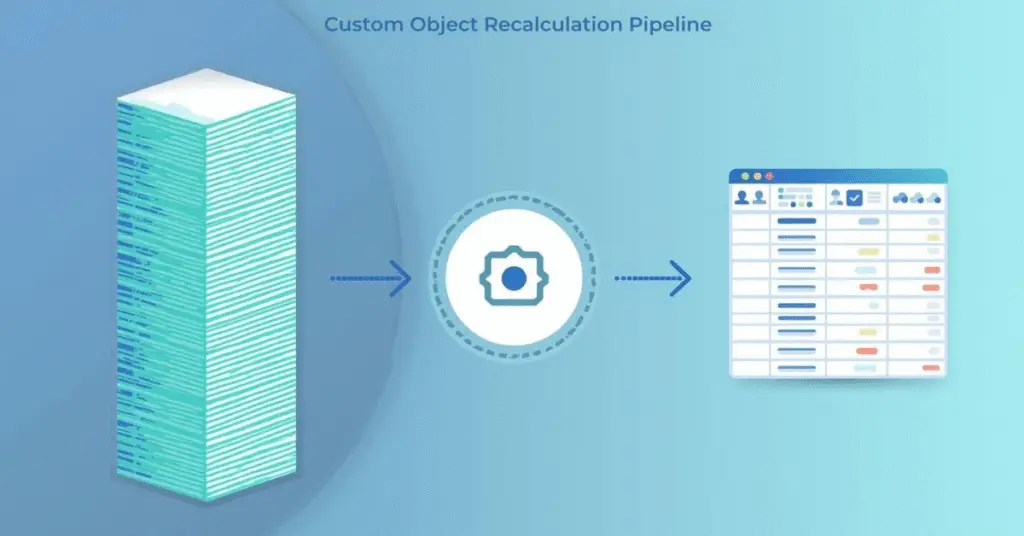
Many organizations track ongoing events such as renewals, product usage milestones, support interactions, or purchase cycles. Each of these events becomes a row within the custom object. When rules change or lifecycle programs expand, hundreds or thousands of rows may need recalculations. Program Canvas can detect new activity but cannot fully execute transformations, which is where external logic becomes necessary.

Another common scenario involves synchronizing multiple objects. A contact may have usage data in one object and entitlement data in another. If one changes, the other must remain aligned to prevent errors during segmentation. Integrations also introduce challenges. When two systems send data into Eloqua, formatting inconsistencies appear. Cleaning Eloqua CO data becomes essential before the information can enter active campaigns.

These patterns highlight the practical need for advanced manipulation techniques and a predictable data management process inside Eloqua.

How Can Advanced Custom Object Manipulation Be Achieved Effectively?

Advanced manipulation is best supported by combining Program Canvas automation with REST API powered logic. Program Canvas manages routing, identifies new activity, and triggers specific processes. The Eloqua REST API updates record in batches, performs calculations, and supports deeper transformations that Program Canvas cannot execute alone.

Oracle Eloqua custom objects, Eloqua custom objects best practices, Eloqua custom objects data manipulation, Eloqua data management, Eloqua Program Canvas automation, Eloqua data architecture, Eloqua REST API updates, Eloqua CO transformation, Eloqua marketing automation workflows, Custom object governance in Eloqua, Cleaning Eloqua CO data,

In practice, Program Canvas identifies new rows in a custom object, checks relevant conditions, and routes them into the appropriate Eloqua marketing automation workflows. The API then performs tasks such as multirow comparisons, recalculations, synchronized updates, or large-scale cleanup. This approach divides responsibilities clearly. Program Canvas handles orchestration, while the API performs heavy lifting.

Some teams opt to utilize cloud apps to streamline these operations. Cloud apps can streamline conditional logic, validate incoming data, or automate structured updates. They eliminate the burden of manual scripting and make processes easier to maintain. This combination of tools creates a reliable environment where Oracle Eloqua custom objects remain accurate even as campaigns evolve.

What Are the Best Practices for Building a Scalable Custom Object Architecture?

A scalable custom object architecture ensures long-term performance, predictable automation, and consistent data quality. The first best practice is to define a clear purpose for each custom object. When multiple unrelated concepts are stored in the same table, workflows become harder to maintain. A single-purpose structure minimizes complexity.

Naming conventions strengthen readability and simplify troubleshooting. When multiple system owners work in Eloqua, clear naming makes relationships obvious and reduces onboarding time for new team members. Link fields should be validated regularly. Without a reliable link between a custom object and its contact or account, programs cannot function correctly.

Oracle Eloqua custom objects, Eloqua custom objects best practices, Eloqua custom objects data manipulation, Eloqua data management, Eloqua Program Canvas automation, Eloqua data architecture, Eloqua REST API updates, Eloqua CO transformation, Eloqua marketing automation workflows, Custom object governance in Eloqua, Cleaning Eloqua CO data,

Performance must also be considered. Large updates should be executed through Eloqua REST API updates and broken into batches to avoid failures. Regular cleanup prevents bloated datasets that slow performance. Teams should avoid creating unnecessary objects and instead align new data with the existing architecture. Each object added introduces new relationships, and without a plan, the environment becomes difficult to manage.

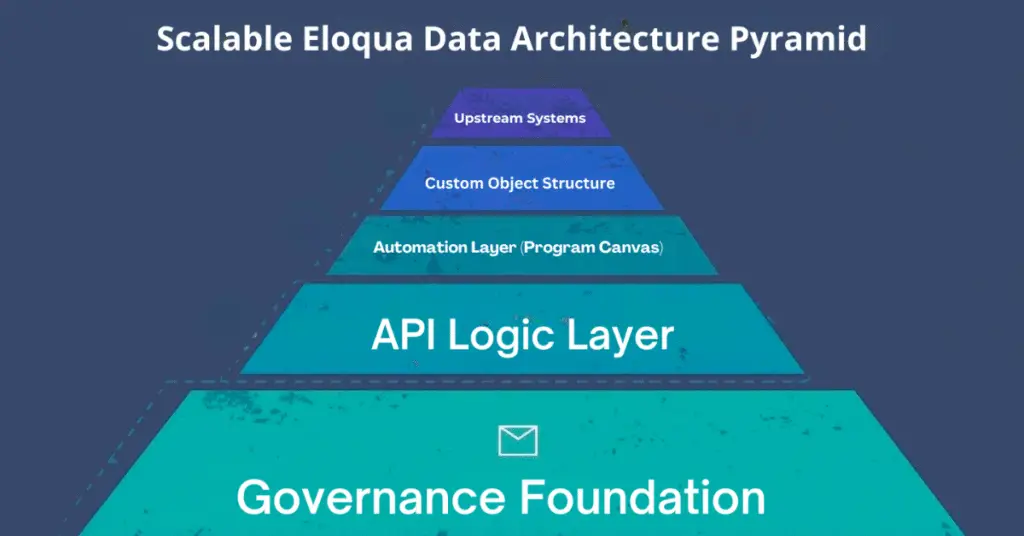
Finally, teams should define which tasks belong to Program Canvas automation, which belong to API based transformation, and which belong to upstream systems. This separation creates cleaner workflows and a more predictable Eloqua data architecture overall.

Conclusion

Advanced data management using Oracle Eloqua custom objects helps marketing teams build stronger, more reliable customer experiences. As organizations scale, better structure, cleaner automation patterns, and consistent transformation practices become essential. When data stays accurate and workflows remain stable, campaigns perform more effectively and personalization becomes easier. If your team wants to strengthen its custom object architecture, improve transformation processes, or build more scalable workflows, 4Thought Marketing can help you create a structure that remains strong as your programs grow.

Frequently Asked Questions (FAQs)

1. What are the common limitations of custom objects?
Native features cannot perform multirow calculations or deep conditional logic without using the REST API or cloud apps.
2. Can custom objects be updated automatically?
Yes. Program Canvas automation and the REST API can work together to trigger updates and transformation workflows.
3. How do custom objects link to contacts?
They use a link field that stores the contact’s unique identifier, which must remain accurate for segmentation and automation.
4. Are there limits to how many records can be updated at once?
Yes. Bulk updates require batching through the REST API to ensure stable performance.
5. When should a custom object be used instead of a contact field?
When one contact requires multiple related records, or when data needs to be tracked historically.
6. What types of tasks require advanced manipulation?
Calculations, synchronization tasks, cleanup activities, and multi-row comparisons typically require API support or cloud applications.

eloqua design editor, Eloqua email templates, responsive email builder, email marketing automation, email personalization, dynamic content blocks, email template management, Eloqua email best practices,
Quick Overview
  • Eloqua Design Editor simplifies email creation without coding skills
  • Drag and drop components accelerate marketing automation workflows
  • Built in responsiveness ensures consistent display across all devices
  • Template management maintains brand standards and supports personalization
  • Seamless campaign integration enables efficient email best practices execution

Creating professional email campaigns has long been a balancing act between design quality and production speed. Marketing teams face tight deadlines, demanding audiences, and the technical complexity of building emails that render correctly across a wide range of email clients and devices. The Eloqua Design Editor addresses these challenges by combining visual simplicity with the robust capabilities that marketing operations professionals need to execute sophisticated campaigns. Whether you’re an Eloqua administrator managing multiple team members or an email marketer building your first campaign, understanding how to leverage this responsive email builder will transform your workflow and improve your results.

What Is Eloqua Design Editor and Why Does It Matter?

The Eloqua Design Editor is Oracle’s modern visual email builder designed specifically for marketing automation workflows. Unlike its predecessor, the Classic Editor, which required extensive HTML knowledge, this tool provides an intuitive drag-and-drop interface that allows you to build, preview, and refine emails in real-time.

For marketing operations professionals, this means faster production cycles without sacrificing quality. Email marketers without coding backgrounds can create professional campaigns independently, while developers appreciate the accelerated workflow. The Eloqua design editor ensures brand consistency through reusable Eloqua email templates, providing the flexibility needed for email personalization at scale. When your team needs to launch campaigns quickly while maintaining high standards, the Eloqua Design Editor becomes an essential component of your email marketing automation strategy.

How Do You Access and Navigate the Eloqua Design Editor Interface?

Accessing the Eloqua Design Editor starts by navigating to Assets, then Emails, and clicking Create Email. Select the Design Editor option rather than the Classic HTML editor. Ensure your user permissions allow email creation within your Eloqua instance.

The interface divides into three intuitive sections. The left panel houses all building blocks, including structure elements like sections and columns, plus content components such as text blocks, images, and buttons. Your center canvas serves as the visual workspace where emails take shape. The right properties panel displays configuration options for whatever element you’ve selected. This layout minimizes clicks and keeps essential tools within reach, allowing you to focus on creating engaging content rather than hunting for features.

What Core Features Make Eloqua Design Editor Essential for Email Teams?

The Eloqua Design Editor provides several capabilities that distinguish it from traditional email builders.

Modular Building Blocks: Structure elements establish your email layout through sections, columns, and spacers. Content elements include text blocks, images, buttons, dividers, social media icons, and HTML blocks for custom code. This modular approach ensures consistency across campaigns while significantly reducing production time. Simply drag components onto your canvas and configure them through the properties panel.

Automatic Responsive Design: Every email built in the Eloqua Design Editor renders correctly across desktop, tablet, and mobile devices without additional coding. Preview your design across device types instantly, and the editor handles technical responsive design requirements automatically. This built-in responsiveness ensures your audience receives optimized experiences regardless of how they access their email.

Advanced Personalization Capabilities: Leverage dynamic content blocks to deliver targeted messages based on audience segments. Insert merge fields to personalize subject lines, greetings, and body content. Set conditional visibility rules that display specific content only to relevant recipients. This email personalization capability allows you to create one email that serves multiple audience segments effectively.

Template Management System: Create reusable Eloqua email templates organized in folders accessible to your entire team. Understanding the distinction between templates and email instances proves crucial—changes to templates affect all future uses, while editing an instance only modifies that specific email. This system maintains brand consistency while allowing flexibility for individual campaigns.

How Do You Build Your First Email Step by Step?

Start by configuring your email name, subject line, sender information, and preview text. These foundational elements impact deliverability and open rates, so invest time in optimization.

Build your structure using section blocks to establish header, body, and footer areas. Add columns within sections to control content layout. This structural foundation ensures your email maintains its intended appearance across email clients.

Populate sections with content components—text for your message, images for visual interest, buttons for clear calls-to-action. Use the properties panel to style each element, maintaining consistency with your brand guidelines through standardized colors, fonts, and spacing.

Preview your email across device views, checking how content stacks on mobile and ensuring buttons remain easily tappable. Send test emails to various email clients, particularly Outlook, to identify rendering issues before launch. This testing phase prevents embarrassing mistakes and ensures professional delivery.

What Advanced Strategies Improve Email Performance?

Optimizing for Outlook requires special attention, as Microsoft’s email client handles HTML differently than others. The Eloqua Design Editor helps, but be aware of common issues like background image rendering problems and spacing inconsistencies. Test emails in Outlook-specific preview modes early in your design process. Consider using VML code for critical design elements, compress images before uploading, and stick to web-safe fonts to minimize rendering problems.

Maintain an optimization checklist that includes keeping email width at 600 pixels for optimal display, compressing all images to reduce load times, including alt text for accessibility compliance, optimizing preheader text to complement subject lines, and approaching every design with a mobile-first mindset.

Establish organization-specific Eloqua email templates with standardized color palettes and typography. Document your email template management processes and create approval workflows to ensure every team member produces on-brand emails. This infrastructure investment pays dividends through improved efficiency and stronger brand recognition across all communications.

How Do You Troubleshoot Common Design Editor Challenges?

Rendering problems often surface when testing across multiple email clients. Address these early by testing frequently during the design process rather than waiting until your email is complete. When dynamic content blocks don’t display correctly, verify merge field syntax matches your data source exactly and confirm that your segmentation logic works as intended.

Mobile issues typically involve column stacking behavior or button sizes that don’t accommodate touch targets. Switch to mobile view regularly during design and test buttons to ensure they’re large enough for thumbs rather than mouse pointers.

Template confusion arises from misunderstanding how template changes propagate. Remember that modifying a template affects all future emails created from that template, but existing emails remain unchanged. If you need to update past campaigns, you must edit each email instance individually. Understanding this distinction prevents unintended changes and helps you plan template updates strategically.

How Does Eloqua Design Editor Integrate with Your Campaign Workflows?

eloqua design editor, Eloqua email templates, responsive email builder, email marketing automation, email personalization, dynamic content blocks, email template management, Eloqua email best practices,

Emails created in the Eloqua Design Editor integrate seamlessly with Eloqua’s campaign canvas. Add completed emails to campaign workflows by dragging them into the appropriate campaign step. Configure sending parameters, including audience segments, send times, and follow-up actions based on recipient behavior.

The editor’s native integration with lead scoring means you can trigger score changes based on email engagement. Segmentation capabilities allow you to target specific audiences within broader contact lists. Track performance through Eloqua’s analytics dashboard, monitoring open rates, click-through rates, conversion metrics, and engagement patterns. Use these insights to refine your email marketing automation strategy continuously, testing subject lines, content variations, and send times to optimize results over time.

Conclusion

The Eloqua Design Editor represents a significant evolution in how marketing teams create email campaigns, making professional email production accessible while providing the sophistication that experienced practitioners demand. Mastering this responsive email builder requires practice, but the investment delivers faster production cycles, stronger brand consistency, and measurably better campaign performance.

At 4Thought Marketing, we’ve seen how teams that commit to learning these tools transform their email marketing automation capabilities and achieve significantly better engagement metrics. The time you invest in building expertise with Eloqua email best practices will compound across every campaign you launch, creating efficiency gains that free your team to focus on strategy and creativity rather than technical execution.

Frequently Asked Questions (FAQs)

What’s the difference between Eloqua Design Editor and Classic Editor?
Design Editor provides a visual drag-and-drop interface that doesn’t require HTML coding, while Classic Editor requires direct HTML manipulation. Eloqua Design Editor automatically handles responsive design.
Can I use custom HTML code in Design Editor?
Yes, Eloqua Design Editor includes HTML content blocks where you can insert custom code. However, avoid using elements like script tags, I-frames, and forms, as these may cause rendering or deliverability issues.
How do I ensure my emails display correctly in Outlook?
Test your emails in Outlook preview modes regularly during design. Use VML code for critical design elements, compress images, stick to web-safe fonts, and avoid complex background images. External rendering tools such as Email on Acid or Litmus can also be used.
Can I convert existing Classic Editor emails to Eloqua Design Editor format?
No, you cannot directly convert Classic Editor emails to Eloqua Design Editor. You’ll need to rebuild emails using Design Editor’s components and templates, though you can copy content.
What happens when I edit a template versus an email instance?
Changes to templates affect all future emails created from that template. Editing an email instance only modifies that specific email, leaving the original template and other instances unchanged.
Does Eloqua Design Editor support A/B testing for email campaigns?
Yes, you can create multiple email versions in Eloqua Design Editor and use Eloqua’s campaign canvas to configure A/B testing parameters, including subject lines, content variations, and send times.

eloqua engage
Key Takeaways
  • Strong data foundations determine segmentation accuracy and ROI.
  • Capacity constraints—not tools—often limit marketing operations impact.
  • Prioritize quick wins that reduce friction across handoffs and systems.
  • Embed governance and measurement to scale repeatable, reliable execution.
  • Use AI selectively to speed analysis and workflows, not add noise.

Eloqua Engage is reshaping how modern marketing teams connect with prospects and customers by simplifying personalization and streamlining campaign execution. Many organizations recognize the need for efficient engagement, but they often struggle with fragmented tools, limited resources, and inconsistent messaging. By leveraging Eloqua Engage as a unified platform, marketers can overcome these hurdles, drive more relevant interactions, and accelerate business outcomes without sacrificing compliance or scalability.

What Does Eloqua Engage Offer?

Eloqua Engage is a sales tool that makes it easy for B2B sales teams to send personalized emails to prospects and customers using templates created by their marketing team. Sales managers can leverage reporting capabilities to see how their reps are using the tool and what results they are getting. The marketing team can also use reporting to make improvements to increase conversions.

The benefits of utilizing Eloqua Engage include:

  • Increased sales productivity: Engage helps sales reps save time by providing a library of pre-built email templates that they can customize to fit their needs. This eliminates the need to start from scratch with every email.
  • Improved email personalization: Engage allows sales reps to effortlessly personalize their emails with dynamic content, such as the recipient’s name, company, and job title. This can help to improve the open and click-through rates of emails.
  • Better brand consistency: Engage templates ensure that emails sent by sales reps are consistent with the company’s brand and marketing messaging without burdening sales with creating or managing templates.
  • Enhanced tracking and reporting: Engage provides detailed monitoring and reporting capabilities for both sales and marketing. Sales managers can see how their reps use the tool and what results they are getting. Marketing can view clicks, run tests, and make improvements to improve the sales process and increase sales performance.

Using Eloqua Engage Effectively

To get the most out of Eloqua Engage, your team should consider the following:

  • Build a library of email templates: During campaign planning, your sales and marketing teams should discuss messaging that will support campaigns, then build email templates to streamline the processing for sales to send follow-up emails.
  • Provide sales with Engage training: As part of the campaign launch, provide training to sales on how to use the tool, how it can save them time, and how it provides key metrics to sales leadership about their usage and results.
  • Leverage reporting for continuous improvement: Oracle Eloqua offers detailed tracking and reporting capabilities for Engage activities and peformance. Review metrics with underperforming sales team members on how to use Engage more effectively. In addition, highlight positive results and ask high-performing reps to share their best practices.

Eloqua Engage: An Essential Tool for Eloqua Users

To summarize, Eloqua Engage is a powerful sales tool that can help B2B sales teams increase productivity, improve email personalization, and achieve better results. Marketing can support sales efforts by making it easier for sales to send brand-consistent emails quickly, and sales leadership can review usage and performance metrics to drive higher results. If your team relies on Eloqua to create and run marketing campaigns, Eloqua Engage is a must-have.

Ready to get the most out of your Eloqua instance? Contact our team today for expert Eloqua help.

Frequently Asked Questions (FAQs)

What is Eloqua Engage used for?
Eloqua Engage helps marketing and sales teams create, personalize, and send approved emails that align with brand standards, making customer communication faster and more consistent.
How does Eloqua Engage improve personalization?
It provides pre-approved templates and dynamic content tools, enabling users to tailor messages to different audiences while maintaining compliance and avoiding errors.
Can Eloqua Engage integrate with CRM systems?
Yes, Eloqua Engage integrates seamlessly with CRMs like Salesforce and Microsoft Dynamics, ensuring that sales reps can send targeted emails directly from their CRM environment.
What are the benefits of using Eloqua Engage for sales teams?
Sales teams gain access to marketing-approved emails, reducing the time spent writing from scratch while ensuring consistency, compliance, and better engagement with prospects.
Is Eloqua Engage suitable for global campaigns?
Absolutely. Eloqua Engage supports multi-language templates and global compliance requirements, making it ideal for organizations running campaigns across multiple regions.
How does Eloqua Engage support compliance?
It enforces the use of approved templates, tracks usage, and ensures that all emails adhere to brand, legal, and privacy standards, reducing regulatory risks.

oracle Eloqua advanced intelligence, Eloqua advanced intelligence features, fatigue analysis Eloqua, account intelligence Eloqua, send time optimization Eloqua, subject line optimization Eloqua, predictive lead scoring Eloqua, Eloqua dynamic segmentation, generative AI prompts Eloqua, Eloqua campaign workflow automation, marketing automation, AI in marketing, predictive analytics, lead scoring software, email personalization tools, B2B marketing automation, AI-powered email marketing, customer engagement platform, marketing intelligence solutions, real-time analytics for marketing,

Imagine having a marketing sidekick that whispers exactly when to reach out, what to say, and which accounts are most eager to hear from you. Oracle Eloqua Advanced Intelligence does just that—transforming raw data into predictive insights so you can ditch guesswork and score big every time. By weaving in powerful features like Fatigue Analysis, Account Intelligence, Send Time Optimization, Subject Line Optimization, predictive lead scoring, dynamic segmentation, and even Generative AI prompts, this add-on makes your campaigns smarter, faster, and more fun to run.

Eloqua Advanced Intelligence Features

Fatigue Analysis

Think of Fatigue Analysis as your contact’s personal email fitness tracker. It gauges whether someone is under-emailed or drowning in messages, then flags burnout risks before they hit unsubscribe. Behind the scenes, Oracle Eloqua Advanced Intelligence crunches engagement metrics—opens, clicks, complaints—to assign a fatigue score.

Account Intelligence

Zooming out from individual inboxes, Account Intelligence paints a heat map of entire organizations. Each account earns an Engagement Score based on aggregated behavioral signals—web visits, form fills, and email interactions. Marketing and sales teams unite around the hottest opportunities, focusing efforts where they’ll have the most impact. With Oracle Eloqua Advanced Intelligence, you’ll never chase lukewarm leads again.

Send Time Optimization

Timing is everything: an email that lands during peak attention windows can double your open rate. Send Time Optimization (STO) analyzes each contact’s historic engagement to deliver messages at their personal “golden hour.” Whether it’s lunchtime in New York or late afternoon in London, Oracle Eloqua Advanced Intelligence ensures every send is perfectly timed—no more one-size-fits-all blasts.

Subject Line Optimization

Even a perfectly timed email needs a killer headline. Subject Line Optimization (SLO) in Eloqua AI runs mini-A/B tests on a subset of contacts, selects the top performer, and unleashes that champion on the rest. It’s like hosting a talent show for your subject lines—only the best get prime billing in your subscribers’ inboxes.

Generative AI Prompts in Oracle Eloqua Advanced Intelligence

Imagine having a brainstorming buddy that crafts copy on demand. The generative AI prompts feature empowers you to conjure up creative copy on demand, but it’s currently in “Controlled Availability” status under the upcoming 25B (CX Apps 25.05) release, now slated for general rollout on May, 2025. That means you can’t self-enable it just yet, but you can join the early-access program:

  1. Join Controlled Availability: Visit the Oracle Eloqua Customer Connect page for the 25B Customer Overview and click “Interested in joining? Complete your registration by providing Areas of Interest here.”
  2. Submit a Request: After registering, fill out the Controlled Availability request form—specify you’d like access to “Generative AI in Redwood editors” under the Advanced Intelligence add-on.
  3. Get Provisioned: Oracle will review your submission and grant access to the generative AI module in your Eloqua sandbox. Once approved, you’ll see new “AI Prompt” options in both dynamic content and shared content editors.

With early access secured, you can experiment with prompts like “Generate five witty subject lines for a summer webinar” or “Write a playful email intro for our new product”—and watch Eloqua spit back polished, campaign-ready copy. Then, when the 25B release goes GA in May, 2025, this capability becomes part of your standard toolkit—no extra approvals needed. Here are a few prompt examples and their outputs:

Prompt:

“Generate five witty subject line variations for a summer webinar invitation.”

Response:

  • “☀️ Beat the Heat: Join Our Summer Marketing Webinar!”
  • “Your Coolest Campaign Tips—Live This Thursday”
  • “Surf’s Up on Marketing Strategies—RSVP Now!”
  • “Heat-Proof Your Next Campaign with These Hacks”
  • “Catch the Marketing Wave—Webinar Seats Filling Fast!”
Prompt:

“Write a playful email intro for a product launch.”

Response:

“Hey [Name],
Grab your party hat—our newest feature just hit the stage! It’s like confetti for your campaigns, sprinkling AI magic where you need it most.”

Prompt:

“Suggest three call-to-action lines that feel urgent but not pushy.”

Response:

  • “Unlock Your Free Trial Today”
  • “Claim Early Access While Spots Last”
  • “Reserve Your Demo in Seconds”
  • With Oracle Eloqua Advanced Intelligence’s generative AI, you’ll never start with a blank screen again.

Roadmap for implementing Eloqua Advanced Intelligence

  • Exclude Burnout Risks – Begin by running Fatigue Analysis to identify and exclude contacts nearing saturation. This ensures your message lands with fresh eyes. When contacts near saturation, you get alerted to dial back the volume, keeping your audience fresh and engaged.
  • Focus on High-Value Accounts – Leverage Account Intelligence to build a list of top-engaged organizations. Hand off this list to sales for priority outreach.
  • Personalize Send Windows – Activate Send Time Optimization to schedule emails at each contact’s peak attention moment—no manual scheduling needed.
  • A/B Test & Deploy Winning Headlines – Use Subject Line Optimization to test variations, select the winner, and maximize open rates.
  • Prioritize Follow-Ups – Apply predictive lead scoring to rank responses. Sales teams can focus on the hottest leads first, accelerating pipeline velocity.
  • Keep Content Fresh – Tap into Generative AI prompts for on-the-fly copy suggestions—headlines, body text, CTAs—to maintain creative momentum.

Measuring Success and Next Steps

Track lift in open rates, click-throughs, and MQL-to-SQL conversions directly within Eloqua dashboards. Watch unsubscribe rates drop as fatigue scores improve. Ready to unlock the full power of Oracle Eloqua Advanced Intelligence? Download our free whitepaper, “Mastering AI-Driven Marketing with Eloqua Advanced Intelligence,” for implementation guides, checklists, and real-world case studies.

Sum-Up!

In wrapping up, Oracle Eloqua Advanced Intelligence isn’t just another add-on—it’s your secret weapon for turning every campaign into a precision-guided, data-fueled masterpiece. By combining fatigue insights, account heat maps, send-time genius, headline championships, predictive scoring, dynamic segments, and AI-powered copy prompts, you’ll boost engagement metrics and free your team to focus on strategy and creativity.


Eloqua Training, B2B marketing automation, Eloqua certification, campaign automation, lead nurturing automation, CRM integration with Eloqua, Eloqua segmentation strategies, data management best practices, marketing ROI analytics, privacy and compliance in Eloqua, Oracle Eloqua Marketing Cloud, advanced Eloqua features

Eloqua Training has become a core driver for B2B marketing automation teams striving to strengthen lead generation, streamline campaign workflows, and showcase tangible marketing value. As demand grows for seamless integration and pinpoint accuracy, organizations invest in expert Eloqua Training to power tasks such as lead management, automated nurturing, sophisticated segmentation, and CRM integration.

Unlocking Eloqua’s Full Potential

Eloqua is a marketing automation platform designed to support and scale B2B marketing operations through Eloqua training. Its core features focus on improving lead generation, campaign execution, and marketing-to-sales alignment. For B2B teams under pressure to increase efficiency and achieve measurable results, Eloqua training brings structure and visibility to even the most complex processes.

To achieve measurable results from Eloqua, B2B teams need more than basic familiarity—they need thorough training that translates advanced features into daily success. Effective Eloqua training powers marketers to:

  • Launch and manage complex campaigns without technical roadblocks
  • Automate lead nurturing and segmentation for higher engagement
  • Ensure data quality and privacy compliance across every interaction
  • Integrate seamlessly with sales and CRM systems

For B2B organizations, investing in expert-led Eloqua training fosters better collaboration, more efficient workflow, and stronger marketing ROI.

Marketing Automation Engine

At its core, Eloqua enables automated, multi-step campaigns. Users can set up triggers, filters, and rules to guide prospects through tailored journeys. Automation covers email marketing, lead scoring, nurture tracks, and campaign reporting. This approach frees up human resources by eliminating repetitive manual tasks and ensures consistent follow-up with leads at every stage of the funnel.

Seamless CRM Integration

Eloqua integrates with major CRM systems such as Salesforce and Microsoft Dynamics 365. This connection keeps sales and marketing teams aligned on lead status and engagement data. Data flows bi-directionally, minimizing silos and supporting a single source of truth. Real-time tracking provides better insights for both marketers and sales reps so they can prioritize high-value leads and activities.

Lead Management and Segmentation

Lead scoring, data enrichment, and segmentation are built into Eloqua. This enables users to automatically score leads based on activity and profile data, improving targeting for campaigns. Marketers can segment audiences by firmographics, behaviors, or custom attributes, leading to more relevant communications. Learn more about Eloqua segmentation strategies.

Analytics and Reporting

Eloqua provides reporting dashboards and analytics tools that measure campaign performance, lead progression, and channel ROI. Teams can track click rates, conversions, and multi-touch attribution. This data-driven approach enables B2B marketers to refine strategies continuously and demonstrate results.

How Eloqua Transforms B2B Marketing Operations

Eloqua brings measurable change to B2B marketing teams by streamlining how complex marketing tasks are managed, tracked, and optimized. With a strong training foundation, organizations can move beyond basic email campaigns to fully orchestrated, data-driven marketing processes.

Eloqua Training, B2B marketing automation, Eloqua certification, campaign automation, lead nurturing automation, CRM integration with Eloqua, Eloqua segmentation strategies, data management best practices, marketing ROI analytics, privacy and compliance in Eloqua, Oracle Eloqua Marketing Cloud, advanced Eloqua features

Automating Routine Tasks for Scale

Automation reduces manual effort and improves consistency across campaigns. Eloqua enables users to set up automated lead nurturing, scoring, segmentation, and follow-up. This means marketers can focus on strategy while essential tasks—like sending relevant emails to prospects or updating lead statuses—happen in the background. Well-designed automation rules help ensure timely, personalized engagement every step of the buyer’s journey.

Improving Targeting and Segmentation

Advanced segmentation features allow teams to divide audiences based on behavior, demographics, or engagement. Eloqua makes it easier to build detailed audience profiles and deliver content that matches each prospect’s interests. With better targeting, marketing efforts yield higher response rates and reduce wasted spend on untargeted lists.

Enhancing Workflow and Team Collaboration

Centralized campaign management tools in Eloqua keep everyone on the same page, from initial idea to final report. Teams can assign roles, set deadlines, and monitor progress within a single platform. This clarity cuts down on missed steps or duplicated work, especially in multi-channel campaigns. Expert partners like 4Thought Marketing assist with integrating Eloqua into existing workflows and provide guidance so new features enhance—not disrupt—current processes.

Boosting Campaign Efficiency and Measurement

Marketers gain robust analytics dashboards that track campaign performance in real time. Key metrics like open rates, conversions, and lead quality offer a clear view of what’s working. Data-driven insights guide quick adjustments for ongoing campaigns, helping teams hit targets more reliably. Explore reporting & analytics solutions.

Streamlining Privacy and Compliance

With regulations growing stricter, Eloqua’s built-in privacy and compliance tools help organizations meet data handling standards. Features such as consent management and audit trails simplify regulatory workflows and reduce risk. Discover 4Comply for privacy management.

Essential Skills and Certifications for Eloqua Mastery

Eloqua users who achieve the strongest results share a set of practical, platform-specific skills paired with validated credentials. Mastery requires more than familiarity with the tools—the most effective teams turn technical knowledge into repeatable, measurable campaigns.

Core Eloqua Skills for Modern Marketers

To operate Eloqua at a high level, focus on building these foundational skills through Eloqua training:

  • Campaign Setup: Create emails, landing pages, and multi-step workflows that follow best practices for B2B engagement and lead conversion.
  • Lead Nurturing: Design and manage automated nurture paths that deliver targeted content based on behavior and lifecycle stage.
  • Data Management: Maintain clean contact lists, manage field mapping with CRM systems, and enforce data privacy standards in every program.
  • Segmentation: Build precise audience segments using firmographic, demographic, and behavioral criteria for tailored messaging.
  • Analytics and Reporting: Interpret campaign metrics, set up tracking, and use insights to refine future strategies and demonstrate ROI.

Key Certifications to Validate Eloqua Expertise

Several recognized certifications help demonstrate Eloqua competence:

  • Oracle Eloqua Marketing Cloud Service 2023 Certified Implementation Professional: Covers the essentials of configuring and deploying Eloqua, including automation, lead scoring, and integration.
  • Oracle Eloqua Marketing Cloud Service Certified Specialist: Focuses on campaign execution, targeting and segmentation, data management, and analytics inside Eloqua.

For up-to-date requirements and skills assessed, visit the Oracle certification portal. Ongoing training is essential for keeping pace with feature updates and evolving B2B marketing practices. Explore Eloqua training options.

Types of Eloqua Training Options

Eloqua training is available in several formats to suit different learning styles and schedules:

  • On-Demand Courses: These are self-paced programs with recorded videos, interactive modules, and hands-on labs. Trainees move at their own speed, fitting learning around busy work schedules. This suits independent learners or teams spread across time zones.
  • Virtual Instructor-Led Training (VILT): Live online classes offer real-time interaction with Eloqua experts and classmates. VILT enables direct Q&A, troubleshooting, and collaborative discussion. This approach works well for groups or those who learn better in a structured, guided setting.
  • Certification Pathways: Official Eloqua certifications, like the Oracle Eloqua Marketing Cloud Implementation Specialist, verify skill mastery. Certification tracks typically combine self-study materials with formal testing, supporting career advancement and team credibility.
Eloqua Training, B2B marketing automation, Eloqua certification, campaign automation, lead nurturing automation, CRM integration with Eloqua, Eloqua segmentation strategies, data management best practices, marketing ROI analytics, privacy and compliance in Eloqua, Oracle Eloqua Marketing Cloud, advanced Eloqua features

Criteria for Evaluating Course Quality for Eloqua Training

  1. Instructor Credentials: Look for courses led by Eloqua veterans with real B2B experience.
  2. Hands-On Practice: The best programs include access to a training instance or sandbox, not just lectures.
  3. Updated Curriculum: Ensure training covers the latest Eloqua features and industry best practices, especially as marketing automation evolves.
  4. Support Materials: Access to guides, checklists, and real campaign examples helps reinforce lessons after the class.

Whether teams require a full fundamentals course, advanced campaign design, or ongoing workshops, outside experts help address B2B challenges such as privacy compliance, system integration, and data segmentation. Choosing training aligned with core business goals ensures faster onboarding, higher adoption, and measurable results in your Eloqua environment.

Implementing Eloqua Training: Best Practices for B2B Teams

Rolling out effective Eloqua training means moving beyond a single workshop or onboarding session. To realize consistent improvements in B2B marketing operations, teams need a plan for introducing, reinforcing, and measuring key skills over time.

Create a Structured Training Plan

Start with a roadmap for what skills matter most. Identify gaps in campaign setup, lead nurturing, data management, and reporting by surveying team members or reviewing past campaign outcomes. Set clear milestones and pair each stage with targeted resources—such as online modules, documentation, or scenario-based practice. For new staff or those in new roles, prioritize basics before advancing to complex features. See a tailored Eloqua training program in action.

Build in Ongoing Learning

Marketing automation platforms evolve quickly. Set aside regular time for ongoing learning, such as monthly skill refresh sessions or peer-led workshops. Encourage team members to share recent updates or solutions they have found useful. Document these lessons in shared wikis or collaborative notes so everyone benefits from on-the-job discoveries.

Enable Team Collaboration

Break down silos by inviting sales, analytics, and IT colleagues into Eloqua training initiatives where their input or collaboration is needed. Give teams access to shared sandboxes or demo environments for safe experimentation and troubleshooting. This approach not only spreads key knowledge but streamlines adoption of new processes across departments.

Measure Outcomes and Iterate

Set simple pre- and post-training assessments to quantify improvements in user comfort and accuracy. Track metrics like campaign error rates, lead conversion rates, or support ticket volume to see where skills are improving in the real world. Use these insights to adjust future training sessions and focus areas.

How 4Thought Marketing Accelerates Eloqua Success

B2B marketing operations teams often face complex challenges as they scale up Eloqua environments—challenges that involve more than mastering platform basics. From integrating legacy CRM systems to meeting evolving data privacy standards and building reliable workflows, support from specialists can save time and avoid critical missteps. This is where experts with practical, cross-disciplinary knowledge make a significant impact.

Guidance on best practices for ongoing optimization

This hands-on advisory approach bridges skill gaps and sets a foundation for long-term success. Explore marketing strategy services.

Integration and Custom Solutions

Making Eloqua work seamlessly with other platforms is essential for unified reporting, accurate segmentation, and real-time lead flow. 4Thought Marketing develops custom integrations that connect Eloqua with CRMs such as Salesforce and Microsoft Dynamics, as well as data warehouses and analytics tools. When standard integrations are not enough, custom applications and automation scripts fill workflow gaps—allowing teams to automate manual tasks and adapt Eloqua to unique requirements. See system integration capabilities.

Data Management and Privacy Compliance

Advanced tools and expertise in data hygiene ensure consistent, reliable campaign results. The 4Comply solution helps clients maintain strict privacy compliance—handling consent management, audit tracking, and regulatory readiness as laws evolve. This removes regulatory complexity for marketing teams who need to focus on results rather than legal checklists.

Through these tailored services, B2B teams gain immediate access to proven marketing workflows, reduced integration headaches, and stronger compliance control. Expert guidance empowers teams to launch campaigns faster, avoid costly errors, and unlock Eloqua’s most valuable features.

Elevate Your B2B Marketing with Strategic Eloqua Training

Strategic Eloqua training empowers teams to master advanced campaign automation, accurate data management, and sophisticated segmentation. When learning is structured—combining hands-on exercises, certification tracks, and cross-functional collaboration—the platform’s full potential drives more precise, compliant campaigns. Continuous upskilling instills a culture of curiosity and efficiency, translating into higher conversion rates, cleaner data, and transparent reporting. With tailored support from experts like 4Thought Marketing, organizations accelerate adoption and keep marketing operations agile and performance-focused.


Oracle Eloqua SMS Add On, SMS marketing automation, multi-channel messaging, SMS campaign best practices, marketing personalization, SMS compliance (TCPA, DLT), SMS Message Designer, Campaign Canvas integration, SMS analytics and reporting, omnichannel customer journeys, SMS conversational flows, marketing technology tools, appointment reminder SMS, abandoned cart recovery, real-time messaging

Welcome to the Oracle Eloqua SMS Add On, the secret sauce for multichannel messaging that blends email campaigns with SMS to keep your brand top of mind and top of screen. Picture your marketing strategy as a high-energy music festival: email is the mainstage where most of your crowd gathers, but SMS is that surprise pop‑up DJ set that electrifies the audience with instant beats. In the world of short attention spans and constant notifications, SMS marketing automation delivers a quick, personalized text message that feels like a double‑shot espresso to your prospects—immediate, invigorating, and impossible to ignore.

What Is the Oracle Eloqua SMS Add‑On?

The Oracle Eloqua SMS Add-On is an optional, subscription-based module that empowers marketers to send, receive, and track text messages directly from the Eloqua platform. From one-time blasts to automated, conversational flows, this SMS marketing automation tool integrates seamlessly with your existing campaign and program canvases.

Licensing & Activation

  • How to get it: Talk to your Oracle account manager to unlock the Oracle Eloqua SMS Add‑On. It’s a paid add‑on with per‑message fees (think of it as buying credits for your SMS espresso machine).
  • Short codes & DLT: Depending on your region, you might need to reserve a short code or register templates (especially in India’s DLT ecosystem) to comply with local SMS compliance requirements.

Key Features & Oracle‑Backed Enhancements

Oracle didn’t just bolt on SMS—they baked in smart features that feel like marketing gadgets from a sci‑fi movie.

  • SMS Message Designer: A drag‑and‑drop designer where you personalize text, auto‑shorten links, and preview 160‑character limits in real time—like crafting perfect tweet‑length haikus within your SMS marketing automation workflow.
  • Keyword Management: Set up text‑based bouncers (keywords) that guide subscribers through opt‑in and opt‑out flows. It’s your digital velvet rope at the VIP entrance.
  • Compliance Controls: Built‑in checks for TCPA (U.S.) and DLT (India) regulations keep you on the right side of the law—no more surprises from the legal department.
  • Secure OAuth: All SMS traffic is authenticated via Oracle Identity Cloud Service (IDCS), ensuring your messages travel in an encrypted tunnel.

Setup & Configuration

Getting started with the Oracle Eloqua SMS Add‑On is easier than brewing your morning coffee (and faster, too).

  1. Module Enablement: Reach out to your Oracle rep to flip the SMS switch in your environment.
  2. IDCS Credentials: In Eloqua, navigate to Settings → Security → SMS Configuration, and paste in your IDCS base URL, client ID, and secret—like fitting the final puzzle piece.
  3. Connection Test: Hit “Check SMS Connection” to confirm everything’s wired properly—no loose cables here!

Campaign Canvas Integration

Think of the Campaign Canvas as your DJ console. Drag in SMS steps alongside emails, web forms, and decision gates to orchestrate a fully synchronized, omnichannel symphony powered by SMS marketing automation.

  • Outbound & Inbound: Send an SMS alert, then listen for replies. Branch logic based on delivery status or keywords—like a chatbot but text‑native.
  • Journey Orchestration: Mix and match email and SMS to deliver the right message at the right time. It’s like scheduling the perfect playlist flow from dusk till dawn.

Reporting & Analytics

No marketing party is complete without post‑event stats, and Eloqua Insight serves them up on a silver platter.

  • Standard SMS Reports: Tracks sends, deliveries, bounces, replies, click‑through rates, and unsubscribes via keywords.
  • Bulk SMS API: Export massive datasets—up to 5 million records—to slice and dice in your BI tools. It’s your data disco ball, shining insights in every direction.

Best Practices & Oracle‑Recommended Use Cases

Just like a seasoned barista has tricks for latte art, Oracle’s experts suggest:

  • Throttle Sends: Avoid over‑sending by limiting texts per contact per week. Nobody likes a spammy buzzkill.
  • Time‑Zone Sensitivity: Schedule messages to land in your audience’s waking hours—texting at 2 a.m. is a one‑way ticket to unsubscribes.
  • Personalization: Leverage contact fields for first names, appointment times, or order details. A tailored SMS feels like a handwritten note delivered via SMS marketing automation.
  • Compliance Checklist: Always include “STOP” options, honor opt‑outs immediately, and reference your privacy policy link to uphold SMS compliance.

Real‑World Success Stories – Oracle Eloqua SMS Add On

  • Appointment Reminders: A healthcare provider saw a 40% reduction in no‑shows by sending SMS prompts—like a gentle nudge from a friendly robot nurse.
  • Abandoned Carts: An e‑commerce brand recovered 15% of lost orders by texting customers within 30 minutes of cart abandonment—think of it as a quick “hey, you forgot something!” tap on the shoulder.

Conclusion & Next Steps

You want the power of email & the immediacy of text messages, BUT managing multiple siloed tools can feel like juggling flaming torches and rubber chickens at once. Unify your multichannel efforts with the Oracle Eloqua SMS Add‑On—your all-in-one marketing Swiss Army knife for seamless SMS marketing automation. Ready to turn up the volume on engagement? Contact your Oracle rep or partner with 4Thought Marketing to schedule a demo, download our SMS playbook, and start crafting text-powered journeys that sing.


contact washing machine, data hygiene, marketing automation data cleansing, Eloqua contact washing machine, clean contact data, data enrichment workflow,

Dirty data clogs campaigns faster than a toddler can mash a keyboard—typos, blanks, and duplicates send bounce rates soaring and budgets down the drain. With bad information draining an average $12.9 million from enterprise coffers each year, “good enough” lists won’t cut it. Enter the Contact Washing Machine, our go-to scrubber that turns grimy records into breathable, revenue-ready air for every nurture you launch.

The hidden costs of typos, gaps & duplicates

One broken character in a domain can stall an entire lead-scoring engine. Duplicate contacts split engagement history so badly that sales reps chase the same person twice, while missing address lines in a regulated industry can turn an otherwise routine audit into a red-alert sprint. We have watched database health scores slide so far that segmentation rules stop behaving predictably, field merge on first-name greetings fail, and deliverability sinks. None of those losses show up as a line item on a budget, yet they leak from every key performance metric that matters to marketing and revenue teams.

What exactly is the Contact Washing Machine?

Inside a marketing-automation platform, the Contact Washing Machine operates like a rules-driven conveyor. Records roll onto the belt, pass through validation jets that flag malformed emails or phone numbers, slip under standardization brushes that turn every version of “USA” into one canonical value, and finish in an enrichment mist that fills missing firmographic blanks with data from an external source. By the time a contact leaves the cycle, the record is pressed, folded, and ready for the next stage of a nurture or a sales hand-off.

From 67 % incomplete to 95 % marketable

A recent audit of a mid-market tech database exposed that 67 percent of contacts lacked at least one of five must-have fields—country, industry, job title, phone, or opt-in status. Six weeks after a bespoke Contact Washing Machine program went live, completeness climbed to 95 percent. Click-through rates rose by nearly a fifth, and the sales team quietly deleted its dreaded “lead graveyard” spreadsheet. Clean data doesn’t just look good in a dashboard; it frees real people from rework.

Beyond a basic rinse: recipes that pay dividends

The standard “trim whitespace” routine barely scratches the surface of what the Contact Washing Machine can do. For global organizations, country-specific phone formatting converts a French mobile such as “06 12 34 56 78” into its international twin “+33 6 12 34 56 78,” guaranteeing every outbound dial pad is a single click. Job-title normalization collapses hundreds of variants of “marketing operations” into one reporting-friendly value, so dashboards stay readable. And CRM-sync safeguards ensure a fresh form-fill never overwrites a hard-earned “Do Not Call” flag, keeping privacy regulators at bay.

Best-practice checklist for a sparkling DB

Regular hygiene is non-negotiable. High-volume databases deserve a nightly spin; smaller lists can run weekly without gathering grime. Every change set should be version-controlled before launch so a rollback is only one click away. Governance lives at the field level—clear ownership of the “source of truth” prevents tug-of-war between systems. Wash reports should highlight which records changed, not merely how many, and a one-percent dry run in a sandbox is the cheapest insurance policy you’ll ever buy.

Running the Contact Washing Machine in Eloqua

contact washing machine, data hygiene, marketing automation data cleansing, Eloqua contact washing machine, clean contact data, data enrichment workflow,

Eloqua’s Program Canvas turns washing into drag-and-drop ease. A shared “entry” step funnels any new or updated contact into the flow, where built-in validators sniff out bad email syntax and phone patterns defined with regular expressions. Update Rules then unify country, state, and industry pick-lists, while a mid-flow call to a data partner—think Dun & Bradstreet—enriches firmographics. At exit, the program stamps each record with a “Washed – Eloqua” tag. Archiving the rule set at quarter-end and cloning the canvas preserves an audit trail that delights compliance teams.

Common pitfalls—and the fixes we rely on

Over-aggressive overwrites are the fastest way to ruin good CRM data; limit replacement logic to empty fields, not populated ones. Field-length truncation sneaks up when long job titles meet tight character limits, so validate string length before committing—or store overflow in a companion “full title” field. False positives often trace back to a rogue regular expression; every new rule deserves a peer review in a staging environment before it touches production records.

ROI: where clean data earns its keep

Across six client databases monitored for a full year, consistent washing delivered an average 18 percent lift in click-through rate, cut lead-assignment errors by more than a fifth, and shaved fifteen percent off campaign-build time because segments behaved the first time. Notably, no compliance tickets landed on legal desks due to incorrect contact details. Data hygiene scales results in the same way a clean codebase accelerates product releases—fewer surprises, faster iteration, healthier growth.

A closing note

Dirty data throttles engagement and slows pipeline momentum, yet many teams still treat hygiene as an occasional chore. The moment Contact Washing Machine routines become part of day-to-day operations, metrics rebound, insights sharpen, and creative teams finally work with information they can trust. If you suspect your own database is overdue for a rinse, our marketing-ops crew would love to run a complimentary health check.


Oracle Guided Campaigns, Eloqua Add-ons

Modern marketing thrives on personalization. Yet crafting email campaigns that resonate with individual prospects while maintaining brand consistency can feel overwhelming. You might have strong ideas for positioning your brand, but aligning teams, creating approved materials, and delivering a seamless email experience can be challenging. This is where Oracle’s solution comes in, helping you streamline every stage of your campaign while preserving a high level of quality in all communications.

Oracle Guided Campaigns offer a structured approach that relieves the burden of crafting brand-approved emails on tight deadlines or with limited resources. If you work in B2B marketing or technology, you’ve probably seen how quickly campaigns can grow complex—especially when you need to target multiple accounts with highly personalized messaging. These guided campaigns, powered by Oracle Eloqua, simplify that workflow and ensure you can quickly launch messages that stay on brand. Whether you’re dealing with dozens or thousands of contacts, the platform’s step-by-step process cuts down manual labor, enforces your branding guidelines, and keeps your outreach relevant.

What is Oracle Guided Campaigns?

Oracle Guided Campaigns are a structured framework that walks you through the process of designing and executing effective email outreach. They’re built to serve fast-paced marketing environments by laying out step-by-step instructions for tailoring messages. The goal is to help you easily create campaigns that are both brand-approved and highly specific to each segment of your audience.

By guiding you through each stage, these campaigns simplify how you blend personalization with consistent branding. Instead of starting every email from scratch, you can adopt ready-made templates that protect your brand voice. This approach also ensures you keep customers engaged with relevant content and meet your organizational standards for quality, style, and message consistency.

A key piece of Oracle Guided Campaigns relies on Oracle Eloqua. Eloqua provides the rules, segmentation tools, and integrations needed to manage data flows and personalize emails at scale. You can seamlessly pull in critical information like purchase history or previous interactions, thanks to Oracle’s ecosystem of advanced features. The result is a ready-to-launch email stream that captures attention and drives conversions across multiple accounts.

We’ll now take a closer look at the key benefits that make Oracle Guided Campaigns a powerful choice for your marketing efforts.

Key Benefits of Oracle Guided Campaigns

Oracle Guided Campaigns do more than just provide a convenient template for your outreach. They significantly reduce the manual tasks that often bog down campaign creation. Rather than building complex workflows from the ground up, you can rely on automation to schedule sends, track responses, and pull in customer details—letting you focus on strategy and creativity instead of repetitive processes.

When it comes to ensuring brand consistency, these guided campaigns excel by offering pre-approved templates and messaging. You’re free to personalize content while still following design and language standards, so your emails reflect the same professional image every time. This consistency fosters stronger brand loyalty, boosts trust, and makes it easier for potential clients to recognize your company in their inbox.

Personalization takes another leap forward with Oracle’s AI-driven audience targeting and account-based scoring capabilities. By layering audience intelligence features such as Oracle Unity, you can identify which prospects are most likely to engage with particular messages. This type of precision has already helped companies in technology markets deliver highly relevant emails at exactly the right time, while Eloqua marketers have cut through the clutter in crowded inboxes with content shaped by real data and insights.

Features That Make Oracle Guided Campaigns Stand Out

One of the biggest strengths of Oracle Guided Campaigns lies in its prebuilt workflows and audience targeting tools. Marketers can select from a variety of templates, such as basic single-email messages or more complex, multi-step nurture layouts. These workflows help you map out timing, frequency, and content flow with minimal guesswork. By combining them with Oracle Eloqua’s data segmentation and automation, you can unify your outreach strategy in one convenient interface.

Long-term engagement is made possible through the multi-step nurture feature. Instead of sending a single touchpoint and hoping for results, you can build a structured series of messages that respond to how leads interact with your emails. Technology companies often leverage multi-step campaigns to onboard prospects or upsell existing customers on related services. Each piece of content gets delivered exactly when it’s most likely to resonate.

Actionable analytics are another area where these guided campaigns shine. Real-time reporting lets you see how each email is performing, giving you clear indicators of whether your audience targeting and content strategy are hitting the mark. Detailed dashboards highlight open rates, click-throughs, and conversions across target accounts. If a particular message isn’t gaining traction, you can adjust on the fly, ensuring your communications stay agile and finely tuned to audience needs.

Next, we’ll discuss the best ways to implement these powerful campaigns so you can get the most value from each feature.

How to Implement Oracle Guided Campaigns for Maximum Impact

Oracle Guided Campaigns, Eloqua Add-ons

One of the first steps is to connect Oracle Guided Campaigns with Oracle Eloqua and any other tools you rely on. Whether you’re running CRM integrations or leveraging AI-driven insights, a seamless connection means data flows smoothly and personalization happens in real time. This can make a major difference in industries where high-value leads require multiple touches, or in technology sectors, where you might have large product catalogs and complex buyer journeys.

When setting up new campaigns, take time to define your audience segments clearly. Identify which attributes—such as industry, purchasing intent, or past engagement—will guide how you tailor content. Planning your content upfront also saves time, as Oracle’s templated system makes it easy to reuse artwork, copy blocks, or personalized tokens across different segments. By keeping this process organized, you can stay focused on fine-tuning the messaging rather than piecing everything together at the last minute.

Training is another key factor. Even though Oracle Guided Campaigns streamline many tasks, your team still needs to feel confident in using them. Workshops or hands-on sessions can help them quickly master the platform’s interface, from configuring multi-step nurtures to adjusting brand-approved templates. You’ll find that even a small investment in ongoing education leads to higher-quality campaigns that go out the door faster.

We’ve covered the nuts and bolts of standing up Oracle Guided Campaigns. Next, let’s recap the transformative value they bring and show you how you can take action to elevate your marketing approach.

Unlock the Potential of Oracle Guided Campaigns Today

Oracle Guided Campaigns can fundamentally change how your organization approaches email outreach. By bringing together personalization, brand consistency, and time-saving automation, you’ll be able to create communications that truly resonate with each person on your list. B2B marketing agencies have seen success generating targeted leads ready for deeper engagement, while technology companies often leverage the system for onboarding, upselling, and maintaining continuous conversations with key accounts. With more control and insight, your marketing efforts become not just more efficient, but more impactful. If you’re ready to see tangible results, now’s the time to act. We encourage you to explore Oracle Guided Campaigns by visiting the official website or scheduling a demo. You’ll see firsthand how you can streamline your marketing ecosystem and deliver meaningful interactions that keep your brand top of mind.


With an average ROI of $36 for every dollar spent, email marketing remains one of the most lucrative campaign strategies. It’s every marketer’s dream to maintain an impressive ROI. But what happens when your existing strategies are falling short? In that case, it’s time to consider how to optimize email campaigns for your audience.

Are Optimized Email Campaigns Really That Important?

Simply defined, an optimized email marketing strategy empowers your team to create high-quality campaigns that not only land in recipients’ inboxes but also drive engagement and align with your business objectives. A poorly optimized email strategy hurts your campaigns. Customers won’t be as engaged, and your ROI will plummet.

Your email campaign may need a rework if you’re experiencing:

  • Low or decreasing email engagement rates
  • Elevated levels of customer complaints or spam reports
  • Drops in click-through rates or opens with no clear reason
  • Increased bounce or unsubscribe rates

Characteristics of an Optimized Email Campaign

On the other hand, an optimized email campaign includes the following characteristics:

  1. Effective list building: A healthy email program starts with your subscriber list and great segmentation. Everyone in your campaign should be genuinely interested in your offerings and ready to engage with your emails.
  2. Regular list maintenance: Inactive or invalid email addresses result in failed deliveries. Review your email database regularly and get rid of the unusable contact info.
  3. High deliverability: Your emails should reliably reach recipients’ inboxes rather than getting lost in spam folders.
  4. Smooth workflow: From ideation to design, production, and testing, the email creation process should flow seamlessly to minimize disruptions.
  5. Engaging campaigns: Whether it’s making a purchase or signing up for an event, your emails should drive recipients to a desired action. Keep your messages compelling, straightforward, and intriguing.
  6. Always improving: Experiment, learn, and refine your strategies accordingly. Keeping up with technological changes and customer preferences ensures you don’t get left behind.
  7. Watching for red flags: Keep an eye on your email metrics: click-throughs, bounces, spam reports, unsubscribes, etc. Addressing the problems quickly will help prevent them from snowballing.

Giving Your Email Marketing Strategy a Checkup

If you’re not sure how optimized your existing email marketing strategy is, it’s time for an audit. Use this checklist to determine what needs to change:

  1. Consistent engagement and deliverability: Are your emails being opened and clicked on? Are they reaching inboxes at all?
  2. Sender reputation score: Do email providers trust your company enough to display your messages?
  3. Authentication records: Are your SPF, DKIM, and DMARC records correctly configured?
  4. Integration and automation: Are your automated processes in the background running smoothly?
  5. Content functionality: Does your email properly load? Are the copy, images, and links all readily visible? Do the links lead to the right pages?
  6. Cross-client compatibility: Your contacts will use a variety of different email clients. Do your messages render correctly for each of them?
  7. Re-engagement effectiveness: Do your re-engagement campaigns get results?
  8. List health: Does your subscriber list include outdated or unusable data?
  9. Acquisition source documentation: How did your subscribers find you? Can you produce records?
  10. Tech stack documentation: Do your email toolset and technology stack work well together? Are they both functioning correctly on their own?
  11. Resource allocation: Does your team have everything they need to create regular email campaigns?
  12. Compliance: Do your campaigns follow relevant legal requirements for privacy, data usage, and message frequency?

Regular audits will help you identify areas that need improvement. More importantly, these audits will allow you and your team to proactively address any problems in their early stages.

Optimize Email Campaigns & Improve Your ROI

Maintaining a healthy email marketing program is crucial for maximizing the impact and ROI of your email marketing efforts. Regularly assessing key metrics, addressing issues promptly, and adopting best practices all go a long way toward keeping your email marketing strategy in the best shape possible.

Ready to optimize email campaigns for your business and keep your ROI high? Schedule a call with our team today for more information.


4Thought Marketing Logo   March 16, 2026 | Page 1 of 1 | https://4thoughtmarketing.com/eloqua/