
Campaign Contact Remover Cloud App Documentation


Table of Contents
Campaign Contact Remover Cloud Action
There are situations where you might need to remove Contacts from certain Campaign(s) and you need it to happen automatically.
There may be several reasons to remove Contacts from Campaign(s), here are some examples:
- The Contact’s email is a Hard Bounce
- The Contact is Globally Unsubscribed
- The Contact is a Competitor
- The Contact is from certain countries that shouldn’t receive emails (Canada and CASL law)
- The Contact has closed an Opportunity and doesn’t need to be nurtured anymore
This document will show how this Cloud Action can be used inside Campaign Canvas.
Set-up in Eloqua
Please follow these instructions to set-up this cloud app in your Oracle Eloqua instance.
- Log in to Oracle Eloqua.
- Click on Get App below to install.
NOTE: If prompted to log again, please do so.
- In the following screen, click “Accept and Install” on the top-right section
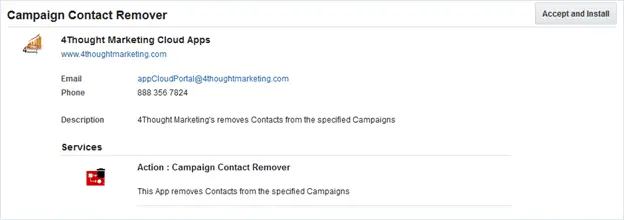
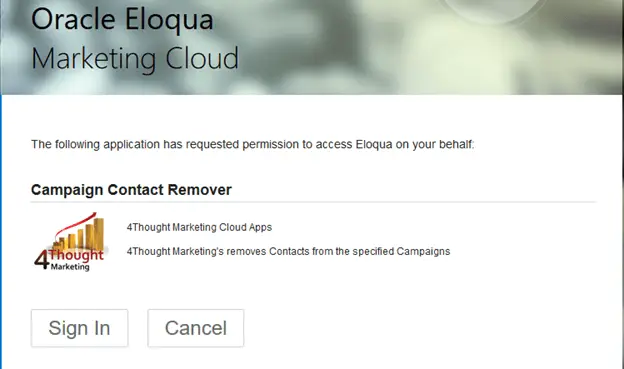
- In the next screen, click “Sign In” and then “Accept”
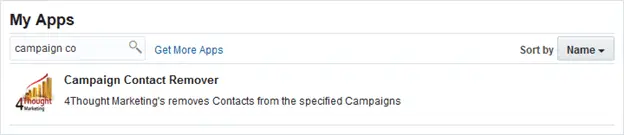
- You’re all set. The cloud action is ready to be used.
How to use
The following instructions show a basic/simple usage. You can incorporate this Cloud Action to any existing campaign.
- Create/Open a campaign
- Click on “Actions” on the top left side then “Show All Steps” and then locate the “Campaign Contact Remover” Cloud Action under the Actions options (colored in purple).
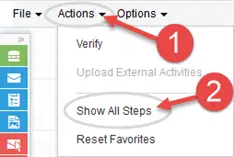
- Drag and drop the cloud action to the canvas area. Connect the corresponding elements to the dropped cloud action
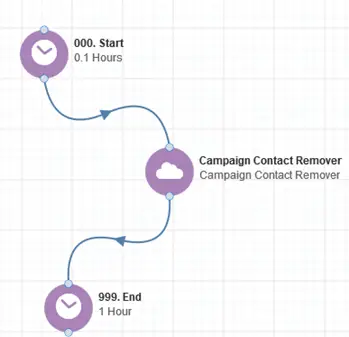
- Double click the Campaign Contact Remover step, you will see some options for this element.
- Rename the step if needed
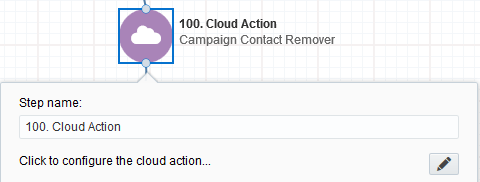
- Click the pencil icon to open the settings for this step.
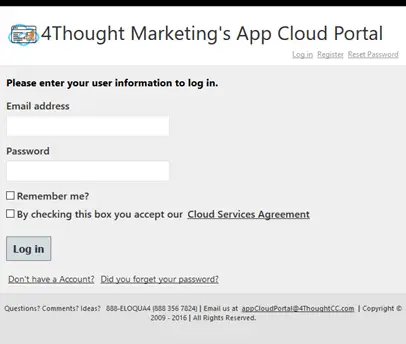
You will need a user to log in and configure this Cloud Action. If you don’t have one, you can create one. If you do, use your user to Log In in the page shown in the following screenshot:
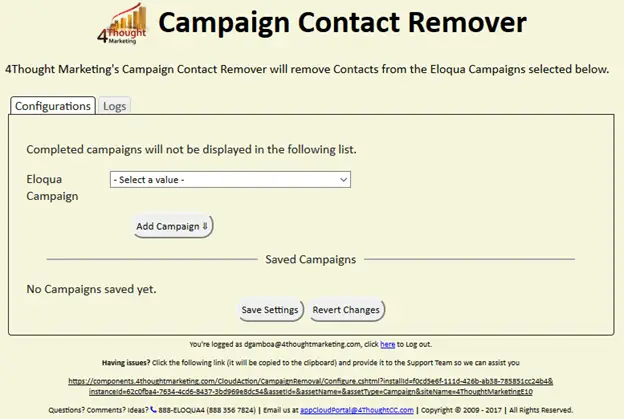
- For this cloud action, you just need to indicate which Oracle Eloqua Campaigns you want to remove Contacts from. Oracle Eloqua Campaigns that are “Completed” will not be listed on the corresponding dropdown.
To indicate the Campaign(s), select one from the dropdown and click “Add Mapping”. - Repeat these steps to add all the campaigns you need.
- When you’re done adding campaigns, click “Save Settings”.
- If you have done changes and you want to have the initial values, use the “Revert Changes” button
- Use the trash button to remove a specific Campaign from the selected mapping area.
- Recommended: Create an element in the campaign in case an error happens, in this example it’s a Wait Step. Check the box to “Automatically route contacts with errors from cloud app”, select the step where you want the contacts to be routed.
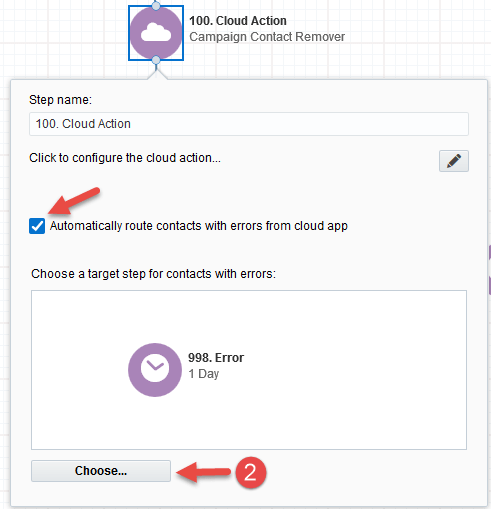
- That’s all. Activate the campaign, put some contacts in it and see the Campaign Contact Remover in Action!
License Information
You need a license to configure and execute this Cloud App. If you don’t have a license, an error message will appear on the configuration page.
If you don’t see CO Records being processed by the app, it may be because your license is missing or expired. To obtain a license, contact your account manager or contact us.
- Each Eloqua instance requires a separate cloud app license.
- Each cloud app license includes a reasonable usage limitation of 250k records processed daily and up to 5 app instantiations per Eloqua instance. Higher usage tiers are available at extra cost.
- For additional license details, please review the Cloud Services User License Agreement.
Contact Us
If you have any questions or comments, feel free to reach us! Here are some ways:
Phone | 888-ELOQUA4 (888-356-7824) | |
Support@4thoughtmarketing.com | ||
Sales | sales@4ThoughtMarketing.com | |
Website | https://4thoughtmarketing.com |