AI Didn’t Break Marketing Data Governance. It Ran Out the Clock on Ignoring It.
AI didn't break marketing data governance; it exposed the debt. Here is how to build an AI data governance framework with real owners, entry-point controls,...

Software for maximizing your marketing while ensuring privacy compliance
Innovative solutions to do more with Marketing Automation platforms
Centralize Preference Management Across Your Organization
Visual Segmentation for Marketers
Integration solutions for Eloqua, Marketo, CRM, and other systems
Update a contact record from a custom object on the campaign or program canvas.
Align corporate and marketing goals
Data capture strategy
Lead scoring, nurturing, segmentation strategy, and funnel framework
Measure results and plan improvements
Ensure compliance with privacy laws
Email, form, and landing page execution. Deliverability and reporting
Eloqua and Marketo specialists
Improve skills and increase productivity with custom online training and videos
Uncover opportunities to improve performance and outcomes
Enhance email impact through expert analysis
Platform installation, change management, and success planning
Data management and stewardship
System integration options using connectors and custom APIs
Custom cloud apps, HTML templates,
JavaScript, and responsive email
AI didn't break marketing data governance; it exposed the debt. Here is how to build an AI data governance framework with real owners, entry-point controls,...
Building an AI-ready MOPs instance takes more than a new tool. It takes clean data, defined governance, and a retrained team before any agent gets...
Bot form submissions are quietly inflating MQL counts and lead scoring accuracy. Here's how to detect them and fix your scoring model.
Content affinity scoring tracks which topics a lead actually cares about, not just how often they engage, so nurture paths can be built around real...
Scoring model drift erodes lead score accuracy quietly, with no built-in alarm. Here's why catching it takes a recurring human audit, not an AI feature,...
AI lead scoring and grading only works when it re-weights data marketing ops already trusts. Here is how to separate the two, keep the model...
Software for maximizing your marketing while ensuring privacy compliance
Innovative solutions to do more with Marketing Automation platforms
Centralize Preference Management Across Your Organization
Visual Segmentation for Marketers
Integration solutions for Eloqua, Marketo, CRM, and other systems
Align corporate and marketing goals
Data capture strategy
Lead scoring, nurturing, segmentation strategy, and funnel framework
Measure results and plan improvements
Ensure compliance with privacy laws
Email, form, and landing page execution. Deliverability and reporting
Eloqua and Marketo specialists
Improve skills and increase productivity with custom online training and videos
Uncover opportunities to improve performance and outcomes
Enhance email impact through expert analysis
Platform installation, change management, and success planning
Data management and stewardship
System integration options using connectors and custom APIs
Custom cloud apps, HTML templates,
JavaScript, and responsive email
AI didn't break marketing data governance; it exposed the debt. Here is how to build an AI data governance framework with real owners, entry-point controls,...

Building an AI-ready MOPs instance takes more than a new tool. It takes clean data, defined governance, and a retrained team before any agent gets...

Bot form submissions are quietly inflating MQL counts and lead scoring accuracy. Here's how to detect them and fix your scoring model.
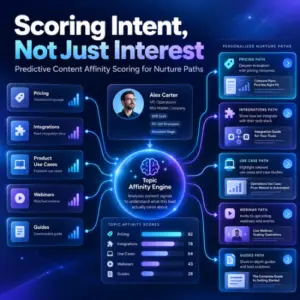
Content affinity scoring tracks which topics a lead actually cares about, not just how often they engage, so nurture paths can be built around real...

Scoring model drift erodes lead score accuracy quietly, with no built-in alarm. Here's why catching it takes a recurring human audit, not an AI feature,...

AI lead scoring and grading only works when it re-weights data marketing ops already trusts. Here is how to separate the two, keep the model...
There are situations where you need to update or create Custom Object (CO) Records with the information of another CO Set, specifically a CO set with Account Information. This step is not possible to do using Oracle Eloqua’s out-of-the-box features. This is where this cloud action comes into play. With Account to Contact CO Updater, you can create or update CO Records using another CO’s data and static values.
This document will show how this Cloud Action can be used inside Program Canvas for Custom Objects.
Please follow these instructions to set-up this cloud app in your Oracle Eloqua instance.
NOTE: If prompted to log again, please do so.
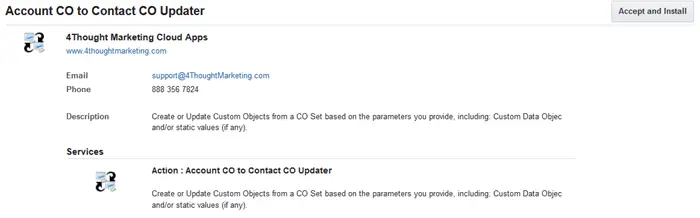
1.3. In the following screen, click “Accept and Install” on the top-right section
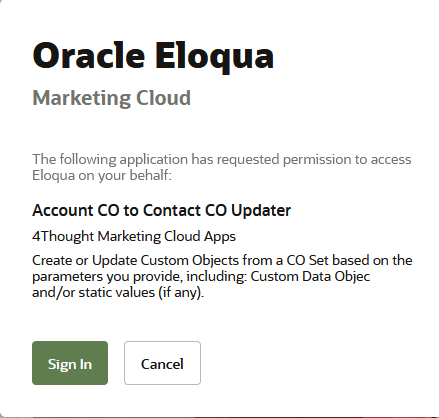
1.4. In the next screen, click “Sign In” and then “Accept”
1.5. You’re all set. The cloud action is ready to be used.
The following instructions show a basic/simple usage. You can incorporate this Cloud Action to any existing Program Canvas for Custom Objects.
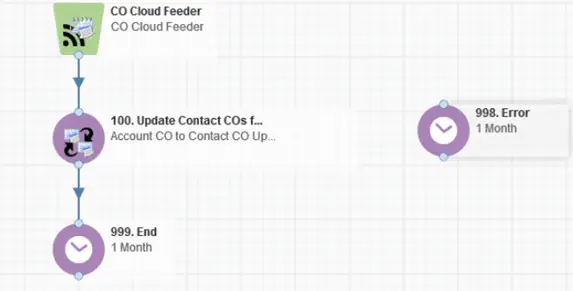
2.1 Create/Open a program. Make sure the Program is of the type for Custom Objects.
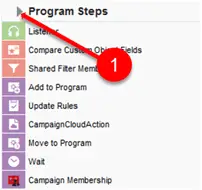
2.2 Click on the arrow at the left side menu to show all the apps available to use
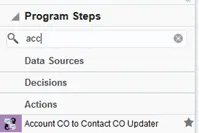
2.3 Under “Actions” locate the Account to Contact CO Updater App (Colored in purple).
2.4 Drag and drop the cloud action to the canvas area. Connect the corresponding elements to the dropped cloud action
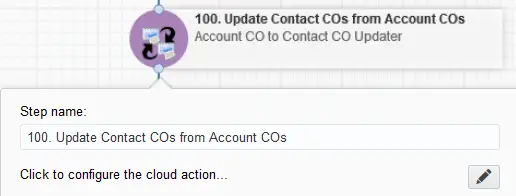
2.5 Double click the Account to Contact CO Updater step, you will see some options for this element.
a. Rename the step if needed
b. Click the pencil icon to open the settings for this step.
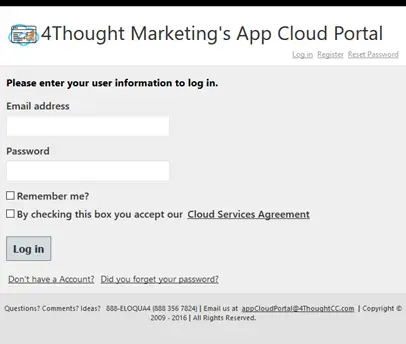
You will need a user to log in and configure this Cloud Action. If you don’t have one, you can create one. If you do, use your user to Log In in the page shown in the following screenshot:
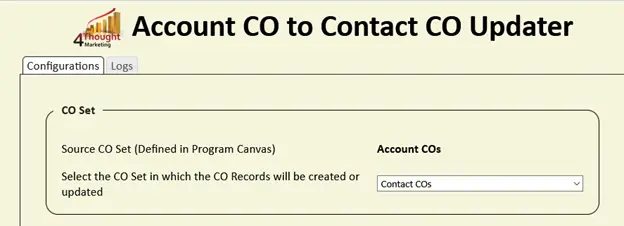
2.6 The first step in the configuration of this App requires you to choose the CO Set, from the list of COs available on your Eloqua instance, to serve as a destination of the new CO. Depending on the CO you choose, the fields available for the mapping (next step) will change.
2.7 You then need to identify the field in the Source CO that will be used to match to COs in the target CO Set.
NOTE: if there are no matching records in the target CO set, a new record will be created
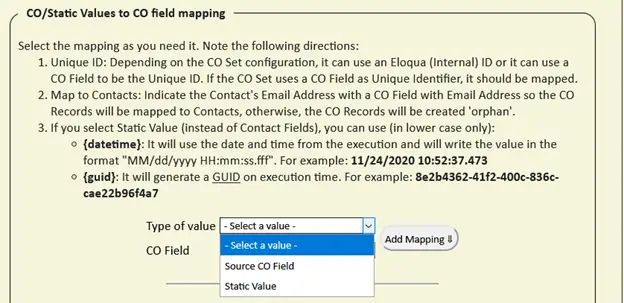
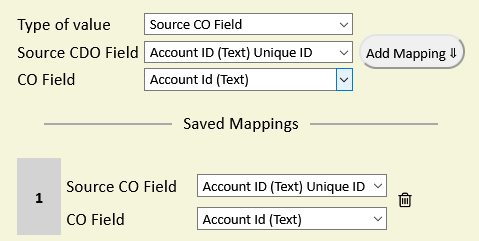
2.8 For the mapping, you need to select first the type of value that will go into the CO field and second the CO field that will save that value. If you choose Source CO field then a new dropdown list will become available with the corresponding list of fields. On the other hand, if you choose Static Value an empty field will become available where you can set the value of your preference.
A required field mapping is the field that will be matched from the Account CO to the Contact CO. Normally this will be the Account ID, but you can choose whichever field is appropriate.
You can add as many mappings as CO fields available on the destination CO. If you want to delete a mapping, you can click on the trash bin icon on the right.
2.9 Make sure you click on ‘Save’ to save your configuration. If you make any undesired changes after you can click on ‘Revert Changes’ to go back to the last saved configuration.
2.10 Recommended: Create an element in the campaign in case an error happens, in this example it’s a Wait Step. Check the box to “Automatically route contacts with errors from cloud app”, select the step where you want the contacts to be routed.
That’s all. Activate the campaign, put some CO Records in it and see the Account to Contact CO Updater in action!
You need a license to configure and execute this Cloud App. If you don’t have a license, an error message will appear on the configuration page.
If you don’t see CO Records being processed by the app, it may be because your license is missing or expired. To obtain a license, contact your account manager or contact us.