AI as the New Marketing Operations Analyst: Automating the Work Analysts Used to Do by Hand
An AI marketing operations analyst is already automating the manual reporting, monitoring, and root-cause work analysts used to handle by hand.

Software for maximizing your marketing while ensuring privacy compliance
Innovative solutions to do more with Marketing Automation platforms
Centralize Preference Management Across Your Organization
Visual Segmentation for Marketers
Integration solutions for Eloqua, Marketo, CRM, and other systems
Align corporate and marketing goals
Data capture strategy
Lead scoring, nurturing, segmentation strategy, and funnel framework
Measure results and plan improvements
Ensure compliance with privacy laws
Email, form, and landing page execution. Deliverability and reporting
Eloqua and Marketo specialists
Improve skills and increase productivity with custom online training and videos
Uncover opportunities to improve performance and outcomes
Enhance email impact through expert analysis
Platform installation, change management, and success planning
Data management and stewardship
System integration options using connectors and custom APIs
Custom cloud apps, HTML templates,
JavaScript, and responsive email
An AI marketing operations analyst is already automating the manual reporting, monitoring, and root-cause work analysts used to handle by hand.

Natural language segmentation lets marketing ops teams describe an audience in plain English and let AI build the filter logic, replacing manual work with a...
AI attribution modeling doesn't make attribution smarter, it makes it honest, reconstructing the real customer journey instead of a simplified, analyst-approximated version of it.
AI executive reporting can replace the same five recycled bullets with real anomalies, but someone still has to decide how to frame what it finds...
A practical guide to marketo tokens: field merges, My Tokens, Program Member Custom Field tokens, and the inheritance rules and default values that keep personalization...
Eloqua AI vs Marketo AI: Eloqua ships assistant-level content tools while Marketo builds agentic AI natively, with parts still in beta.
Software for maximizing your marketing while ensuring privacy compliance
Innovative solutions to do more with Marketing Automation platforms
Centralize Preference Management Across Your Organization
Visual Segmentation for Marketers
Integration solutions for Eloqua, Marketo, CRM, and other systems
Align corporate and marketing goals
Data capture strategy
Lead scoring, nurturing, segmentation strategy, and funnel framework
Measure results and plan improvements
Ensure compliance with privacy laws
Email, form, and landing page execution. Deliverability and reporting
Eloqua and Marketo specialists
Improve skills and increase productivity with custom online training and videos
Uncover opportunities to improve performance and outcomes
Enhance email impact through expert analysis
Platform installation, change management, and success planning
Data management and stewardship
System integration options using connectors and custom APIs
Custom cloud apps, HTML templates,
JavaScript, and responsive email
An AI marketing operations analyst is already automating the manual reporting, monitoring, and root-cause work analysts used to handle by hand.

Natural language segmentation lets marketing ops teams describe an audience in plain English and let AI build the filter logic, replacing manual work with a...

AI attribution modeling doesn't make attribution smarter, it makes it honest, reconstructing the real customer journey instead of a simplified, analyst-approximated version of it.

AI executive reporting can replace the same five recycled bullets with real anomalies, but someone still has to decide how to frame what it finds...
A practical guide to marketo tokens: field merges, My Tokens, Program Member Custom Field tokens, and the inheritance rules and default values that keep personalization...

Eloqua AI vs Marketo AI: Eloqua ships assistant-level content tools while Marketo builds agentic AI natively, with parts still in beta.
There are situations where you need to update all records in a Custom Object (CO) Set mapped to an individual contact. This seemingly simple step is not possible to do using Oracle Eloqua’s out of the box features. This is where this cloud action comes into play. With Update All Contact COs you can update all of the mapped CO Records (in a single CO Set) using contact data and static values.
CO Records are very useful for tracking purposes or many other processes; with Contact to CO Updater you can automate your programs and stay on top of your Contacts’ data by globally updating CO records.
This document will show how this Cloud Action can be used inside a Program Canvas (Note: it can also be used in a Campaign Canvas).
Please follow these instructions to set up this cloud app in your Oracle Eloqua instance.
NOTE: If prompted to log again, please do so.
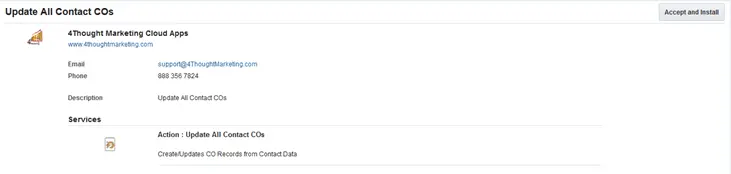
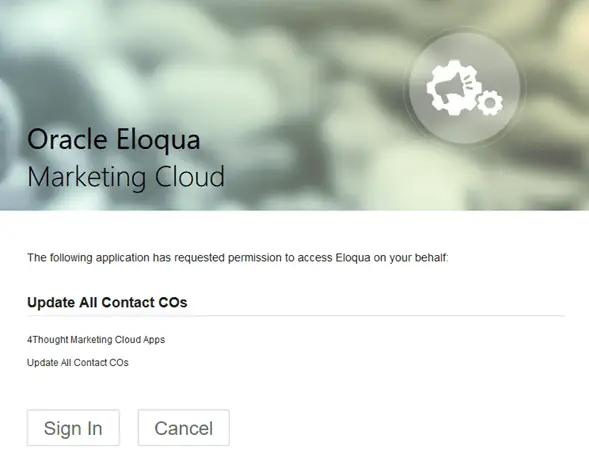
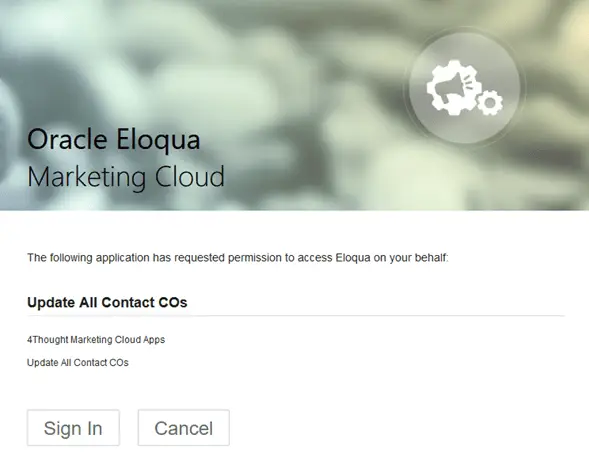
1.4. In the next screen, click “Sign In” and then “Accept”
1.5. You’re all set. The cloud action is ready to be used.
The following instructions show a basic/simple usage. You can incorporate this Cloud Action to any existing program. You can do the same steps in a Campaign.
2.1 Create/Open a program
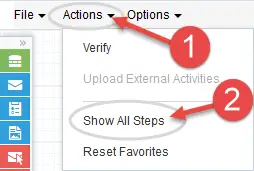
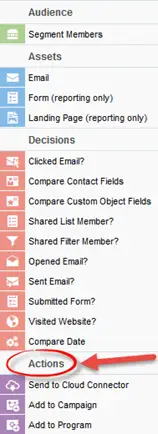
2.2 Click on “Actions” on the top left side then “Show All Steps” and then locate the “Update All Contact COs” Cloud Action under the Actions options (colored in purple).
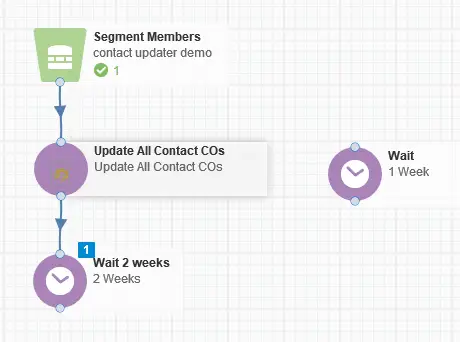
2.3 Drag and drop the cloud action to the canvas area. Connect the corresponding elements to the dropped cloud action
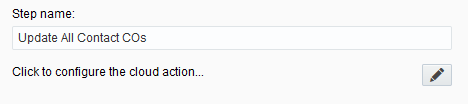
2.4 Double click the Update All Contact COs step, you will see some options for this element.
a. Rename the step if needed
b. Click the pencil icon to open the settings for this step.
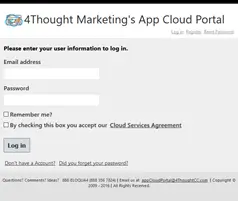
You will need a user to log in and configure this Cloud Action. If you don’t have one, you can create one. If you do, use your user to Log In in the page shown in the following screenshot:
2.5 To configure this app, follow the steps below:
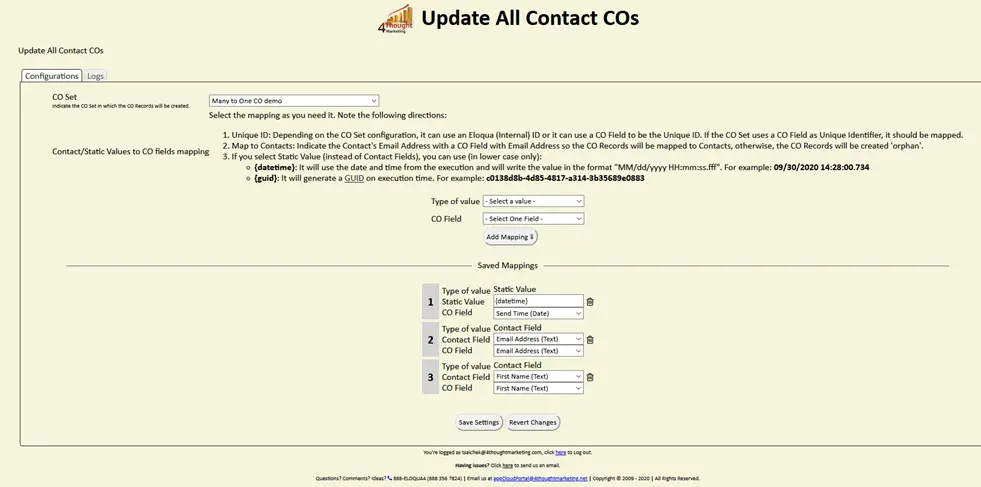
a. For this cloud action, you need to first specify the CO Set where the CO Records will be updated.
b. Then you need to specify the mapping from Contact fields to the CO Fields.
c. Make sure you map the field linking the CO records to the Contact record – usually this is the email address
d. For static values, simply enter the Value you want to be added to all CO records, and choose the field in which it should be populated
i. For date fields, you can use {datetime} to add a date/timestamp to a date field
e. After you’ve mapped the field to use, click “Add”.
f. Repeat these steps to add all the fields you need.
g. When you’re done adding fields to the mapping area, click “Save”.
h. Use the “Delete” button to remove a specific field from the mapping area.
i. Recommended: Create a step on the canvas in case an error happens, in this example, it’s a Wait Step. Check the box to “Automatically route contacts with errors from cloud app”, select the step where you want the contacts to be routed.
2.6 That’s all. Save and activate the program, put some contacts in it and see the Update All Contact COs in Action!
You need a license to configure and execute this Cloud App. If you don’t have a license, an error message will appear on the configuration page.
If you don’t see CO Records being processed by the app, it may be because your license is missing or expired. To obtain a license, contact your account manager or contact us.