AI Didn’t Break Marketing Data Governance. It Ran Out the Clock on Ignoring It.
AI didn't break marketing data governance; it exposed the debt. Here is how to build an AI data governance framework with real owners, entry-point controls,...


AI didn't break marketing data governance; it exposed the debt. Here is how to build an AI data governance framework with real owners, entry-point controls,...

Building an AI-ready MOPs instance takes more than a new tool. It takes clean data, defined governance, and a retrained team before any agent gets...

Bot form submissions are quietly inflating MQL counts and lead scoring accuracy. Here's how to detect them and fix your scoring model.
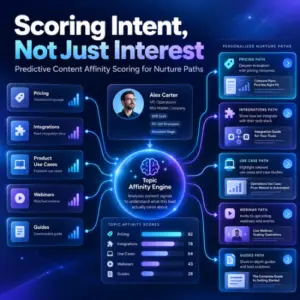
Content affinity scoring tracks which topics a lead actually cares about, not just how often they engage, so nurture paths can be built around real...

Scoring model drift erodes lead score accuracy quietly, with no built-in alarm. Here's why catching it takes a recurring human audit, not an AI feature,...

AI lead scoring and grading only works when it re-weights data marketing ops already trusts. Here is how to separate the two, keep the model...
AI didn't break marketing data governance; it exposed the debt. Here is how to build an AI data governance framework with real owners, entry-point controls,...
Building an AI-ready MOPs instance takes more than a new tool. It takes clean data, defined governance, and a retrained team before any agent gets...
Bot form submissions are quietly inflating MQL counts and lead scoring accuracy. Here's how to detect them and fix your scoring model.
Content affinity scoring tracks which topics a lead actually cares about, not just how often they engage, so nurture paths can be built around real...
Scoring model drift erodes lead score accuracy quietly, with no built-in alarm. Here's why catching it takes a recurring human audit, not an AI feature,...
AI lead scoring and grading only works when it re-weights data marketing ops already trusts. Here is how to separate the two, keep the model...