Visual Segmentation, Live on Your Snowflake Data |Eloqua Office Hours Aug 2026
A recap of Eloqua Office Hours Aug 2026: building Eloqua segments as live pictures on your own data warehouse, then pushing the finished segment into...

Software for maximizing your marketing while ensuring privacy compliance
Innovative solutions to do more with Marketing Automation platforms
Centralize Preference Management Across Your Organization
Visual Segmentation for Marketers
Integration solutions for Eloqua, Marketo, CRM, and other systems
Align corporate and marketing goals
Data capture strategy
Lead scoring, nurturing, segmentation strategy, and funnel framework
Measure results and plan improvements
Ensure compliance with privacy laws
Email, form, and landing page execution. Deliverability and reporting
Eloqua and Marketo specialists
Improve skills and increase productivity with custom online training and videos
Uncover opportunities to improve performance and outcomes
Enhance email impact through expert analysis
Platform installation, change management, and success planning
Data management and stewardship
System integration options using connectors and custom APIs
Custom cloud apps, HTML templates,
JavaScript, and responsive email
A recap of Eloqua Office Hours Aug 2026: building Eloqua segments as live pictures on your own data warehouse, then pushing the finished segment into...
Account-based marketing (also called ABM) and lead-based marketing are two popular strategies for businesses. Let’s take a look at the two methods and which one is...
Learn what Marketo velocity scripts are, when to use them for advanced email personalization, and how velocity template language extends capabilities beyond standard tokens.
Simply put, lead scoring is a method of assigning numerical values to leads primarily based on their characteristics and actions. The higher the rating, the...
The New Adobe Marketo Engage Email Editor streamlines production with drag and drop modules, admin controls, and built in QA—our guide covers features, rollout, governance,...
A global email campaign is really a matrix of language, regional, and legal variants. Here is how to structure yours so localization scales cleanly instead...
Software for maximizing your marketing while ensuring privacy compliance
Innovative solutions to do more with Marketing Automation platforms
Centralize Preference Management Across Your Organization
Visual Segmentation for Marketers
Integration solutions for Eloqua, Marketo, CRM, and other systems
Add or subtract days to a date field and store the results in a contact field.
Align corporate and marketing goals
Data capture strategy
Lead scoring, nurturing, segmentation strategy, and funnel framework
Measure results and plan improvements
Ensure compliance with privacy laws
Email, form, and landing page execution. Deliverability and reporting
Eloqua and Marketo specialists
Improve skills and increase productivity with custom online training and videos
Uncover opportunities to improve performance and outcomes
Enhance email impact through expert analysis
Platform installation, change management, and success planning
Data management and stewardship
System integration options using connectors and custom APIs
Custom cloud apps, HTML templates,
JavaScript, and responsive email
A recap of Eloqua Office Hours Aug 2026: building Eloqua segments as live pictures on your own data warehouse, then pushing the finished segment into...

Account-based marketing (also called ABM) and lead-based marketing are two popular strategies for businesses. Let’s take a look at the two methods and which one is...

Learn what Marketo velocity scripts are, when to use them for advanced email personalization, and how velocity template language extends capabilities beyond standard tokens.

Simply put, lead scoring is a method of assigning numerical values to leads primarily based on their characteristics and actions. The higher the rating, the...
The New Adobe Marketo Engage Email Editor streamlines production with drag and drop modules, admin controls, and built in QA—our guide covers features, rollout, governance,...
A global email campaign is really a matrix of language, regional, and legal variants. Here is how to structure yours so localization scales cleanly instead...
NOTE: If prompted to log again, please do so.
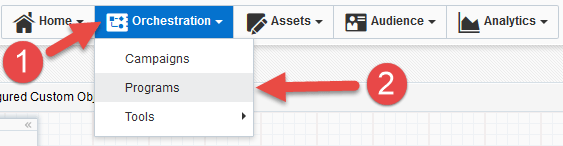
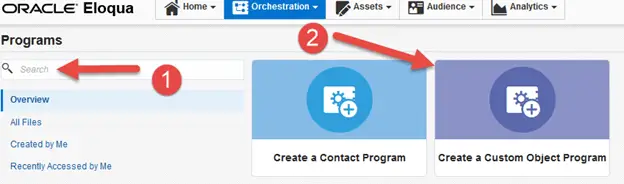
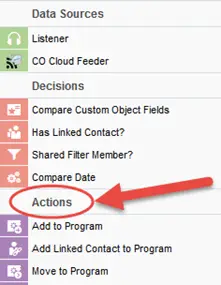
The following instructions show a basic/simple usage. You can incorporate this Cloud Action into any New/Existing program canvas.
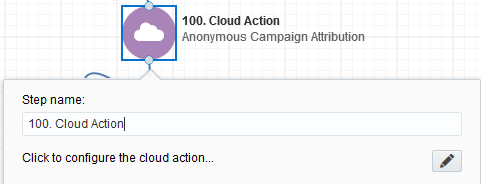
b. Click the pencil icon to open the settings for this step.
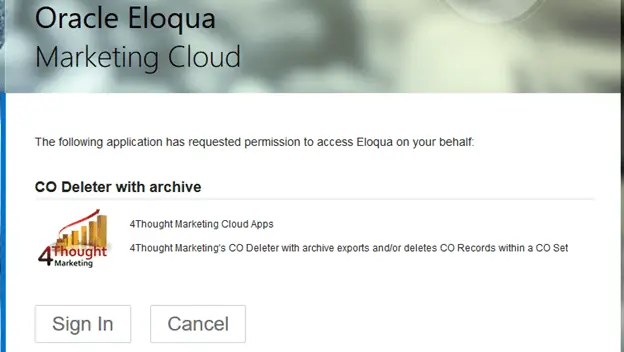
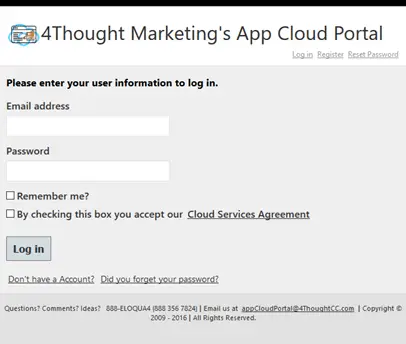
You will need a user to log in and configure this Cloud Action. If you don’t have one, you can create one. If you do, use your user to Log In in the page shown in the following screenshot:
b. Click the pencil icon to open the settings for this step.
You will need a user to log in and configure this Cloud Action. If you don’t have one, you can create one. If you do, use your user to Log In in the page shown in the following screenshot:
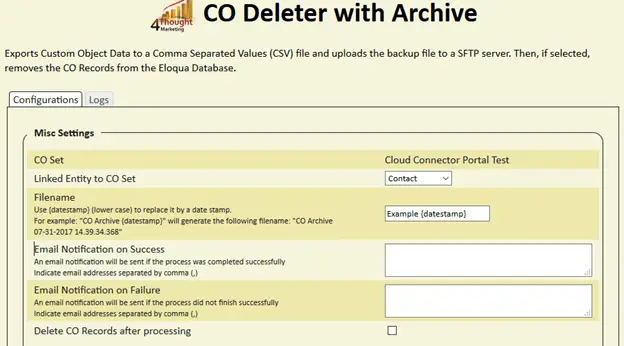
Note: if you use the {datestamp} (all in lower case) Wildcard the App will create a .csv file with this name and a datestamp Appended at the end of the name.
For example: “CDO Archive {datestamp}” will generate the following filename: “CDO Archive 08-03-2017”
3. You can choose to receive notifications on success and/or failure to the email address(es) added for notifications, multiple emails can be separated by comma (,)
4. If you want to Delete the CO records after they are processed by the app check the box as shown in the snapshot below.
NOTE: When selecting the ‘Delete’ option, the filtered CO records will be removed from the Oracle Eloqua Database and cannot be recovered
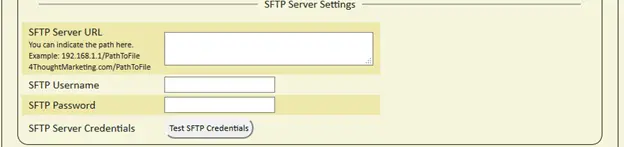
a. Type in the Server URL, username, and password
Note: The Server URL can be entered as the “IP or Domain/PathToFile”
Example: 192.168.1.1/PathToFile
4ThoughtMarketing.com/PathToFile
b. Click on the “Test SFTP Credentials” button to ensure a connection can be made to the server
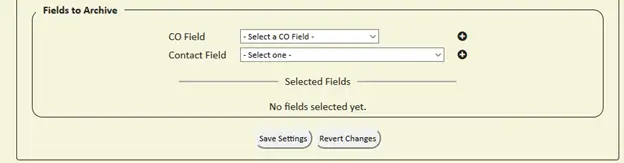
a. Choose the CO / Contact field(s)
b. Click on the plus symbol to Add the field(s)
Note: You can select up to 250 fields
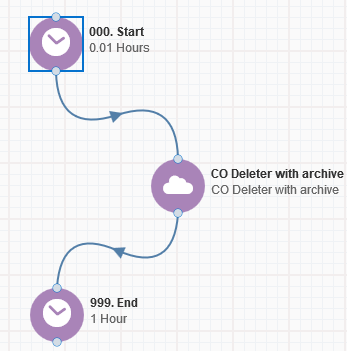
That’s all, Save the Program put some COs using a Listener or CO Cloud Feeder in it and see the CO Deleter with Archive in Action!
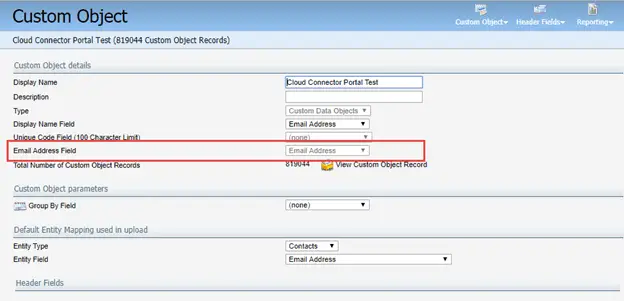
Note: Please make sure you must indicate the ‘email address’ field in each CO Set so that the app finds the records to be deleted
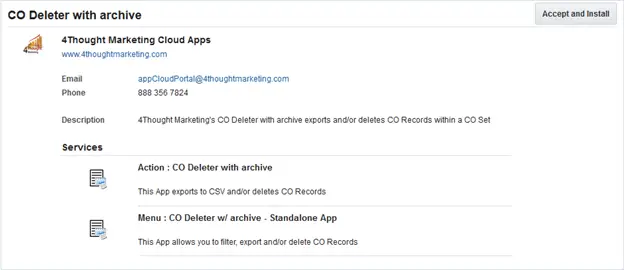
You need a license to configure and execute this Cloud App. If you don’t have a license, an error message will appear on the configuration page.
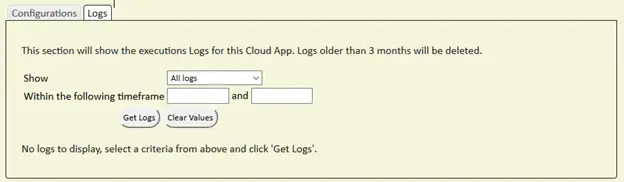
If you don’t see CO Records being processed by the app, it may be because your license is missing or expired. To obtain a license, contact your account manager or contact us.