AI Use Policy for Marketing Teams: What to Put in Writing (With a Template)
An AI use policy for marketing turns vague company rules into clear steps for tools, human review, disclosure and records. Here is what to include,...

Software for maximizing your marketing while ensuring privacy compliance
Innovative solutions to do more with Marketing Automation platforms
Centralize Preference Management Across Your Organization
Visual Segmentation for Marketers
Integration solutions for Eloqua, Marketo, CRM, and other systems
Align corporate and marketing goals
Data capture strategy
Lead scoring, nurturing, segmentation strategy, and funnel framework
Measure results and plan improvements
Ensure compliance with privacy laws
Email, form, and landing page execution. Deliverability and reporting
Eloqua and Marketo specialists
Improve skills and increase productivity with custom online training and videos
Uncover opportunities to improve performance and outcomes
Enhance email impact through expert analysis
Platform installation, change management, and success planning
Data management and stewardship
System integration options using connectors and custom APIs
Custom cloud apps, HTML templates,
JavaScript, and responsive email
An AI use policy for marketing turns vague company rules into clear steps for tools, human review, disclosure and records. Here is what to include,...

Is your AI privacy safe? Learn what customer data to keep out of AI tools, how to keep AI use inside consent, and how data...
An Eloqua AI asset cleanup lets AI sort your inventory and flag unused emails, landing pages, and forms, while a person checks dependencies and approves...
AI campaign analysis helps you find out why an Eloqua campaign underperformed: set a baseline, export the right reports, check five failure points, and verify...
AI campaign QA gives your Eloqua campaigns a second reviewer before you click Activate: what to give the AI, five checks it handles well, and...
AI campaign production works best when AI drafts, checks, and flags at every stage of your Eloqua or Marketo build, while people keep the audience...
Software for maximizing your marketing while ensuring privacy compliance
Innovative solutions to do more with Marketing Automation platforms
Centralize Preference Management Across Your Organization
Visual Segmentation for Marketers
Integration solutions for Eloqua, Marketo, CRM, and other systems
Align corporate and marketing goals
Data capture strategy
Lead scoring, nurturing, segmentation strategy, and funnel framework
Measure results and plan improvements
Ensure compliance with privacy laws
Email, form, and landing page execution. Deliverability and reporting
Eloqua and Marketo specialists
Improve skills and increase productivity with custom online training and videos
Uncover opportunities to improve performance and outcomes
Enhance email impact through expert analysis
Platform installation, change management, and success planning
Data management and stewardship
System integration options using connectors and custom APIs
Custom cloud apps, HTML templates,
JavaScript, and responsive email
An AI use policy for marketing turns vague company rules into clear steps for tools, human review, disclosure and records. Here is what to include,...

Is your AI privacy safe? Learn what customer data to keep out of AI tools, how to keep AI use inside consent, and how data...
An Eloqua AI asset cleanup lets AI sort your inventory and flag unused emails, landing pages, and forms, while a person checks dependencies and approves...
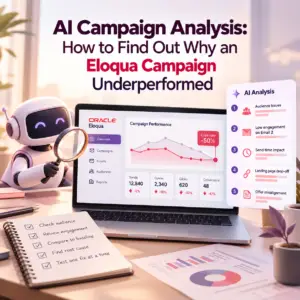
AI campaign analysis helps you find out why an Eloqua campaign underperformed: set a baseline, export the right reports, check five failure points, and verify...
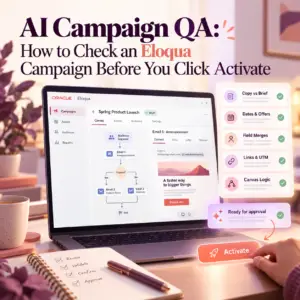
AI campaign QA gives your Eloqua campaigns a second reviewer before you click Activate: what to give the AI, five checks it handles well, and...

AI campaign production works best when AI drafts, checks, and flags at every stage of your Eloqua or Marketo build, while people keep the audience...
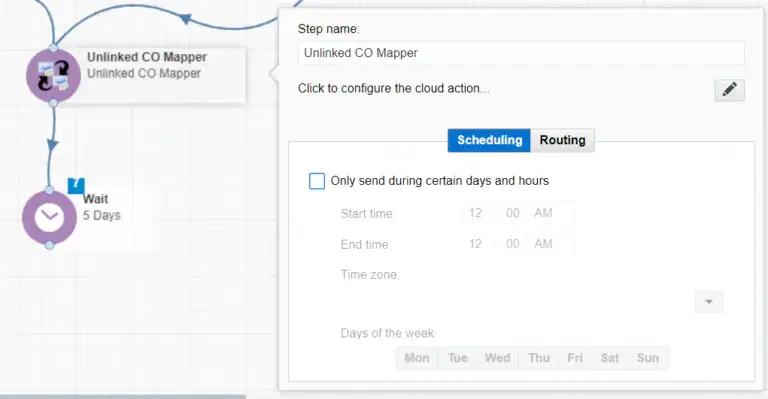
The Unlinked CO Mapper cloud app locates orphaned custom object records, searches for matching contact records using the email address field, and then maps the CO to the contact record. Below are instructions for using the Cloud Action inside either the Campaign or Program Canvas.
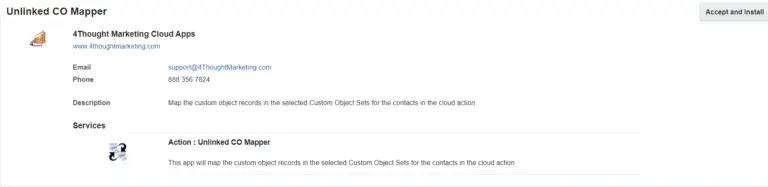
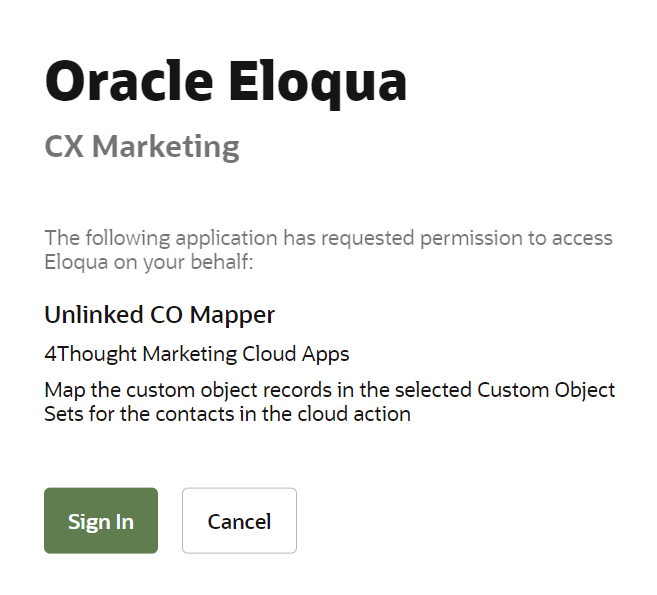
Please follow these instructions to set up this cloud app in your Oracle Eloqua instance.
NOTE: If prompted to log again, please do so.
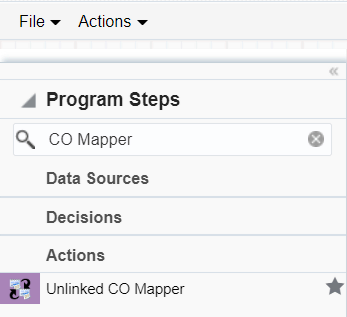
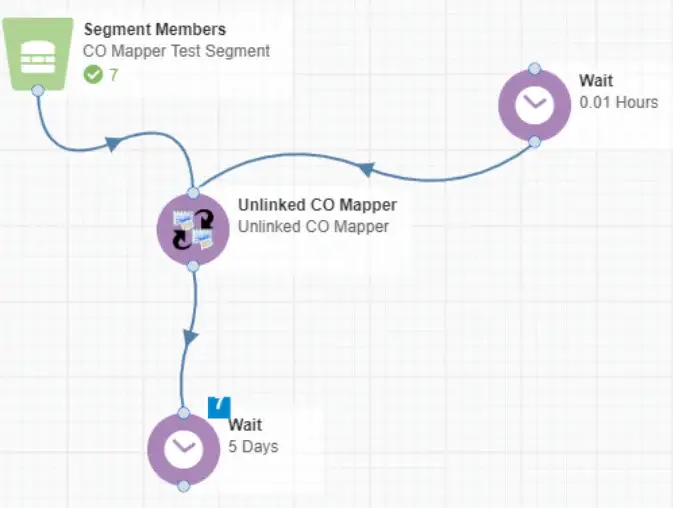
The following instructions show a basic/simple usage. You can incorporate this Cloud Action into any existing program or campaign.
Click the pencil icon to open the settings for this step.
You will need a user ID to log in and configure this Cloud Action. If you don’t have one, you can create one.
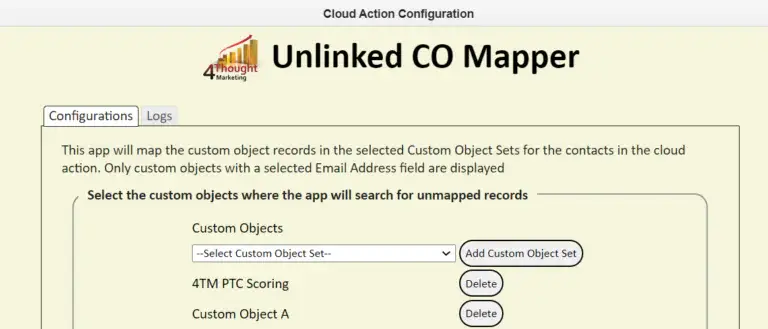
Under the configuration tab users can select the Custom Object sets where the app will search for custom object records mapped to the contacts in the step. The App will show all Custom Objects with a field for ‘Email Address’. This will be used to do the mapping to contacts in the program.
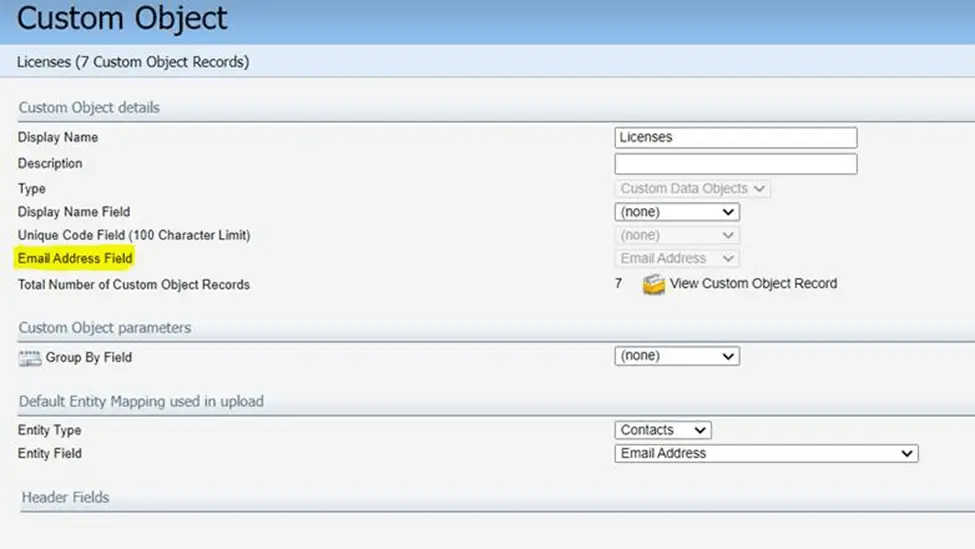
The app will only display custom objects sets where the Email address field is configured as shown below. It then uses the Eloqua REST API to search for unmapped contacts.
You need a license to configure and execute this Cloud App. If you don’t have a license, an error message will appear on the configuration page.
If you don’t see CO Records being processed by the app, it may be because your license is missing or expired. To obtain a license, contact your account manager or contact us.