Quick Takeaways
- AI campaign analysis explains why results missed, not just what.
- Set a baseline first, or AI returns generic advice.
- Campaign totals hide the one email that lost clicks.
- Check audience, delivery, opens, clicks, then conversion, in order.
- Ask AI for ranked hypotheses with evidence, never one answer.
- Verify in Eloqua, then test one fix at a time.
Table of Contents
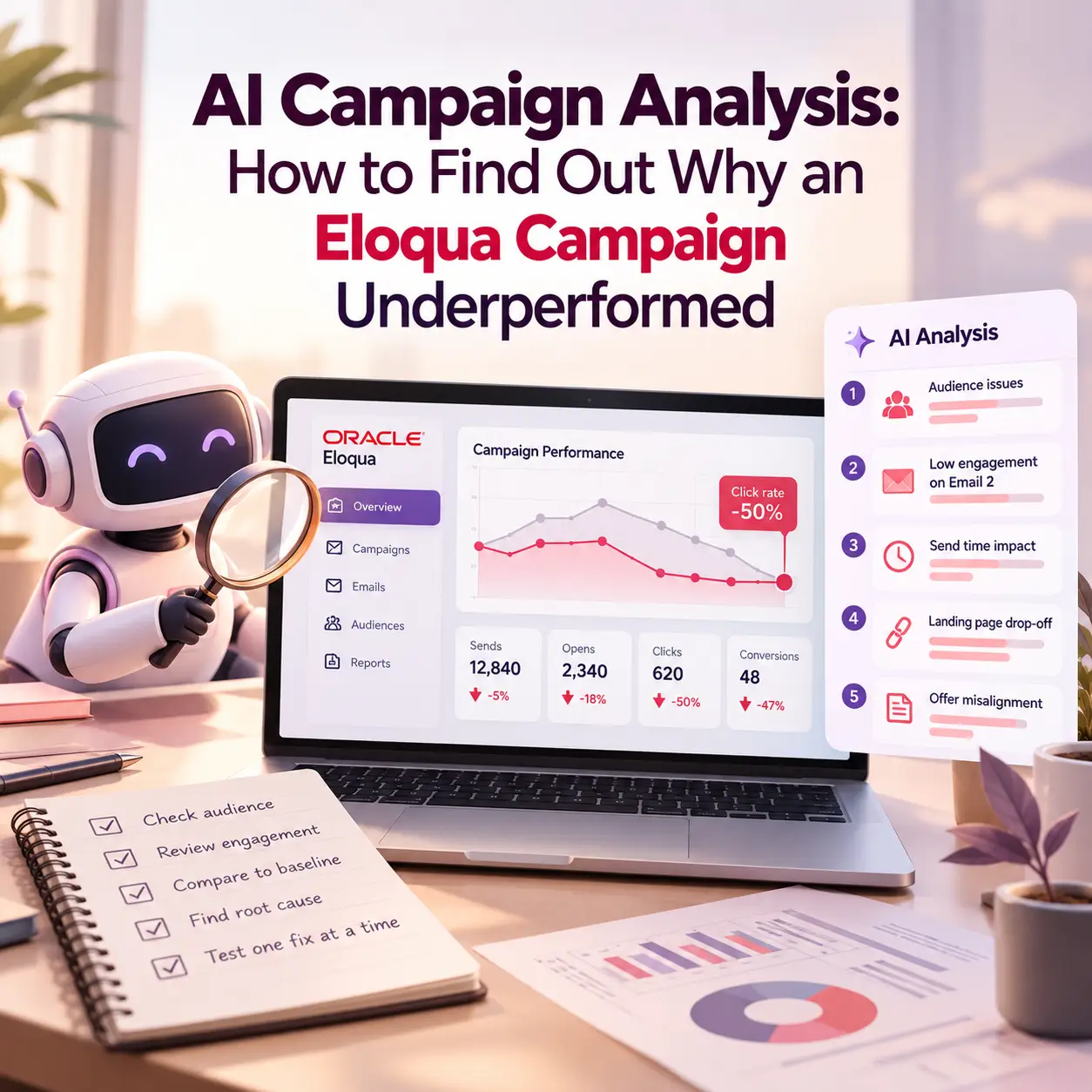
Your Eloqua campaign closed last Friday with half the click rate of last quarter, and by Monday someone will ask you why. AI campaign analysis can turn that question into a short, ranked list of likely causes in an afternoon, instead of a week of pulling reports.
Your reports already show the drop in sharp detail. They do not explain it. Was it the segment, the send time, one weak email, or a landing page that stopped converting? Hand an AI assistant an incomplete export and it will give you a confident answer that happens to be wrong.
This guide covers the post-mortem, not live monitoring: what to export from Eloqua once the results are in, where campaigns usually break, how to ask AI for explanations you can test, and how to check them before you change anything.
What AI Campaign Analysis Is (and What It Is Not)
AI campaign analysis is the use of an AI assistant to compare a campaign’s results against a baseline, propose likely reasons for the gap, and rank them by evidence, while a person confirms the cause before anything changes. It answers why. Reporting answers what, and monitoring answers whether something is off right now.
A report is a symptom log, not a diagnosis. Your Eloqua dashboards can show that clickthroughs fell on day three; they cannot tell you that a shared filter dropped your most engaged contacts the night before.
Reporting: What happened, by metric and by date.
Monitoring: Whether something is off while the campaign is still running. Spotting that early is the job of anomaly detection, explained in why your dashboard is the last to know something broke.
Diagnosis: Why the result missed, once the numbers are in. That is the subject of this guide.
This is the deeper version of the after-launch step in the overview of where AI belongs in your campaign workflow.
Underperformed Compared to What? Set Your Baseline First
Asking why a campaign underperformed only works once you know what it underperformed against. Without a baseline, any AI campaign analysis drifts into a list of generic best practices.
Pick one baseline and write it down:
A comparable campaign: Same audience type, same offer type, similar send volume, and recent enough that your database has not changed much.
The target in the brief: The click rate, registrations, or form submissions you expected before launch. Teams that predict campaign ROI before a single asset gets built already have this number on file.
Your running average: Typical Eloqua campaign performance for this campaign type over the last few quarters.
Then name the stage where the gap first appears. “Registrations were 40% below target” is a result. “Delivered and opened at normal rates, but click-to-open rate fell from 14% to 6%” is a starting point for a diagnosis.
What to Export From Eloqua Before You Ask AI
Give AI the evidence a careful analyst would want, for both campaigns. For AI campaign analysis, Eloqua offers a natural starting point in the Insight report called the Campaign Analysis Overview report. It covers campaign members, sends, delivered, bounces, opens, clickthroughs, click-to-open rate, unsubscribes, landing page views, and form submissions.
Campaign-level metrics: The Campaign Analysis Overview for both campaigns, side by side.
Email-level results: Opens, clicks, and unsubscribes for each email on the Campaign Canvas, so AI can see whether one email is dragging the rest down.
Audience facts: Segment size at activation for each campaign, with the segment criteria written out in words.
Timing: Send dates and times for every email.
A written canvas map: Each step in order, with wait times and decision rules.
Two quirks of Eloqua campaign reporting matter, because they are exactly the gaps that make AI answers convincingly wrong. The report includes campaigns that were active in the time frame you choose, but the metrics themselves are not limited to that time frame. Unique metrics, such as unique clickthroughs, are counted at the campaign level, not per email, so campaign totals alone cannot show which email lost the clicks.
If you build these exports often, these Eloqua Insight tips learned the hard way will save you a few rebuilds. Keep contact-level data, such as names and email addresses, out of the prompt entirely.
Five Places an Eloqua Campaign Breaks
In AI campaign analysis, most underperformance traces back to one of five stages. Work through them in order and stop at the first stage where the numbers clearly diverge, because every stage after it inherits the problem.
1. Audience
Signal: fewer campaign members than the baseline, or a different mix. A segment that shrank overnight or a shared filter edited for another campaign cuts results before a single email sends. Ask AI to compare segment sizes and criteria.
2. Delivery
Signal: a lower delivered rate, a higher bounceback rate, or a drop concentrated in one email domain. When delivery is the problem, nothing downstream matters. This case study on fixing a 75% email deliverability crisis shows how a sudden rise in bounces was traced back to sender reputation.
3. Opens
Signal: delivered normally, opened less. Subject line, send time, and contact fatigue are the usual suspects. Eloqua’s Fatigue Analysis assigns each contact one of 9 Fatigue Levels based on email opens and the number of emails sent in the last 180 days, and Oracle’s Fatigue Analysis mechanics documentation notes that the model refreshes every week.
If more of this audience sat in the Oversaturated levels than in your baseline, fatigue belongs on the list. This overview of Oracle Eloqua Advanced Intelligence covers Fatigue Analysis and Send Time Optimization, which both need to be enabled in your instance.
4. Clicks
Signal: normal opens, weaker click-to-open rate. Look at the CTA, the offer, and whether the email delivered what the subject line promised. In a multi-email flow, check whether one email is pulling the average down; audits that expose nurture campaign architecture problems often find exactly that.
Sometimes no setting broke at all, and the message itself misfired with its audience. That pattern, and how to avoid it, is the focus of From Misfire to Mastery.
5. Conversion
Signal: healthy clicks, few form submissions. The landing page or form is the suspect: a changed field, an edited validation rule, or an offer that no longer matches the email.
Ask AI for Ranked Explanations, Not One Answer
The most useful AI campaign analysis prompt asks for several possible causes, ranked, with evidence for each. A single answer invites you to stop thinking too early.
This is the real shift AI brings to the work marketing operations analysts used to do by hand: not a prettier report, but a short list of hypotheses worth checking. Structure the prompt in five parts:
Context: Campaign A is the baseline and campaign B underperformed, followed by your exports.
Task: List up to five possible reasons B underperformed, ranked by how strongly the data supports each.
Evidence: For each reason, quote the numbers that support it.
Confidence: Label each reason as a pattern in the data or as a likely cause with a clear mechanism.
Gaps: List the data that is missing and would confirm or rule out each reason.
The confidence line matters most. “Emails with question-style subject lines have opened lower for this list” is a pattern. “The subject line caused the drop” is a causal claim, and AI root cause analysis for campaigns rarely has the controlled variation needed to prove it. Treat the output as a shortlist, not a verdict.
Verify Before You Fix
Check every hypothesis against the raw data in Eloqua before you change a template, a segment, or a send schedule. AI campaign analysis only sees what you exported; you can see everything else.
Confirm the numbers: Open the reports yourself and check every figure AI quoted.
Add missing context: AI cannot know that IT changed the mail relay, that a brand campaign hit the same audience that week, or that sales changed its follow-up. Ask the people who would know.
Test the fix: Change one thing at a time and use a split test where volume allows. This guide to A/B testing in marketing automation covers how to set one up.
This step raises the bar for platform knowledge. The people who get the most from AI campaign analysis know how Eloqua segments, shared filters, and the Campaign Canvas actually behave, so they can tell a real insight from a plausible guess.
Make Diagnosis a Habit, Not a Fire Drill
When AI campaign analysis takes an afternoon instead of a week, you can run it on every campaign that misses, not only the ones an executive asks about. Over a year, that changes how much your team learns about Eloqua campaign performance.
Feed findings forward: Turn each confirmed cause into a rule: a segment standard, a template fix, or a new line in your pre-launch checks. The guide to AI campaign QA before you click Activate shows where those checks belong.
Keep a log: Record the gap, the confirmed cause, and the fix, so your next AI campaign analysis starts with your own history.
Report it plainly: Leadership wants the cause and the fix, not the full hypothesis list. This look at AI executive reporting beyond five bullets covers how to frame what AI finds.
Conclusion
A soft result only gets expensive when you never find out why. AI campaign analysis moves you from a report full of numbers to a short list of causes you can check: set a baseline, export the right Eloqua data, work through the five stages, ask for ranked explanations, and verify before you fix. Your team keeps the judgment, and AI does the cross-referencing. To build this kind of diagnosis into your campaign process, explore 4Thought Marketing Campaign Services or contact us.
About 4Thought Marketing
We're a B2B marketing automation and AI consultancy with a thing for getting complex tech to actually work. Since 2008, we've helped hundreds of organizations across financial services, technology, manufacturing, and real estate get more from Eloqua, Marketo, and their CRM integrations. We serve our clients across marketing automation strategy, lead lifecycle, AI, compliance, preference management, and more. Explore our services or get in touch.
Frequently Asked Questions
What is AI campaign analysis?
AI campaign analysis is the use of an AI assistant to compare a campaign’s results with a baseline and propose ranked, evidence-backed reasons for the gap. A person then verifies the likely cause in the platform before making changes. It explains why a result missed, while reporting shows what happened.
What data should I export from Eloqua to analyze an underperforming campaign?
Export the Campaign Analysis Overview report for the underperforming campaign and a comparable baseline, plus email-level results, segment sizes, send times, and a written map of the Campaign Canvas. Email-level data matters because unique metrics in the overview are counted per campaign, not per email. Keep contact-level personal data out of the prompt.
Can AI tell me exactly why my Eloqua campaign failed?
Not on its own. AI is good at spotting patterns across many metrics, but campaign data rarely proves cause and effect. Use AI to narrow the possibilities to a short ranked list, then confirm the cause with your own checks and, where volume allows, a split test.
How does Fatigue Analysis help explain lower open rates?
Fatigue Analysis assigns each contact a Fatigue Level based on email opens and send volume over the last 180 days, and the model refreshes weekly. If more of your audience sat in the Oversaturated levels than in your baseline campaign, fatigue is a likely contributor. It requires Advanced Intelligence to be enabled in your Eloqua instance.
How is campaign diagnosis different from campaign monitoring?
Monitoring watches a live campaign for problems while it runs, so you can react quickly. Diagnosis happens once the results are in and asks why the campaign missed its baseline. Both can use AI, but they answer different questions at different times.
How long does an AI campaign analysis take?
The AI’s part takes minutes once your exports are ready. Most of the effort goes into choosing a fair baseline, pulling email-level data, and verifying the top hypotheses in Eloqua, and a saved prompt template shortens that after the first campaign.