Quick Takeaways
- Activate locks an Eloqua campaign, so review comes first.
- AI campaign QA adds a tireless second reviewer before launch.
- Verify finds broken settings; AI finds valid but wrong content.
- Give AI the brief, copy, and a canvas map.
- Never paste contact names or email addresses into prompts.
- People still own audience, consent, timing, and the Activate click.
Table of Contents
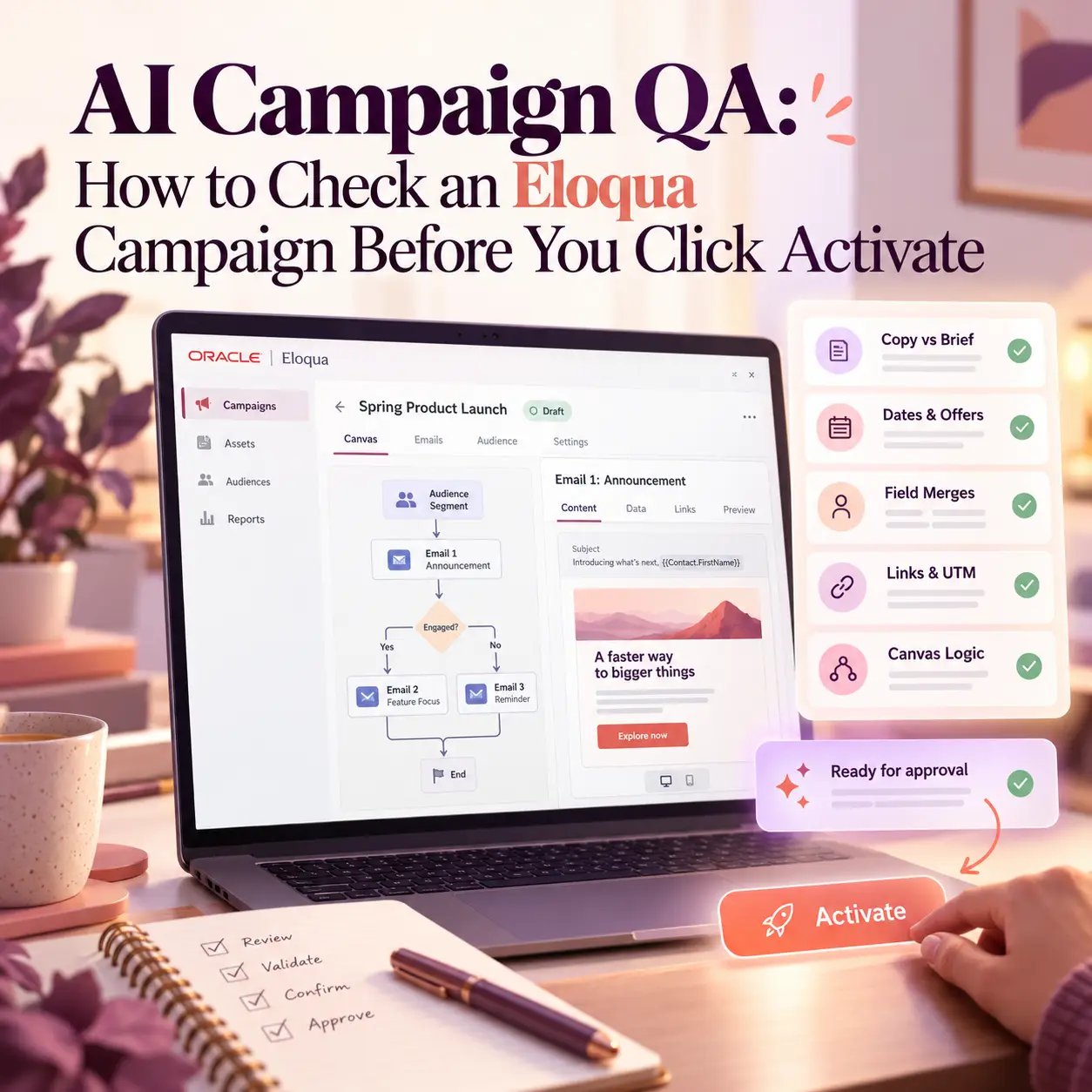
Once you click Activate in Eloqua, the campaign is locked: you cannot change it again without deactivating it, and by then the first email may already be sitting in your contacts’ inboxes. That is why AI campaign QA belongs in the last hour before launch, not the morning after.
Your team already reviews campaigns before they go live. But a typical multi-email campaign has dozens of moving parts: dates, offers, field merges, wait steps, links, and decision branches. Human reviewers get tired, skim the third email, and miss the date that changed in the brief last Tuesday.
This guide shows how to use AI as a second reviewer on your Eloqua campaigns: what to give it, the five checks it handles well, and the decisions that must stay with a person before anyone clicks Activate.
What AI Campaign QA Covers in Eloqua
AI campaign QA is the use of a generative AI assistant to review a campaign’s copy, logic, and consistency against its brief before activation, while a person keeps the final go or no-go decision. It is an extra review layer, not a replacement for the checks you already run.
Eloqua already blocks some mistakes for you. Every draft error must be resolved before a campaign can go live, and you can list those errors by clicking Verify on the Campaign Canvas, as Oracle’s guide to activating multi-step campaigns explains. Verify catches structural gaps, such as an email step with no email selected or a step that is not fully configured.
What Verify cannot judge is meaning.
What Verify catches: Missing or incomplete settings that would stop the campaign from running.
What the AI review catches: Content that is technically valid but wrong, such as a webinar date that differs between email two and email three, or a wait step that sends a reminder after the event has ended.
This is the deeper version of the pre-launch step in the overview of where AI belongs in your campaign workflow. If you have not yet mapped where AI fits across the full build, start there, then come back to this step.
What to Give AI Before You Activate
The quality of an AI campaign QA pass depends entirely on what you hand it. Give the assistant the same material a careful colleague would need, and nothing more.
The brief: Goal, audience description, offer, key dates, and the single action you want contacts to take.
Every email’s copy: Subject line, preheader, body text, and CTA text for each email on the canvas, labeled by step.
A written map of the canvas: Each step in order, with wait times and decision rules. For example: wait 3 days, then send email 2a to contacts who clicked email 1, and email 2b to everyone else.
A plain description of the audience: The segment criteria or shared filter logic written out in words, not the contact list itself.
Keep contact-level data out of the prompt entirely. Names, email addresses, and other personal details add nothing to the review and create risk the moment they leave your instance. Agree in advance which AI tools your team may use with campaign material; this guide to getting your instance AI-ready covers how to set those data access rules.
If your team works from a standard pre-launch campaign review, paste that list in too. A campaign QA checklist for marketing automation teams makes a good baseline: ask the AI to work through it item by item and mark each one pass, fail, or cannot tell.
Five Pre-Launch Checks AI Handles Well
These are the checks where AI campaign QA earns its place: repetitive, cross-referencing work where a tired reviewer is most likely to miss something.
1. Copy Against the Brief
Ask the AI to compare every email with the brief and list anything that contradicts it: a different offer, a missing CTA, or a deadline that does not match. This is the fastest way to catch campaign errors before launch that started as a late change to the brief and never reached every email.
2. Dates, Offers, and CTAs Across Every Email
A five-email campaign can carry the same event date in ten places. Ask the AI to pull every date, price, offer name, and CTA into a table by email, then flag any value that differs. A person can scan that table in seconds, while a person rereading five emails often misses the one stray date.
3. Field Merges and Their Fallbacks
List every field merge in each email and ask the AI how each sentence reads when the field is empty. “Hi , your renewal is due” is the classic failure, and it only appears for contacts with blank fields. Pair this check with the habits in weak personalization testing, a common Eloqua mistake, then confirm the default values on each field merge in Eloqua itself.
4. Links and Tracking Parameters
AI cannot click your links, but it can read them. Paste the full link list and ask it to flag inconsistent UTM parameters, links that still point to last quarter’s landing page, or two CTAs in the same email that send people to different places. Then rely on your normal Eloqua email testing, with test sends to real inboxes, to confirm every link resolves.
5. A Plain-Language Readback of the Canvas
Give the AI your written canvas map and ask: in plain English, what will this campaign do, to whom, and when? Then read the answer against your intent. If it says contacts who do not open email 1 receive email 3 after 30 days, and you meant 3 days, you found the error before your contacts did.
This readback is the most useful AI campaign QA prompt, because it turns a visual flow into sentences you can argue with. If the readback shows logic that belongs in a long-running flow rather than a single campaign, the guide to choosing between the Eloqua Campaign Canvas and Program Canvas helps you decide where it should live.
What a Person Still Signs Off Before Activate
AI campaign QA shortens the list of things a person has to check; it does not empty it. Four decisions stay human, because each one depends on context the AI never sees.
The audience: A person confirms that the segment or shared filter pulls the right contacts and excludes the wrong ones. The AI only saw your description of the criteria, not the result. Clear Eloqua segmentation strategies make this review faster.
Consent and suppression: A person confirms that consent rules, unsubscribes, and suppression lists apply to this send.
Timing: A person checks the send against other active campaigns, so the same contacts do not get three emails in one day.
Rendering: Real-inbox and device testing still needs a dedicated tool and human eyes, as this look at why email QA testing matters for every campaign explains. An AI email QA pass reads your copy; it cannot see how each inbox draws your layout.
Build the AI Pass Into Your Approval Workflow
Put the AI campaign QA pass at a fixed point in your process, so it happens every time and not only when someone remembers. A sequence that works for most teams:
Build and Verify: Finish the canvas and clear every draft error.
AI review: Run the five AI campaign QA checks above and fix what they surface.
Test sends: Complete your usual Eloqua campaign testing with test emails to internal reviewers.
Approval: Route the campaign through your approval stages, if your instance uses them.
Activate: A named person makes the final call and sets an end date no longer than the campaign needs.
Eloqua’s campaign approval process lets an administrator define review stages and reviewers, and the Approvals button only changes to Activate once every stage is approved. Approvers receive a notification that includes the first step’s segment name and contact count, which is a useful last check on the audience. Editing the campaign while approval is in progress restarts the approval, so finish the AI review and its fixes before you request approval, not during it.
If your team does not yet have a documented build process to anchor this sequence, the overview of Eloqua campaign production for B2B marketing operations covers that foundation.
Conclusion
Activate is the one click in Eloqua you cannot quietly undo, so the review before it deserves more than a tired skim. AI campaign QA gives you a second reviewer that reads every email, date, and branch with the same attention, while your team keeps the audience, consent, timing, and activation decisions. Add the AI pass between Verify and approval, keep contact data out of your prompts, and once the campaign is live, shift your attention to monitoring how it performs after launch. To build this review into your campaign process, explore 4Thought Marketing Campaign Services or contact us.
About 4Thought Marketing
We're a B2B marketing automation and AI consultancy with a thing for getting complex tech to actually work. Since 2008, we've helped hundreds of organizations across financial services, technology, manufacturing, and real estate get more from Eloqua, Marketo, and their CRM integrations. We serve our clients across marketing automation strategy, lead lifecycle, AI, compliance, preference management, and more. Explore our services or get in touch.
Frequently Asked Questions
What is AI campaign QA?
AI campaign QA is the use of a generative AI assistant to review a campaign’s copy, dates, links, and logic against its brief before activation. It works as a second reviewer that cross-checks every email with the same attention. A person still approves the audience and makes the decision to activate.
Does AI replace the Verify button in Eloqua?
No. Verify lists draft errors, such as incomplete steps or settings, and Eloqua will not activate a campaign until they are resolved. AI checks something different: whether valid content is actually right, such as matching dates and offers. Use both, with Verify first, then finish with your usual Eloqua campaign testing.
What should I never paste into an AI tool during campaign review?
Contact-level data, including names, email addresses, and any personal details from your segment. The review only needs the brief, the email copy, a written map of the canvas, and a description of the audience criteria. Agree on approved AI tools and data rules before your team starts.
Can I edit an Eloqua campaign after I click Activate?
Not directly. Once a campaign is active, you have to deactivate it to make changes, which is why errors are cheapest to fix before launch. Editing a campaign during approval also restarts the approval, so finish your fixes first.
Which pre-launch checks should stay with a person?
Audience selection, consent and suppression, send timing against other campaigns, and real-inbox rendering. Each depends on context the AI cannot see. A named person should also make the final activation decision.
How long does an AI campaign QA pass take?
The AI’s part is fast once your inputs are ready. Most of the time goes into preparing the brief, the email copy, and the canvas map, and a reusable prompt template cuts that down after the first campaign.