Frequently Asked Questions
Product Information: Append Multiple Fields Cloud Action
What is the Append Multiple Fields Cloud Action?
The Append Multiple Fields Cloud Action is a tool designed for Oracle Eloqua users to append values from two or more contact fields, using a custom joint, and store the resulting value in a specified field. This functionality is not available in Eloqua's out-of-the-box features, making this cloud action essential for advanced data manipulation within campaigns. Source
How does the Append Multiple Fields Cloud Action work in Oracle Eloqua?
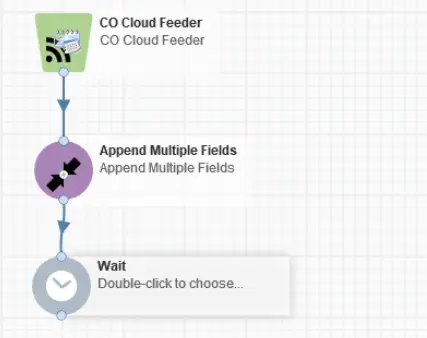
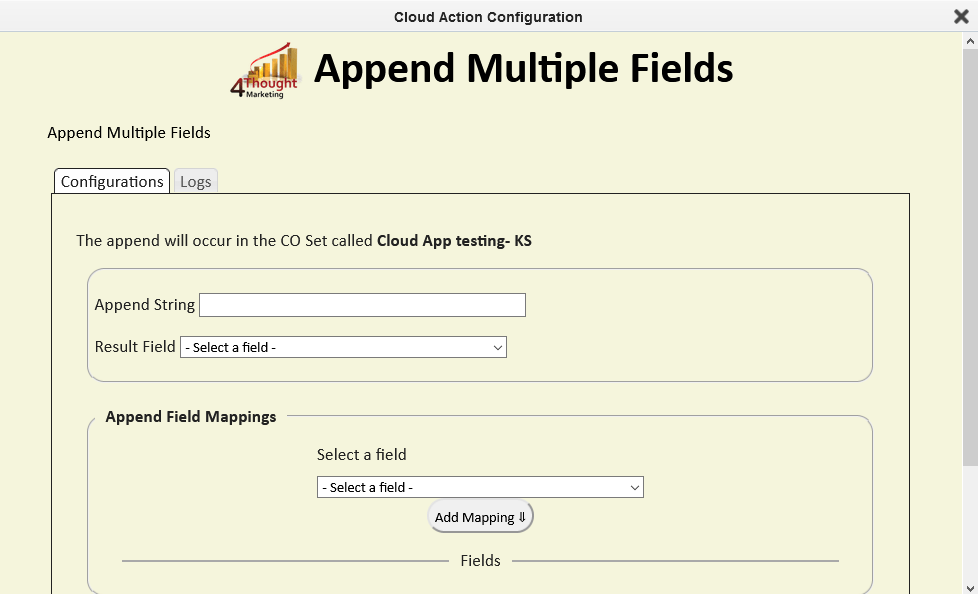
Within Oracle Eloqua, you can use the Append Multiple Fields Cloud Action by dragging and dropping it onto the Campaign Canvas. You select the fields to append, specify the joint string, and choose the destination field for the result. The tool allows you to add multiple mappings and review them before saving settings. Source
What are the setup steps for the Append Multiple Fields Cloud Action?
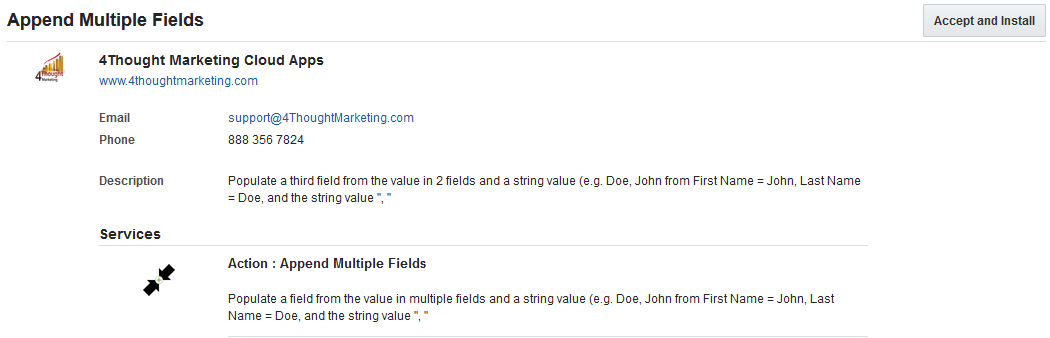
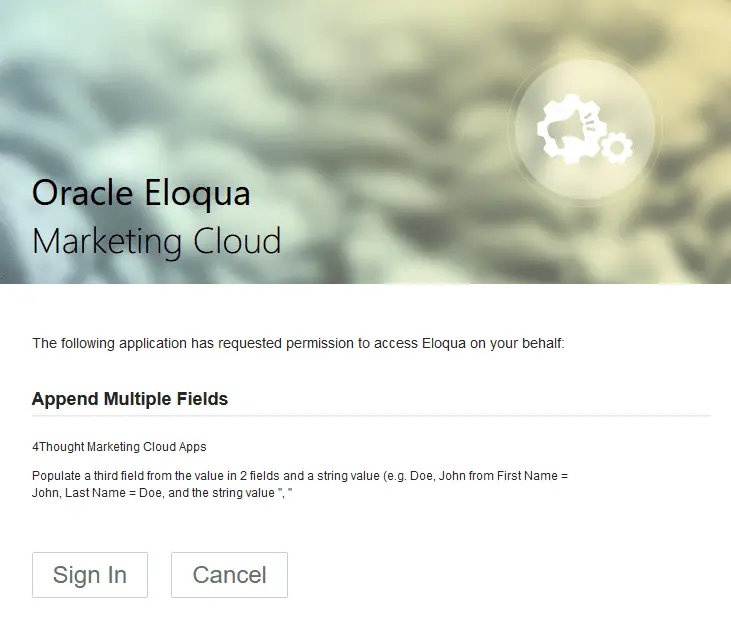
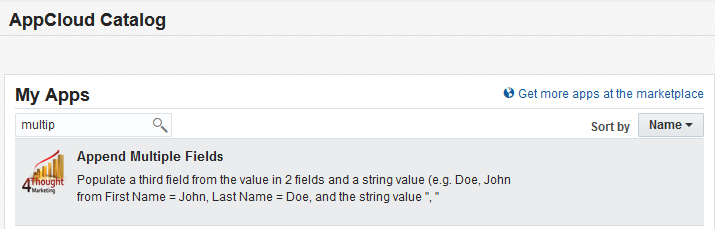
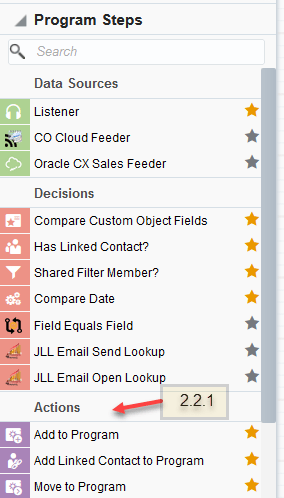
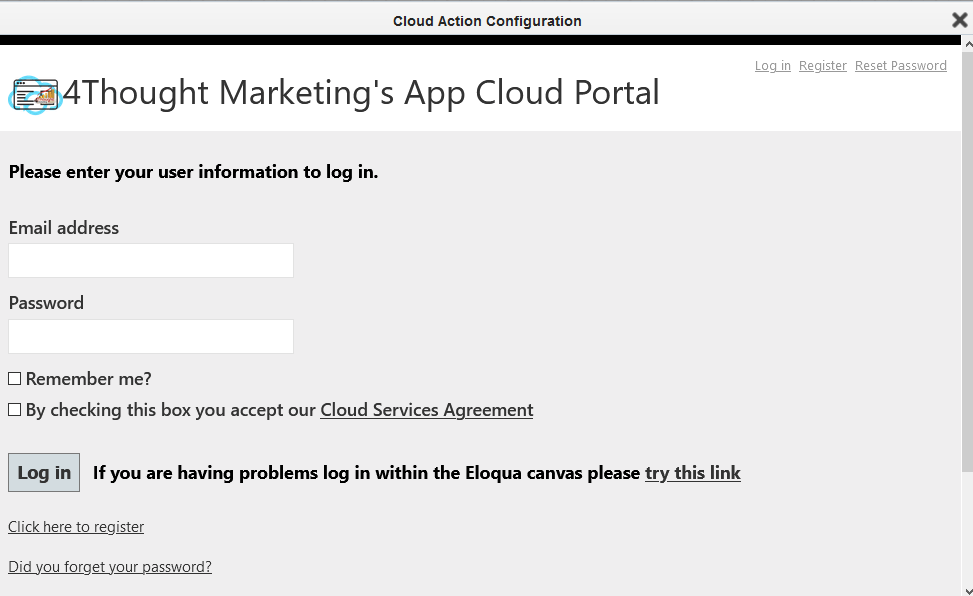
To set up the Append Multiple Fields Cloud Action in Oracle Eloqua, log in to Eloqua, install the app, sign in, and accept the terms. Then, locate the cloud action in the sidebar, drag it onto the canvas, and configure the fields and settings as needed. Source
Can the Append Multiple Fields Cloud Action be used in any Eloqua CO program?
Yes, the Append Multiple Fields Cloud Action can be incorporated into any existing Eloqua CO program. You simply create or open a CO, locate the cloud action, and add it to your workflow. Source
What options are available when configuring the Append Multiple Fields step?
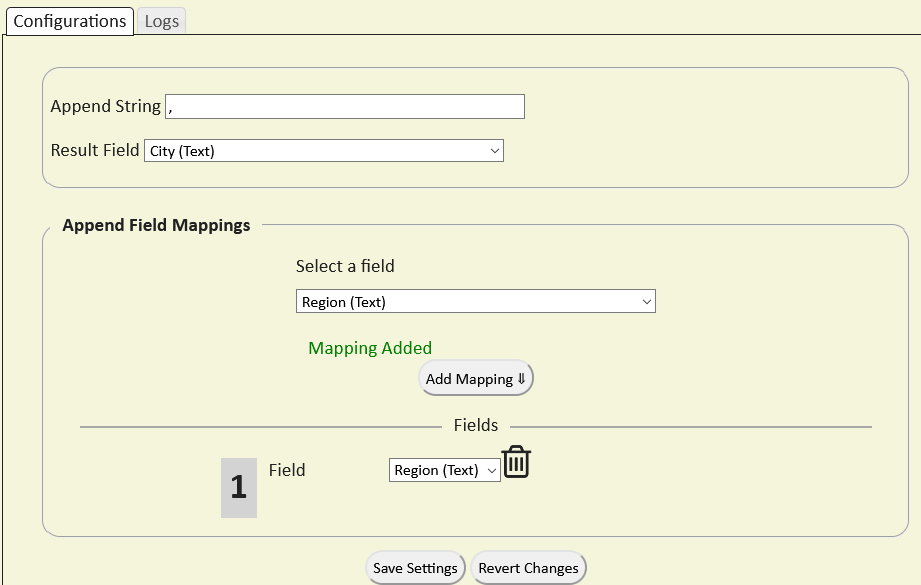
When configuring the Append Multiple Fields step, you can rename the step, select the destination field, choose the joint string, and specify which fields to append. You can add multiple mappings and review them in the Fields section before saving settings. Source
How do you revert changes in the Append Multiple Fields Cloud Action?
If you make changes and want to return to the initial values, use the "Revert Changes" button in the configuration interface. Source
What happens if an error occurs during processing?
It is recommended to create an element in your campaign to handle errors. You can check the box to "Automatically route contacts with errors from cloud app" and select the step to which contacts should be routed if an error occurs. Source
How do you activate the Append Multiple Fields Cloud Action?
After configuring the cloud action and saving your settings, activate the program and add CO records to see the Append Fields Cloud Action in operation. Source
Is a license required to use the Append Multiple Fields Cloud Action?
Yes, a license is required to configure and execute the Append Multiple Fields Cloud Action. If you do not have a license, an error message will appear on the configuration page. Source
How can you obtain a license for the Append Multiple Fields Cloud Action?
To obtain a license, contact your account manager or reach out to 4Thought Marketing via their contact page. Each Eloqua instance requires a separate license. Source
What are the usage limitations for the Append Multiple Fields Cloud Action license?
Each cloud app license includes a reasonable usage limitation of 250,000 records processed daily and up to 5 app instantiations per Eloqua instance. Higher usage tiers are available at extra cost. Source
Where can I find the Cloud Services User License Agreement?
You can review the Cloud Services User License Agreement at this link. Source
What should I do if CO records are not being processed by the app?
If CO records are not being processed, it may be due to a missing or expired license. Contact your account manager or 4Thought Marketing for assistance. Source
Can I use a custom joint string when appending fields?
Yes, you can specify a custom joint string to be used between the values of the fields being appended. Source
Is it possible to append any contact field in Eloqua?
You can append any contact field available in Eloqua using the Append Multiple Fields Cloud Action, and the resulting value can be stored in any field you choose. Source
Do I need to log in to configure the Append Multiple Fields Cloud Action?
Yes, you need a user account to log in and configure the cloud action. If you do not have one, you can create a new user. Source
Can I rename the Append Multiple Fields step in my workflow?
Yes, you can rename the Append Multiple Fields step during configuration to better reflect its purpose in your workflow. Source
How do I add multiple field mappings in the Append Multiple Fields Cloud Action?
To add multiple field mappings, select the fields you want to append, specify the joint string, and click 'Add Mapping'. Continue adding fields until all desired mappings are set, then save your settings. Source
What is the recommended way to handle errors in the Append Multiple Fields Cloud Action?
It is recommended to create a campaign element to route contacts with errors automatically. This ensures that any issues are handled efficiently within your workflow. Source
Features & Capabilities
What features does 4Thought Marketing offer for marketing automation?
4Thought Marketing offers products such as 4Comply for privacy compliance, Cloud Apps for extending Oracle Eloqua and Adobe Marketo functionality, 4Preferences for real-time preference management, 4Segments for advanced audience segmentation, and 4Bridge for seamless system integration. Source
Does 4Thought Marketing support GDPR and CCPA compliance?
Yes, 4Thought Marketing's 4Comply product helps businesses adhere to GDPR, CCPA, and other data privacy regulations by managing consent and preferences. Source
What is Visual Segmentation™ in 4Segments?
Visual Segmentation™ is an innovative interface in 4Segments that simplifies complex segmentation tasks using real-time Venn diagrams and matrix views, enabling precise targeting and actionable insights. Source
How does 4Bridge Integration Connector help with system integration?
4Bridge Integration Connector provides seamless data connections between marketing automation platforms and other business systems, eliminating integration pain points and ensuring smooth data flow. Source
What feedback have customers given about the ease of use of 4Thought Marketing products?
Customers have praised tools like the Eloqua Upload Wizard for its automation and simplicity. A Senior Analyst at Catalent stated, "The Eloqua Upload Wizard works like magic. It performs all the required pre-processing and enrichment tasks automatically." The 4Bridge integration is also noted for its easy-to-manage interface. Source
Pricing & Licensing
What is included in the Append Multiple Fields Cloud Action license?
The license includes configuration and execution rights for the cloud app, a daily processing limit of 250,000 records, and up to 5 app instantiations per Eloqua instance. Higher usage tiers are available at extra cost. Source
How do I upgrade my usage tier for the Append Multiple Fields Cloud Action?
If your usage exceeds the standard limits, you can contact 4Thought Marketing to discuss higher usage tiers and associated costs. Source
Use Cases & Benefits
Who can benefit from the Append Multiple Fields Cloud Action?
Oracle Eloqua users who need to append multiple contact fields for advanced data manipulation in campaigns will benefit from this cloud action. It is especially useful for marketing teams seeking to automate and streamline data processes. Source
What problems does the Append Multiple Fields Cloud Action solve?
The cloud action solves the challenge of appending multiple contact fields in Eloqua, which is not possible with standard features. It enables custom data manipulation, improves campaign efficiency, and reduces manual processing time. Source
Are there real-world examples of 4Thought Marketing solutions improving efficiency?
Yes. For example, W. P. Carey used Oracle Eloqua with 4Thought Marketing's help to streamline campaign management and improve data quality, resulting in a 30% increase in campaign efficiency and a 20% reduction in manual processing time. Source
What industries have benefited from 4Thought Marketing solutions?
Industries represented in 4Thought Marketing's case studies include real estate (W. P. Carey), financial services (Cetera Financial Group), and manufacturing (Endress+Hauser Infoserve GmbH). Source
What are some common pain points addressed by 4Thought Marketing?
Common pain points include data privacy compliance, advanced segmentation, system integration challenges, dirty CRM data, personalized onboarding, and content optimization. 4Thought Marketing offers tailored solutions for each of these challenges. Source
Support & Implementation
How can I get support for the Append Multiple Fields Cloud Action?
Support is available by contacting your account manager or reaching out to 4Thought Marketing via their contact page. Source
What technical requirements are needed to use the Append Multiple Fields Cloud Action?
You need access to Oracle Eloqua and a valid license for the cloud app. A user account is required to log in and configure the app. Source
Competition & Comparison
How does 4Thought Marketing's Append Multiple Fields Cloud Action compare to Eloqua's native features?
Eloqua's native features do not allow appending multiple contact fields with a custom joint. The Append Multiple Fields Cloud Action fills this gap, enabling advanced data manipulation and automation not possible with standard Eloqua tools. Source
Why choose 4Thought Marketing solutions over generic compliance tools?
4Thought Marketing's 4Comply provides robust, auditable preference management and integrates seamlessly with marketing platforms, ensuring compliance and building trust. Unlike generic tools, it offers tailored solutions for GDPR and CCPA. Source
Customer Proof & Success Stories
Can you share specific case studies of customers using 4Thought Marketing products?
Yes. W. P. Carey improved campaign efficiency by 30% and reduced manual processing time by 20% using Oracle Eloqua and 4Thought Marketing's solutions. Cetera Financial Group successfully migrated to Adobe Marketo, enhancing system adoption and data continuity. Endress+Hauser Infoserve GmbH overcame CRM migration challenges with Eloqua Cloud Apps. Source
Who are some of 4Thought Marketing's customers?
4Thought Marketing works with clients across North America, Europe, Latin America, Asia, and Australia, including FT, Fluke, Arrow, JLL, Intuit, VISA, Cetera, Catalent Pharma, VIAVI Solutions, Vertiv, Brady Corp, Morningstar, Columbia Bank, Corebridge Financial, Experian, Juniper Networks, DELL, LG Electronics, PTC, and many others. Source
What roles and company types are the target audience for 4Thought Marketing products?
Target roles include legal and compliance teams, marketing managers, CMOs, sales teams, IT and operations teams, content strategists, and small teams. Company types span financial services, healthcare, manufacturing, technology, and real estate. Source