How to Manage Global Email Campaigns Without the Chaos
A global email campaign is really a matrix of language, regional, and legal variants. Here is how to structure yours so localization scales cleanly instead...
Software for maximizing your marketing while ensuring privacy compliance
Innovative solutions to do more with Marketing Automation platforms
Centralize Preference Management Across Your Organization
Visual Segmentation for Marketers
Integration solutions for Eloqua, Marketo, CRM, and other systems
Update contact records from custom objects matching your search criteria.
Align corporate and marketing goals
Data capture strategy
Lead scoring, nurturing, segmentation strategy, and funnel framework
Measure results and plan improvements
Ensure compliance with privacy laws
Email, form, and landing page execution. Deliverability and reporting
Eloqua and Marketo specialists
Improve skills and increase productivity with custom online training and videos
Uncover opportunities to improve performance and outcomes
Enhance email impact through expert analysis
Platform installation, change management, and success planning
Data management and stewardship
System integration options using connectors and custom APIs
Custom cloud apps, HTML templates,
JavaScript, and responsive email
A global email campaign is really a matrix of language, regional, and legal variants. Here is how to structure yours so localization scales cleanly instead...
Engagement scoring gives you a clean KPI, but chasing it in isolation can burn your list. Here is how to hit targets while accounting for...
A huge email list can hurt more than help. Learn why email list quality, smarter batching, and pruning beat raw size and lift your total...
Marketo click tracking silently fails on dynamic URLs stored in lead fields. Learn the two-pass root cause and the Velocity fix that restores click data...
A Salesforce exclusion list fails silently when it reads the wrong field. Learn how lead status vs opportunity stage breaks suppression, and how to audit...
Double-tracking inflates your email tracking when UTM parameters and native platform IDs both count one click. Learn one clean rule to fix it before your...
Software for maximizing your marketing while ensuring privacy compliance
Innovative solutions to do more with Marketing Automation platforms
Centralize Preference Management Across Your Organization
Visual Segmentation for Marketers
Integration solutions for Eloqua, Marketo, CRM, and other systems
Align corporate and marketing goals
Data capture strategy
Lead scoring, nurturing, segmentation strategy, and funnel framework
Measure results and plan improvements
Ensure compliance with privacy laws
Email, form, and landing page execution. Deliverability and reporting
Eloqua and Marketo specialists
Improve skills and increase productivity with custom online training and videos
Uncover opportunities to improve performance and outcomes
Enhance email impact through expert analysis
Platform installation, change management, and success planning
Data management and stewardship
System integration options using connectors and custom APIs
Custom cloud apps, HTML templates,
JavaScript, and responsive email
A global email campaign is really a matrix of language, regional, and legal variants. Here is how to structure yours so localization scales cleanly instead...
Engagement scoring gives you a clean KPI, but chasing it in isolation can burn your list. Here is how to hit targets while accounting for...
A huge email list can hurt more than help. Learn why email list quality, smarter batching, and pruning beat raw size and lift your total...
Marketo click tracking silently fails on dynamic URLs stored in lead fields. Learn the two-pass root cause and the Velocity fix that restores click data...
A Salesforce exclusion list fails silently when it reads the wrong field. Learn how lead status vs opportunity stage breaks suppression, and how to audit...
Double-tracking inflates your email tracking when UTM parameters and native platform IDs both count one click. Learn one clean rule to fix it before your...
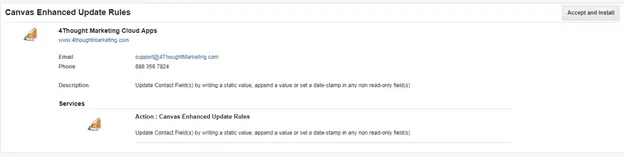
There are situations where you need to update contact fields with either custom information, date stamps or append a value to certain fields. This is a simple step to do, but not when you have tens or hundreds of records to update. This is where this cloud action comes into play. With Enhanced Update Rules you can update contacts using custom data and static values.
This document will show how this Cloud Action can be used inside Campaign Canvas.
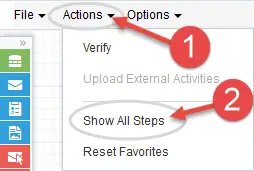
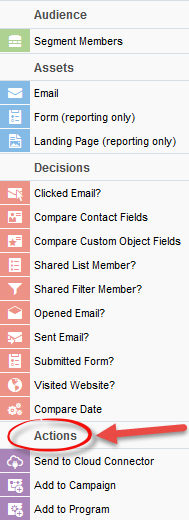
Please follow these instructions to set up this cloud app in your Oracle Eloqua instance.
NOTE: If prompted to log again, please do so.
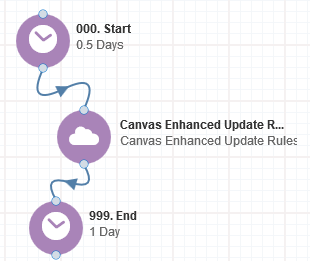
The following instructions show a basic/simple usage. You can incorporate this Cloud Action to any existing campaign.
a) Rename the step if needed
b) Click the pencil icon to open the settings for this step.
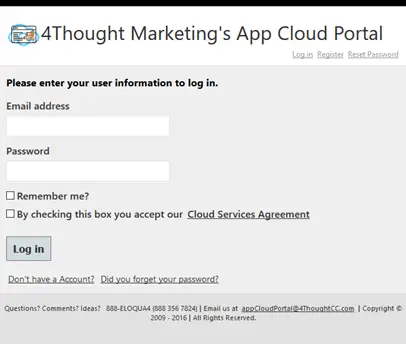
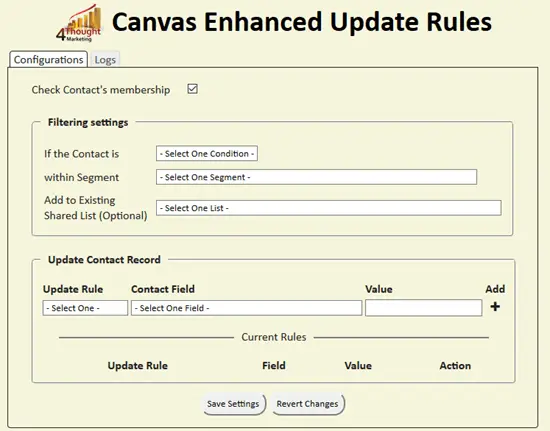
You will need a user to log in and configure this Cloud Action. If you don’t have one, you can create one. If you do, use your user to login in the page shown in the following screenshot:
2. Afterwards you need to specify the update rules you’re going to use. There are 3 types:
After adding the required rules you need to save. Otherwise, the rules won’t be applied.
Also, you can use the trash button to remove a rule from the mapping area.
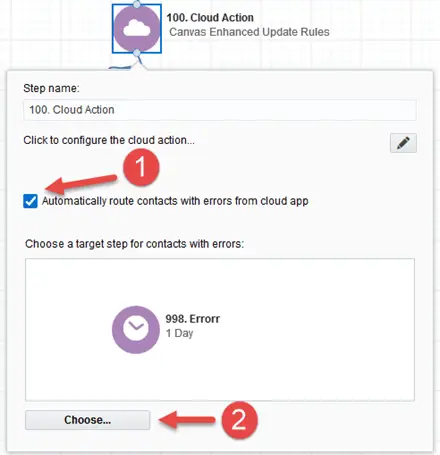
3.Recommended: Create an element in the campaign in case an error happens, in this example it’s a Wait Step. Check the box to “Automatically route contacts with errors from cloud app”, select the step where you want the contacts to be routed.
You need a license to configure and execute this Cloud App. If you don’t have a license, an error message will appear on the configuration page.
If you don’t see CO Records being processed by the app, it may be because your license is missing or expired. To obtain a license, contact your account manager or contact us.