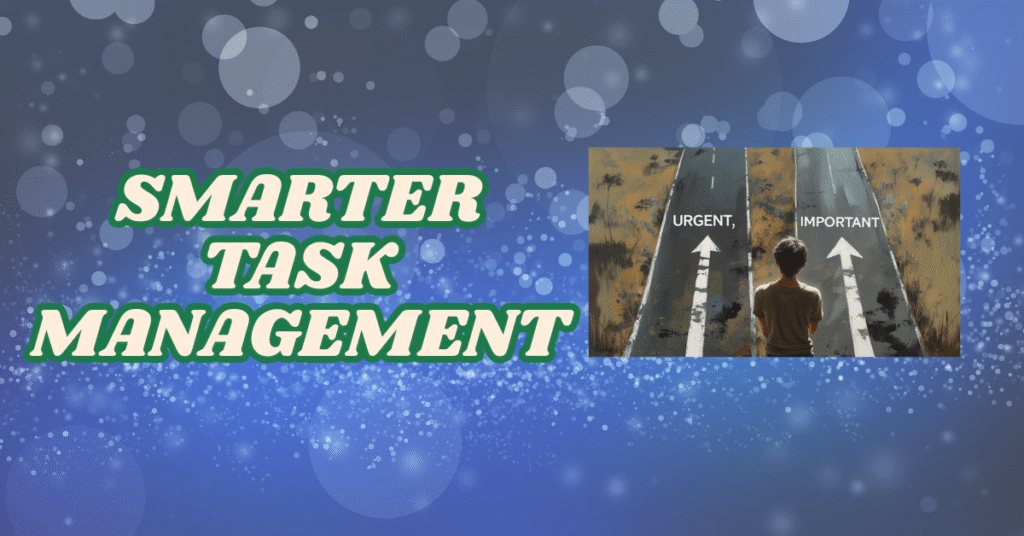
Imagine standing at the airport check-in counter with two bags. One is light but needs to be checked in immediately, while the other holds all your essentials for the trip—but has no deadline. Most people rush to check the one marked urgent, forgetting the importance of what they’ll actually need mid-flight. That, in essence, is the daily struggle of task queue management.
As marketers, project managers, or strategists, our inboxes and to-do lists rarely sit idle. We juggle daily deliverables, strategic planning, client meetings, and surprise fire drills. The challenge isn’t just doing the work—it’s doing the right work at the right time. And often, the real tension lies between what’s due soon and what’s truly important.
This blog will unpack frameworks, real-world strategies, and AI-powered tools to help you balance these forces and build a smarter, more intentional task queue.
The Psychology Behind Task Management
Our brains are wired for short-term wins. Completing quick tasks releases dopamine, giving us a false sense of productivity. That explains why replying to emails or ticking off low-effort items on your list feels good, even if the strategic campaign planning or quarterly performance review remains untouched.
Urgency hijacks our attention—it yells, pings, vibrates. It’s that Slack message blinking, the calendar notification chiming, or the colleague hovering over your desk. Importance, however, is quiet. It requires intentional focus, deeper thinking, and often delayed gratification. Yet it’s this silent, deliberate work that drives long-term growth and innovation.
Take Maya, a digital marketing manager, for example. Her mornings begin with coffee and a quick glance at campaign dashboards. Before she can dive into strategic planning, a whirlwind of Slack messages, feedback requests, and meeting invites derails her. By evening, she realizes her most critical task—creating a strategic roadmap—has been sidelined. Urgency won again. And it usually does unless we step in with structure.
Frameworks That Help
Eisenhower Matrix
Dwight D. Eisenhower once said, “What is important is seldom urgent, and what is urgent is seldom important.” This insight birthed the Eisenhower Matrix—a simple yet powerful way to categorize tasks:
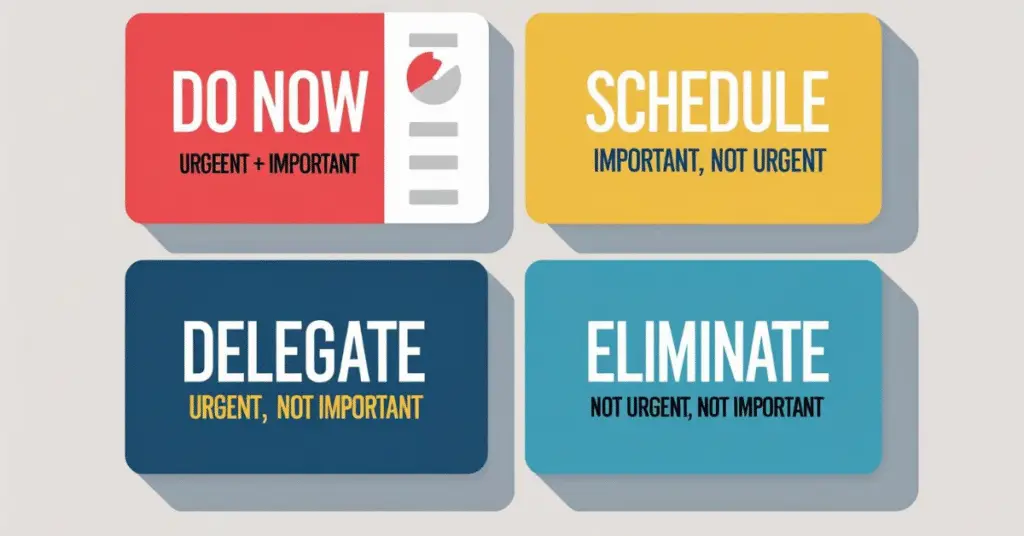
Tasks that are both urgent and important demand immediate attention. Think: resolving a client issue or fixing a broken campaign link. Tasks that are important but not urgent, like strategic planning or developing new skills, should be scheduled deliberately. These are your long-term value builders. Tasks that are urgent but not important (like minor approvals or low-stakes admin work) should be delegated whenever possible. And finally, tasks that are neither urgent nor important often deserve to be dropped altogether.
Imagine having to approve a social post going live in 30 minutes (urgent, but not important for you) versus drafting a strategy document for the next quarter (important, but not urgent). Without a framework like this, our brains default to the former—simply because the clock is ticking.
Time Blocking with Buffer Zones
Time blocking is the art of assigning specific chunks of your calendar to particular tasks. It’s like making appointments with your priorities. But here’s where most people go wrong: they forget to leave room for the unexpected.
A good time-blocking strategy includes buffer zones around meetings, between deep work blocks, and at the start or end of your day. These aren’t empty slots—they’re strategic space. They give you time to breathe, reflect, and absorb the spillover from tasks that ran long.
Think of your day like a well-packed suitcase. If it’s overstuffed, one small addition causes a mess. But if you leave space, you’re always ready to adapt.
The 1-3-5 Rule
This rule encourages you to structure your day around one big task, three medium tasks, and five small ones. It’s a gentle reminder that we aren’t machines—our productivity has limits.
Start your day by identifying the single most important task—your “one thing.” This is your non-negotiable. Then pick three medium-effort tasks that support your progress. Finally, list five quick wins to maintain momentum.
By focusing your energy where it matters most and keeping your list human-sized, you reduce stress and decision fatigue.
Structuring a Smarter Task Queue
An effective task queue isn’t just a list—it’s a system. Instead of letting tasks pile up haphazardly, structure your queue with intention.
- Start with tagging. Tools like Notion, Todoist, and Asana allow you to label tasks as #urgent, #important, #low-effort, or #waiting. These tags help you filter and sort based on context and capacity.
- Then consider your working environment. Some tasks require full focus and a laptop, while others can be done while commuting or waiting in line. Grouping tasks by context ensures you make the most of your energy and surroundings.
- And don’t skip the weekly review. Set aside 30 minutes every Friday to assess what you did, what got missed, and what needs to move up. This ritual helps you realign with your goals and prevents last-minute scrambles.
Josh, a marketing ops lead, swears by this. Every Friday, he reviews his queue, retags tasks, and drags high-impact, low-effort items to the top. It gives him quick wins and keeps the big picture in view.
How AI Can Help Balance Urgency and Importance
AI is no longer a futuristic fantasy—it’s your new productivity partner. With the right tools, it can help you cut through the noise and focus on what truly matters.
Smart Prioritization
AI can analyze due dates, dependencies, and even your work patterns to suggest what should be tackled first. Tools like Motion or Notion AI use natural language processing to understand your task list and reorder it based on actual impact and timing.
Predictive Nudges and Rescheduling
Unlike static to-do lists, AI adapts in real-time. When it sees that your strategic goal has been postponed three times, it doesn’t just sit silently. It nudges you, rebooks your calendar, and makes room for what matters.

Sarah, a content strategist, experienced this with Reclaim.ai. After repeatedly postponing her SEO strategy document, the tool shifted her calendar, blocked focused time, and even deprioritized meetings to give her the space to finally complete it.
Automated Time Blocking
AI assistants can automatically block your calendar based on task urgency, your energy patterns, and meeting load. Clockwise, for example, finds the best slots for deep work and reschedules less urgent tasks to off-peak hours.
Personalized Insights
Over time, AI tools learn how you work. They identify your most productive hours, flag tasks that often get postponed, and suggest when to tackle which type of task.
Need help selecting the right AI stack for your team? We offer consultative support for productivity workflows and digital workstream planning. Just ask.
Pitfalls to Avoid
One of the biggest dangers in task management is the addiction to urgency. When everything feels like a fire drill, there’s no room left for planning or reflection.
Another trap is task hoarding—keeping too many items on your list, many of which will never get done. This creates noise and stress, crowding out what actually matters.
Underestimating how long tasks take is also common. When every day is overbooked, even a small delay can derail the whole plan.
And finally, never reviewing your queue turns it into a graveyard of forgotten goals. A quick weekly check-in can prevent drift and keep your intentions fresh.
Tips for Long-Term Balance
Start every week with a 30-minute planning session. Look at your calendar, assess your top priorities, and schedule time for them first. Use color codes to differentiate types of work—for example, red for urgent, blue for strategic, green for admin.
Always leave at least 20% of your day unscheduled. This margin helps you stay flexible when things change. And defend your focus hours. Treat them like important meetings—because they are.
Managing tasks is like managing your diet. If you only eat what’s fast and convenient, you sacrifice nutrition. Similarly, if you only do what’s urgent, you starve your long-term goals.
Conclusion: Balancing Without Burning Out
In the hustle of modern work, it’s tempting to chase every notification, every deadline, and every seemingly urgent request. It feels productive—but it often leads us away from the work that truly shapes outcomes. Urgency gives us motion; importance gives us meaning.
The real art of productivity lies not in doing more, but in doing what matters—consistently and without distraction. Balancing your task queue is about finding that sweet spot where short-term responsiveness meets long-term vision. It’s where structure meets strategy.
So, take time to pause, prioritize, and plan. Let proven frameworks guide your focus, and let AI lend a hand in doing the heavy lifting behind the scenes. This isn’t about choosing between urgent and important—it’s about designing a workday where both coexist with clarity. If you’re looking to refine your task management approach or integrate AI into your team’s productivity toolkit, we’d be happy to share ideas and consult on strategies that work for your goals.