
CO Deleter W/ Archive Cloud App Documentation


Table of Contents
Set-up in Oracle Eloqua
- Log in to Oracle Eloqua.
- Click on Get App below to install.
NOTE: If prompted to log again, please do so.
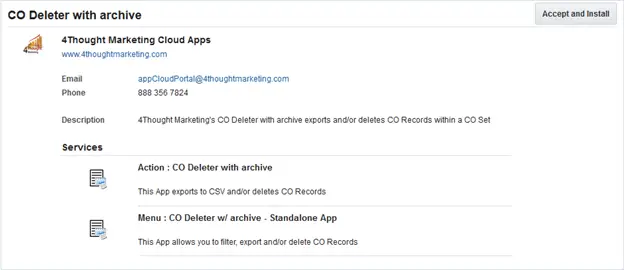
- In the following screen, click “Accept and Install” on the top-right section
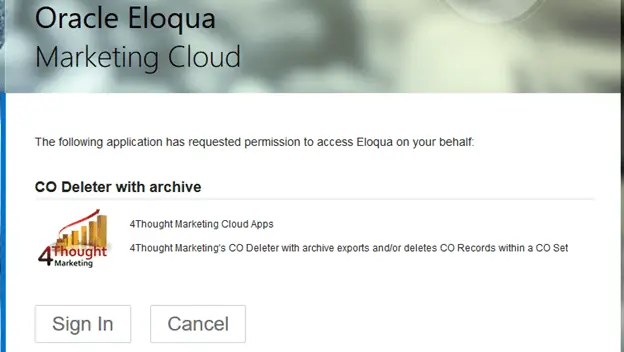
- In the next screen, click “Sign In” and then “Accept”
- You’re all set. The cloud app is ready to be used.

Use
The following instructions show a basic/simple usage. You can incorporate this Cloud Action into any New/Existing program canvas.
- Create/ Open a Custom Object Program Canvas by going to Orchestration and Programs.
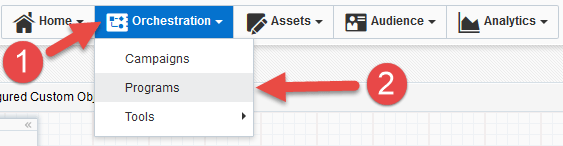
The following instructions show a basic/simple usage. You can incorporate this Cloud Action into any New/Existing program canvas.
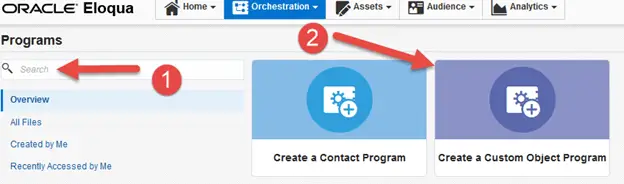
- Next Search to open an existing Custom Object Program (#1 option) or click on “Create a Custom Object Program” to create a new one (#2 option), if you are creating a new one you have to select a Custom Object Data Set (step 3 shown in the snapshots below).
- Click on “Program Steps” on the top left side to show all steps and then locate the “CO Deleter with Archive” Cloud Action under the Actions options (colored in purple).
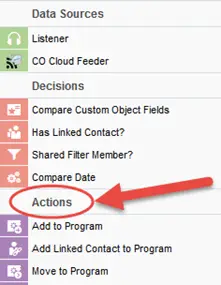
- Drag and drop the cloud action to the canvas area. Connect the corresponding elements to the dropped cloud action
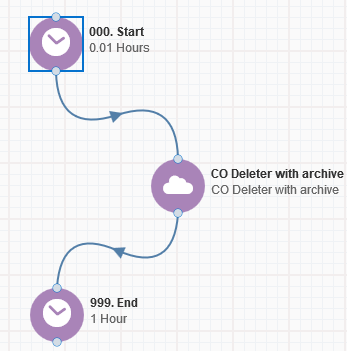
- Double click the CDO Lookup step, you will see some options for this element.
a. Rename the step if needed
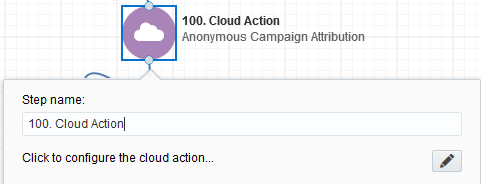
b. Click the pencil icon to open the settings for this step.
You will need a user to log in and configure this Cloud Action. If you don’t have one, you can create one. If you do, use your user to Log In in the page shown in the following screenshot:
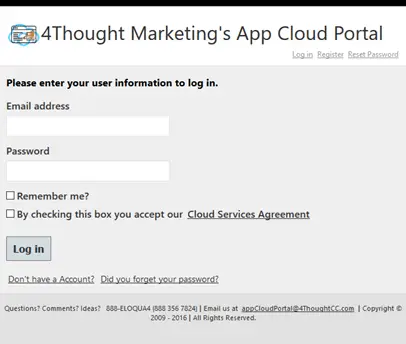
b. Click the pencil icon to open the settings for this step.
You will need a user to log in and configure this Cloud Action. If you don’t have one, you can create one. If you do, use your user to Log In in the page shown in the following screenshot:
- Fill out the Misc Setting details
- a. Identify if the CO records are linked to Contacts or Accounts
- b. Give the export file a name.
Note: if you use the {datestamp} (all in lower case) Wildcard the App will create a .csv file with this name and a datestamp Appended at the end of the name.
For example: “CDO Archive {datestamp}” will generate the following filename: “CDO Archive 08-03-2017”
3. You can choose to receive notifications on success and/or failure to the email address(es) added for notifications, multiple emails can be separated by comma (,)
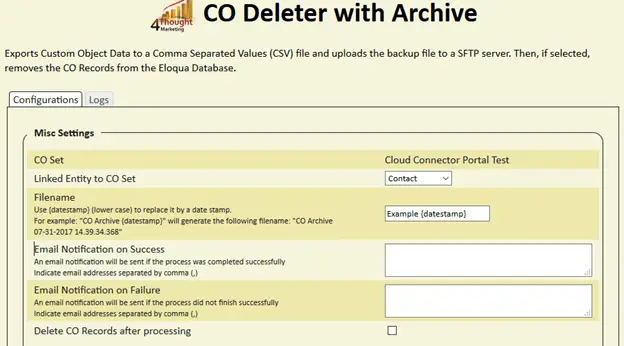
4. If you want to Delete the CO records after they are processed by the app check the box as shown in the snapshot below.
NOTE: When selecting the ‘Delete’ option, the filtered CO records will be removed from the Oracle Eloqua Database and cannot be recovered
- Next, fill in the SFTP Server Settings:
a. Type in the Server URL, username, and password
Note: The Server URL can be entered as the “IP or Domain/PathToFile”
Example: 192.168.1.1/PathToFile
4ThoughtMarketing.com/PathToFile
b. Click on the “Test SFTP Credentials” button to ensure a connection can be made to the server
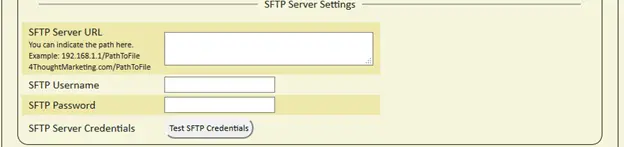
- Choose the Fields to Archive, select only the records you want to archive and/or delete
a. Choose the CO / Contact field(s)
b. Click on the plus symbol to Add the field(s)
Note: You can select up to 250 fields
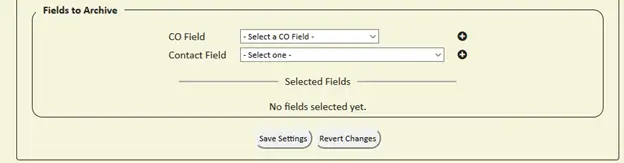
- Make sure you click on ‘Save Settings’ to save your configuration, if you make any undesired changes after you can click on ‘Revert Changes’ to go back to the last saved configuration.
- The ‘Logs’ Tab is pretty self-explanatory as shown in the snapshot below:
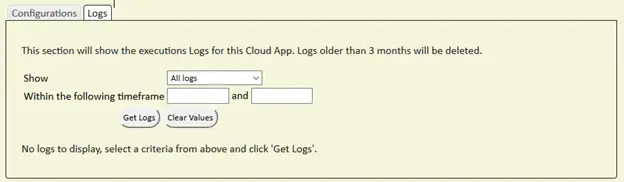
That’s all, Save the Program put some COs using a Listener or CO Cloud Feeder in it and see the CO Deleter with Archive in Action!
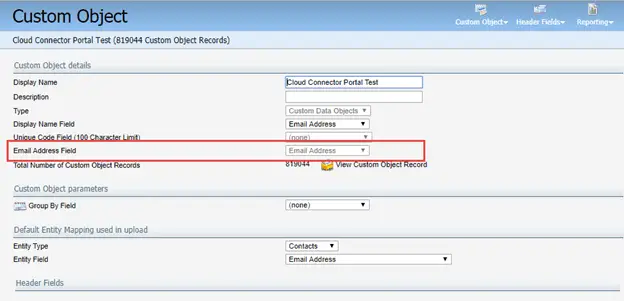
Note: Please make sure you must indicate the ‘email address’ field in each CO Set so that the app finds the records to be deleted
License Information
You need a license to configure and execute this Cloud App. If you don’t have a license, an error message will appear on the configuration page.
If you don’t see CO Records being processed by the app, it may be because your license is missing or expired. To obtain a license, contact your account manager or contact us.
- Each Eloqua instance requires a separate cloud app license.
- Each cloud app license includes a reasonable usage limitation of 250k records processed daily and up to 5 app instantiations per Eloqua instance. Higher usage tiers are available at extra cost.
- For additional license details, please review the Cloud Services User License Agreement.