






Key Takeaways
- Smart Campaigns are the automation engine powering every Marketo action.
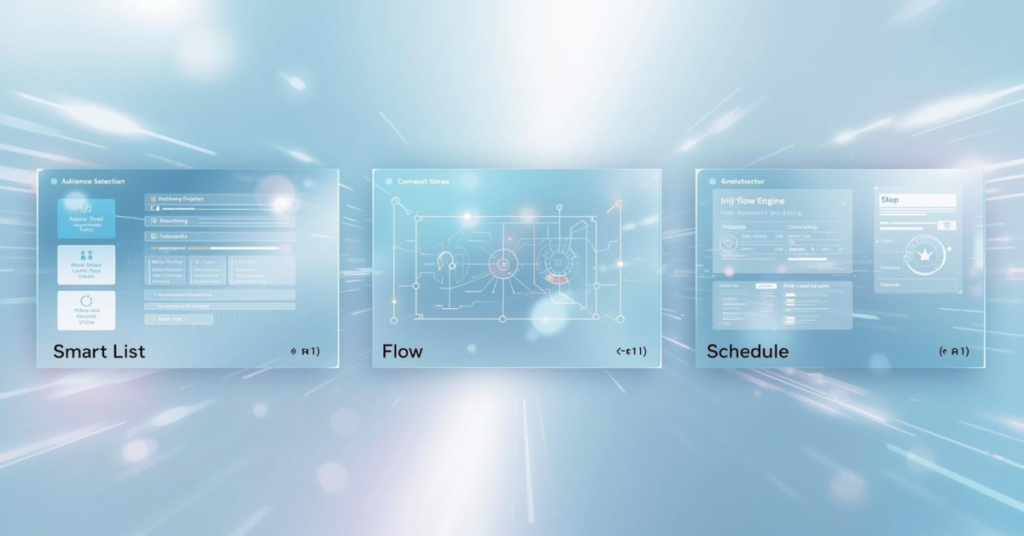
- Three tabs drive every campaign: Smart List defines who, Flow defines what.
- Batch processes a full segment. Trigger fires the moment a lead acts.
- Triggers always evaluate as OR logic. This is hardwired, not configurable.
- Filters default to AND. Advanced Logic unlocks complex mixed conditions.
- Qualification rules control re-entry. Always set them before going live.
If you have ever opened a Marketo smart campaign for the first time and paused at the three-tab interface, you are in very good company. New Marketo users across every background encounter the same moment: three tabs, unfamiliar terminology, and a system that clearly does a lot once you understand it.
The good news is that the architecture is consistent and learnable. Triggers, filters, Batch mode, Trigger mode, flow steps: each concept has a precise meaning in Marketo, and once those meanings click, the whole system opens up. Most confusion comes down to a few specific misunderstandings, all of which resolve quickly with the right explanation.
This guide walks through the three-tab architecture, the difference between Batch and Trigger modes, how filter logic works, and the best practices that separate campaigns that just run from campaigns that run well.
The Three-Part Architecture of a Marketo Smart Campaign
Every Marketo smart campaign is built around three tabs: Smart List, Flow, and Schedule. Each one plays a distinct role, and all three must be configured before a campaign does anything. Adobe’s official Smart Campaign documentation describes the Smart Campaign as the engine of the entire Marketo Engage platform, and that is exactly the right frame.
Smart List
The Smart List defines who qualifies for the campaign. You build it using triggers, filters, or a combination of both. Triggers listen for a live event: a form fill, a link click, a data value change. Filters check whether a lead meets a static set of criteria at the moment the campaign runs, such as job title, country, or lead score.
Flow
The Flow defines what happens to a qualifying lead. Flow steps include sending an email, changing a data value, adding to or removing from a list, assigning to a sales rep, or updating a lead score. You can also insert Wait steps and If/Else branches for conditional logic. For teams looking to personalize at scale, Implementing Velocity Scripts in Marketo covers advanced techniques that extend what flow steps can do.
Schedule
The Schedule tab controls when the campaign runs. For Trigger Campaigns, this tab confirms the campaign is set to Triggered and lets you toggle it active or inactive. For Batch Campaigns, it is where you set the run date, time, and any recurrence.
Batch vs. Trigger: Choosing the Right Mode
The campaign type you use depends on whether you are responding to a live event or processing a segment at a defined point in time. This is an architectural choice that shapes how leads enter, when they process, and how the campaign interacts with the rest of your instance. For how this connects to program structure, see Marketo Engagement Programs vs. Email Programs.
| Batch Campaign | Trigger Campaign | |
|---|---|---|
| Runs | On a defined schedule | In real time, event-driven |
| Smart List | Filters only (no triggers) | At least one trigger required |
| Processes | All qualifying leads at once | One lead at a time |
| Recurrence | Yes (daily, weekly, monthly) | No (active or inactive only) |
| Best for | Scheduled sends, list maintenance | Behavioral responses, CRM sync |
| Schedule tab | Set date, time, recurrence | Toggle active or inactive only |
Batch Campaign in Practice
A Batch Campaign is the right choice for one-time email sends, scheduled database maintenance, list updates, and any situation where you are targeting a defined segment. They can also run on a repeating schedule, which makes them useful for ongoing tasks like weekly lead score recalculations.
Trigger Campaign in Practice
A Trigger Campaign processes leads one at a time the moment a trigger event fires. If a lead fills out a form at 11:22 AM, that lead moves through the Flow at 11:22 AM. This makes Trigger Campaigns the right choice for welcome emails, real-time CRM sync actions, and behavioral alerts. A practical use case is covered in How to Set Up Marketo PPC Integration, which relies on Trigger Campaigns to capture UTM data the moment a lead arrives.
Smart List Logic: Filters, Triggers, and Advanced Combinations
Once you understand campaign types, the next layer is filter logic. This is where the most common configuration mistakes happen, particularly for teams migrating from another platform. The Eloqua to Marketo Glossary is a useful reference for mapping familiar terms to Marketo-specific language.
| Logic Type | How It Works | When to Use It |
|---|---|---|
| AND (default) | All filters must be true for a lead to qualify | Precise, multi-condition targeting |
| OR (ANY) | At least one filter must be true | Broader audience capture across behaviors |
| Advanced | Custom expressions, e.g. 1 AND (2 OR 3) | Complex mixed-condition targeting |
How Filter Logic Works
By default, multiple filters are evaluated with AND logic. Every filter must be true for a lead to qualify. You can switch to ANY, which applies OR logic so that at least one filter must be true. For more complex targeting, Marketo offers Advanced Filter Logic: once you have three or more filters, you can write custom expressions to combine conditions precisely.
Best practice: Document your filter logic in plain language before building it in the platform. Confirm the criteria with your campaign team first, then translate it into the Smart List. This reduces errors and makes future audits far easier. The Optimizing Marketo guide covers this as part of a broader instance governance approach.
Combining Triggers with Filters
When a Smart Campaign has at least one trigger, Marketo automatically sets it to Trigger mode. Triggers always evaluate with OR logic: if you add two triggers, either one will fire the campaign. Filters placed alongside triggers act as qualifiers. After a trigger fires, Marketo checks whether the lead also meets all filter conditions before passing them into the Flow. Per Adobe’s documentation on Batch and Trigger Campaigns, a lead must satisfy the trigger event and pass all active filters to enter the Flow.
Smart Campaign Best Practices
Set Qualification Rules Before Activating
Qualification rules determine how often a single lead can run through a campaign Flow. The default is once per lifetime, which prevents a lead from re-entering even if the trigger fires again. For lead scoring or re-engagement campaigns where repeat qualification is intentional, change the rule to “every time” or set a specific time interval. Always review qualification rules before activating any Trigger Campaign.
Name Campaigns Consistently and Nest Them Inside Programs
Every Smart Campaign should live inside a Marketo Program, never at the root of the instance. Use a naming convention such as [Year]-[Campaign Type]-[Description] so campaigns are identifiable at a glance. Consistent structure makes audits faster, handoffs cleaner, and Campaign Inspector far more useful.
Marketo smart campaigns follow a clear and learnable logic: a Smart List defines who qualifies, a Flow defines what happens, and the Schedule or active toggle controls when it runs. Understanding the difference between Batch and Trigger modes, knowing how filter logic stacks, and setting qualification rules correctly will take you from building campaigns to building them well. If you are ready to put these fundamentals to work inside a well-governed Marketo instance, contact 4Thought Marketing to discuss what your team needs and where to start.
Frequently Asked Questions
What is a Marketo smart campaign?
A Marketo smart campaign is an automated workflow made up of three components: a Smart List that defines who qualifies, a Flow that defines what actions to take, and a Schedule or active status that controls when the campaign runs. It is the primary mechanism for automation across the entire Marketo Engage platform.
What is the difference between a Batch Campaign and a Trigger Campaign in Marketo?
A Batch Campaign runs at a scheduled time and processes all qualifying leads at once using only filters. A Trigger Campaign processes leads one at a time in real time the moment a trigger event occurs. Batch Campaigns suit scheduled segment actions while Trigger Campaigns handle real-time behavioral responses.
How does filter logic work in a Marketo smart campaign?
By default, multiple filters use AND logic, meaning every filter condition must be true for a lead to qualify. You can switch to ANY (OR) logic or write Advanced Filter Logic with custom expressions when you have three or more filters. This applies to filters only: triggers always evaluate as OR regardless of filter settings.
Can you use both triggers and filters in the same Marketo smart campaign?
Yes. Adding at least one trigger sets the campaign to Trigger mode. Filters placed alongside triggers act as additional qualifiers: after a trigger fires, Marketo checks whether the lead also meets all filter conditions before allowing them into the Flow.
What are qualification rules in a Marketo smart campaign?
Qualification rules determine how often a single lead can run through a campaign Flow. The default allows each lead to qualify once per lifetime. You can change this to every time or set a specific time-based interval depending on how the campaign is designed.
What is the Smart List in Marketo?
The Smart List is the first tab in a Marketo smart campaign where you define your target audience using triggers, filters, or a combination of both. It is the starting point for every campaign, whether batch or triggered.