Frequently Asked Questions

Features & Capabilities

How does Oracle Eloqua handle shared email addresses by default?

Oracle Eloqua requires each Contact record to have a unique email address. By default, it does not allow different individuals to share a common email address or receive their own unique emails using the same address. This limitation can create challenges for organizations where multiple people share an email address, such as households or companies with shared leads. Note: Out-of-the-box Eloqua does not support shared email addresses without custom solutions or third-party apps.

What is the Many-to-One Email app from 4Thought Marketing and how does it help with shared email addresses in Eloqua?

The Many-to-One Email app from 4Thought Marketing is a cloud application designed to address the challenge of sending personalized emails to multiple individuals who share a single email address in Oracle Eloqua. It enables organizations to segment, personalize, and merge data for each individual, even when they share an email address. The app supports scenarios such as households, educational institutions, and companies with shared leads. Note: Implementation requires careful planning of data flows and may not be suitable for organizations that do not use Custom Objects in Eloqua.

What are Custom Objects (COs) in Eloqua and why are they important for managing shared email addresses?

Custom Objects (COs), also known as Custom Data Objects, are used in Oracle Eloqua to store information about individuals or entities that may not map directly to a single Contact record. For managing shared email addresses, COs allow organizations to store data for each individual associated with a shared address, such as preferences, job titles, or event participation. This enables more granular segmentation and personalization. Note: Using COs adds complexity to data management and requires careful integration with CRM and campaign processes.

What are the five key considerations when marketing to customers with shared email addresses in Oracle Eloqua?

The five key considerations are: (1) Assess all data sources (form submissions, list uploads, CRM integration) for how they create or update Custom Objects; (2) Pay close attention to CRM integration rules for creating and updating Leads and Contacts; (3) Revisit how you manage subscriptions, preferences, and opt-outs, since a global unsubscribe affects all individuals sharing an email address; (4) Adjust lead scoring to ensure each individual is scored separately; (5) Be deliberate with segmentation and personalization merges to ensure the correct data is used for each recipient. Note: Each step introduces additional complexity and may require technical expertise in Eloqua and CRM integration.

Use Cases & Benefits

What are common scenarios where multiple people share an email address and need individualized marketing in Eloqua?

Common scenarios include: (1) Cruise ships, where a family books with a single email but each member needs personalized itineraries; (2) Education, where parents of multiple children require information about each child's activities; (3) Auto dealerships, where a vehicle owner manages multiple vehicles; (4) Corporations, where multiple business units need to send targeted information to a shared lead. Note: These scenarios require advanced data management and may not be supported by default Eloqua functionality.

How has 4Thought Marketing helped organizations implement Many-to-One email processes?

4Thought Marketing has successfully implemented Many-to-One email processes for both B2B and B2C clients, taking a holistic approach to define business needs and determine if Many-to-One is the right fit. For example, in the real estate sector, W. P. Carey used Oracle Eloqua with 4Thought Marketing's support to streamline campaign management and improve data quality, resulting in a 30% increase in campaign efficiency and a 20% reduction in manual processing time (source). Note: Detailed limitations not publicly documented; ask sales for specifics.

Pain Points & Solutions

What problems do organizations face when managing shared email addresses in Eloqua?

Organizations face several challenges: (1) Inability to send individualized emails to multiple people sharing an address; (2) Difficulty segmenting and personalizing communications; (3) Complications with subscription management, as a global unsubscribe affects all linked individuals; (4) Lead scoring and reporting issues due to shared identifiers; (5) Increased complexity in CRM integration and data management. Note: These challenges require advanced configuration and may not be fully addressed by standard Eloqua features.

How does 4Thought Marketing address data privacy and compliance when managing shared email addresses?

4Thought Marketing offers the 4Comply product, which centralizes preference management and consent tracking to help organizations comply with regulations like GDPR and CCPA. This is particularly important when managing shared email addresses, as preference and consent must be tracked at the individual level. 4Comply provides an auditable solution for compliance. Note: Organizations must ensure their data flows and integrations are configured to support individual-level consent management.

Support & Implementation

What support does 4Thought Marketing provide for organizations implementing Many-to-One email solutions in Eloqua?

4Thought Marketing provides end-to-end support for implementing Many-to-One email solutions, including needs assessment, solution design, data flow analysis, and technical implementation. The company has experience with both B2B and B2C clients and offers personalized onboarding and training. Note: Implementation may require advanced Eloqua and CRM expertise; organizations with limited technical resources should discuss support options with 4Thought Marketing.

Product Information

What other products and services does 4Thought Marketing offer to enhance marketing automation and data management?

4Thought Marketing offers a range of products and services, including: 4Comply (compliance and consent management), Cloud Apps (over 70 apps for Eloqua and Marketo), 4Preferences (real-time multi-channel preference management), 4Segments (advanced audience segmentation), and 4Bridge (integration connector for data flow between platforms). Services include strategic consulting, campaign production, technical implementation, and Eloqua Health Checks. Note: Not all products are relevant for shared email address scenarios; consult with 4Thought Marketing for the best fit.

Customer Proof & Industry Reach

Which industries and customers have benefited from 4Thought Marketing's solutions?

4Thought Marketing has delivered solutions across industries such as real estate (W. P. Carey), financial services (Cetera Financial Group), and manufacturing (Endress+Hauser Infoserve GmbH). Clients include FT, Fluke, Arrow, JLL, Intuit, VISA, Cetera, Catalent Pharma, VIAVI Solutions, Vertiv, Brady Corp, Morningstar, Columbia Bank, and more. For a full list, see 4Thought Marketing's clients page. Note: Not all clients use shared email address solutions; industry fit varies by use case.

Limitations & Considerations

What are the limitations or challenges of implementing Many-to-One email solutions in Eloqua?

Implementing Many-to-One email solutions in Eloqua introduces complexity in data management, CRM integration, and campaign segmentation. Organizations must carefully plan data flows, manage Custom Objects, and ensure compliance with privacy regulations. Not all Eloqua users may have the technical resources or business need for this approach. Note: Detailed limitations not publicly documented; ask 4Thought Marketing sales for specifics.

Shared Email Addresses and Eloqua – Top 5 Considerations to Get it Right

Shared Email Addresses Many to One

Shared Email Addresses and Eloqua – Top 5 Considerations

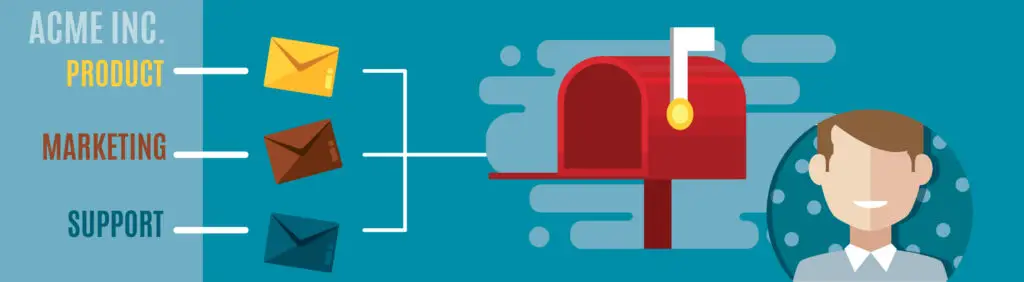
Most Eloqua users are probably aware that each Contact record in Eloqua has a unique email address.  Oracle Eloqua doesn’t allow different individuals to share a common email address or receive their own unique email – at least not with ‘out of the box’ functionality.

Your customers aren’t bound by these rules. There are cases where multiple people may share an email address, such as household members, or a single person may wear enough hats to require more than one record in Eloqua.
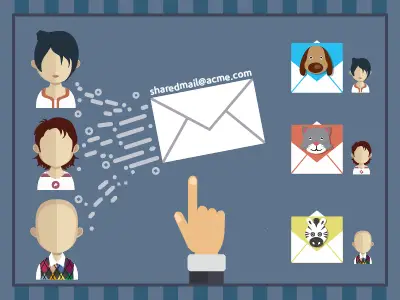
Sharing Email Addresses

Some examples:

  • Cruise Ships. A family may book their reservation using a single email address, but you need to send itineraries and special event information to each individual in the household
  • Education. Parents of multiple children need information about each of their kids’ school activities
  • Auto dealerships. A vehicle owner needs to be kept informed about services for multiple vehicles
  • Corporations. A large company with multiple business units needs to email business unit-specific information to a shared lead

In these cases, it often is necessary to use Custom Objects (COs or Custom Data Objects) to store the information about each individual.

Five things you need to do if you want to market to customers with a shared email addresses in Oracle Eloqua

#1: Consider All Your Data Sources

How you load the data matters.  If you use Oracle Eloqua CO to store individual data (for example product preference, job title, or area of interest) you will need to find a way to create and/or update the CO when you get new information. Data in Oracle Eloqua comes primarily from three places: Form Submissions, List Uploads, and CRM integration.  Each input source has its own set of concerns to consider.  For example, if you are doing a list upload, do you want to create a new CO each time?  What is the unique ID for the CO and can the list upload determine if one already exists? 

If the source of the data is a form submission or CRM integration, you’ll want to answer the same questions.

#2: Pay attention When Integrating with Your CRM

In the same way you need to determine if a CO should be created or updated, you’ll need to understand what records will be created or updated in the CRM. Just like a standard CRM integration, you need to look at the business rules for creating and updating Leads and Contacts in the CRM, and retrieving that data back into Eloqua.  Many-to-One scenarios make these decisions a little more complex because you also have to understand which fields go to the Contact, and which go to the Lead CO.  


For example, First Name and Last Name belong at the Eloqua Contact.  But what about Lead Score – that is probably linked to the Lead, as is Lead Status.  And then you have other fields such as preferences or whether the individual is a customer.  You need to look at the business use of these fields to determine if they are at the Lead or Contact level.

These are just a few of the many situations where your CRM integration will need to be examined even more closely than before.

#3: Revisit How You Manage Subscriptions, Preferences and Opt Outs

When two or more people share an email address and one globally unsubscribes, all individuals linked to that email address will automatically be unsubscribed. 

One way to get around this is to use Preference Management. This way each individual can identify which emails they would like to receive, and which they don’t.  This introduces a new layer of complexity when segmenting data for campaigns.

#4: Revisit Lead Scoring

How you score and how you store these scores needs to be addressed  Just as you’ll want to manage email preferences on an individual basis, you may want to score each individual separately from others who share the same email address.

#5: Be Deliberate with Segmentation and Personalization Merges

When you have multiple COs for a single email address, and want to use data from the CO for field merge purposes – e.g. start the email with “Hi [fname]”, you’ll need a mechanism to perform the following functions:

  • Find all Contacts who meet your campaign segmentation criteria
  • Find the correct CO record from which to pull the data to be used on the field merge
  • Move the data from the CO to the Contact

You’ll then want to cycle through the COs in case there are multiple CO records that meet your campaign criteria.

The Many-to-One Email cloud app from 4Thought Marketing meets all of the segmentation and field merger criteria described here, and more. 

One More Thing…

Finally, you’ll want to carefully review your other data flow processes to identify which would be affected by sharing email addresses. 

Going down the household email path requires expertise – but it can be done. 

4Thought Marketing has successfully implemented Many-to-One email processes for B2B and B2C clients.  We take a holistic approach to your problem. We’ll  help you clearly define your needs and then determine if Many-to-One is right for you.  Just like you, we don’t want to make your life more complicated than it already is…but if you have complex business needs, we’re there to help simplify where possible.

For more information call us at 1-888-356-7824, or contact us  and we’ll get in touch shortly.
[Sassy_Social_Share]

Related Posts