Quick Takeaways
- Marketo Engage runs email, scoring, nurture, and CRM sync.
- Programs hold every asset for one marketing initiative.
- Smart Campaigns do the work; Smart Lists choose the people.
- Leads, contacts, and campaigns sync both ways with Salesforce.
- Partitions act like separate databases, so plan them first.
- Most Marketo Engage trouble is design debt, not product bugs.
Table of Contents
Marketo Engage is easy to buy and surprisingly hard to explain to a new hire. Your team pays for it every year, yet half the instance stays a mystery: which Programs matter, why a Smart Campaign fired, why one lead exists twice.
Search for what the platform does and you mostly find feature lists, not an operating view. This guide gives you both: what Adobe Marketo Engage does, in Adobe’s own terms, and the habits that keep a busy instance clean and trusted.
The Short Answer: What Marketo Engage Does
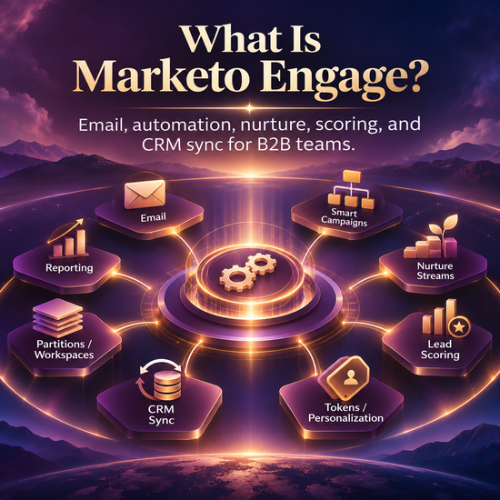
Marketo Engage is Adobe’s marketing automation platform for B2B teams. It stores your people, sends your email, runs automated campaigns, scores and nurtures leads, and syncs with your CRM so sales can act on what marketing learns. It is built for the long, considered buying cycles that B2B teams manage.
Adobe places it inside Adobe Experience Cloud, and its product documentation on Experience League group the product into core concepts (Programs, Smart Campaigns, and Smart Lists), administration, and integrations. Marketo Engage pricing is set by package, so confirm current pricing with Adobe.
What Does Marketo Engage Do for B2B Teams?
The platform handles four jobs you touch every week: organizing work, automating it, nurturing people, and scoring them.
Programs and Channels
A Program is the container for everything one marketing initiative needs. Adobe’s Marketo Engage Glossary lists four types: Event, Engagement, Email, and Default. Each Program is tied to a Channel, the type of marketing activity, such as email, webinar, or tradeshow. Treat the Program as your unit of reporting: when every email, landing page, and Smart Campaign for one initiative lives in one Program, you can compare initiatives and retire old ones cleanly.
Smart Campaigns and Smart Lists
A Smart Campaign performs actions you set, based on criteria you choose, in batch or trigger mode. A Smart List is a dynamic list of people defined by filters, so membership changes as people start or stop matching. Use trigger campaigns for actions that should happen the moment someone acts, and batch campaigns for audiences you send to on a chosen date. Our guide to Marketo Smart Campaign triggers and filters shows how the pieces connect.
Engagement Programs and Nurture
An Engagement Program is a Program type that delivers content to new people on a schedule, which is why many teams call it a nurture program. It is the right home for always-on nurture, while one-off sends belong in an Email Program. Plan the content stream before you build, so people do not run out of messages halfway through.
Lead Scoring and Reporting
A scoring model assigns points for demographics and behavior to judge lead quality and sales readiness. The platform can keep the two scores separate or combine them. Agree the criteria with sales first, then follow our Marketo lead scoring overview. For reporting, the Program Analyzer in Revenue Cycle Analytics compares Programs on cost, pipeline, revenue, and ROI.
How Marketo Engage Email Marketing Works
Email is where most teams spend their Marketo time. You build emails in Email Designer and send them through a Smart Campaign or an Email Program. Personalization runs on Tokens, which insert personalized data automatically across assets.
Our Marketo tokens guide covers field merges and default values. When tokens are not enough, our velocity scripts guide explains what scripting can and cannot do. Authenticate your sending domain with SPF, DKIM, and DMARC, and watch bounce and complaint rates per send, not just per month. Use an Email Program for one-off sends and a Smart Campaign for messages triggered by behavior. Email templates are the next layer, because a safe base template keeps every sender consistent. See our email templates guide.
How Marketo Engage Connects to Your Stack
Marketo marketing automation is only as useful as the data flowing in and out of it. For most B2B teams, that starts with the CRM.
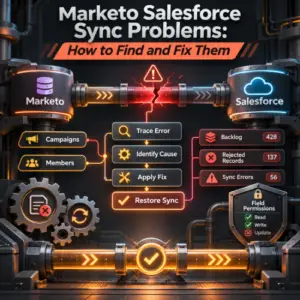
CRM: It syncs with Salesforce and Microsoft Dynamics. For Salesforce, the sync is bidirectional only for leads, contacts, and Salesforce campaigns, and Marketo pauses about five minutes between sync cycles. Our guide to Marketo Salesforce integration covers the setup, and our sync problems guide covers failures.
Tracking and partners: Munchkin is Marketo’s JavaScript tracking code, and it tracks website visitors, including anonymous ones. LaunchPoint is Adobe’s home for Marketo-integrated partner solutions.
Ownership: Every connection adds a sync to monitor. Name an owner for each one and write down what flows in each direction, so a broken sync has a first responder.
Attribution: Revenue questions often need more than native reporting. See how Marketo Measure differs from native Marketo attribution.
Best Practices for Running Marketo Engage Well
Most Adobe Marketo Engage problems that look like product failures are design problems: unplanned partitions, Programs nobody owns, and duplicate people. These habits prevent them.
Plan Workspaces and Partitions First
In Marketo Engage, a Workspace is a separate area for marketing assets, such as one for North America and one for Europe. Partitions act like separate databases, so people in different partitions do not de-dupe or mix. Decide the structure before you load data.
Name, Own, and Clean
Use one naming convention for Programs and assets, give every active Program an owner, and merge duplicate people on a schedule. Our 10 strategies for optimizing Marketo give you a starting checklist.
Control Who Can Do What
Adobe’s administration documentation covers users and roles. Give builders and approvers different roles, limit admin access to the few people who need it, and review the user list each quarter, especially after team changes.
Check Campaigns After Launch
Review each new Smart Campaign in its first days. Confirm who qualified, what sent, and whether the CRM sync picked up the changes. A quick check catches what pre-launch testing cannot.
Document the Handoff to Sales
Write down what a qualified person means, who gets notified, and how fast sales should follow up. A scoring model that sales does not trust will not change anyone’s behavior, so review the thresholds together each quarter.
Run a Yearly Health Check
Even well-run instances drift. Once a year, review users and roles, partitions, Programs nobody owns, CRM sync health, and unused assets, so you fix problems before they spread. A second set of eyes helps: 4Thought Marketing provides Marketo implementation, campaign services, data services, and CRM integration.
Conclusion
Marketo Engage gives B2B teams one system for email, automation, nurture, scoring, and CRM sync. Its depth is why it fits complex teams, and why it needs structure to stay trusted. Plan your partitions, name and own your Programs, and check every campaign after launch. Do that consistently, and the instance you already pay for starts earning its place in your stack. To review how your instance runs today, contact 4Thought Marketing or explore our Marketo consulting and integration services.
About 4Thought Marketing
We're a B2B marketing automation and AI consultancy with a thing for getting complex tech to actually work. Since 2008, we've helped hundreds of organizations across financial services, technology, manufacturing, and real estate get more from Eloqua, Marketo, and their CRM integrations. We serve our clients across marketing automation strategy, lead lifecycle, AI, compliance, preference management, and more. Explore our services or get in touch.
Frequently Asked Questions
What is Marketo used for?
B2B teams use the platform to send email, automate campaigns, nurture and score leads, and sync qualified people to a CRM.
Is Marketo the same as Marketo Engage?
Teams usually say Marketo, but Adobe’s product name is Adobe Marketo Engage. It is the same platform.
What is the difference between a Program and a Smart Campaign?
A Program is a container for one marketing initiative and its assets. A Smart Campaign performs actions based on criteria you set, and it usually lives inside a Program.
Which CRMs does Marketo sync with?
Adobe documents native sync with Salesforce and Microsoft Dynamics. For Salesforce, leads, contacts, and campaigns sync both ways.
How much does Marketo cost?
Adobe prices it by package, and prices are not in the product documentation. Confirm current pricing with Adobe.
Is a lead the same as a person in Marketo?
Marketo replaced the term lead with person. In a CRM, lead can mean something different, so check which system a report uses.