Quick Takeaways
- AI email marketing needs admin access in both platforms.
- Eloqua offers five subject line suggestions per generation.
- Marketo drafts a full email only from a template.
- Eloqua also covers send timing and fatigue analysis.
- Neither platform replaces your review step before sending.
- Build the checkpoint first, then widen AI access.
Table of Contents

AI email marketing is already built into Oracle Eloqua and Adobe Marketo Engage, but a team still has to switch the features on, set the rules for using them and decide who approves what they produce. The vendor documentation explains how to generate subject lines, copy and even whole emails. It says little about that approval step.
Most marketing operations teams meet this gap the hard way. One person enables the feature, three people start using it, and nobody has agreed what a human must check before send. The result is faster drafts and a quieter rise in risk.
This guide shows where AI genuinely saves time in each platform’s email tools, what the documented features do and do not cover, and how to set up the review step before you widen access to the rest of your team.
What AI Email Marketing Means in Eloqua and Marketo
AI email marketing, in your Eloqua campaign or Marketo program, means using the generative and predictive features built into the platform’s own email tools to draft, vary, and time messages while people decide what is sent. It is not an autonomous system that runs your sends.
Oracle groups its features under Advanced Intelligence, which has been available to all Eloqua customers since 12 June 2025. Oracle’s Advanced Intelligence overview lists Fatigue Analysis, Account Intelligence, Send Time Optimization, Subject Line Generation and Content Generation, and says enabling the generative functions requires a service request to Oracle Support.
Adobe takes a different route in Marketo. Generate content lives in the Email Designer, and an admin has to accept Adobe’s generative AI terms and then grant the Access AI Assistant permission to each role. For a wider comparison beyond email, see Eloqua AI compared with Marketo AI.
Where AI Helps in Your Email Workflow
AI email marketing helps most at the drafting and timing steps of your email workflow, and least at the approval steps. The table maps each task to what each vendor documents and the check you still own.
| Task | Eloqua | Marketo | Your checkpoint |
|---|---|---|---|
| Subject lines | Subject Line Generation returns five suggestions | Generate content creates subject lines and preheaders | Choose, edit and check against brand voice |
| Body copy | Content Generation drafts or varies text in a text component | Generate content writes or rewrites a single section | Verify every product claim |
| Full email build | Works component by component | Generates a full email from a selected template | Review every block and preview the result |
| Send timing | Send Time Optimization | Not covered by the sources cited here | Compare against your own engagement data |
| Frequency | Fatigue Analysis | Not covered by the sources cited here | Set your own frequency policy |
Read the table as a division of labor. The platform produces options, and your team owns the choice, the facts and the send. For marketing operations teams, that split is the whole point of the exercise.
Where it saves time: Drafting and variation. A first draft or five subject line options replace a blank page.
Where it adds risk: Anything that ships unreviewed, because generated text can say things your company has never said.
Where AI Helps With Copy and Subject Lines in Eloqua and Marketo
In both platforms, AI email marketing is most useful for first drafts of copy and subject lines, and it needs a human edit every time.
Eloqua
In Eloqua, you click AI Assist above the Subject Line field in the Design Editor’s email settings, enter an email topic, choose Promotional, Transactional or Neutral as the purpose, and the AI subject line generator returns five suggestions. In Eloqua, Subject Line Generation returns five suggestions per generation, and you still choose, edit and approve every one before it reaches a send.
Content Generation works inside text components. Generate drafts from a topic, and Create Variation rewrites text already in the block. You can set language, purpose, tone and formality, then Lengthen, Shorten, Rewrite or Bulletize the result. If you run Eloqua email marketing at volume, our walk-through of Eloqua AI content generation covers the editor in more detail.
Marketo
In Marketo, Generate content creates subject lines and preheaders from settings such as Buying Group, Marketing Journey Stage, Communication Strategy, Language and Tone. It can also write or rewrite a single section and build a whole email from a selected template. The Adobe Generate content documentation lists each option, and our review of Marketo’s generative AI email editor shows how it fits your editor workflow.
Example: Picture a reminder for a regional webinar. You give the AI a topic and purpose, pick one of five subject lines, and edit the body so the date, time zone and registration link match your event record. The AI saved you the blank page, but it did not know your event details.
Guardrail to set first: Treat every generated line as a draft that someone named on your team must approve. Prompt rules, brand-voice notes and approval steps for AI email marketing get a deeper treatment in our guidance on AI copy drafting with guardrails.
Where AI Helps With Templates and Layout in Marketo
In Marketo, AI can build a full email only from a selected template, which makes your template library the quality ceiling for anything the AI produces.
Adobe’s documentation states that full-email generation is not available if you choose Design from Scratch. Teams that keep a governed library of AI email templates get consistent builds, while teams that design from scratch get section-level help only.
For Marketo email marketing teams that serve several regions, a governed library also keeps AI email marketing consistent, because every generated email starts from an approved layout, footer and set of brand elements.
If your starting point is a screenshot or a design comp, see how to turn images into Marketo email templates. For background on the editor itself, read about the new Marketo Engage email editor.
Eloqua handles this differently. Oracle documents Content Generation for text components in the Design Editor, so your layout and template decisions stay with your team.
Where AI Helps With Send Timing and Fatigue in Eloqua
Eloqua’s Send Time Optimization sends each email at the time a contact is most likely to engage, and Fatigue Analysis identifies contacts showing email fatigue so you can adjust frequency, according to Oracle’s Advanced Intelligence documentation.
Use it for decisions, not defaults: Let fatigue results inform your frequency caps, and keep the cap itself as a written policy your team owns. A score should not replace a rule.
Timing and frequency are the least visible parts of AI email marketing, because nobody reviews a send time the way they review a subject line.
Neither feature repairs a sending reputation problem. Authentication, list quality and sending habits still decide whether messages reach the inbox, as covered in email deliverability best practices.
What AI Cannot Do Before You Send
In the Oracle and Adobe pages cited in this article, the features generate and vary content, and none describes an automated approval before send. In Marketo, Generate content can create a full email only from a selected template, so teams that design from scratch get section-level help, not a full draft. That gap is where AI email marketing most often goes wrong: nobody owns the last check.
Your pre-send review has to cover what the AI cannot see:
Facts: A person must verify any claim about features, pricing or availability against your own sources.
Links and fields: Confirm every link, merge field and tracking parameter works as intended. Our guide to email QA testing lists what to check.
Rendering: Preview across clients and devices, as explained in email preview testing.
Compliance: Footers, consent language and regulated copy go to the people who own them, not to a prompt.
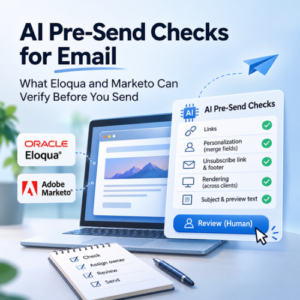
These checks get a fuller treatment in our guidance on AI pre-send checks for email.
How to Roll Out AI in Your Email Program
Roll out AI email marketing in four moves: limit access, write the review rule, build a prompt library, then measure against your baseline.
Limit access first
In Eloqua, request the feature through Oracle Support. In Marketo, accept Adobe’s terms and grant the Access AI Assistant permission only to the roles that will own the process. Widening access later is easier than retracting it.
Write the review rule
Name who approves AI-assisted emails, what they check and where the approval is recorded. Keep the rule short enough that people follow it on a Friday afternoon.
Build a shared prompt library
Collect the prompts that produce usable drafts, along with the terms and claims your brand avoids, in one shared place. A prompt library gives every user the same starting point and makes review faster, because reviewers know what the AI was asked.
Measure against your baseline
Compare AI-assisted sends with your usual results on open rate, click rate and production time before you expand AI email marketing further. Accessibility is a good early test case, and you can see how AI can help create accessible emails in this guide.
Conclusion
AI email marketing in Eloqua and Marketo is real, documented and useful for drafts, subject lines, templates and timing. But it ships without an approval process, so your results depend on the checkpoint you build around it. The vendors give you the options, and your team supplies the judgment: who reviews, what they check and when a draft is allowed to go out. Start with a small group, name an owner for review, and widen access only when that checkpoint holds. If you would like help setting up that workflow for your Eloqua campaign or Marketo program, 4Thought Marketing can help.
About 4Thought Marketing
We're a B2B marketing automation and AI consultancy with a thing for getting complex tech to actually work. Since 2008, we've helped hundreds of organizations across financial services, technology, manufacturing, and real estate get more from Eloqua, Marketo, and their CRM integrations. We serve our clients across marketing automation strategy, lead lifecycle, AI, compliance, preference management, and more. Explore our services or get in touch.
Frequently Asked Questions
How do I turn on AI email marketing features in Eloqua?
Oracle states that enabling the generative AI functions requires opening a service request with Oracle Support. Advanced Intelligence features have been available to all Eloqua customers since 12 June 2025.
How do I turn on Generate content in Marketo?
Your team accepts Adobe’s Gen-AI terms through your Adobe account team. An admin then opens Admin, Users & Roles, selects Access AI Assistant under Access Design Studio, saves, and assigns the role to the right users.
How many subject lines does Eloqua’s generator return?
It returns five suggestions per generation. You enter an email topic and choose a purpose of Promotional, Transactional or Neutral, then pick one and edit it. Oracle lists Arabic, English, French, German, Italian, Portuguese and Spanish as supported languages.
Can Marketo generate a whole email with AI?
Yes, from a selected template. Adobe states that the option is not available if you choose Design from Scratch, so your template library shapes the result. Your team should still review every block before it is scheduled.
Is AI-generated email copy safe to send without review?
No. The vendor pages describe generating and varying content, not approving it, so any AI email marketing workflow needs a human checkpoint. Your team still verifies facts, links, rendering and compliance language before every send.
Does Eloqua use AI for send timing?
Yes. Oracle lists Send Time Optimization, which sends each email when a contact is most likely to engage, and Fatigue Analysis, which identifies contacts showing email fatigue. Neither replaces your own frequency policy.