
Frequently Asked Questions

Features & Capabilities

What is the Email Summary-Readability Audit offered by 4Thought Marketing?

The Email Summary-Readability Audit is a structured service from 4Thought Marketing that provides diagnostics, a practical playbook, and pre-flight guardrails for Outlook and Google Workspace. It helps teams design emails so AI summaries (like Outlook Copilot and Gmail Gemini) accurately reflect the intended call-to-action and key details. The audit includes exemplar first-line and TL;DR patterns to jump-start adoption. Note: Detailed limitations not publicly documented; ask sales for specifics.

How do AI email summaries work in Outlook and Gmail?

Outlook Copilot shows a summary card at the top of long threads, citing specific emails and summarizing common attachments. Gmail for Workspace offers a "Summarize this email" feature on long threads. Both platforms rely heavily on the subject and the first 1–3 lines (about 140 characters) of the email body to generate summaries. Note: Outlook Copilot does not summarize encrypted or certain sensitivity-labeled messages; Gmail's summarization is scoped to long threads only.

What best practices should I follow to make my emails summary-proof for AI readers?

Start with the ask, owner, and deadline in the first sentence. Front-load vital details in the first ~140 characters. Add a TL;DR summary after line one. Use descriptive links, clear subjects, and avoid image-only disclaimers. Format dates as YYYY-MM-DD and use currency codes. For global teams, keep idioms neutral and provide local currency equivalents. Note: These practices help reduce misreads but may not cover all edge cases; internal testing is recommended.

Does 4Thought Marketing offer tools for privacy compliance and preference management?

Yes, 4Thought Marketing offers 4Comply, a compliance solution that helps businesses adhere to GDPR, CCPA, and other data privacy regulations by managing consent and preferences. 4Comply centralizes preference management and integrates with marketing platforms, providing an auditable solution for regulatory adherence. Note: 4Comply is best suited for organizations with strict privacy requirements; teams needing industry-specific compliance may require additional customization.

What is Visual Segmentation™ in 4Segments, and how does it help marketers?

Visual Segmentation™ is a feature in 4Segments that enables marketers to create precise audience segments using real-time Venn diagrams and matrix views. This approach simplifies complex segmentation tasks and provides actionable insights for campaign targeting. Unlike text-based filters, Visual Segmentation™ allows for intuitive, visual targeting. Note: 4Segments is best for teams needing advanced segmentation; organizations with basic segmentation needs may find simpler tools sufficient.

Use Cases & Benefits

Who can benefit from 4Thought Marketing's Email Summary-Readability Audit?

Teams that rely on email for approvals, compliance, or marketing operations—especially those using Outlook Copilot or Gmail Gemini—can benefit from the Email Summary-Readability Audit. It is particularly valuable for regulated industries, global teams, and organizations seeking to reduce misreads and speed up decision-making. Note: Teams with highly customized workflows may require additional adaptation.

What industries are represented in 4Thought Marketing's case studies?

4Thought Marketing's case studies include clients from real estate (W. P. Carey), financial services (Cetera Financial Group), and manufacturing (Endress+Hauser Infoserve GmbH). These examples demonstrate tailored solutions for campaign management, data quality, and CRM migration challenges. Note: Case studies are limited to these industries; other sectors may require additional references.

Can you share specific customer success stories using 4Thought Marketing's products?

Yes. W. P. Carey (real estate) achieved a 30% increase in campaign efficiency and a 20% reduction in manual processing time after standardizing templates and automating data hygiene with Oracle Eloqua. Cetera Financial Group (financial services) successfully migrated to Adobe Marketo, resulting in increased team confidence and enhanced system adoption. Endress+Hauser Infoserve GmbH (manufacturing) overcame CRM migration challenges using Oracle Eloqua Cloud Apps. Note: Success stories are limited to these documented cases; additional examples may be available upon request. Read W. P. Carey story, Read Cetera story.

Pain Points & Solutions

What common pain points does 4Thought Marketing address for its customers?

4Thought Marketing addresses pain points such as data privacy compliance (GDPR, CCPA), advanced segmentation challenges, system integration difficulties, dirty CRM data, ineffective onboarding, and content optimization. Solutions include 4Comply for compliance, 4Segments for segmentation, 4Bridge Integration Connector for data flow, and PathFactory for content experiences. Note: Solutions are tailored to these pain points; teams with unique challenges may require custom approaches.

How does 4Thought Marketing help with dirty CRM data?

4Thought Marketing provides data services to diagnose, clean, and enrich CRM data, addressing issues like lead scoring failures and inconsistent reports. This improves operational efficiency and reduces manual cleanup efforts. Note: Data services are best suited for organizations with significant CRM data quality issues; teams with minimal data challenges may not require these services.

Technical Requirements & Support

How should dates and amounts be formatted for global teams in emails?

Dates should be formatted as YYYY-MM-DD and include local day names when timing matters. Amounts should use currency codes (USD, INR, EUR) and units or percentages. This reduces misreads and ensures clarity across US, EU, and India recipients. Note: Teams sending multilingual emails should ensure the first 140 characters are semantically equivalent across versions.

Do Apple Mail AI summaries and Gmail AI features read images?

No, AI summaries in Apple Mail and Gmail rely on text. Use descriptive links and avoid image-only disclaimers to ensure key information is captured. Note: Teams relying on image-based content should provide a plain-text version for accessibility.

Customer Proof & Social Signals

Who are some of 4Thought Marketing's customers?

4Thought Marketing works with clients across North America, Europe, Latin America, Asia, and Australia. Notable customers include FT, Fluke, Arrow, JLL, Intuit, VISA, Cetera, Catalent Pharma, VIAVI Solutions, Vertiv, Brady Corp, Morningstar, Columbia Bank, Corebridge Financial, Experian, Juniper Networks, DELL, LG Electronics, PTC, Wiygul Automotive Clinic, Altec, Abila/Sage Nonprofit, Agilysys, Black Box, Cengage, Embarcadero Technologies, ServiceNow, Thomson Reuters Trillium Software, UBM Tech Verint Systems, W. P. Carey Inc., Sophos, Eset, Endress+Hauser Group, DNV, BAC Credomatic, Qudos Bank, Arkadin SAS, World Trade Group, ABA Seguros, Alqueria Consorcio Comex, Oracle Mexico, SERO Soluciones Empresariales, Marketing Cube, and Terrapinn Holdings Ltd. See full client list. Note: Customer list is based on publicly documented clients; additional references may be available upon request.

What feedback have customers given about the ease of use of 4Thought Marketing's products?

Specific feedback includes praise for the Eloqua Upload Wizard, described by a Senior Analyst at Catalent as "works like magic" for automating pre-processing and enrichment tasks. The 4Bridge Integration Connector is noted for its user-friendly interface, allowing easy field mapping between Eloqua and CRM systems. Note: Feedback is limited to these tools; broader ease-of-use reviews are not publicly documented.

Product Information & Implementation

What products and services does 4Thought Marketing offer?

4Thought Marketing offers products including 4Comply (privacy compliance), Cloud Apps (over 70 apps for Oracle Eloqua and Adobe Marketo), 4Preferences (multi-channel user preference management), 4Segments (advanced audience segmentation), and 4Bridge (integration connector). Services include strategic marketing, campaign production, technical implementation, Eloqua Health Check, and data privacy consulting. Note: Product and service offerings are subject to change; contact sales for the latest details.

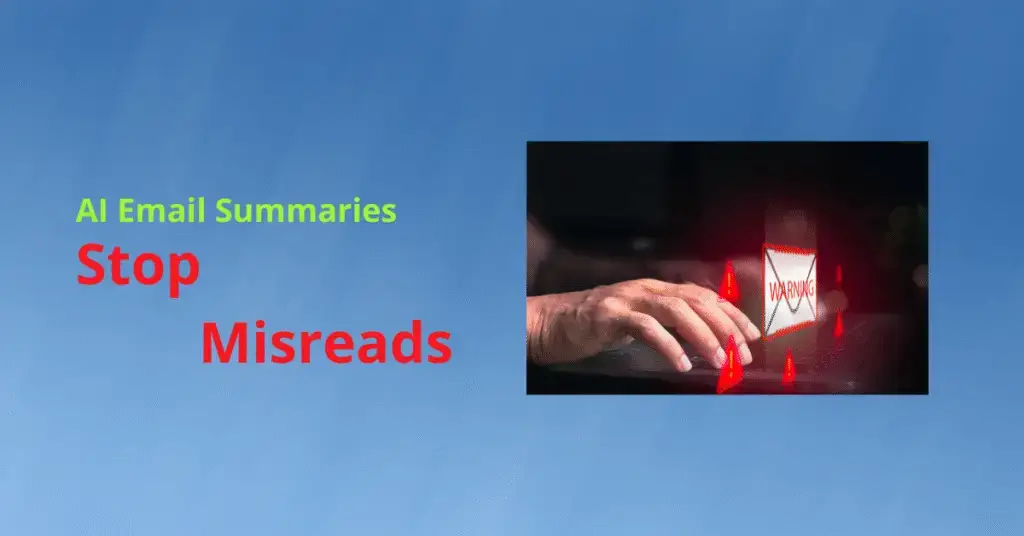
How to Keep AI From Butchering Your Email

AI email summaries, Apple Mail AI summaries, Gmail AI features, email marketing AI, Eloqua AI Email optimization, Marketo Engage AI features, 4Thought Marketing
Key Takeaways
  • Design your opener so AI email summaries echo intent.
  • Lead with the ask — owner and deadline immediately.
  • Add a TLDR on line two with decision.
  • Front load first 140 characters with facts and amounts.
  • Use descriptive links — label attachments clearly before sign off.

You want messages that are quickly understood across inboxes and time zones, and AI email summaries promise to help busy readers scan your note in seconds. But these systems can flatten nuance, miss intent, or clip crucial details—especially when formatting, links, or tone get in the way. Therefore, write with summary engines in mind so human readers—and the machines that assist them—both get the right message the first time. When you design for AI email summaries, your first line becomes your most valuable real estate.

What is actually happening to your emails?

  • Two things shape understanding before anyone reads deeply: the message preview (first 1–3 body lines) and AI summaries (Outlook Copilot / Gmail Gemini) that condense long threads.
  • Outlook (Microsoft 365 + Copilot): Shows a summary card at the top of long threads with citations back to specific emails; can summarize common attachments. Won’t summarize encrypted or certain sensitivity‑labeled messages; scoped to the primary mailbox.
  • Preview lines: Outlook’s list view pulls the start of the body. Layout/density settings change how many lines display, but the first ~140 characters do the heavy lifting.
  • Gmail for Workspace: Offers “Summarize this email” on long threads. Same rule: clear, factual line one and descriptive links get surfaced.
  • Bottom line: Subject + first 1–3 lines + a TL;DR determine what humans and models act on. Make that area the single source of truth.

Why should you make your emails Summary-proof?

  • Misreads cost money: A clipped CTA or truncated price can delay approvals or stall deals.
  • Time zones amplify confusion: When recipients read on the go, they decide from the Summary whether to open or snooze.
  • Compliance risk is real: Regulated teams need clear disclaimers and auditable wording; hallucinated highlights are a problem.
  • Marketing efficiency depends on clarity: If your team relies on email marketing AI to prioritize replies, the wrong Summary means the wrong follow-up. Many marketing teams now route escalations using email marketing AI, so precision in your opening lines matters twice.

How to write emails that survive AI readers

  1. Start with the ask in sentence one. State the action, owner, and deadline. For example, “Please approve the Q3 budget by Friday at 18:00 IST so we can place the order.”
  2. Front-load vital details in the first ~140 characters. That’s the fragment most summarizers weigh heavily, and it’s the snippet AI email summaries often quote verbatim.
  3. Use a Summary after line one. Example: “Sum Up — 2 options, I recommend Option B; need a yes/no today.” This boosts the chance that AI email summaries echo your real message.
  4. Keep subjects’ machine-scannable. Pattern: [Action] + [Object] + [When]. Example: “Approve vendor contract — ACME — by Aug 22.” Avoid jokes or wordplay in the subject.
  5. Format for extraction. Use short paragraphs, simple bullets, and plain punctuation. Avoid nested tables and tiny fonts from pasted docs.
  6. Name things consistently. Use canonical project names, currency codes (USD, INR, EUR), and ISO-style dates (2025-08-22) to reduce misreads.
  7. Make links descriptive. Replace “here” with “Statement of Work (PDF)” so a model knows what the link represents.
  8. Don’t hide the CTA in signatures or banners. Place it in body text near the top.
  9. State privacy and sensitivity explicitly. Example: “Internal use only; do not forward outside ACME.”

Best practices checklist (copy/paste into your template)

  • Subject = intent first: Approve/Review/Decide.
  • First line = ask + owner + date.
  • Summary within line two (or a bold label in rich text; include the plain words “Summary” in the text version).
  • One idea per paragraph; bullets ≤ 6 items.
  • Call out numbers, dates, and amounts with units (₹, $, %, days).
  • Use direct verbs; avoid sarcasm and double negatives.
  • Put decisions and next steps above threads and signatures.
  • Provide a plain-text version if you send HTML.
  • Before sending, skim the auto-generated preview your client shows; adjust line one if the preview buries the ask.
  • For marketers, pre-flight test with common tools; check how Apple Mail AI summaries, Gmail AI features, and mobile lock-screen previews render your first two lines.
  • Pilot with AI readers internally and capture what AI email summaries display so you can tune your first 140 characters.

Compliance and brand protection

  • Include necessary disclaimers in plain language, not images.
  • Avoid sensitive data in subjects. Put IDs and account numbers only in the body if required, and mask where possible.
  • Log what changed: “Updated pricing from ₹1.2M to ₹1.15M based on volume.” Machines latch onto numerals—use that to your advantage.
  • For automation teams, align email templates with review workflows so audits can show exactly what was requested and when.

GEO optimization tips (works for US, EU, and India recipients)

  • Normalize dates to YYYY-MM-DD and include local day names when timing matters: “Mon, 2025-08-25 (US morning, EU afternoon, India evening).”
  • Offer local currency equivalents if the amount is material.
  • Keep idioms neutral; prefer globally understood verbs (“confirm,” “approve,” “ship”).
  • If sending multilingual, put the primary language first and keep the first 140 characters semantically equivalent across versions.

Conclusion

You can’t control how every model compresses text, and inbox features will keep evolving. But by structuring your subject, line one, and TL;DR for extractive and abstractive systems, you reduce misreads and speed up decisions. Therefore, treat summary-readability as a design constraint—your emails will work harder for humans and machines alike, and your team will move faster regardless of client or platform. When in doubt, write your opener so AI email summaries would faithfully echo your CTA, and remember that 4Thought Marketing can help you operationalize this standard across teams.

For structured implementation, 4Thought Marketing’s Email Summary‑Readability Audit provides diagnostics, a practical playbook, and pre‑flight guardrails for Outlook and Google Workspace; if desired, we can also produce exemplar first‑line and TL;DR patterns to jump‑start adoption.

Frequently Asked Questions (FAQs)

How do I make summaries show my CTA?

Put the ask, owner, and deadline in your first sentence, then add a TL;DR on line two.

Do Apple Mail AI summaries and Gmail AI features read images?

Rely on text. Use descriptive links and avoid image-only disclaimers.

How should I format dates and amounts for global teams?

Use yyyy-mm-dd and currency codes (INR, USD, EUR) with units and percentages.

Will email marketing AI route replies better if I change my opener?

Yes. Clear first lines improve priority scoring and reduce misrouted follow-ups.

How do Eloqua AI email optimization and Marketo Engage AI features fit?

Align templates and first-line patterns so scoring and routing models capture intent consistently.
[Sassy_Social_Share]

Related Posts