Quick Takeaways
- Your Eloqua sender score is a symptom, not a lever.
- Check authentication first: IT owns DNS, you own alignment.
- Bounceback reports show which bounces are hard and which are soft.
- Spam Unsubscribe cannot see Gmail complaints; use Postmaster Tools.
- Inactivity filters find the contacts dragging engagement down.
- Log what is confirmed versus inconclusive, layer by layer.
Table of Contents
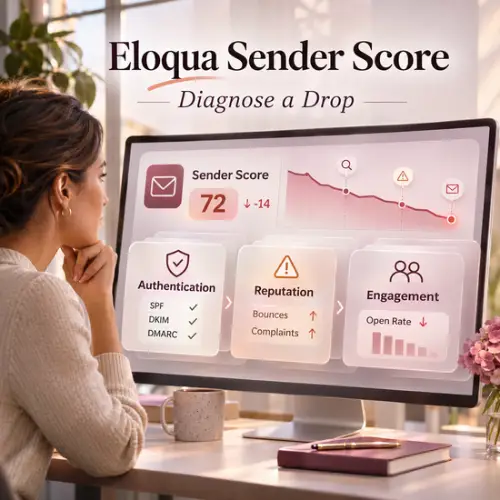
Your Eloqua sender score just fell, and now three people have three theories. One wants to pause every send, another wants a new IP, and nobody has opened a single report yet.
But a sender score is an output, not a lever. The same sender score drop can come from a broken authentication record, a bounce spike, or contacts who stopped reading, and each cause needs a different fix. Guessing costs weeks and can make Eloqua deliverability worse.
Therefore, work the problem in order: authentication, then reputation, then engagement. This article shows you how, using the Eloqua sender score clues already sitting in your reports.
Why Your Eloqua Sender Score Is a Symptom, Not the Problem
What a sender score actually summarizes
The Eloqua sender score you track is Validity’s number, from 0 to 100, calculated in most cases on a rolling 30-day average. Validity’s score page labels 80+ as good, 70 to 80 as fair, and below 70 as poor. You can check yours on Validity’s Sender Score page.
It tells you your sender reputation changed, not why, and a fix takes time to show up because the figure is usually averaged over 30 days.
Why chasing the number leads to guesswork
When your Eloqua sender score drops, the instinct is to act on the score itself. That is how teams scrub healthy lists while an authentication problem sits untouched.
Same Eloqua sender score drop, different causes, different fixes. A misaligned From address needs a setup change. A bounce spike needs list work. A complaint spike needs a look at who you are mailing.
Layer One: Check Eloqua Email Authentication First
Start here, because a weak foundation distorts your Eloqua deliverability and sender reputation. No DNS access? Ask IT, and log the answers.
Branded sub-domain, bounceback domain and From address alignment
Eloqua email authentication starts with a branded sending domain that should be unique to Eloqua, used for sending and bounceback handling. Best practice is the same domain for the From address and the bounceback. Oracle’s documentation says the From address must match the sub-domain of a configured bounceback domain; a mismatch causes validation errors and blocked sends. Oracle’s sending domain and sub-domain guide covers the setup.
SPF, DKIM, DMARC: what stays your job
Your IT team publishes the SPF records and adds the DKIM public key for the branded domain. Eloqua email authentication includes DMARC, which stays on your side too: the customer is responsible for implementing, configuring and monitoring DMARC records and reporting, and Eloqua does not provide DMARC records.
Ask IT three Eloqua email authentication questions. Is SPF published? Is the DKIM public key in place? Does anyone read the DMARC reports?
What Google now requires
Gmail adds its own bar for Eloqua email authentication. Google says bulk senders (over 5,000 messages a day to Gmail) need SPF, DKIM and DMARC, and marketing mail must support one-click unsubscribe. It also asks you to keep the spam rate reported in Postmaster Tools below 0.10% and never reach 0.30%. For a wider checklist, see our email deliverability best practices.
Layer Two: Read Reputation Signals in Eloqua Reports
If authentication checks out, read the reputation signals. Your Eloqua sender score reflects the sender reputation receiving systems formed from your mail. Add these reports to your usual Eloqua campaign monitoring routine.
Pull the Email Bounceback History with Messages report
In Insight, go to Catalog, Shared Folders, Email, and run Email Bounceback History with Messages. This Eloqua bounceback report lists the SMTP Error Code, SMTP Reply Code and Bounceback Message, with a 7, 14 or 30-day date prompt. Codes in the 400 range are soft bounces; 500-range codes are hard.
Then run Email Bounceback Overview, a second Eloqua bounceback report, for total, hard and soft bouncebacks in a time frame. Line the spike up with the day your Eloqua sender score drop began.
Hard versus soft bounces and Oracle’s recommended marks
A hard bounce marks the address invalid, and Eloqua excludes it from future sends. Reset a hard bounce only after verifying the address. Read every Eloqua bounceback report with this in mind: Eloqua retries soft bounces for 48 hours in most cases, then stops, and the address stays valid.
Oracle’s Deliverability Operations team recommends a hard bounce rate of 2%, an overall bounce rate of 5% and a spam complaint rate of 0.2%. Those are recommendations, not hard limits. Many soft bounces from one domain may be ISP throttling, so check the domain before blaming the list. Our email deliverability crisis article is a worked example.
Complaints: the Spam Unsubscribe report and feedback loops
The Spam Unsubscribe report lists contacts who marked an email as spam, via ISP feedback loops. It cannot capture Gmail complaints, because Gmail does not share complaint data, so watch the spam complaint rate in Google Postmaster Tools.
Feedback loops give you a fuller view of sender reputation, and they need DKIM signing first. Then submit a support request (SR) to Oracle’s deliverability team, who enable the Yahoo Feedback Loop, Microsoft SNDS and JMRP, closing Eloqua deliverability blind spots.
Layer Three: Audit Engagement and List Health in Eloqua
If layers one and two are clean, your Eloqua sender score drop is probably about who you are mailing. Eloqua deliverability is partly a list problem, and silent contacts can weigh on your sender reputation even when nothing is broken.
Find the contacts dragging engagement down
Build inactivity-based shared filters, such as contacts who did not open any emails or visit the website, over a window you choose. For the case for trimming, see email list quality vs. size; for upkeep, see Eloqua data hygiene best practices.
Suppress or delete
Exclude contacts with a shared filter; delete them by uploading a list with Import Purpose “Delete contacts” (for example, an exported segment). Contacts synced from your CRM come back on sync unless also removed there. Suppress first, then delete. For a repeatable routine, see our guide to deleting contacts in Oracle Eloqua.
Match the Layer to the Fix
Use this list to triage Eloqua deliverability. Each item reads symptom, layer, first action.
- Blocked sends or validation errors: Layer One. Compare the From address with the bounceback sub-domain.
- Hard bounces climbing: Layer Two. Open the Eloqua bounceback report and verify the addresses before any reset.
- Soft bounces from one domain: Layer Two. It may be ISP throttling.
- Gmail spam complaint rate rising: Layers One and Two. Check Postmaster Tools, SPF, DKIM, DMARC and one-click unsubscribe.
- No Yahoo or Microsoft complaint data: Layer Two. Confirm DKIM signing, then submit the SR.
- All clean but the score sags: Layer Three. Run the inactivity filters.
One more split: a brand-new sending IP versus a recovering one. A new IP has little history to read, while a recovering sender reputation shows in your reports. If that is you, see our Eloqua Office Hours session on warming up a sending IP.
Verify, Don’t Assume
The classic Eloqua deliverability mistake is treating a guess as a finding. “IT says DKIM is fine” is not confirmation until you see the record.
Keep a log for every layer. Record what you checked, who confirmed it, the date, and the result: confirmed or inconclusive. Name the evidence for each confirmed line, such as an Eloqua bounceback report and date range, and the person you are waiting on for each inconclusive one. Change one thing at a time, so you know what moved your sender reputation.
Conclusion
A falling Eloqua sender score is a prompt to investigate, not a verdict to react to. Check authentication, then sender reputation signals such as bounces and your spam complaint rate, then engagement, and log what you confirm. If you want a second pair of eyes on stubborn Eloqua deliverability trouble, 4Thought Marketing can help you work through it.
About 4Thought Marketing
We're a B2B marketing automation and AI consultancy with a thing for getting complex tech to actually work. Since 2008, we've helped hundreds of organizations across financial services, technology, manufacturing, and real estate get more from Eloqua, Marketo, and their CRM integrations. We serve our clients across marketing automation strategy, lead lifecycle, AI, compliance, preference management, and more. Explore our services or get in touch.
Frequently Asked Questions
What is a good Eloqua sender score?
Validity’s score page labels 80+ as good, 70 to 80 as fair, and below 70 as poor, on a scale of 0 to 100.
Why did my sender score drop when nothing changed?
Eloqua deliverability can slip when mailbox providers see more bounces, complaints or silent contacts. Work through the three layers in order.
Does Eloqua set up SPF and DKIM for me?
No. Your IT team publishes the SPF records and adds the DKIM public key for the branded domain. DMARC is also your responsibility, and Eloqua does not provide DMARC records.
What bounce and complaint rates should I aim for?
Oracle recommends a hard bounce rate of 2%, an overall bounce rate of 5% and a spam complaint rate of 0.2%, as recommendations, not hard limits. For Gmail, Google asks you to keep the spam rate below 0.10%.
Why does Spam Unsubscribe show no Gmail complaints?
The report relies on ISP feedback loops, and Gmail does not share complaint data. Use Google Postmaster Tools instead.