Quick Takeaways
- Eloqua Office Hours Nov 2026: four checks to run before the holiday send.
- One email scanner click can globally unsubscribe a good contact.
- Two stoplights stop overlap: a pause between sends and a weekly cap.
- A full mailbox and a policy block both add one soft bounce.
- A soft bounce counter flags contacts for review without deleting anyone.
- The builder should never be the only tester. Add second eyes.
Table of Contents
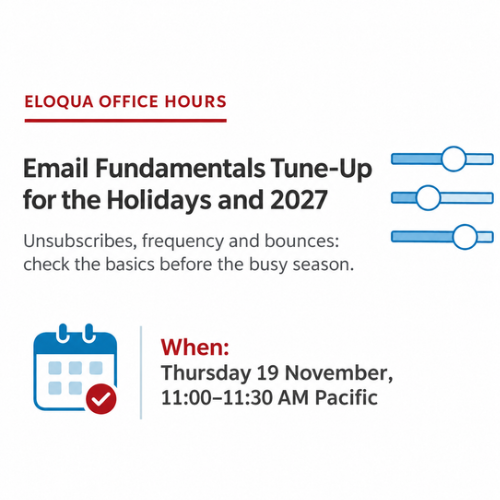
One email scanner can unsubscribe your best contact before they read your holiday send. This month’s Eloqua Office Hours Nov 2026 session covered four quiet ways good contacts get lost.
Richard Holder, Director of Marketing at 4Thought Marketing, called holiday sending season a time for a tune-up, not a rebuild. Al Arceo hosted.
One-Click Unsubscribe Eloqua Settings to Check
One-click unsubscribe lets a contact opt out in one action, usually through the List-Unsubscribe header. Since 25D, Eloqua lets admins choose group or global handling for the header. Richard cited the M3AAWG Sender Best Common Practices v4.0 (August 2026), which says senders must offer it. They are guidelines, not enforced rules.
Richard noted Google enforces one-click for personal Gmail, not Google Workspace, under its sender guidelines. An unsubscribe beats a spam report. Getting one-click unsubscribe Eloqua settings right protects Eloqua email deliverability, and the October session covers SPF, DKIM and DMARC.
Group or Global
Group: a contact who meant “stop everything” may keep hearing from other groups and hit spam next. Global: one click removes them from everything.
The Three Email Defaults
Go to Assets, Email Setup, then Email Defaults. Add list unsubscribe header: turn it on. Enable global unsubscribe: unchecked means group. Intermediate unsubscribe page: off by default, so create the page first, then enable it.
Why Scanners Matter
Security scanners click every link, so a one-click unsubscribe Eloqua link that goes straight to global unsubscribe removes contacts before they read a word. Use an intermediate page, ideally a preference page with topic options. 4Preferences lets contacts choose channels, topics and frequency on a hosted preference center.
Email Send Frequency: Two Stoplights for Overlapping Campaigns
A stoplight is a filter step on your Campaign Canvas that checks recent sends. At Eloqua Office Hours Nov 2026, Richard cited a Validity survey in which 3 in 4 marketers planned more holiday volume, so email send frequency matters now.
Stoplight 1: hold anyone with a send in the last 3 days, pause one day, then release them if the next day is clear. Stoplight 2: cap sends at 3 per week. Select every email group so the count includes every email.
Eloqua’s fatigue analysis is a data-driven alternative, though it takes more work, and our email fatigue replay goes deeper.
Eloqua Soft Bounces: Same Count, Two Different Problems
Eloqua adds one to the count for a full mailbox and for a policy block alike. A full mailbox is about the contact. A policy block is about the receiving company’s rules, or about you as the sender. In one send Richard shared, 64% of Eloqua soft bounces were policy blocks, 36% were mail loop errors, and none were bad addresses.
Revalidation is a good first step, but it will not fix a policy block, because the address is fine. Our Eloqua sender score guide covers Eloqua email deliverability from the sender side.
Soft Bounce Counter Campaign
Build one campaign with two tracks, and watch it with our Eloqua campaign monitoring guide. Track 1 runs daily and adds 1 for anyone who soft bounced the day before. Past a count of 5, contacts join a shared list for review. Track 2 resets counts after 90 days. It only flags who to review.
Four Options for the List
Start with manual review. Master Exclude works, but use it cautiously: contacts you remove do not restart on their own. Third, add a decision step that delays contacts on the list. Fourth, run a deliverability review if Eloqua soft bounces keep growing.
Eloqua Email QA: Add Second-Eyes Testing
The builder should not be the only tester, so ask a reviewer to click every link and check the subject line, personalization and dates. At one company he worked for, Richard saw a policy where no email went live until the sender acknowledged in writing that they had reviewed and approved it. That kept marketing and ops sharing accountability. See our campaign QA checklist.
Check Your Email With AI Before You Send
Before you send an Eloqua email, paste its subject line and body into an AI tool your company allows and ask for a basic pass: spelling, grammar, formatting and any buzzwords you never want in an email. Never paste contact data. Richard called it a backstop, and even a simple prompt returns a useful analysis of your email. Run it after your own edit and before the second-eyes review, so your reviewer spends time on judgment, not typos. It strengthens Eloqua email QA but does not replace a human who clicks every link. See AI pre-send checks for what AI can verify.
Common Mistakes and the One Thing to Do This Week
Marketing Operations Principal Sam Gallinelli sees three mistakes most. Inactive contacts: with no clicks or form submits in six months, say, suppress them instead of deleting them. Poor targeting: exclude registrants so they do not get a reminder to register. Batch and blast: use signals, such as purchases, instead.
If you do one thing this week, confirm you have an intermediate unsubscribe page.
Watch the Replay: Email Fundamentals Tune-Up | Eloqua Office Hours Nov 2026
Conclusion
Four checks make up the tune-up: confirm your Email Defaults and intermediate page, add two stoplights for email send frequency, read your soft bounce messages, and make Eloqua email QA a second-eyes habit. Use what Eloqua Office Hours Nov 2026 covered to protect Eloqua email deliverability, and contact us at 4Thought Marketing.
About 4Thought Marketing
We're a B2B marketing automation and AI consultancy with a thing for getting complex tech to actually work. Since 2008, we've helped hundreds of organizations across financial services, technology, manufacturing, and real estate get more from Eloqua, Marketo, and their CRM integrations. We serve our clients across marketing automation strategy, lead lifecycle, AI, compliance, preference management, and more. Explore our services or get in touch.
Frequently Asked Questions
Can Eloqua’s fatigue analysis replace stoplights?
Yes, it can be an alternative. Fatigue analysis looks at data to identify whether a contact is saturated, undersaturated or oversaturated, so you can adjust timing dynamically. It takes more work to implement than a stoplight, and Oracle’s support community has guidance if you want to start on your own.
Should you delete contacts after repeated soft bounces?
Richard’s answer is no, not as a first move. Deleting is dramatic. Start monitoring the list, watch your bounce report, and read the messages to see whether the cause is a full mailbox, a temporary problem, or a company rule blocking you.
What is one-click unsubscribe in Eloqua?
It lets a contact opt out with one action, usually through the List-Unsubscribe header. Since 25D, Eloqua lets admins choose group or global handling for that header, and you control it under Assets, Email Setup, Email Defaults.
Why do soft bounces rise when addresses are valid?
A policy block counts as a soft bounce even though the address is fine. The receiving company’s rules, or its view of you as the sender, caused it. Revalidating the address will not fix that, so read the bounce message first.
How many emails per week is too many in Eloqua?
It depends on the email type. Onboarding emails can run daily if you disclose that, nurtures run slower, and newsletters keep their own schedule. A stoplight that caps sends at 3 per week is one practical starting point, and your unsubscribe metrics will tell you whether to adjust.
How do you stop email scanners from unsubscribing contacts in Eloqua?
Create an intermediate unsubscribe page and enable it in Email Defaults. Scanners click every link, so a direct path to global unsubscribe removes contacts by accident. A preference page with topic options is even better.