





Quick Takeaways
- Email campaign design is a system of decisions, not just aesthetics.
- Start every email with one clear conversion goal before designing anything.
- Mobile-first single-column layouts are the baseline for B2B email design.
- Subject line and preview text together determine whether your email gets opened.
- SPF, DKIM, and DMARC authentication are now required for bulk B2B senders.
- Pre-send testing across clients prevents avoidable rendering failures at launch.
B2B email remains the highest-ROI marketing channel available, delivering roughly $36 for every $1 spent. Most marketing teams send hundreds of campaigns per year, relying on email to nurture leads, accelerate pipeline, and re-engage dormant contacts.
But many of those campaigns underperform — not because of the offer or the timing, but because of the design. Subject lines that get cut off, CTAs that disappear on mobile, personalization that falls flat: these are email campaign design failures, and they compound across every send.
Effective email campaign design is not about aesthetics. It is a system of interconnected decisions that shapes whether your email gets opened, read, and acted on. This guide walks through that system step by step.
Step 1: Define the One Action You Want Before Designing Anything
Anchor every email to a single conversion goal
The most common email design mistake in B2B marketing is trying to accomplish too much in a single send. Multiple CTAs, three different offers, a product update, and a news roundup — each one competes for attention and dilutes the signal you are trying to send.
Before opening your design editor, answer one question: what is the single action this email should drive? A meeting booking, a content download, a webinar registration, a trial activation — pick one and design everything around it.
Match the email type to the funnel stage
A nurture email for a cold, top-of-funnel contact has different design requirements than a re-engagement email for a dormant prospect. Top-of-funnel emails should educate and earn trust. Mid-funnel emails can introduce solutions. Late-stage emails should reduce friction and make the next step obvious.
Getting this alignment right before touching a layout element is the foundation of strong email campaign design. If you are building a reusable template library organized by funnel stage, marketing operations templates can help you systematize this approach across your team.
Step 2: Build for Mobile, Brand Consistency, and Scannability
Use a single-column, mobile-first layout
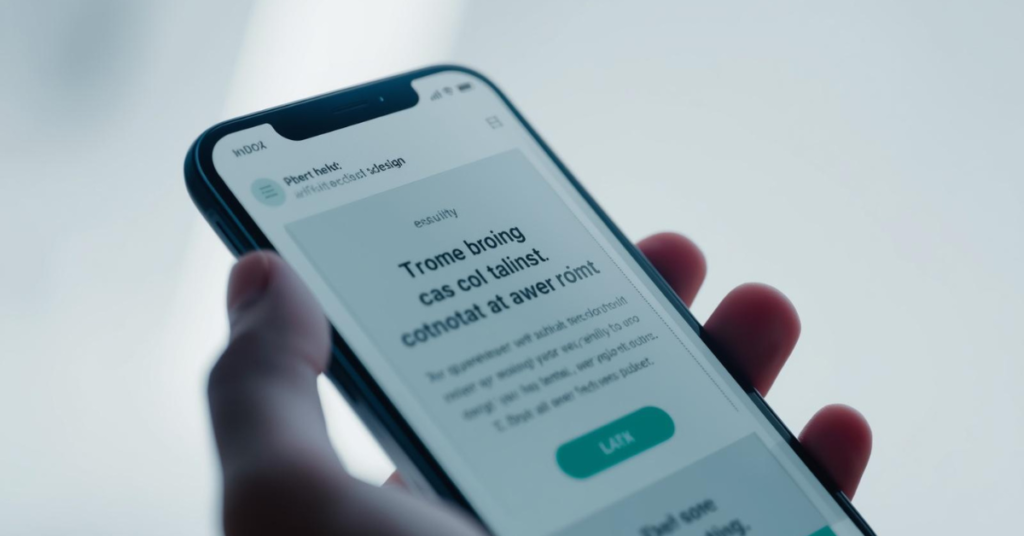
Nearly 61% of B2B emails are opened on mobile devices. A multi-column layout that looks polished on desktop frequently collapses or overlaps on smaller screens. Single-column layouts scale cleanly, load faster, and keep the reading flow intact across devices.
Keep your email width at 600px for desktop. Use font sizes of at least 14px for body text and 22px or larger for headlines. CTA buttons should be at least 44px tall so they are tap-friendly on a phone screen.
Enforce brand consistency with reusable components
Your email should be recognizable before the reader reads a word: logo placement, brand colors, and consistent typography signal who is sending. In Eloqua, content blocks let you save and reuse branded layout components across campaigns, eliminating drift and cutting build time. The Eloqua Design Editor supports drag-and-drop template creation that enforces these standards without requiring code.
Use white space deliberately. It separates sections, reduces visual fatigue, and draws attention to your CTA. An email that looks dense will be scanned and discarded.
Step 3: Write Subject Lines and Preview Text That Earn the Open
Keep subject lines short and specific
Your subject line is your first CTA — it does not describe the email, it earns the click to open it. Most mobile inboxes display 30 to 40 characters before cutting off, so the first few words have to carry the weight.
Avoid vague openers like “Quick update” or “Following up.” Be specific about the value: “3 Eloqua scoring mistakes to fix this quarter” will outperform “Improve your lead scoring today” every time.
Treat preview text as a second subject line
The preview header is the text displayed below your subject line in most inboxes. Most teams leave it blank or let the inbox pull in the first line of body text — both are missed opportunities.
Write preview text that extends the subject line without repeating it. Together, they should build enough relevance or curiosity that the reader opens rather than deletes. Keep it at 40 to 90 characters and put the most important idea first.
Step 4: Design Body Copy and the CTA as a Single System
Personalize with data, not just tokens
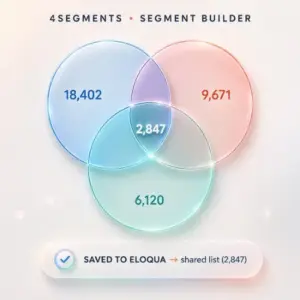
Inserting a first name is not personalization. Effective B2B email personalization uses behavioral and firmographic data to serve content that is relevant to where the contact is in the buying journey. Segment by industry, role, lifecycle stage, or engagement history, and use dynamic fields to surface the right message for each group.
For teams looking to scale this without manual rewrites, generative AI for email personalization makes it possible to produce segment-specific content at volume while maintaining message quality.
Give your primary CTA one job and make it unmissable
Your primary CTA should appear once, be visually distinct, and be surrounded by white space. Place it above the scroll on mobile where possible. Use action-oriented copy: “Download the guide,” “Book a 30-minute call,” or “See the checklist” perform far better than “Learn more” or “Click here.”
Secondary links, if any, belong in the footer — not competing with the primary CTA in the body of your email.
Step 5: Run a Pre-Send Checklist Before Every Campaign
Authenticate your sending domain
Gmail and Yahoo now require bulk senders to have SPF, DKIM, and DMARC authentication in place along with one-click unsubscribe. Non-compliance means your emails land in spam folders or fail to deliver entirely. Review Google’s bulk sender requirements and confirm your authentication records are current before any large-volume send.
For a full framework covering list hygiene, suppression rules, and sender reputation, the email deliverability best practices guide covers what every B2B team should have in place.
Test across clients and run your A/B experiment
What renders cleanly in your platform preview often breaks in Outlook, Gmail mobile, or Apple Mail. Skipping pre-send testing is one of the most avoidable mistakes in B2B email and one of the most damaging. Tools like Litmus let you preview rendering across dozens of clients before a single contact receives your email. For a detailed look at what can go wrong when this step is skipped, read why skipping email preview testing is a costly mistake.
Once your design is confirmed, set up an A/B test on your subject line or CTA copy. Even a 10% lift in open rate compounds significantly across a year of campaigns, and the data you gather improves every future send. For a structured approach to testing across your broader automation program, the A/B testing in marketing automation guide is worth bookmarking.
Conclusion
Email campaign design is not a creative exercise separate from strategy — it is strategy made visible. Every layout decision, subject line choice, and CTA placement either earns engagement or loses it. The B2B teams seeing 30% higher open rates and 50% higher click-through rates are not sending more email; they are sending better-designed, more precisely targeted email. If you want to audit your current approach or build a more systematic email design process, contact 4Thought Marketing to talk through your program.
Frequently Asked Questions
What is email campaign design in B2B marketing?
Email campaign design in B2B refers to the combination of visual layout, copy structure, personalization, and technical configuration that shapes how an email performs across the funnel. It covers decisions from subject line and preview text through body structure, CTA placement, mobile rendering, and pre-send testing. In B2B, good design is measured by pipeline impact, not aesthetics.
How many CTAs should a B2B marketing email have?
Most B2B marketing emails should have one primary CTA and no more than two secondary links. Multiple CTAs create decision paralysis and reduce click-through rates. The primary CTA should be visually distinct, placed above the scroll on mobile, and use action-specific copy rather than vague labels.
What is the ideal email width for B2B campaigns?
The standard email width for desktop is 600px. For mobile, emails should use a single-column layout that scales cleanly to 320px to 375px screen widths. Using a responsive template in your marketing automation platform handles this automatically when configured correctly.
Why does my email look different in Outlook than in Gmail?
Different email clients render HTML differently. Outlook uses Microsoft Word’s rendering engine, which has limited support for certain CSS properties. Gmail has its own quirks, particularly with embedded styles. Pre-send testing tools let you preview rendering across all major clients before sending, catching layout breaks before they reach your audience.
How does email authentication affect campaign deliverability?
Authentication (SPF, DKIM, DMARC) does not affect visual design directly, but it determines whether your email reaches the inbox at all. Unauthenticated domains are increasingly filtered or blocked, particularly by Gmail and Yahoo for bulk senders. Authentication is a deliverability requirement, and deliverability is the foundation that everything else is built on.
How often should B2B teams A/B test their emails?
Industry data shows 77% of B2B marketers run A/B tests at least monthly. The most productive test variables are subject lines, CTA copy and placement, and preview text. Run one test per campaign, establish a clear hypothesis, and use results to inform your next send rather than treating each test as an isolated experiment.