Quick Takeaways
- Oracle Eloqua is built for complex B2B buying cycles.
- Campaign Canvas runs sends; Program Canvas runs background data work.
- Segments decide who receives every email you send.
- A broken CRM sync quietly undoes your best campaigns.
- Most Eloqua failures are governance failures, not platform bugs.
- Post-launch monitoring catches problems that pre-launch QA never sees.
Table of Contents
Your company pays for Oracle Eloqua every year, yet most teams use a fraction of its capabilities and struggle to explain to a new hire what half the instance does. That gap shows up as stalled campaigns, segments nobody trusts, and reports leadership quietly ignores.
Eloqua is not hard to use because it is old or clunky. It has a steep learning curve because it is powerful, and the pieces only perform when someone runs them as one system. Search for a plain answer, and you usually find feature lists, not an operating view.
This guide gives you both: what Oracle Eloqua does, described in its own terms, and the working habits that keep a busy instance fast, clean, and trusted.
What Is Oracle Eloqua?
Oracle Eloqua is Oracle’s marketing automation platform for B2B companies with long, considered buying cycles. It stores your contacts, sends your email, captures form data, scores leads, and passes qualified contacts to your CRM so sales can act on them.
That definition fits many tools, so here is what sets it apart. Eloqua marketing automation is designed for complex organizations: multiple business units, large databases, strict brand control, and deep CRM integration. The trade-off is that it rewards structure. An instance with clear naming, owned segments, and documented processes runs smoothly for years. An instance without them does not show its value and slows down a little every quarter.
Oracle keeps full product documentation in the Oracle Eloqua Help Center, the best place to confirm how a specific feature behaves in your own instance.
What Does Oracle Eloqua Do for B2B Marketing Teams?
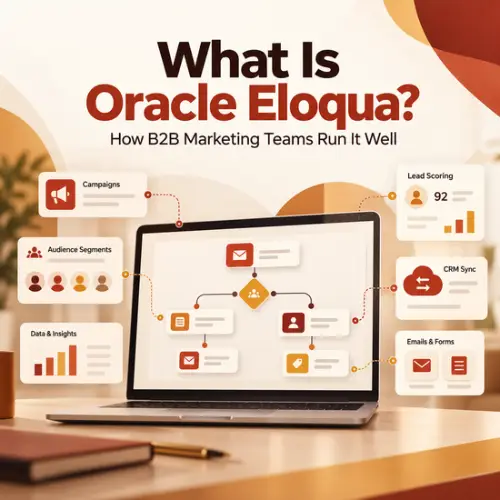
Oracle Eloqua handles five jobs for a marketing team: it runs campaigns, defines audiences, scores leads, processes data in the background, and connects to the rest of your stack. If you are using Eloqua for B2B marketing, these are the building blocks you touch every week.
Campaigns and Campaign Canvas
A Campaign is Eloqua’s top-level marketing effort, built on the Campaign Canvas. You visually build a campaign by dragging in a segment, emails, wait steps, and decision rules, then activate the campaign so contacts move through the flow. Oracle’s campaign documentation describes two common shapes: simple email campaigns for one-off sends and multi-step campaigns for journeys such as event invitations, nurtures, drip campaigns, or webinar follow-up.
Pick the right canvas from the start. Campaign Canvas suits time-bound sends that need reporting, while always-on logic belongs somewhere else. Our breakdown of Campaign Canvas vs. Program Canvas walks through that decision step by step.
Segments and Shared Filters
Segments decide who receives every email you send. A segment combines filter criteria and contact lists, for example, contacts in North America who downloaded a pricing guide in the last 90 days. Oracle explains how Eloqua segments work in detail.
Shared Filters let you save criteria once and reuse them across many segments. That reuse keeps audience definitions consistent when ten people build campaigns in the same instance. For practical patterns, see these Eloqua segmentation strategies.
Lead Scoring
Eloqua’s lead scoring rates each contact on two dimensions: profile fit, meaning who they are, and engagement, meaning what they do. The result is a letter-and-number score, such as A1 or C3, that sales can read at a glance. A model only helps if sales agrees with the criteria, so build it with them. Our guide to a scalable Eloqua lead scoring model covers the setup.
Program Canvas for Always-On Data Work
Program Canvas handles work that never stops: normalizing job titles, routing contacts by region, updating lifecycle stages, and processing custom object records. It runs continuously instead of inside an activation window. Eloqua also keeps the older Program Builder, which still covers a few jobs Program Canvas does not, so read Program Canvas vs Program Builder before you choose.
Forms, Landing Pages, and Reporting
Oracle Eloqua also hosts the forms and landing pages that capture new contacts. Each form submission can update contact fields, add the contact to a campaign, and trigger follow-up, so build form processing steps that map cleanly to your CRM fields. For reporting, Oracle Eloqua Insight provides standard reports and dashboards for email, campaign, and form performance that you can share with leadership on a schedule.
How Eloqua Email Marketing Works
Email in Eloqua runs on two tracks: campaign sends from marketing and one-to-one sends from sales. Both write to the same contact record, so every open and click lands in one activity history.
Campaign sends: Marketing builds emails in the Design Editor or the source editor, adds dynamic content for different audiences, and sends through a campaign. Email Groups tie each email to a subscription category, so a contact can opt out of event invitations without leaving your newsletter.
Sales sends: Reps following up after a demo should not paste marketing copy into personal email. Eloqua Engage for one-to-one sales emails lets them send approved templates from their own address, with full tracking.
Deliverability: Both tracks depend on it. Authenticate your sending domain with SPF, DKIM, and DMARC, suppress hard bounces, and watch complaint rates per campaign, not just per month.
How Oracle Eloqua Connects to Your Stack
Oracle Eloqua is only as useful as the data flowing in and out of it. For most B2B teams, that starts with the CRM.
CRM: Eloqua offers native integration or integration apps for Salesforce, Microsoft Dynamics, and Oracle Sales. Contacts, leads, campaign responses, and scores sync on a schedule you control. When sync breaks, sales works stale leads and marketing loses credit, so treat your Eloqua CRM integration as production infrastructure, not a one-time setup.
APIs: Custom integrations use Eloqua’s APIs. The REST API suits real-time, single-record work, while the Bulk API moves large datasets in scheduled jobs. Our comparison of Eloqua REST vs Bulk API helps your developers choose.
Apps: Cloud apps unlock the untapped potential in Oracle Eloqua. They extend what’s possible, so you can do things with data and campaigns that aren’t core to the product. These add-ons can improve data quality, move data between contacts and custom objects, and send emails to multiple contacts who share one mailbox. Apps from the Oracle Marketing App Cloud plug into Campaign Canvas and Program Canvas steps. Review installed apps once a year, because an unused app still running inside a canvas is easy to forget. For a list of Eloqua Cloud Apps available from 4Thought Marketing, visit our Eloqua Cloud Apps page.
Eloqua Best Practices for Running Your Instance Well
The difference between a healthy instance and a struggling one is rarely a missing feature. Most Eloqua problems that look like platform failures are governance failures: unnamed assets, duplicate segments, and campaigns nobody owns after launch. These habits keep that from happening.
Governance and Naming
Set one naming convention for every asset type, such as region, date, campaign name, and asset type, and enforce it during QA. Assign an owner to every active campaign. Archive finished work each quarter so your team searches live assets, not years of history. A shared Oracle Eloqua style guide for naming, folders, and asset ownership gives every new builder the same rules on day one.
Data Hygiene
Bad data breaks segmentation, scoring, and CRM sync at the same time. Standardize fields like country and job title as records arrive, merge duplicates, and remove hard bounces on a schedule. These Eloqua data hygiene best practices give you a starting checklist.
Monitor Campaigns After Launch
QA checks a campaign before it goes live. Monitoring catches what QA cannot see: a segment that suddenly pulls zero contacts, a form that stops syncing, or a bounce rate that spikes on day two. Review every new campaign during its first 72 hours on a fixed schedule, not only when someone complains.
Keep Your Click Data Honest
Email security tools at many corporate inboxes scan the links in incoming email, and that automated activity can be recorded as clicks nobody made. Eloqua keeps the clicks it identifies as automated out of click totals and click rates in Insight, but Oracle doesn’t document whether they also affect lead scoring or campaign decisions. Check click timing and patterns before you treat a click as real interest.
Health Checks and Training
Even well-run instances drift. A regular Eloqua health check reviews database quality, asset clutter, program logic, deliverability, and integrations so you fix problems before they spread. Pair it with a structured Eloqua training plan so new team members learn your conventions, not just the buttons. Following Eloqua best practices is easier with a second set of eyes, and 4Thought Marketing provides Oracle Eloqua consulting, instance health checks, and custom training.
Conclusion
Oracle Eloqua gives B2B teams one system for campaigns, audiences, scoring, background data work, and CRM sync. Its depth is why it fits complex organizations, and why it needs structure to stay fast. Name your assets, own your segments, keep your data clean, and watch every campaign after launch. Do that consistently, and the instance you already pay for starts earning its place in your stack. To review how your instance runs today, contact 4Thought Marketing.
About 4Thought Marketing
We're a B2B marketing automation and AI consultancy with a thing for getting complex tech to actually work. Since 2008, we've helped hundreds of organizations across financial services, technology, manufacturing, and real estate get more from Eloqua, Marketo, and their CRM integrations. We serve our clients across marketing automation strategy, lead lifecycle, AI, compliance, preference management, and more. Explore our services or get in touch.
Frequently Asked Questions
What do B2B teams use Oracle Eloqua for?
Oracle Eloqua is used by B2B marketing teams to run email campaigns, build audience segments, score leads, and sync qualified contacts to a CRM. It suits organizations with long buying cycles, large contact databases, and multiple business units.
Is Eloqua only for B2B marketing?
Eloqua is built mainly for B2B marketing, where long sales cycles, lead scoring, and CRM handoffs matter most. Its strengths are sales alignment, audience segmentation at scale, and governance across large teams, which is why most of its users sell to other businesses.
What is the difference between a Campaign and Program Canvas in Eloqua?
In Eloqua, a Campaign is the time-bound marketing effort built on the Campaign Canvas, with segment entry and campaign reporting. Program Canvas runs always-on background work, such as data normalization and lead routing, that has no fixed end date.
How does Eloqua handle email unsubscribes?
Eloqua manages subscriptions through Email Groups. A contact can unsubscribe from one Email Group, such as event invitations, and keep receiving others, or unsubscribe globally from all marketing email.
Which CRM systems does Oracle Eloqua integrate with?
Oracle Eloqua connects to Salesforce and Oracle Sales through integration apps and to Microsoft Dynamics through its native integration. It also connects to other systems through its REST and Bulk APIs. Most teams sync contacts, leads, campaign responses, and lead scores.
How often should you audit your Eloqua instance?
Most teams benefit from a full health check once or twice a year, with lighter quarterly reviews of deliverability, data quality, and sync errors. Run one sooner after team turnover, a CRM change, or an unexplained drop in performance.