






Key Points at a Glance
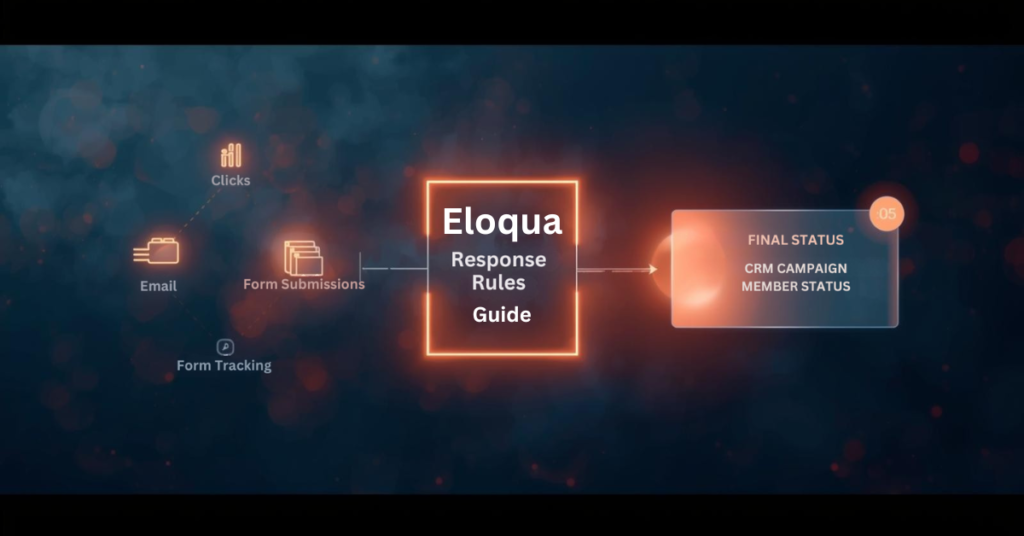
- Eloqua Response rules define what counts as a response in your CRM.
- CRM response tracking requires a CRM campaign ID.
- Priority order syncs only the highest value interaction.
- Processing runs hourly at five minutes past the hour.
- Program Canvas and Program Builder give the most sync control.
Campaign response tracking connects marketing activities to measurable outcomes in your CRM. When contacts engage with emails, forms, or events, those interactions need proper classification to inform sales teams and attribution models. Eloqua response rules serve as the configuration layer that defines which activities count as responses and how they map to CRM statuses. Without proper setup, valuable engagement data may never reach your CRM, or worse, the wrong status updates could trigger inappropriate workflows. Understanding how Eloqua response rules work ensures your campaign data flows accurately from Eloqua to your CRM, giving sales and marketing teams the insights they need to act on engagement signals.
What exactly are response rules in Eloqua?
Response rules define which campaign activities qualify as responses and determine the CRM status those responses should receive. When contacts interact with your campaigns through email opens, link clicks, form submissions, or event attendance, Eloqua response rules are used to evaluate those interactions against the criteria you have configured and sync qualified activities to your CRM system.
Think of response rules as the execution logic for decisions your sales and marketing teams have already made: which interactions represent engagement worth tracking in the CRM? This configuration connects marketing activity in Eloqua to campaign member records in Salesforce, Microsoft Dynamics, Oracle Sales Cloud, or other CRM platforms.
Response rules consist of three main components:
- Activity type (what the contact did)
- CRM member status (how that activity should be labeled in your CRM)
- Priority order (which status wins when multiple activities occur)
Do I need a special campaign setup to use Eloqua response rules?
Yes. Every Eloqua campaign that tracks responses must include a CRM campaign ID, which links Eloqua contacts to your CRM campaign member records.
When configuring your campaign, place all assets you want tracked as responses on the campaign canvas or within simple campaigns. If you plan to track form submissions or external activities like webinar registrations, these assets must be included on the canvas and share the same campaign ID. Assets living outside the campaign structure or using different campaign IDs will not generate responses in accordance with your rules.
This setup requirement means planning your campaign architecture before launch. You cannot retroactively assign response tracking to activities that occurred without a proper campaign ID association.
Which campaign activities can count as responses?
Five primary activity types for Eloqua response rules:
- Email sends
- Email open
- Email click-through
- Form submission
- External activities (webinar registration, webinar attendance, event check-in)
Most marketing operations teams exclude email sends from Eloqua response rules because a send represents a marketing action rather than contact engagement. Similarly, email opens can be unreliable due to limitations in tracking pixels and privacy features in modern email clients.
The most commonly tracked responses include:
- Email clickthrough — demonstrates active interest
- Form submission — indicates deeper engagement and data sharing
- Webinar attendance — shows commitment through time investment
- Event registration — signals intent to engage further
Your response rule configuration should reflect which activities matter most to your sales and marketing workflows.
How do I map activities to CRM campaign member statuses?
Each response rule maps a specific activity type to a CRM member status value. The status values must match exactly what your CRM expects for campaign members. For Salesforce and Oracle Sales Cloud, common statuses include “Responded,” “Registered,” “Attended,” “Clicked,” or custom values your team has created. For Microsoft Dynamics and other CRM systems, you define equivalent status codes that align with your CRM configuration.
You also designate a default response rule, typically assigned to your lowest priority activity. This default catches any qualifying activities that do not match higher-priority rules, ensuring that all meaningful engagement generates a response. The mapping process requires coordination between your Eloqua administrator and CRM administrator to ensure status values align across both systems. Mismatched status values will cause sync failures or unexpected behavior.
What happens when contacts perform multiple activities on the same campaign?
Priority order becomes critical when contacts engage multiple times. Eloqua sends only the highest-priority responses to your CRM, preventing status downgrades and reducing data noise.
Consider this scenario: A contact receives an email, clicks the link, submits a form, and later attends a webinar. If your priority order ranks webinar attendance first, form submission second, and email click through third, Eloqua will sync only “Attended” to your CRM. Even if the contact clicks the email again after attending the webinar, the CRM status remains “Attended” because Eloqua recognizes that a higher-priority activity has already occurred.
This priority logic ensures your CRM campaign member status reflects the most meaningful interaction, not every interaction. Without proper priority configuration, a contact who attends your webinar might show a status of “Clicked” if the click activity is processed after attendance, creating reporting confusion and potentially triggering incorrect automation. Set priority order based on business value and engagement depth, not chronological order.
How quickly do campaign responses sync to my CRM?
Eloqua does not sync responses to your CRM in real time. Instead, a backend process runs at 5 minutes past each hour to evaluate all campaign activities against your configured Eloqua response rules. This process creates campaign response records in an internal Eloqua table according to the rules and priorities you set. Those response records then become available for your CRM sync workflow to process.
If campaign responses are not appearing in your CRM immediately after a contact clicks or submits a form, timing is often the explanation. The contact may have completed the activity, but the backend evaluation process has not run yet to create the response record. Wait until at least 5 minutes past the hour before investigating further.
After the response record is created, your Program Canvas, Program Builder, or integration rule workflow must still process and send that record to your CRM, which introduces additional timing based on how frequently those workflows run.
What are the methods for sending Eloqua responses to my CRM?
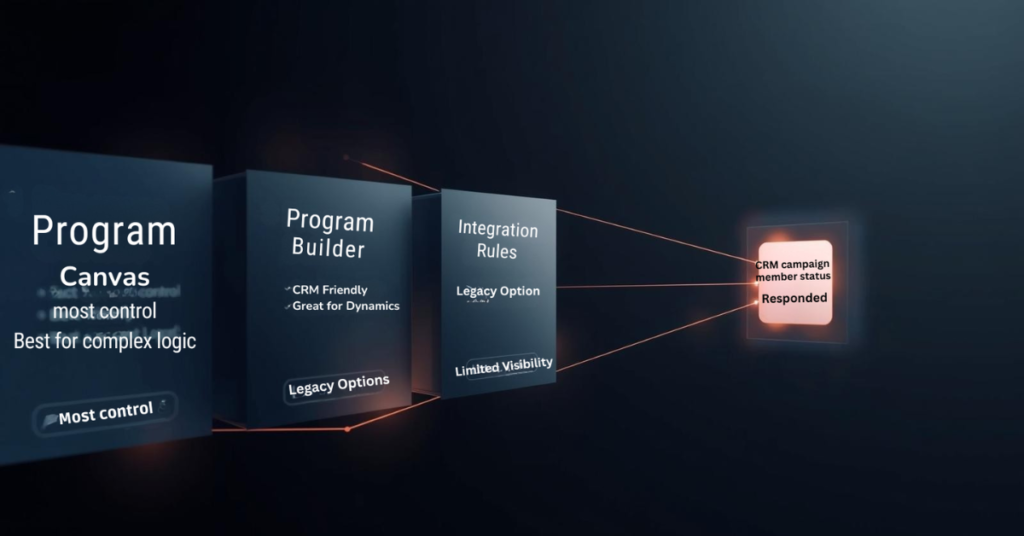
Eloqua offers three primary methods for delivering campaign responses to your CRM: Program Canvas, Program Builder, and Integration Rules.
Program Canvas (available for Salesforce and Oracle Sales Cloud customers using integration apps) provides the most visibility and control. A listener step can trigger automatically when a campaign response is created, feeding records directly into your CRM update workflow. This approach allows you to add filtering, data enrichment, or conditional logic before syncing.
Program Builder offers similar functionality through a different interface, particularly useful for Microsoft Dynamics and other CRM systems.
Integration Rules represent an older approach that still functions but provides less visibility into data flow and troubleshooting capabilities.
Most marketing operations teams prefer the Program Canvas or Program Builder approach because it surfaces the sync workflow visibly, making it easier to diagnose issues, add business logic, and maintain over time.
Can I sync campaign responses to multiple CRM systems simultaneously?
No. The response action feature and Program Builder both limit you to a single CRM system per Eloqua instance. There is no native capability to trigger multiple CRM integrations from one response action.
If your organization requires syncing campaign responses to multiple CRM systems, you will need a workaround. One approach involves creating custom objects for each campaign response, then building separate programs for each CRM that check which CRM ID fields contain values and route responses accordingly. This adds complexity and requires careful data architecture planning.
For most organizations, this limitation is not an issue, as marketing operations typically maintain a single primary CRM for campaign tracking and lead management.
What should I verify before launching campaigns with Eloqua response rules?
Configure Eloqua response rules before sending your first campaign. Once contacts begin engaging, the rules determine what syncs to your CRM, and retroactive changes can create data inconsistencies.
Verify these items during setup:
Match CRM expectations — Confirm that response rule status values exactly match the campaign member statuses your CRM expects. Even small differences in capitalization or spacing will cause sync failures.
Test priority order — Walk through realistic contact journeys where someone engages multiple times. Verify that the highest priority status reaches your CRM regardless of activity timing.
Confirm contact existence — Build your workflow to check that contacts exist in your CRM before attempting to send campaign responses. If a contact record has not been created yet, the response will have nowhere to attach, causing sync errors.
Validate campaign ID assignment — Double-check that all assets you want tracked share the same campaign ID and appear on the campaign canvas or within simple campaigns.
Taking time to configure Eloqua response rules properly prevents troubleshooting headaches later and ensures campaign engagement data flows to your CRM as intended.
Conclusion
Eloqua response rules form the foundation of how campaign engagement data flows from Eloqua to your CRM system. Understanding which activities count as responses, how priority order prevents status downgrades, and when the backend processing creates response records helps marketing operations teams build reliable workflows.
Proper configuration requires coordination between Eloqua administrators and CRM teams to ensure status values align, priority order reflects business value, and sync workflows check for contact existence before sending data. At 4Thought Marketing, we help organizations design and implement Eloqua response rule strategies that ensure accurate campaign tracking and seamless CRM integration. Ready to optimize your Eloqua response rules? Contact our team to discuss how we can help improve your marketing automation workflows.
Frequently Asked Questions (FAQs)
Can I change response rules after a campaign has already started?
Yes, but changes only affect activities that occur after the modification. Existing campaign responses remain unchanged, which can create inconsistencies in reporting.
Why are some campaign responses not appearing in my CRM?
Common causes include mismatched CRM status values, contacts not existing in your CRM yet, missing campaign IDs on assets, or sync workflows not running frequently enough.
Do email opens count as reliable response indicators?
Email opens have become less reliable due to privacy features in email clients that block tracking pixels or pre-load images, making click-throughs and form submissions more trustworthy engagement signals.
Can I use response rules with campaigns that do not have a CRM campaign ID?
No. Response rules require a CRM campaign ID to function because that ID links Eloqua activities to CRM campaign member records.
How often should I review my response rule configuration?
Review response rules quarterly or whenever you launch new campaign types, add CRM member statuses, or notice discrepancies between Eloqua activity and CRM data.
What is the difference between a response rule and a campaign response?
A response rule is the configuration that defines what activities count as responses. A campaign response is the actual record created when a contact performs an activity that matches a rule.